Flightsim.toFlightsim.to
    User Content Subcategory

    User ContentFlow Pro Widgets

    Browse Flow Pro Widgets user content for Microsoft Flight Simulator 2024 and 2020.

    View all user content
    70Ergebnisse
    Sortieren nach:
    AeroSentinel - (FLOW PRO Widget)Automatically pauses at TOD, the specified altitude and distance.

    AeroSentinel - (FLOW PRO Widget)Automatically pauses at TOD, the specified altitude and distance.

    AeroSentinel is a utility widget for Parallel 42 Flow, designed to automate pausing in Microsoft Flight Simulator. It integrates with SimBrief to monitor Top of Descent and destination, pausing the sim when specified distances or altitudes are reached. The tool also provides stall protection, simulation rate controls, and universal pause through global clock stop. It operates independently from aircraft FMCs and is fully compatible with MSFS 2024 Career Mode.

    AndanteAndante
    MSFS2024
    4.0(1)
    73
    12.8 KB
    3 days ago
    Landing Guide/Flow Pro Widget - It helps you achieve a smooth touchdown.

    Landing Guide/Flow Pro Widget - It helps you achieve a smooth touchdown.

    The Land Guide Flow Pro Widget provides real-time visual and data-driven assistance for smoother landings in Microsoft Flight Simulator. It displays crucial information such as radar altitude, drift angle, wind conditions, and crosswind risks to aid approach and touchdown. After landing, the tool monitors braking performance and displays longitudinal G-force and landing rate. The interface adapts automatically based on flight phase and supports various aircraft types with smart visibility controls.

    AndanteAndante
    MSFS2024
    0.0(0)
    284
    14.4 KB
    1 week ago
    AUTO HDG on TOP for PMDG 777

    AUTO HDG on TOP for PMDG 777

    This Flow custom widget automatically synchronizes the PMDG 777 MCP heading selector to the aircraft’s current heading, replicating the "HDG on TOP" feature from the PMDG 737. Includes a one-click toggle for easy activation and deactivation. Installation requires copying the widget folder to the Community folder and configuring it in the Flow panel. Designed for improved heading management in the PMDG 777.

    rentonflightrentonflight
    MSFS2024
    0.0(0)
    8
    9.4 KB
    4 weeks ago
    Taxi Speed Widget for Flow Pro

    Taxi Speed Widget for Flow Pro

    This add-on provides a widget for Flow Pro that displays the current ground speed in knots while taxiing in Microsoft Flight Simulator. It features color-coded speed warnings, auto-show and auto-hide behavior based on aircraft state, and customizable speed thresholds. The widget position is saved between sessions, and settings can be adjusted via the Flow Pro panel. It is compatible with both MSFS 2020 and MSFS 2024, following updated installation steps.

    Ape42Ape42
    MSFS2020/24
    5.0(2)
    203
    12.4 KB
    1 month ago
    Random Failure Trigger for Fenix A320 (Flow Pro)

    Random Failure Trigger for Fenix A320 (Flow Pro)

    The Random Failure Trigger for Fenix A320 (Flow Pro) is an add-on designed to enhance failure management training by introducing a customizable frequency of random failures during flights. This tool automates the necessary MCDU interactions to trigger failures without user input, allowing for practice in emergency situations while minimizing disruptions. Users can configure intervals for failure occurrence, ensuring they only activate during flight and not on the ground. Compatible with MSFS 2024 and requiring Flow Pro by Parallel 42, this widget supports both Captain and First Officer displays.

    320FO320FO
    MSFS2024
    0.0(0)
    32
    10.45 KB
    3 months ago
    737 Overhead Bins Widget

    737 Overhead Bins Widget

    The 737 Overhead Bins Widget is a Flow Pro widget for the PMDG 737-800 in MSFS 2024, allowing users to easily open and close all overhead bins.

    timwellstimwells
    MSFS2024
    0.0(0)
    79
    9.18 KB
    5 months ago
    METAR2

    METAR2

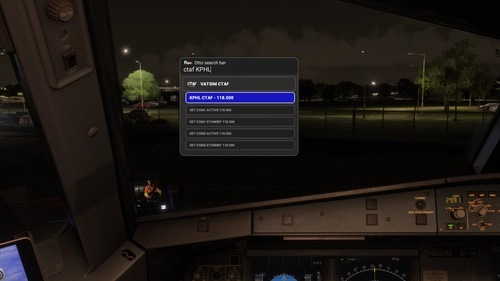
    METAR2 is an addon designed for Flow Pro, enhancing the Otto Search Bar functionality within Microsoft Flight Simulator. Users can retrieve METAR information for any airport by using the xmetar keyword; if the requested airport lacks a METAR station, data from the closest station will be displayed. The data is visualized for better readability. Installation is straightforward, and the addon is compatible with the flightsim.to Auto Installer.

    Ape42Ape42
    MSFS2024
    5.0(3)
    654
    23.2 KB
    1 month ago
    Uncovered Flow

    Uncovered Flow

    Uncovered Flow is a Flow widget for Microsoft Flight Simulator 2024 that streamlines the management of aircraft protective covers, including pitot covers and engine inlets. It features one-click installation and removal of all covers, with an automatic removal option upon entering the aircraft. The add-on provides clear visual feedback regarding the status of the covers and ensures functionality is limited to compatible aircraft specifically designed for MSFS 2024.

    GizmoDeelGizmoDeel
    MSFS2024
    0.0(0)
    386
    9.21 KB
    5 months ago
    Flow Infobar Adjustments

    Flow Infobar Adjustments

    This add-on adds a few visual tweaks to the original p42 Info Bar, with options like stacked or uppercase labels, centered alignment, and a dark background with adjustable transparency. It also includes small fixes and refinements, such as updated vertical speed labels and a corrected UTC time display. Feedback is welcome while I continue to improve it.

    plerzelwuppplerzelwupp
    MSFS2020/24
    5.0(6)
    895
    17.81 KB
    5 months ago
    GSX  Quick Actions for Flow Pro

    GSX Quick Actions for Flow Pro

    This add-on features a widget designed to enhance the GSX experience for users of //42 Flow Pro by streamlining service requests. Instead of navigating through the standard GSX menu, users can utilize dedicated buttons to request services such as boarding, deboarding, and refueling. It offers real-time information on the status of requested services and is designed to improve overall ease of use while interacting with GSX functionalities. Installation is straightforward, and the widget provides some specific operational notes to assist users.

    eugenesvveugenesvv
    MSFS2020
    4.0(1)
    770
    10.63 KB
    1 year ago
    Flow Pro: Heading Sync Widget

    Flow Pro: Heading Sync Widget

    The Flow Pro: Heading Sync Widget is designed to enhance cockpit efficiency by automatically syncing the heading bug to the aircrafts current heading. This add-on addresses the challenge of adjusting the heading bug manually via keyboard mapping, offering a more streamlined solution for pilots. It simplifies the process, reducing the need to interact with cockpit controls directly.

    0.0(0)
    269
    8.13 KB
    1 year ago
    Showing 1 - 12 of 70 results