Flightsim.to

    User ContentFlow Pro Widgets

    Browse Flow Pro Widgets user content for Microsoft Flight Simulator 2024 and 2020. Durchsuche 73 Addons, die von unserer Community hochgeladen wurden.

    Zuletzt aktualisiert
    View all user content
    Flow Infobar Adjustments

    Flow Infobar Adjustments

    This add-on adds a few visual tweaks to the original p42 Info Bar, with options like stacked or uppercase labels, centered alignment, and a dark background with adjustable transparency. It also includes small fixes and refinements, such as updated vertical speed labels and a corrected UTC time display. Feedback is welcome while I continue to improve it.

    plerzelwupp
    MSFS2020/24
    5.0(6)
    961
    17.81 KB
    6 months ago
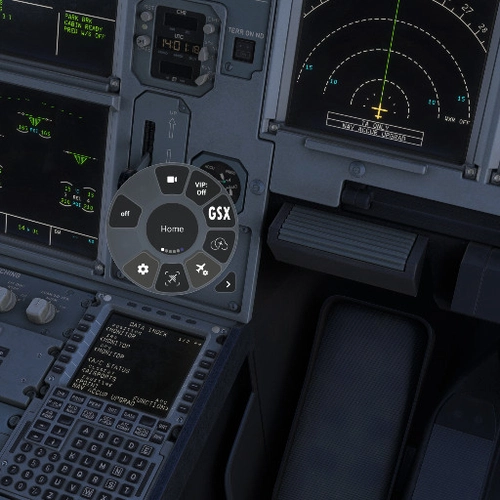
    GSX  Quick Actions for Flow Pro

    GSX Quick Actions for Flow Pro

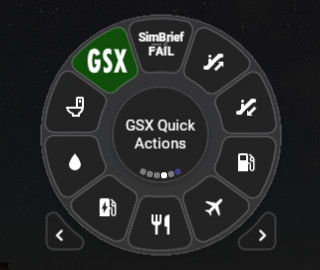
    This add-on features a widget designed to enhance the GSX experience for users of //42 Flow Pro by streamlining service requests. Instead of navigating through the standard GSX menu, users can utilize dedicated buttons to request services such as boarding, deboarding, and refueling. It offers real-time information on the status of requested services and is designed to improve overall ease of use while interacting with GSX functionalities. Installation is straightforward, and the widget provides some specific operational notes to assist users.

    eugenesvv
    MSFS2020
    4.0(1)
    821
    10.63 KB
    1 year ago
    Flow Pro: Heading Sync Widget

    Flow Pro: Heading Sync Widget

    The Flow Pro: Heading Sync Widget is designed to enhance cockpit efficiency by automatically syncing the heading bug to the aircrafts current heading. This add-on addresses the challenge of adjusting the heading bug manually via keyboard mapping, offering a more streamlined solution for pilots. It simplifies the process, reducing the need to interact with cockpit controls directly.

    0.0(0)
    280
    8.13 KB
    1 year ago
    Sim Rate Watchdog

    Sim Rate Watchdog

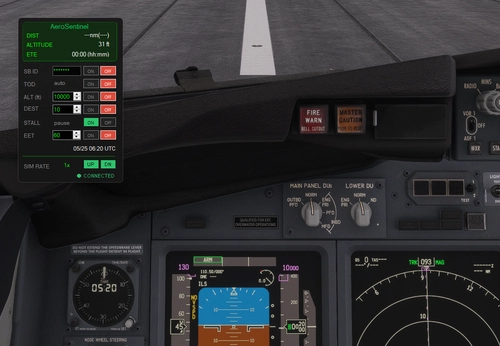
    Sim Rate Watchdog is a utility designed to dynamically adjust the simulation rate in Microsoft Flight Simulator, enhancing autopilot performance during various flight phases. Initially tested on the Asobo C172, it is compatible with airliners and other aircraft. The add-on automatically reduces sim rate as the aircraft approaches a waypoint or during altitude corrections and resets to 1x when nearing the destination. Users can manually control the sim rate while ensuring the system reverts back after leaving the critical area or upon reaching the airport.

    lockemx
    MSFS2020
    5.0(1)
    259
    9.00 KB
    1 year ago
    Flow Pro Widget: Autopilotbar

    Flow Pro Widget: Autopilotbar

    The Flow Pro Widget: Autopilotbar is a simple information bar designed to display key autopilot parameters in Microsoft Flight Simulator 2020. Currently in development, this add-on offers customization options for layout, size, color, and transparency through CSS adjustments. It aims to assist users, particularly those using specific aircraft like the C-160 Transall, by providing relevant autopilot information during flights.

    StuxIT
    MSFS2020/24
    5.0(1)
    438
    11.11 KB
    1 year ago
    Flow Change Device preset

    Flow Change Device preset

    The Flow Change Device preset is a widget designed to simplify the process of switching between device presets in Microsoft Flight Simulator. It provides a streamlined interface to load presets automatically based on the selected aircraft and supports searching for presets using the device name. While the widget allows loading and switching between presets seamlessly, it does not have the capability to create or save new presets. Additionally, it includes a Flow API feature that enables users to execute custom commands for changing presets via scripting.

    GizmoDeel
    MSFS2020
    5.0(5)
    264
    14.04 KB
    1 year ago
    Variable setter "setx" (Flow Pro Widget)

    Variable setter "setx" (Flow Pro Widget)

    Add the "setx" variable setter command to your Flight Simulator experience with this Flow Pro addon by //42. Easily adjust values like heading bug, autopilot altitude, and frequencies directly from the Otto search bar. Check out the possibilities and installation steps for this versatile tool.

    Ape42
    MSFS2020
    0.0(0)
    54
    8.55 KB
    1 year ago
    Custom Colors Wheel

    Custom Colors Wheel

    Customize the colors of your wheel with ease using the Custom Colors Wheel add-on. This feature-rich mod allows you to change wheel colors, add background images, save, load, share, and import themes effortlessly. Experiment with different themes and colors to personalize your flight simulator experience to your liking. Share your creations with the community and enjoy endless customization options right at your fingertips.

    GizmoDeel
    MSFS2020/24
    5.0(3)
    347
    11.92 KB
    1 month ago
    QuickSettings for Flow (p42)

    QuickSettings for Flow (p42)

    Fine-tune your Flight Simulator settings with QuickSettings for Flow (p42). Easily adjust performance-related settings, access descriptions and performance tests, and enable additional features like devmode and replay tools. Enhance your sim experience with quick and efficient setting adjustments for optimal performance and visual quality.

    Senchay
    MSFS2020
    5.0(2)
    821
    26.49 KB
    1 year ago
    Flow  VATSIM CTAF Lookup

    Flow VATSIM CTAF Lookup

    Lookup and tune the CTAF frequency for VATSIM airports with Flow VATSIM CTAF Lookup. Easily set COM1/2 active or standby with the provided options. Utilizing the VATSIM and AviationAPI databases, access CTAF frequencies for US airports when ATC is offline.

    timwells
    MSFS2020/24
    5.0(2)
    516
    9.12 KB
    2 years ago
    Flow Sim Time Scroll Widget

    Flow Sim Time Scroll Widget

    Effortlessly adjust the time of day in Microsoft Flight Simulator with this convenient Time Scroll Widget. Simply use your mouse scroll wheel to change the time, with an adjustable scroll interval for a customized experience. Easily reset to real-time by clicking on the widget, and choose to display the scroll interval for multiple widgets at a glance.

    timwells
    MSFS2020/24
    0.0(0)
    272
    8.28 KB
    2 years ago
    Showing 13 - 24 of 73 results