
![SiamFlight VTBS T/C Abandoned Aircraft + Custom Liveries (FSLTL) [Read instructions] - Image 1](https://cdn.flightsim.to/images/26/siamflight-vtbs-suvarnabhumi-taxiway-t1-t5-c-c1-abandoned-aircraft-custom-liveries-fsltl-375254-1720943126-1roiq.jpg)
Beschreibung
Good day to you all! I got something different for y'all this time.
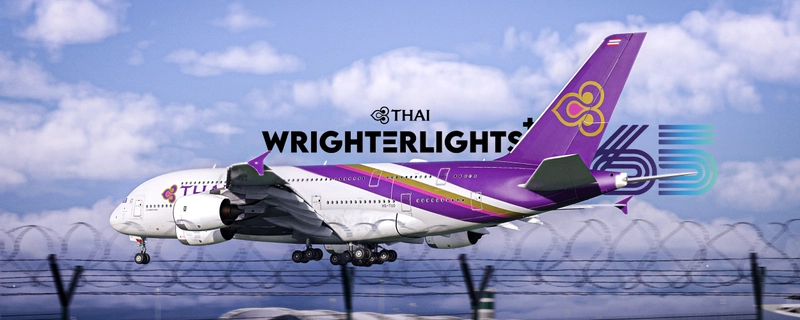
So I went to the actual VTBS or Suvarnabhumi Airport yesterday. While passing by the terminal, I noticed right away that one big thing is missing from my sim experience, Thai Airways' abandoned Boeing 777-200ER, Boeing 777-300ER,, Boeing 747-400, Airbus A330-300 and Airbus A380-800.
I rushed back home, learn how to add static aircraft from this video and followed along by using FSLTL's AI traffic model, then used my knowledge from livery making and slapped on some absolutely obliterated liveries from scratch! (with COMP map ... I know) on those airframes and it worked!
The static aircrafts only fills area of Taxiways T1/T5/C/C1 and THAI Maintainance hangar. If you use any kind of AI traffic addon, they technically wouldn't normally bother with those mentioned areas. Hence, all terminals are unobstructed and will be able to spawned on normally.
Of course, it's sad to see that Thai Airways already started scrapping some of these aircrafts and sell as objects for cafe entrepreneurs to build their landmarks, not to mention that they have sold out all their 6 A380s to some unknown buyers (4 A380s are currently at VTBS, 2 are currently at VTBU) meanwhile, other airlines seem to get their A380 out of their storage. I'm glad I had a chance to see some of these beauties in the skies before, but with Covid and other factors, I hope that Thai Airways had already considered this decision wisely and we'll see their upcoming 777x soon!
With historical lessons out of the way, lemme show you how to install these babies!
Installation Steps: (READ CAREFULLY!)
1. Download all FSLTL's assets needed from FlyByWire Installer
2. Get MSFSLayoutGenerator from here
3. Extract 'fsltl-traffic-base' from the .zip to your Community folder. Replace if required.
4. Paste 'MSFSLayoutGenerator.exe' into 'fsltl-traffic-base' folder where 'layout.json' is located
5. Drag 'layout.json' over 'MSFSLayoutGenerator.exe' | A console should pop up and disappear
6. Extract 'siamflight-vtbs-abandoned-aircraft' into Community folder
7. Enjoy! Multiple aircrafts (including some A330s and 787) will show up on the taxiway near the behind of Runway 19L!
For those who have issues: There's a report that further steps are required to make the static aircraft appear. If you have any issues, try doing the following: Use the in-game Package Reorder Tool (under Experimental section) to re-order the mod and make sure that it loads after Siamflight VTBS (Credit to LionelMessiah!)
Credits:
- SDK Simple Scenery Package Folders by Patriot Six
- FSLTL Traffic Models
- SiamFlight VTBS - Bangkok Suvarnabhumi
NOTE:
- These static aircrafts will take up the gates and hangar seen in the picture and therefore, please don't spawn into these gates to avoid collusion
- Satellite images online doesn't update the current location of these abandoned aircrafts. The placements of the aircrafts might differ from their locations in real life. I eyeballed-placed these airframes based on the pictures I've taken yesterday (7/9/2024)
SiamFlight VTBS T/C Abandoned Aircraft + Custom Liveries (FSLTL) [Read instructions]
Experience VTBS Suvarnabhumi Airport with abandoned Thai Airways aircraft including a Boeing 777-200ER, Boeing 747-400, and Airbus A380-800. Static aircraft fill taxiways T1/T5/C/C1, with custom obliterated liveries added for a unique touch. Follow installation steps and witness various aircraft near Runway 19L in Microsoft Flight Simulator.

Nutzerbewertungen
7 Bewertungen
Versionsgeschichte
Updated placement of aircrafts according to new references | Modified 747-400 and A330-300 livery to match real life condition | HS-TKL (Royal Barge) added!
Ähnliche Addons
![Suvarnabhumi Airport Thailand [VTBS]](https://cdn.flightsim.to/images/03/3MHJT9ty.jpg?width=500)
Suvarnabhumi Airport Thailand [VTBS]
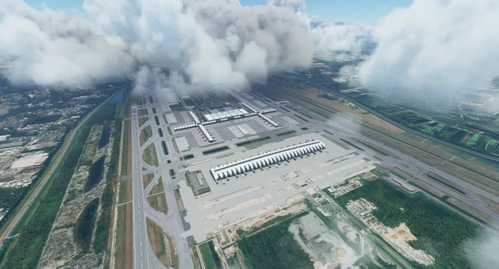
Experience Suvarnabhumi Airport in Thailand like never before with this detailed 3D model featuring night lighting. Created by Pathompong and Chainarai N, with night lighting by MisterBlackbean. Update now for an enhanced night-time flying experience.
von Blackbean
VTBS - Suvarnabhumi Airport Enhancement (SAT-1)
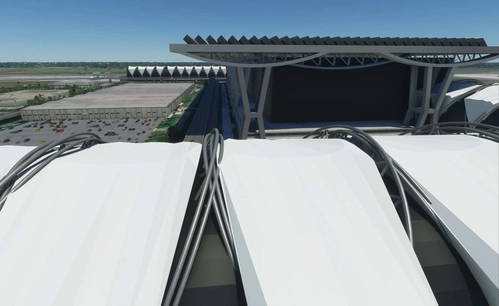
Enhance your Microsoft Flight Simulator experience with the VTBS - Suvarnabhumi Airport Enhancement (SAT-1). This add-on requires the Premium Deluxe version and offers detailed improvements to the Suvarnabhumi Airport in Thailand. Access custom charts for this scenery at chart.vtbs.repl.co.
von SquisheeTH
Suvarnabhumi International Airport VTBS
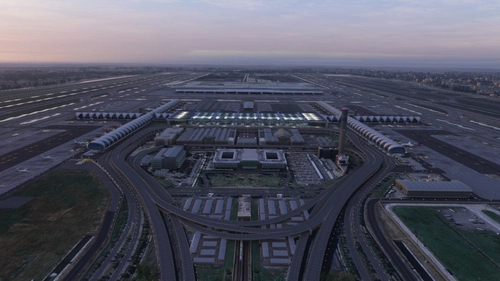
Enhance Suvarnabhumi International Airport with this add-on by adding a new airport (VTXX) for the construction of a new terminal, featuring jetways and illuminated taxiways. Created by the developer who plans to revisit the project in the future.
von mkvy
VTBS Bangkok FSLTL Static Aircraft
Enhance your Suvarnabhumi airport experience with this VTBS Bangkok FSLTL Static Aircraft add-on. This scenery uses FSLTL models to bring life to the airport without impacting FPS, creating a more immersive environment. Please note that these static aircraft models do not move and may affect the usability of certain gates. Get your FSLTL Base models ready to enjoy this enhancement.
von StaticSceneries
Melden Sie sich an, um an der Diskussion teilzunehmen
AnmeldenKommentare(30)
4 months ago
6 months ago
6 months ago
6 months ago
about 1 year ago
over 1 year ago
PS: I have also tried the Package Reorder Tool but that was to no avail.
over 1 year ago
over 1 year ago
over 1 year ago
over 1 year ago
about 2 years ago
It did take me a while to successfully install and what I had to do as an extra step was use the in-game Package Reorder Tool (under Experimental section) to re-order the mod and make sure that it loads after Siamflight VTBS. Maybe that's worth adding in as an additional optional step in the installation instructions :)
over 1 year ago
about 2 years ago
about 2 years ago
about 2 years ago
about 2 years ago
about 2 years ago
about 2 years ago
about 2 years ago