
![Suvarnabhumi Airport Thailand [VTBS] - Image 1](https://cdn.flightsim.to/images/03/3MHJT9ty.jpg)
Beschreibung
นี่คือโมเดลจากเว็บไซต์ 3D Warehouse
โดยคุณ Pathompong และคุณ Chainarai N.
จัดวางและจัดแสงกลางคืนโดย MisterBlackbean
ตอนนี้มีแสงกลางคืนแล้วนะครับ
สำหรับท่านที่เคยติดตั้งแล้ว ให้ลบตัวเก่าก่อน แล้วค่อยลงตัวใหม่นะครับ
โดยการลบโฟลเดอร์ vtbs01 ในโฟลเดอร์ Community ออกก่อน
แล้วค่อยลงตัวใหม่ตามลงไปนะครับ
ท่านสามารถโดเนทเพื่อเป็นกำลังใจในการสร้างผลงานต่อ ๆ ไปได้ โดยการคลิกโดเนทข้างล่างเลยครับ
ขอบคุณครับ
===================================
This airport model is from 3D Warehouse.
By Pathompong and Chainarai N.
Convert and night lighting by MisterBlackbean
Now the night light has been added.
For those who have already installed it
Please delete the vtbs01 folder in the Community folder first.
Then bring the vtbs folder that you just downloaded Into the Community folder
You can donate me down here to support me to create other scenery in Thailand.
Thank you
Location
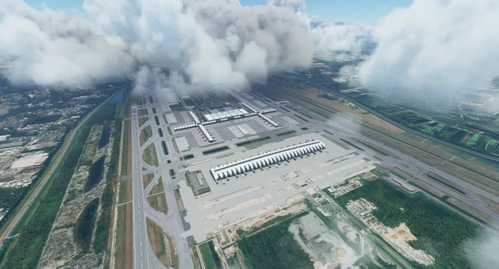
Suvarnabhumi Airport Thailand [VTBS]
Experience Suvarnabhumi Airport in Thailand like never before with this detailed 3D model featuring night lighting. Created by Pathompong and Chainarai N, with night lighting by MisterBlackbean. Update now for an enhanced night-time flying experience.

Nutzerbewertungen
19 Bewertungen
Versionsgeschichte
- เพิ่มแสงกลางคืน - เพิ่มการสะท้อนแสงตามกระจกหน้าต่าง ======================== - Night light has been added. - Add reflective window
In Sammlungen enthalten(2)


Ähnliche Addons
VTBS - Suvarnabhumi Airport Enhancement (SAT-1)
Enhance your Microsoft Flight Simulator experience with the VTBS - Suvarnabhumi Airport Enhancement (SAT-1). This add-on requires the Premium Deluxe version and offers detailed improvements to the Suvarnabhumi Airport in Thailand. Access custom charts for this scenery at chart.vtbs.repl.co.
von SquisheeTH
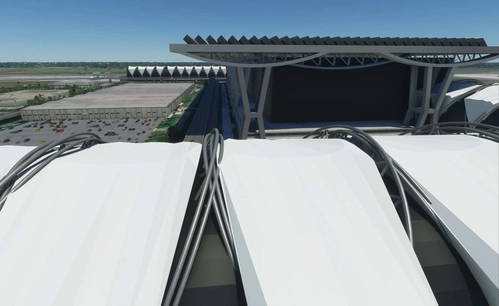
Suvarnabhumi International Airport VTBS
Enhance Suvarnabhumi International Airport with this add-on by adding a new airport (VTXX) for the construction of a new terminal, featuring jetways and illuminated taxiways. Created by the developer who plans to revisit the project in the future.
von mkvy
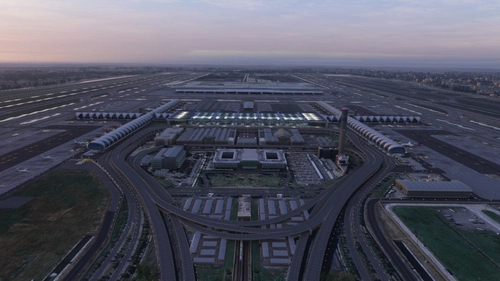
VTBS Bangkok FSLTL Static Aircraft
Enhance your Suvarnabhumi airport experience with this VTBS Bangkok FSLTL Static Aircraft add-on. This scenery uses FSLTL models to bring life to the airport without impacting FPS, creating a more immersive environment. Please note that these static aircraft models do not move and may affect the usability of certain gates. Get your FSLTL Base models ready to enjoy this enhancement.
von StaticSceneries
![SiamFlight VTBS T/C Abandoned Aircraft + Custom Liveries (FSLTL) [Read instructions]](https://cdn.flightsim.to/images/26/siamflight-vtbs-suvarnabhumi-taxiway-t1-t5-c-c1-abandoned-aircraft-custom-liveries-fsltl-375254-1720943126-1roiq.jpg?width=500)
SiamFlight VTBS T/C Abandoned Aircraft + Custom Liveries (FSLTL) [Read instructions]
Experience VTBS Suvarnabhumi Airport with abandoned Thai Airways aircraft including a Boeing 777-200ER, Boeing 747-400, and Airbus A380-800. Static aircraft fill taxiways T1/T5/C/C1, with custom obliterated liveries added for a unique touch. Follow installation steps and witness various aircraft near Runway 19L in Microsoft Flight Simulator.
von WrighterLights
Melden Sie sich an, um an der Diskussion teilzunehmen
AnmeldenKommentare(57)
5 months ago
over 1 year ago
over 1 year ago
over 1 year ago
about 2 years ago
almost 2 years ago
almost 2 years ago
over 1 year ago
over 1 year ago
about 2 years ago
over 2 years ago
over 2 years ago
almost 3 years ago
almost 3 years ago
about 3 years ago
about 3 years ago
almost 4 years ago
壮大な空港を見事に作り上げています。とても楽しく飛ぶことができます。大変ありがとうございます。
You have created a magnificent airport. Very fun to fly. Thank you very much.
over 4 years ago
Sim update 7?
almost 5 years ago
Thanks for the scenery - it's much better than the default and just adds that bit more immersion. I used and credited this scenery in a YouTube video. Check it out at simPaul flights