
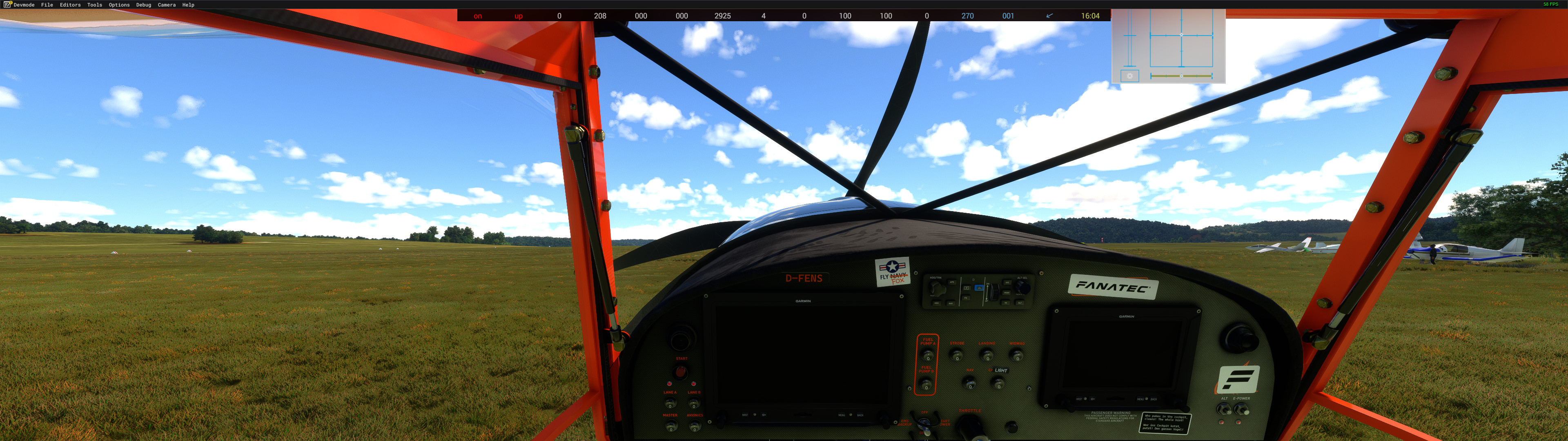
Beschreibung
The name says it all. The bird will try to kill you every time you fly! So if you are a complete beginner and know little about flying apart from operating the autopilot, you should keep your hands off this beast.
It is possible to get into an unrecoverable spin without much effort if you are not careful.
You need //42 Fox 2 to use this mod!
!! For Flight Simulator 25 use the alternate download: !!
!! "Download Suicide Fox 25" !!
Technical details:
- 300+ HP
- 2 additional flap stages
- Slightly revised flight model
- Horn plays "La Cu Caracha"
- Stronger wheel brakes
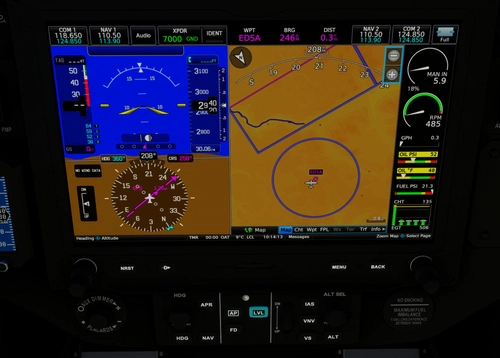
- Sensor additions to the G3X-Touch as in my other mods.
New paint scheme (inspired by N-FOXE and GULF)
A few new stickers in the cockpit
You can see the Suicide Fox in action here:
https://youtu.be/HP3_wP7fCvQ?si=tsYHZCyJal6BhXGJ
V1.0.1
Paintwork:
- New stickers outside and in the cockpit
- New livery: E-KOKO (inspired by Ferrari and requested by E-KOKO)
Flight model:
- Revised, CFD_ReinjectVTailX enabled again
- From approx. 130 kts the plane becomes unsteady, this is intentional!
V1.0.2
Paintwork:
- New livery: D-4NGER (Requested by D-4NGER, you might know him from the eSTOL competition. Also check out his mods: https://flightsim.to/profile/STEU3R)
- New Livery: D-ECAP (Requested by D-ECAP and inspired by the famous Blue Angels. Fly Navy)
Flight model:
- Added a tiny little bit more stability at higher speeds
- Reworked gear and suspension
Engine Model:
- Reworked power curves
V1.1.0
Changeg the UI-Name to "Suicide Fox"
Added:
- Analog versions
- New Airspeed indicator
- New RPM indicator
- Livery Template
- Documents Folder with
- ReadMe for livery creation
- Document with engine tables
- G3X manual
Paintwork:
- Reworked D-4NGER
- Reworked D-ECAP
Engine Model:
- Reworked some tables
V1.1.0
Motor model:
- Rewritten from scratch
Was necessary because the idiot in front of the keyboard went completely nuts....
V1.2.0
Paintwork:
- Changed E-KOKO to D-KOKO
- Changed F-signet sticker to Corsair sticker in the Cockpit
- Added Corsair sticker to the fuselage
- Painted door glass-delimiters black on D-4NGER
- Reworked Cockpits (Text is completely rewritten)
Added:
- Added new family member SVT BlackMax
- Added new family member Wolle
- Added new family member HB-WBU
- Added new family member UN-KNOWN
- Added new family member ATV-1977
V1.2.2
Paintwork:
- Reduced filesize on some *.dds files
Added:
- Added new family member D-HSWD
- Added new family member D-MRJ
Removed:
- Removed UN-KNOWN
V1.3.0
Initial Release for Flight Simulator 25
This is no typo! MS should have postponed the release at least for 9 months.
Now in 2025, with SU-III the "Wundertüte 2.0" is more or less, depends, complete.
Kind of complete ....
Fixed:
- G3X Touch now uses V2. During screwing the unit into the panel, a wire must be slipped. Background lightning on the screens cannot be adjusted manually! No need to mention this in any comment!
- Texture for cowling and spinner on Wolle
Kit Fox 2 Stage 3 - Suicide Fox
Introducing the Kit Fox 2 Stage 3 - Suicide Fox add-on, a daring experience for skilled pilots. With enhanced features like 300+ HP and revised flight model, this beast demands caution in the skies. Brace yourself for a challenging ride with added flap stages, unique horn sound, and eye-catching paint scheme.


Nutzerbewertungen
19 Bewertungen
Versionsgeschichte
V1.2.2 Paintwork: - Reduced filesize on some *.dds files Added: - Added new family member D-HSWD - Added new family member D-MRJ Removed: - Removed UN-KNOWN Delete your former Suicide Fox Folder,otherwise the UN-KNOWN will haunt your SSD for all eternity!
Ähnliche Addons
Garmin Navigation Suite Fixes
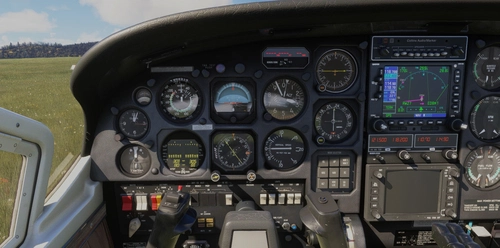
The Garmin Navigation Suite Fixes add-on addresses the navigation unit updates for select aircraft in Microsoft Flight Simulator 24, enhancing them with the latest G430, G530, and G3X-Touch variants. This package includes various Carenado aircraft along with others like the Flying Iron Spitfire and DHC4 Caribou. It enables full functionality, including all pages and flight plan imports from the EFB. The installation process is streamlined, taking under 10 minutes to complete.
von EnsiFerrum
FS2020 - UserCfg Editor
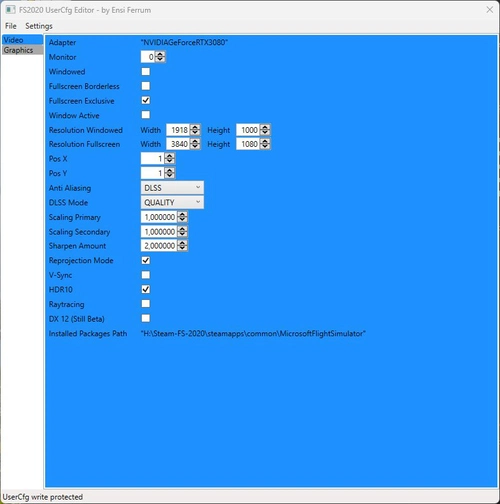
FS-2020 UserCfg Editor V0.9.0.BETA Not finished yet! Lets you set your graphics settings outside of the FS-2020. Enables exclusive Fullscreen. Video Tab is working. Graphics Tab not working. GraphicsVR still to come. Start the FS-2020 UserCfg Editor. It will find the UserCfg.opt file and opens it. Make your changes. File -> Save. This saves the changes to the UserCfg.opt and sets the file to Read Only!
von EnsiFerrum
FS-24 UserCfg Editor
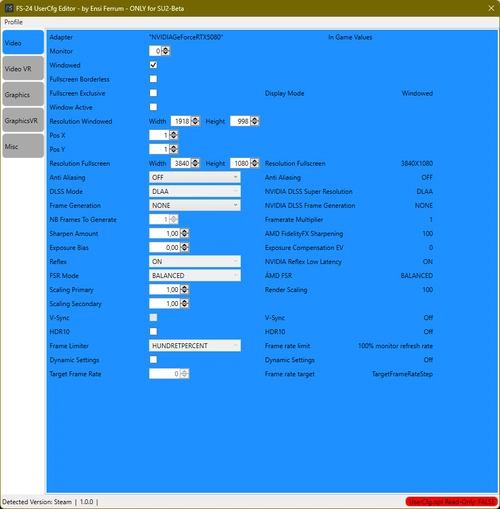
The FS-24 UserCfg Editor is a tool designed for configuring graphics settings outside of Microsoft Flight Simulator 2024. It allows users to enable exclusive fullscreen, manage user-defined presets, and easily import or export specific sections of the UserCfg.opt file. The utility provides a streamlined way to adjust settings for both standard and VR modes, facilitating quick transitions between profiles while ensuring a backup is made upon initial use.
von EnsiFerrum
X-Cub G3X Package
Enhance your X-Cub experience with this mod package, featuring the Garmin G3X system for various X-Cub variants including Standard, Floats, Skis, and NX-Cub. Correcting configuration errors from Asobo, this mod adds aileron and rudder trim functionality and fixes annunciator issues. Explore improved trim controls and warning systems for a more realistic flying experience. Special thanks to STEU3R for contributions to the X-Cub Red Bull model.
von EnsiFerrum
Melden Sie sich an, um an der Diskussion teilzunehmen
AnmeldenKommentare(56)
7 months ago
I use the Fox2 a lot and this mod has made it so much better. I'm using the MSFS 25 version 1.3.0 and it's great!
9 months ago
about 1 year ago
I'm new to msfs2024 & I bought the Fox for low & slow it's my favorite plane
well until I found this, love what you have done with it 👍
about 1 year ago
Where did the RPM, oil, and fuel gauge bars on the left or right side of the PFD go? I can't see them anymore, and I can't find a setting in the menu either...
Unfortunately, I can't get it trimmed properly. Even if I trim it down to the maximum, the nose still goes up.
Can that be corrected?
Or am I doing something wrong?
about 1 year ago
If you need to trim all the way down, you are going way to fast.
Stay in the green during cruise!
about 1 year ago
You moved it to the MFD? I do see it there, yes, but it's completely useless in VR because it's far too small, awkwardly angled, and far away. It's unreadable in VR. If you want to make STOL or backcountry short-runway landings, you need a good view of your RPM and speed, etc.
I'd like to see all the information in the PFD by default. Can I edit that myself in a CFG file or something similar?
over 1 year ago
over 1 year ago
Simply copy the extracted folder into your MSFS 2020 community folder and you are good to go.
Oh, and abviously, you need the //42 KitFox / Fox2 AddOn.
almost 2 years ago
almost 2 years ago
almost 2 years ago
Great improvement mod! I feel honored to be one of the chosen ones for whom you created a special livery. I’m looking forward to upcoming flight events.
p.s.: Die Bildergalerie ist nicht up2date ;-)
almost 2 years ago
I first have to gon on photo-safari :-D
almost 2 years ago
almost 2 years ago
almost 2 years ago
almost 2 years ago
almost 2 years ago
This is also written in the description.
almost 2 years ago
about 2 years ago
about 2 years ago