
Beschreibung
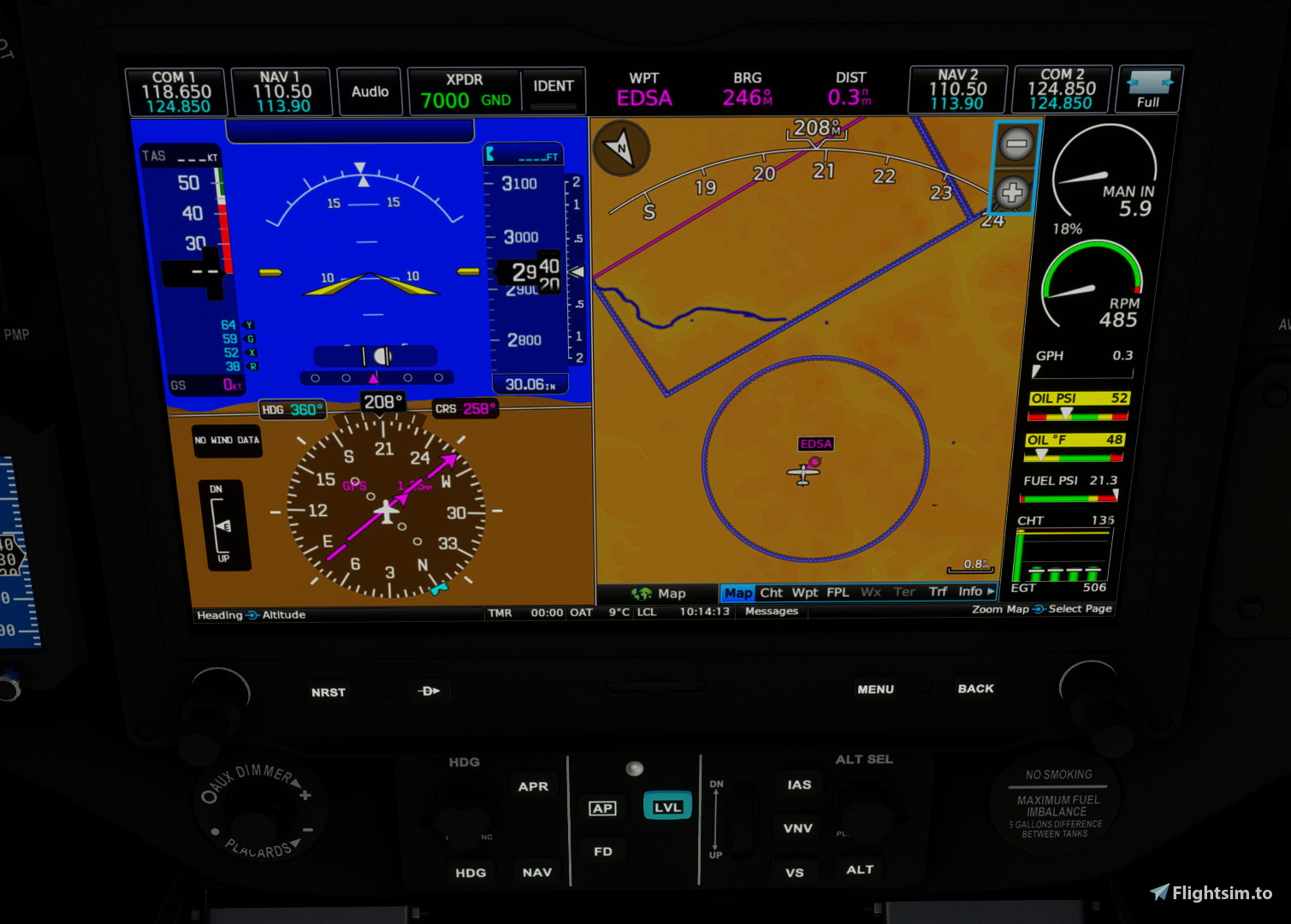
Asobo fitted the Garmin 3GX into (nearly!) all Cub Craftters X-Cub.
- X-Cub Standard
- X-Cub Floats
- X-Cub Skis
- NX-Cub
But they forgot the X-Cub Red Bull (from the Dubai Landing Challenge).
And they forgot to configure it correctly!
None of the above birds have aileron and / or rudder trim.
Some annunciators also have errors.
This mod fixes all of the above!
X-Cub (Standard, Floats, Skies) & NX-Cub
Permanent:
- Trim (elevator)
Warning:
- Low oil pressure
- Low volts
- High volts
- Low Fuel (L + R)
Caution:
- Low Fuel (L + R)
X-Cub Red Bull
Permanent:
- Trim (elevator)
Warning:
- Low oil pressure
- Low volts
- High volts
- Low Fuel
Caution:
- Low Fuel
Thanks to STEU3R for some help on the X-Cub Redbull. Go and check his mods as well.
The orignal Garmin G3X Touch manual is included as well
V1.1
X-Cub (all Variants)
- New Cockpit Decals.
NX-Cub
- Fixed Whiskey Compass
Not perfect, but much better than what Asobo did! - New Cockpit Decals.
Redbull Cub
- Fixed not functional Nitro
- Fixed not functional Smoke
- Fixed Cold & Dark Start
- New Cockpit Decals.
- Added Annunciations on the G3X Touch:
- Smoke On
- Nitro Arm
- Nitro Eng
- Removed Otto-Pilot
Devs Note:
- The Red Bull Cub is encrypted, I have no idea why.
Was hard work to get the smoke working.
THX Asobo, many many THX (not!) - No I will not remove my signature
X-Cub G3X Package
Enhance your X-Cub experience with this mod package, featuring the Garmin G3X system for various X-Cub variants including Standard, Floats, Skis, and NX-Cub. Correcting configuration errors from Asobo, this mod adds aileron and rudder trim functionality and fixes annunciator issues. Explore improved trim controls and warning systems for a more realistic flying experience. Special thanks to STEU3R for contributions to the X-Cub Red Bull model.


Nutzerbewertungen
3 Bewertungen
Versionsgeschichte
X-Cub (all Variants): - New Cockpit Decals. NX-Cub: - Fixed Whiskey Compass. Not perfect, but much better than what Asobo did! - New Cockpit Decals. Redbull Cub: - Fixed not functional Nitro - Fixed not functional Smoke - Fixed Cold & Dark Start - New Cockpit Decals. - Added Annunciations on the G3X Touch: - Smoke On - Nitro On - Removed Otto-Pilot Devs Note: i - The Red Bull Cub is encrypted, I have no idea why. Was hard work to get the smoke working. THX Asobo, many many THX (not!) ii- No I will not remove my signature
Ähnliche Addons
Kit Fox 2 Stage 3 - Suicide Fox
Introducing the Kit Fox 2 Stage 3 - Suicide Fox add-on, a daring experience for skilled pilots. With enhanced features like 300+ HP and revised flight model, this beast demands caution in the skies. Brace yourself for a challenging ride with added flap stages, unique horn sound, and eye-catching paint scheme.
von EnsiFerrum
Garmin Navigation Suite Fixes
The Garmin Navigation Suite Fixes add-on addresses the navigation unit updates for select aircraft in Microsoft Flight Simulator 24, enhancing them with the latest G430, G530, and G3X-Touch variants. This package includes various Carenado aircraft along with others like the Flying Iron Spitfire and DHC4 Caribou. It enables full functionality, including all pages and flight plan imports from the EFB. The installation process is streamlined, taking under 10 minutes to complete.
von EnsiFerrum
FS2020 - UserCfg Editor
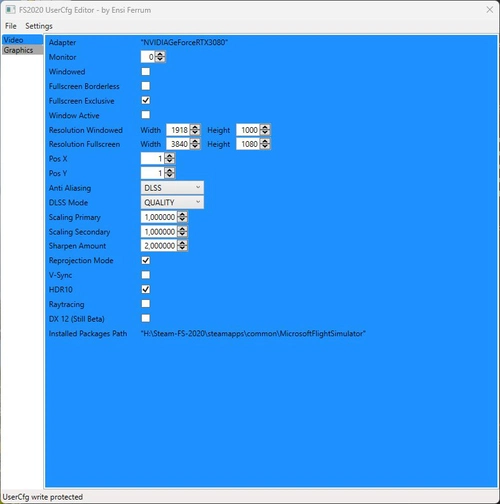
FS-2020 UserCfg Editor V0.9.0.BETA Not finished yet! Lets you set your graphics settings outside of the FS-2020. Enables exclusive Fullscreen. Video Tab is working. Graphics Tab not working. GraphicsVR still to come. Start the FS-2020 UserCfg Editor. It will find the UserCfg.opt file and opens it. Make your changes. File -> Save. This saves the changes to the UserCfg.opt and sets the file to Read Only!
von EnsiFerrum
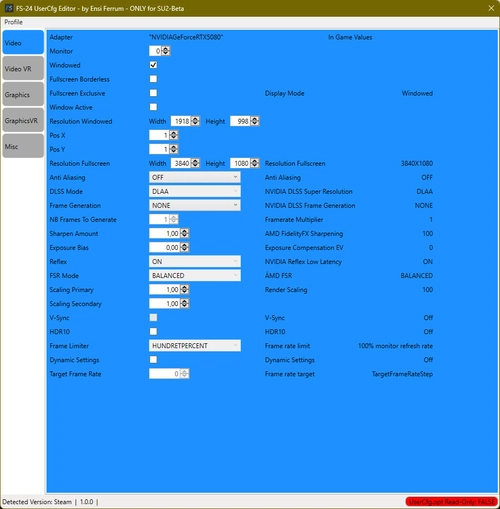
FS-24 UserCfg Editor
The FS-24 UserCfg Editor is a tool designed for configuring graphics settings outside of Microsoft Flight Simulator 2024. It allows users to enable exclusive fullscreen, manage user-defined presets, and easily import or export specific sections of the UserCfg.opt file. The utility provides a streamlined way to adjust settings for both standard and VR modes, facilitating quick transitions between profiles while ensuring a backup is made upon initial use.
von EnsiFerrum
Melden Sie sich an, um an der Diskussion teilzunehmen
AnmeldenKommentare(27)
about 1 year ago
Apart from that, nice work :)
over 1 year ago
almost 2 years ago
almost 2 years ago
about 2 years ago
about 2 years ago
about 2 years ago
about 2 years ago
Does this real G3X have inner knob click functionality?
about 2 years ago
The Bvars are B:AS3X_Touch_1_Knob_Inner_Button_L and B:AS3X_Touch_1_Knob_Inner_Button_R
about 2 years ago
See: https://forum.simflight.com/topic/98056-bvars-support/
I'm trying to get it working with Knobster (KnobFS). I will report back my success/failure
over 2 years ago
Only slight bug is the low fuel pressure warning that appear on the XCubs even when fuel pressure is in the green, I check the xml file and it look like that it's set to trigger at 2 BAR or lower (which is about 28 PSI), which may explain the warning
In comparison, the red bull low fuel pressure warning is set to trigger at 2 psi (it's units are set as PSI).
over 2 years ago
Well even Ariane-Aerospace made this mistake in the future :-D
With the result that the rocket didn't reach the orbit
Will fix it.
over 2 years ago
over 2 years ago
That said small bug for the NX Cub, it still have many stock values for the gauges (Fuel Pressure is probably the most egregious case), as is the bug for the Red Bull XCub
over 2 years ago
- Smoke System
- Nitro System
- Start from Cold & Dark
over 2 years ago
If i'm to guess, the update for the appropriate gauge value for the NX Cub will come in the same package ? :)
over 2 years ago
over 2 years ago
over 2 years ago