

Beschreibung
UPDATE NOTES FOR V0.2.0
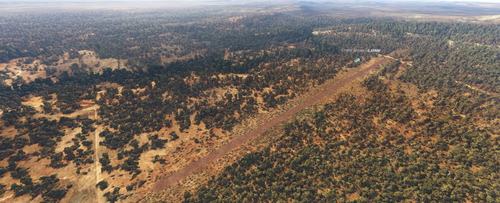
So SU16 (and MSFS 2024) brought us new(er) Bing aerial imagery. And WU21 added some more. Most of it though is woefully out of date, even the new(er) stuff. A good example is the first strip I created for this pack, YX01 Dundee Beech. IRL this is a well-maintained airstrip these days, with cone markers, nicely graded and grassy except for a narrow centre strip. In the sim it still looks like a gash in the forest.
But even so, many of the strips in this pack that previously dated to a time when they were merely abandoned/marginally usable, have now more or less faded into the surrounding landscape. It doesn't take long in the tropics for an open patch of ground to disappear under weeds (I just need to look at my backyard to see that), and even in the arid regions nature takes its course and quickly turns dirt into spinifex, mulga ... or weeds. Add the downgrading of the imagery resolution that came with SU16 (which was already native with 2024), and there's often little left to work with. At least a dozen of the strips in this pack ought to therefore be gracefully retired, but I know there will be one or two people out there unhappy with this. So, I tried my best with aprons and polygons to create a reasonably believable scenery, not always entirely to my liking, but anyhoo...
Apart from fitting things in with the SU16/MSFS imagery changes, I've incorporated a number of additional updates:
- More realism in object placements. If there's no windsock IRL, there most likely won't be one in the sim either. As a bush pilot, you'll just have to deal with it.
- I've also added fences to many sceneries where they exist in real life, but not all. Unfortunately, it takes a long time to draw proper fences in MSFS, probably as much time as the rest of the scenery.
- By popular request, I've made all strip "Star Airports". There's a lot of them now, until you zoom in. I trust you use AddonsLinker or similar to keep your community folder and world map in check.
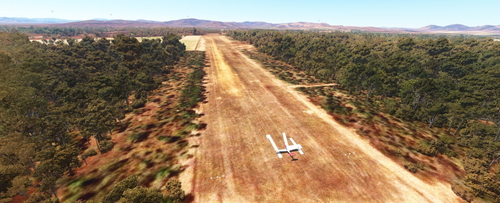
- I use a tree height modifier when I play with MSFS 2020. Because the default tree heigh in the sim is just ridiculous. I would strongly recommend you do too, especially when flying into tight strips, like many represented in this package. I can tell you, because I'm quite familiar with the region, that the trees/bushes around Dundee Beach (YX01) and Crabclaw Island (YX02) are mostly the height of a single-story house. There is no Amazon rainforest anywhere in the NT! Anyway, many people don't want to use other mods, so where appropriate, I've adjusted the vegetation around the strips to have lower trees regardless. That also means that people who do use a tree height modifier will have even smaller trees. Oh well.
- Asobo left us in a bit of a lurch as far as airport names and designators are concerned. There's tons and tons of incorrectly named/designated airports. And there's no way to fix many associated issues. For example, I can't create a missing airport "YLAE Labelle Downs" (which is the official Australian AIP name/designator, because Asobo used YLAE for something called "YLAE Larrakeyah" (which in real life is YEDERR, and doesn't have an ICAO designator). I've previously used an invented designator (YX03 in this case), but I've decided to just use whatever the real-world designator is, and add a "1" to it to keep the SDK happy. So, in my example, we now have "YLAE1 Labelle Downs". I have also combined incorrectly identified strips with the correct ones under one "airport", thus eliminating the invented ID. For example, YNCW now contains both the strip at the homestead and the nearby correct roadside strip, thus eliminating YX43. However, this only works if the two strips are relatively close to each other, otherwise the SDK complains.
- As a result of the previous point, there are now "holes" in my fictional YXxx line-up. This is intentional for now, and I will try and fill them in a future update (there are at least 200 more airstrips in the NT that aren't covered yet). YX03, YX10, YX11, YX15, YX20, YX24, YX25, YX39 and YX43 are intentionally blank.
- I also disabled ground services for all these strips, so you won't get those silly push-back contraptions.
MSFS 2024 Notes
These sceneries were developed in MSFS 2020 and have been fully tested in MSFS 2024. Overall, if you have a choice, MSFS 2024 is probably the platform to use when working these strips. The improved vegetation models and the enhanced ground textures, especially those of dirt and grass runways, make it visually much more appealing. Having said that, there are several issues with 2024 that introduce considerable negatives in my mind when flying in Australia's arid regions:
- Vegetation colours: The cartoonish green tree colours in contrast to the red/brown ground is just dreadful. (Conversely, they look ok at ground level.)
- TLOD/OLODs: making the above even worse is the aggressive Terrain and Object Level-of-Detail behaviour, making the green trees appear at a distance too close to the viewer. So, you're looking the typical Central Australian red soil landscape in the distance that turns to a rainforest green as you approach it.
- Autogen: 2024 doesn't fully respect vegetation changes made in 2020. I suppose this is because 2024 has a different, more detailed biome map. However, this results in relative sparsely vegetated areas at some airfields, whereas in 2020 the vegetation placed by me would be denser and match the underlying imagery.
- Displacement mapping: A feature that is ON by default. It adds a more or less randomly AI generated micro-mesh to the terrain. While it potentially adds interest to a scenery, its algorithms don't reflect reality. As such I consider it totally fake. Making it worse is that sceneries developed in 2020 have very little control over it in 2024, leading to floating objects and terrain inconsistencies where scenery surfaces (aprons and polygons) meet the displacement mapped terrain. I have attempted for the most part to minimise these glitches, but there is no way to fully eliminate them except by creating separate 2020 and 2024 sceneries, which I won't be doing for 86 small airfields. By the way, "Displacement Mapping" can be turned OFF in your settings. It will eliminate the glitches for you, plus give your CPU and GPU the opportunity to work on something else.
Final note: the download is significantly smaller in size than V0.1.0 because it requires fewer custom aerial images. If you’re updating the previous version of this pack, please ensure that you delete all the folders from the old pack. Some folder and file names have changed. If you keep the old files in your community folder it will lead to conflicts at several airfields.
DISCLAIMER. NOT TO BE USED FOR REAL LIFE NAVIGATION! SEVERAL AIRFIELDS IN THIS ADD-ON ARE NO LONGER SERVICEABLE IN REAL LIFE!
Up for some really, really remote bush flying? You’re in the right place then, because the NT is as remote as it gets!
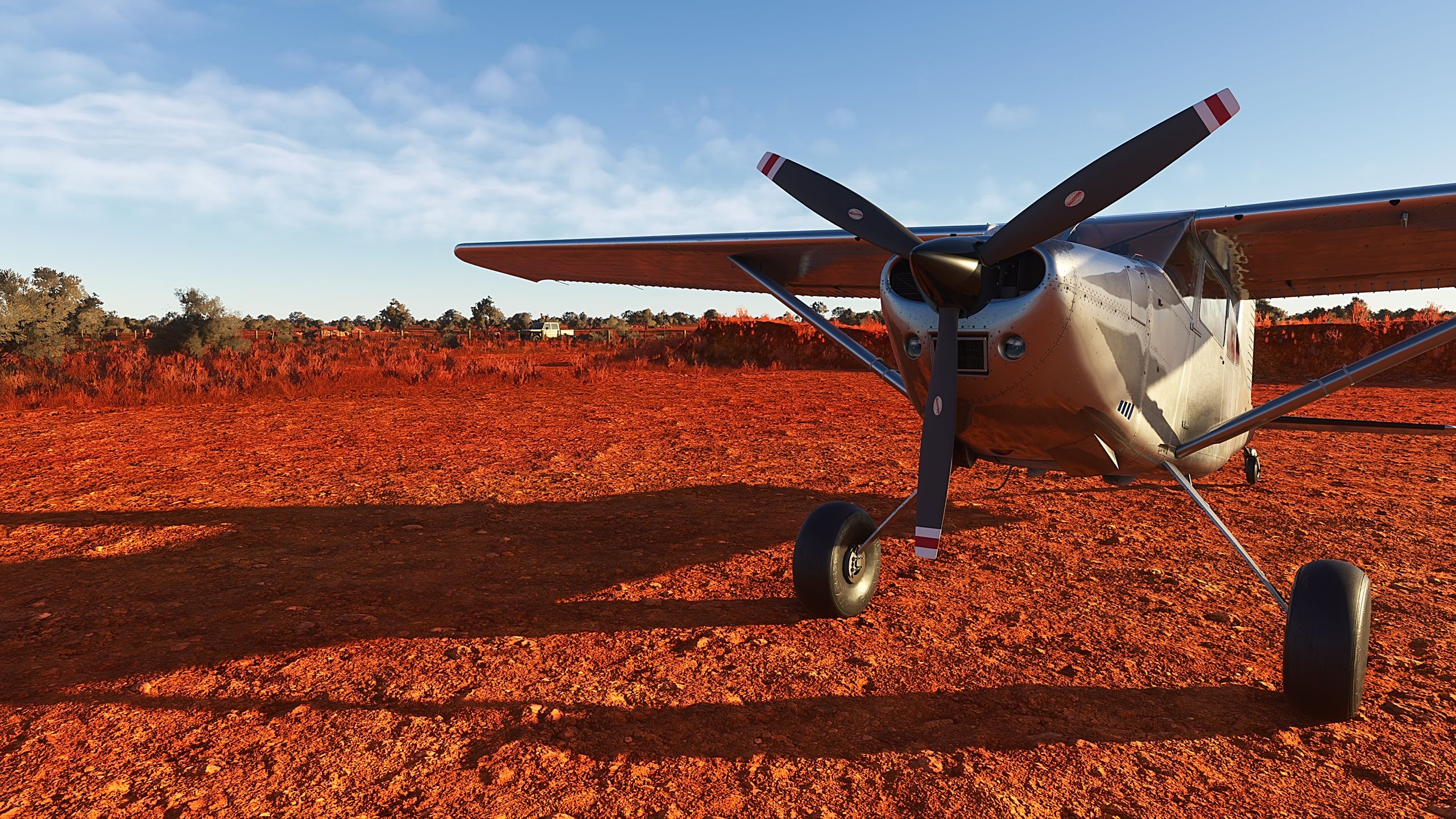
Welcome to the 4th instalment in my “Missing Airfields of Australia” series, covering 86 airfields that are not available in the default sim. Yes, EIGHTY-SIX, you read that correctly! Tropical Top End fishing spots vie for your attention, as do arid Red Centre wilderness resorts, million-acre cattle stations, a few mine strips, Aboriginal family outstations and, last but not least, the ghosts of World War II.
Included are 29 airfields that are listed in the Australian AIP as Authorised Landing Areas (ALAs), which have official ICAO designators. For 5 of these, however, the creators of the default MSFS airfields, in their wisdom, have allocated the IDs to random locations elsewhere. You will find these among my YX__ designators.
As always, whenever I create one of these “bush strips”, it will be fairly basic. But unlike many of the default non-bespoke airports in the sim I provide:
• Correct runway locations, orientation and lengths
• Corrected (terraformed) runway slopes
• Ground markings where appropriate
• A parking spot or two enabling cold & dark starts
• A bit of bling (windsock, static aircraft and vehicles, etc.)
• Added missing vegetation
• Corrected water masks
The list of airfields is too long for me to include the details here, but you’ll find a PDF with all the info included in the download.
So, what are you waiting for? See you (in the) NT!!!
Dependencies are listed below. There are a lot of them ... but there are a lot of airfields, so don't skimp on downloading them. They are also in use for many other creations at this site. As always, many sincere thanks to the creators of scenery object libraries, without which my creations would be a bit of a bore. In addition, I have placed a few static aircraft from JP Fillion.
Credit: Jean-Pierre Fillion, Quebec
Also, you should have the UK2000 library active, which is available for free in the Marketplace. And there's the odd object here or there that I borrowed from one of the world updates.
Abhängigkeiten
Northern Territory Missing Airfields
Discover the remote bush flying experience with the "Northern Territory Missing Airfields" add-on, part of the "Missing Airfields of Australia" series. This 4th installment includes 86 airfields not available in the default sim, from Tropical Top End fishing spots to arid Red Centre wilderness. With correct runway locations, terraformed slopes, ground markings, and more, these bush strips offer a unique flying challenge in the Australian Outback. Download now and explore the NT like never before!
Nutzerbewertungen
6 Bewertungen
Versionsgeschichte
SU16/WU21 and MSFS 2024 compatibility. For details please see the description.
In Sammlungen enthalten(1)

Ähnliche Addons
Fixes for 425 Papua New Guinea airstrips
Enhance your Papua New Guinea bush strip flying experience in Microsoft Flight Simulator with this mod that fixes issues at 425 airstrips across the region. From trimming rogue vegetation to flattening runways and rivers, this mod aims to improve the realism of bush strip operations. Explore the remote airstrips of Papua New Guinea without worrying about runway obstructions or unrealistic elements, creating a more authentic flying environment.
von wantok
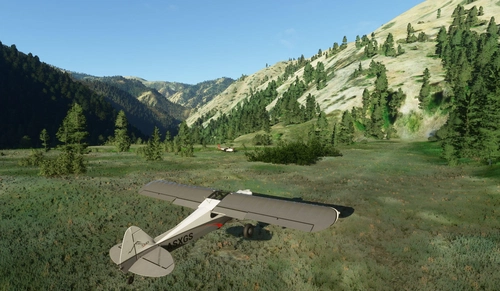
Bush strips in Idaho & Oregon
Explore a collection of challenging bush strips in Idaho & Oregon, including Cache Creek, Dewey Moore, and more. These airstrips were not part of the original MSFS content but have now been added with accurate codes and enhanced terrain details based on real-world references. Visit the developers website for in-game videos showcasing the new locations.
von Kronzky
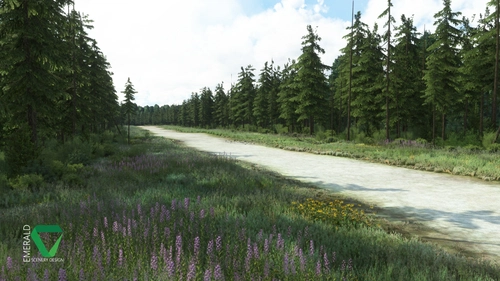
Snowflake Lake Airstrip, Alaska
Fly to the stunning Snowflake Lake Airstrip in Alaska, featuring a 1500 FT gravel runway and detailed scenery with custom environmental elements like butterflies and rain puddles. Experience an authentic backcountry feel with uneven terrain and hand-placed vegetation, ensuring a realistic flight experience. Dont miss out on this immersive addon that brings the beauty of Alaska to Microsoft Flight Simulator.
von Emerald Scenery Design
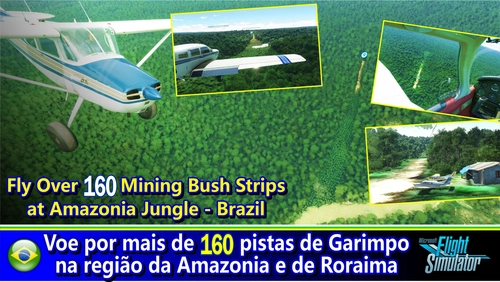
Fly in more than 160 Bush Strips at Amazonia Jungle / Voe por + de 160 Pistas de Garimpo
Explore over 160 challenging bush strips in the Amazonian jungle, meticulously recreated for an authentic aviation experience. Test your skills with 250-meter runways, tree-lined approaches, uneven terrain, and tight clearances. Immerse yourself in the world of mining aviation with this addon, offering a glimpse into the daring flights of the past.
von Tchockozzo Paulo Figueiredo
Melden Sie sich an, um an der Diskussion teilzunehmen
AnmeldenKommentare(18)
about 1 month ago
Looking forward to checking this out. I vaguely remember seeing some of the WW2 strips, or the remnants at least as kid.
It would be good to have a couple of the strips recreated in their WW2 form to fly some of the warbirds out of.
about 1 month ago
about 2 months ago
about 2 months ago
3 months ago
3 months ago
3 months ago
3 months ago
Trees very close to runway thresholds unlike your screenshots, are you using a fix?
3 months ago
I know some of the vegetation exclusions created with 2020 don't work with 2024. Also, SU16 and now WU21 have updated the aerial imagery and autogen, which might be the cause. I'm sorry I haven't had the time yet to check/fix all of my airstrips to make sure they're working with the sim updates, but I'm happy to fix any problems you come across.
Also, I do use a tree height modifier (only in 2020), but that only makes trees shorter, it doesn't change their distance from the strips. This one works quite well (in 2020):
https://flightsim.to/addon/19031/new-zealand-tree-height-fix-no-more-30m-tall-trees-in-small-towns
3 months ago
Also though I searched a lot, I wish there was an easy workaround to addon airports having a star icon to make them recognizable in low zoom on map.
3 months ago
3 months ago
https://snipboard.io/8QZwrF.jpg
https://snipboard.io/wxmPAh.jpg
trees are so close to runway as opposed to your thumbnail on the pdf.
I have the little map and helps a lot yet I can't run it always as I already have a load of apps with msfs and I'm on an aged pc :D
about 4 years ago
Absolute must for topend GA flying! Love how each strip has its own unique detail.
about 4 years ago
Great work and very generous of you. Cheers.
about 4 years ago
Amazing stuff! Great work!
about 4 years ago
I very much prefer to see visually where these are all located on a map for an easier time selecting where to fly. Can they all please be starred airports??
about 4 years ago
Wow thank you very much!!! My home turf! Love your work!
about 4 years ago
Well done. Thanks for your effort!!