Flightsim.to
    New Bedford  KEWB and Cape Cod Bridges - Image 1

    Beschreibung

    Main file  Available - two versions with and without bridges. 

    Please note:  Allow the files to completely download before unzipping.  They are larger than most due to the number of custom objects.  Thank you.   

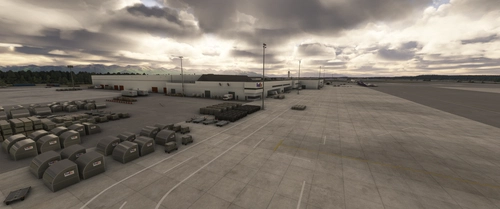
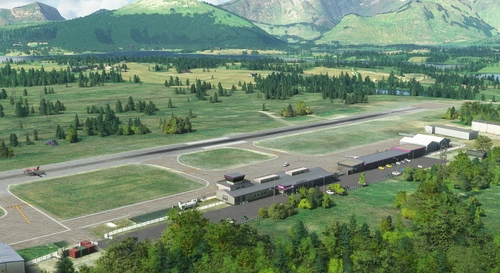
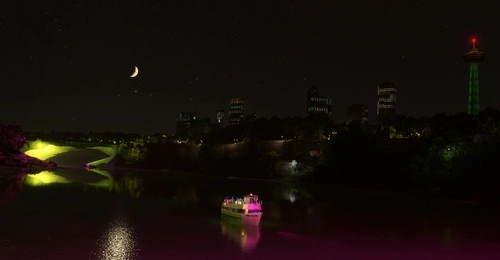
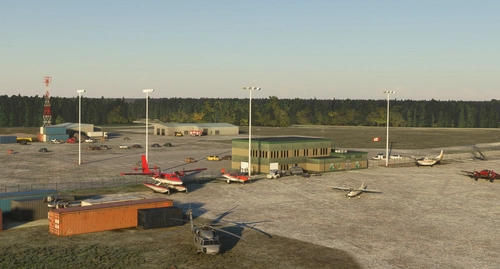
    New Bedford Ma. is a controlled airport located three nautical miles (5.6 km; 3.5 mi) northwest of the City of New Bedford, a city in Bristol County, Massachusetts, United States. It is a perfect gateway to explore Cape Cod and several airports that I've created there.  (Chatham, Provincetown and Cape Cod Airfield and 6 lighthouses)  It was suggested that the bridges to Cape Cod would be a great add on too.  During the production I found there was payware with the Cape Cod and Boston bridges. see two files. 
    Main file = no bridges   Older file = complete with 3 bridges.


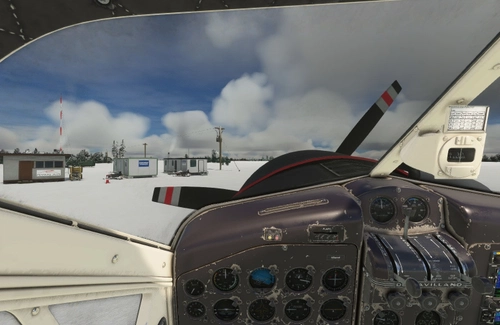
    I really enjoyed flying the beautiful g58-  Cape Air livery which uses New Bedford as a local hub.  thanks Nutkinthe3rd
    here is the link. 
    https://flightsim.to/file/5783/beechcraft-baron-g58-cape-air-and-nantucket-airlines

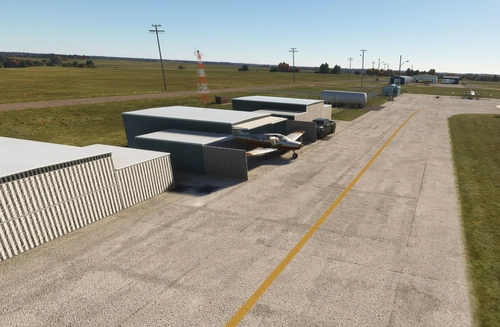
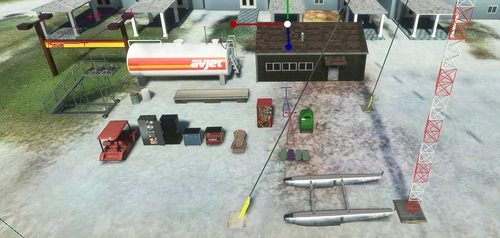
    Animated doors in two hangars  start inside see parking S41 and S43
    Animated railway bridge
    Animated cars on Sagamore bridge
    Rotating custom beacon. 

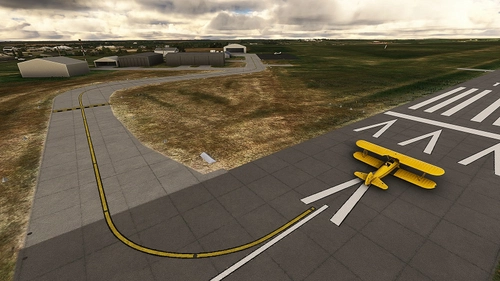
    All taxiways and approaches are working properly.  

    If you like this airport, then kindly let me know and if you desire send a coffee my way. :)

    Kommentare(63)

    Melden Sie sich an, um an der Diskussion teilzunehmen

    Anmelden
    N

    7 months ago

    Love this scenery! Any possibility on making KPYM airport?
    M
    MazerMartAuthor

    6 months ago

    That is a lovely airport. I have a list of several ahead of you, and have slowed my production down quite a bit. Thanks for the 5 stars. I hope you liked the bridges. You might also like Adirondack and Lake Placid. KSLK and KLKP
    D

    over 1 year ago

    Awesome! Since you updated for FS2024 compatibility, you should add the FS2024 category! Right now the listing is just showing FS2020.
    E

    over 1 year ago

    Hello. Just updated to latest version, but during zip extraction several files were noted as having file names that were too long. I had to skip those files and then extraction completed. I can't recall which files as they are not in the extracted directory. I seem to remember seeing "DDS" or something similar at the end of one or more of the 3 or 4 files involved. I believe they were ground texture files. I'm running Windows 11.
    m

    4 months ago

    Was this solved? I had the very same problem when trying to extract today. Some files with too long and only way was to skip.
    K

    over 1 year ago

    Hi! Thanks for this wonderful scenery of the airport I grew up with! Any chance that you'll be updating it for MS2024? The ground textures on the land side of the airport (e.g. parking lots) don't look like they're showing correctly.
    M
    MazerMartAuthor

    over 1 year ago

    Hi.. I will check that out.. I didn't spend a great deal of time on the land side other than the fences, so they should be default. Thanks for brining it to my attention.
    M
    MazerMartAuthor

    over 1 year ago

    In fact you are correct:) When using msfs 2024 the pavement texture land side doesn't show up. I have fixed it. So kindly download version 24.1.1

    thanks for the heads up.
    D

    over 1 year ago

    Beautiful work, a much appreciated addition to the region! Would it be possible to make a folder that just includes the bridges? Thanks!
    M
    MazerMartAuthor

    over 1 year ago

    Thanks.. If you put a community request in for the bridges I will get some credits. There is also payware for the bridges of Boston that include the ones for Cape Cod.
    m

    over 1 year ago

    super nice airport. Seem to be some problems with starting positions though? I get no AI traffic ever. Ramps always empty despite FSLTL saying both GA and CapeAir should be there. Are they perhaps to narrow. Back from the FSX days I recall you had to set width for each parking space when you worked with AFCAD
    M
    MazerMartAuthor

    over 1 year ago

    Thanks for your comments. I went back in and updated some of the polygons that were older, but the taxiways etc are all connected and the parking spaces are fine. I am going to revisit this and others once 2024 comes out and the probable change in coding. I will upload another version ( with bridges). Kindly check in a few days to see if it works.
    Cheers

    I see some AI vehicles - buses etc using the pathways. new version is 12.5
    a

    about 2 years ago

    So this not loading in at all for me. I have extracted it correctly and all of my other mods but this wont work. Its a shame cause i used to work at KEWB and would love a better detailed representation of it.
    M
    MazerMartAuthor

    almost 2 years ago

    I have been away for a while and didn't get your notice. There are two versions, one with and one without the bridges. I suspect that the problem lies in some other add-on you might have running. 'Not sure which one. Try turning off your other apps. It's not like I'm not willing to take the blame, but it's just that this has not been reported before. It is quite a big fille, so kindly try again. It is one of my favourite airports along with the bridges. :)
    M
    MazerMartAuthor

    almost 2 years ago

    Curious to see if you have resolved the problem.
    T

    about 2 years ago

    So I'm new to all this and have downloaded your version of KEWB which is the airport I fly from (real life). I'm hoping that someone out there can advise me on how to get it up and running.
    I located my Community folder and when I try to move the file Mazeremart-airport-kewb-new-bedford into the community folder most of it copies but then I get a,"Error 0x80010135:Path too long" on some of the TEXTURESCOM files. Obviously on the ones with the longer file names.
    The computer is running Windows 11 Home version 23H2. I have found procedures to allow longer names but am a bit nervous to do that. I don't want to screw everything up.
    Any thoughts on a simple way to work around this problem.
    This is on a computer my son built me to run MSFS as I am getting closer to the time when I my have to end my flying hobby probably due to insurance costs.

    Thanks in advance.
    N

    about 2 years ago

    Hello! Former real world aviator here too who has been self-grounded to the virtual flying world due to finance choices. Anyway, I just downloaded this with no problems. Not sure what Zip file program you are using, but I use WinRAR and have never had any issues with file downloads here. Try that program (it is free) if you aren't using it. Good luck and keep the shiny side up!
    T

    about 2 years ago

    I figured it out. I just unzipped the file into a separate directory and then moved it to the Community folder and it worked.
    I have to say 5 stars to the author for the job he did depicting the airport. I first downloaded a version from the MS store and they didn't even get the taxiways letters right. This version is much more accurate right down to the look of the playground which I helped build.
    Thanks for the help, I'm sure I will have more questions as I get more and more deep into MSFS.
    M
    MazerMartAuthor

    about 2 years ago

    Glad your problems were resolved. Much thanks to N069NT for the assistance.
    Very interesting that you actually helped build the playground.
    Thanks also for the kudos. Not living in the area, it took quite a bit of research to get it mostly correct. I liked doing the bridges too, especialy the railway bridge. :)
    M
    MazerMartAuthor

    almost 2 years ago

    Were you able to resolve your issues? :)
    MSFS 2020MSFS 2024

    New Bedford KEWB and Cape Cod Bridges

    Explore New Bedford Airport and Cape Cod with this Microsoft Flight Simulator add-on. Choose between versions with or without bridges and enjoy detailed custom objects, including airports like Chatham and Provincetown. Discover animated features like doors, cars on bridges, and a rotating beacon as you navigate the area. Ensure smooth taxiways and approaches for a seamless flight experience.


    Downloads5K
    Version24.1.1
    Dateigröße323.87 MB
    VeröffentlichtVor 4 Jahren
    AktualisiertVor 1 Jahr

    Nutzerbewertungen

    4.8

    13 Bewertungen

    5
    85%
    4
    8%
    3
    8%
    2
    0%
    1
    0%

    More Information

    Simulator
    MSFS2020/24
    Sub-CategoryRegional Bundles
    ICAOKEWB

    Versionsgeschichte

    This file is created for MSFS 2020 but required a few fixes in order to also work in MSFS 2024. Area in front of the terminal disappeared in 2024. I changed the material and it seems to be fine now.

    Ähnliche Addons