

Beschreibung
StreamDeck Pushback Tool
for LORBYs AxisAndOHs (AAO) and its SD Plugin
by Guenseli
You need LORBYs AAO and its StreamDeck Plugin to run this StreamDeck profile.
ATTENTION!
PLEASE READ CAREFULLY!
- When you import SD profiles, make sure to delete the old ones, otherwise you'll get profile copies.
- Make sure to always have the latest AAO and AAO StreamDeck plugin versions!
- I just create the SD profiles! For any connection issues, SD plugin not working, Buttons show "?" or nothing, no reaction of the SD etc., please contact the developer of AAO! And please read the AAO Manual!
- It is - as the title says - just for the StreamDeck XL (!). Please do not ask for a 15 button conversion. This will not happen as this will more than double the amount of development and support for me as I do not have a 15 button SD. Sorry.
- Please ask if you want to use parts of my SD profiles, icons or AAO scripts or whatever! And please ask everytime you start a new project!
- You have to credit and link me in your description!
- If you use my work, you are then not allowed to beg for own donations!
Installation:
Install the SD profile by double clicking at PUSHBACK.streamDeckProfile.
Import the AAO scripts Pushback_Scripts.xml according to the AAO manual
Disclaimer:
tested and created only with MSFS2024, but I'm very sure it works with 2020 also
NOTE: it is not a real 100% Pushback tool. Tugs and Trucks are not animated and do not connect.
Nose wheels steering does not turn as this keeps compatibility with most addons. But you can also steer with your rudder pedals!
It shouldn't replace other Pushback tools like GSX etc. It is more meant to be useful when you have to reposition your aircraft, e.g. GA planes when other pushback options fail.
Usage:
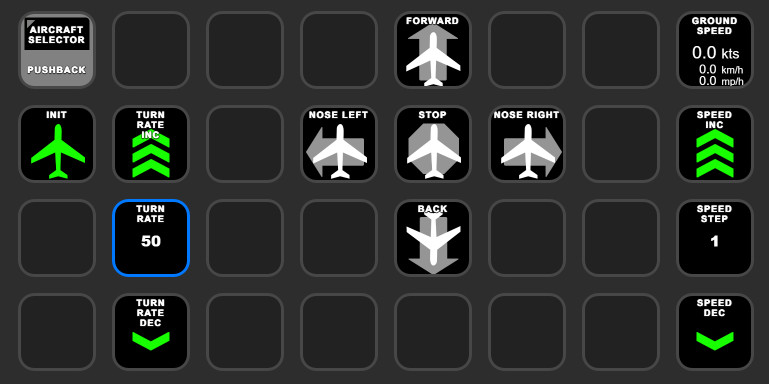
First step is that you have to press the INIT button to make it work.
Forward and back explain itself, just one press.
Nose left and right, Button have to be held.
You can set speed (resets after every stop)
You can set turn speed, value is kept for one session.
STOP should be keeped pressed, it applies brakes according to speed to slow the plane down to a stop. Release STOP, you release the brakes.
Donations are welcome!!! it is a lot, really a lot of work, and some donations make future projects easier ;) thx!
If you want to donate directly as friend without a PayPal fee, then use this adress, please: www.paypal.com/paypalme/GuenterSteiner
StreamDeck Pushback Tool
The StreamDeck Pushback Tool is an add-on designed for use with LORBYs AxisAndOHs (AAO) and its StreamDeck Plugin. It provides a profile specifically for the StreamDeck XL, enabling users to manage pushback and repositioning of aircraft in Microsoft Flight Simulator. The tool offers basic functionality for forward and backward movement, as well as steering capabilities, although it does not feature animated tugs or trucks. Installation and usage instructions are included, and compatibility is primarily with MSFS 2024, while also being expected to work with MSFS 2020.

Unterstützer

Nutzerbewertungen
1 Bewertungen
Versionsgeschichte
changed back icon Fixed weight calculation Note: AAO Script was not changed, you can keep it!
Ähnliche Addons
FENIX A3XX AAO Scripts & StreamDeck XL & PLUS Profile
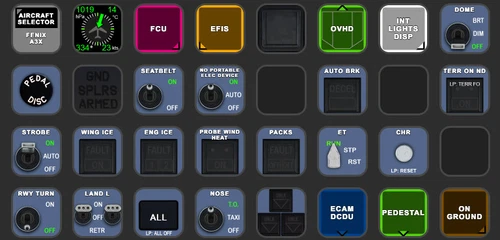
Customize your Microsoft Flight Simulator experience with FENIX A320 AAO Scripts & StreamDeck XL Profile by Guenseli. This add-on offers a seamless integration with LORBYs AAO and StreamDeck Plugin for optimal performance. Explore the detailed installation instructions for enhanced functionality with a VRInsight MCP Combo II. Elevate your simulation setup with this meticulously crafted add-on.
von Guenseli
Icon Pack for Elgato StreamDeck
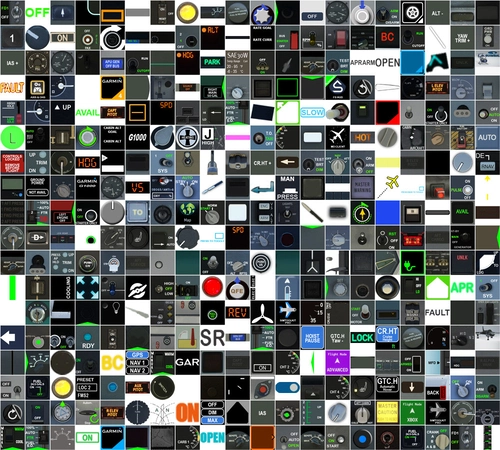
A collection of over 3500 icons designed for Elgato StreamDeck and similar devices, created by Guenseli. Ideal for personal use with a disclaimer against commercial usage. Icons are detailed and diverse, providing a variety of options for customization. Credits required if used in public projects, with a suggestion for donations to support the creators work.
von Guenseli
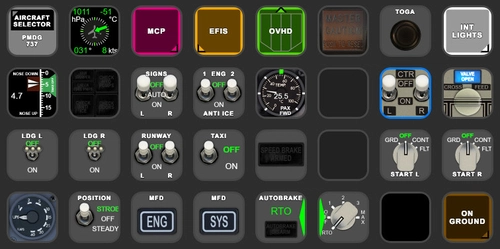
PMDG 737 AAO Scripts & StreamDeck XL & PLUS Profile
Enhance your PMDG 737 experience with the PMDG 737 AAO Scripts & StreamDeck XL & PLUS Profile by Guenseli. Make sure to update your Elgato Software to version 6.0 or higher for compatibility. This profile is specifically designed for the StreamDeck XL and requires LORBYs AAO and its StreamDeck Plugin to run smoothly. Get ready to elevate your cockpit with this detailed and user-friendly add-on.
von Guenseli
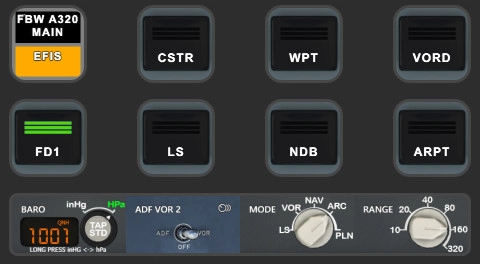
FBW A320 AAO Scripts & StreamDeck XL & PLUS profile and MCP Combo template
Enhance your FBW A320 experience with tested AAO Scripts and StreamDeck profiles for XL & PLUS versions. Ensure to delete old profiles before import and always use the latest plugin versions for seamless integration. Contact AAO developer for any connection issues and give credit if using parts of these profiles in your projects. Install scripts and profiles for an immersive flight simulation experience.
von Guenseli
Melden Sie sich an, um an der Diskussion teilzunehmen
AnmeldenKommentare3
Remove chocks, tie downs and parking brake.
Pushback easy to control. Another well done and useful StreamDeck profile !!!