
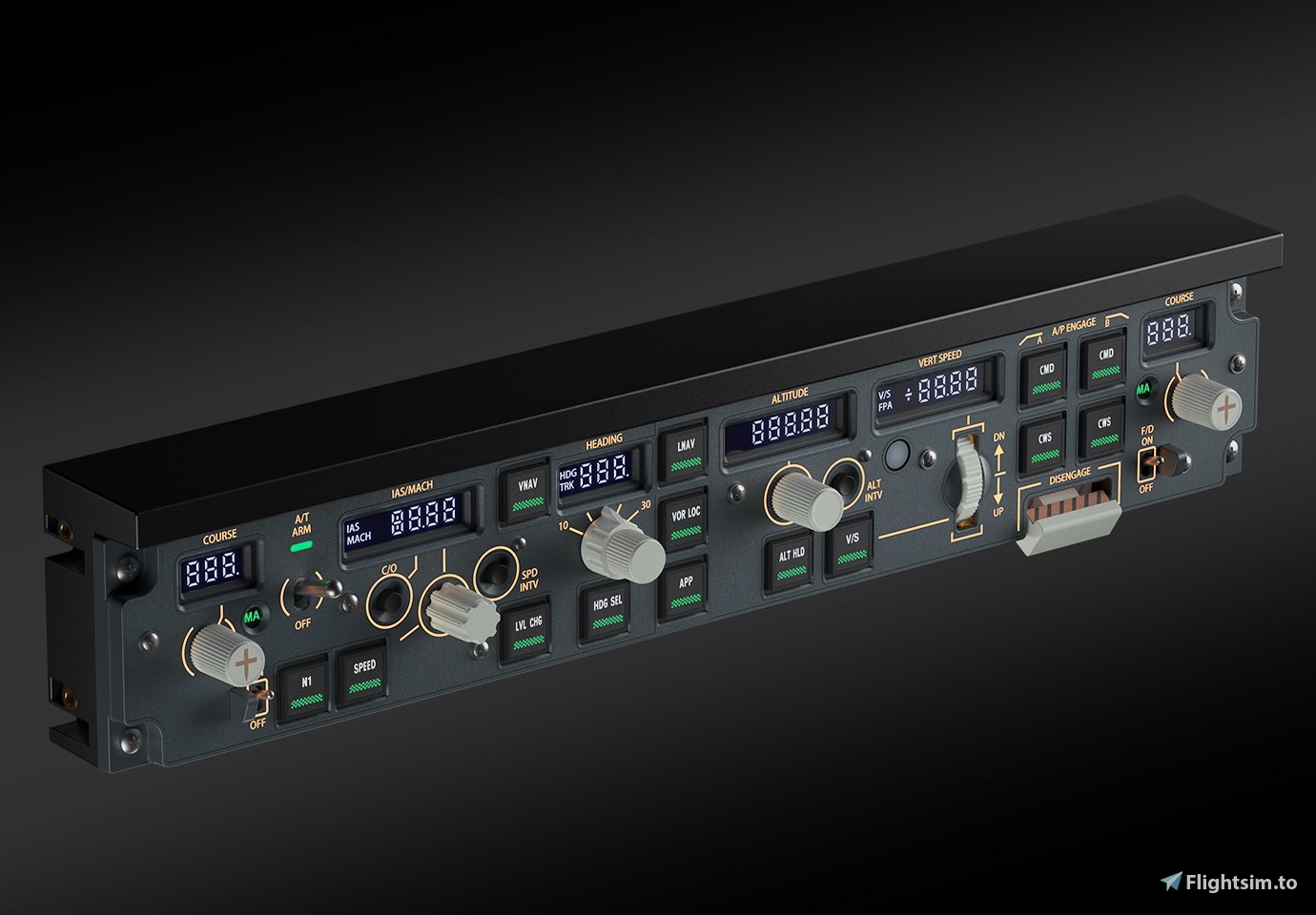
Beschreibung
Extending upon the excellent work done by SirTakis92 on iFly 737 MAX - WinWing PAP3 - Mobiflight Profile. I've made some updates for my personal preferences and sharing for any users who are interested. Changes include:
- Renaming of configurations.
- Sort the configurations from left to right.
- Include all available output configurations in the project, even if they may not be enabled.
- Enhanced support for MSFS SimVars and iFly LVARs.
- A/T ARM setup:
- Settings are defaulted for the Standard Version. Flip up spring down to turn ARM ON. Flip up spring down again to turn ARM OFF.
- Magnetic Version:
- Switch the active Input Config for A/T ARM SWITCH OFF.
- Additional instructions from flyingfox666: From the list of the output parameters I duplicated the output "A/T ARM LIGHT" and renamed it "A/T MAG SWITCH". I then edited it by selecting the "Display" tab and then there changed the "Selected pins" to "Solenoid".
Using the optional Add Lvar for iFly 737 Max8 by FLYINGTOMO will enable:
- Speed Value and Mach Value work properly.
- Bank Angle Limit switch works.
- VS Value (50 ft increments instead of 100 ft).
Abhängigkeiten
WINWING PAP3 | iFly 737 MAX 8 | MobiFlight Profile
The WINWING PAP3 | iFly 737 MAX 8 | MobiFlight Profile add-on provides a refined configuration for users of the iFly 737 MAX in Microsoft Flight Simulator. It includes updates such as improved organization of configurations, extensive output setups, and enhanced compatibility with MSFS SimVars and iFly LVARs. Additionally, it offers specific A/T ARM functionalities and optimizations when paired with the optional LVAR add-on by FLYINGTOMO, improving various aircraft parameters.



Nutzerbewertungen
5 Bewertungen
Versionsgeschichte
Thanks for all the reports about the faulty speed values! Sorry I was not able to address these sooner. I have also simplified the A/T ARM settings and have an Input Config that should work for the Magnetic Version.
Ähnliche Addons
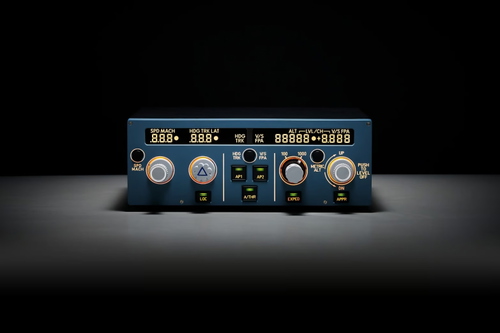
miniFCU | iFly 737 MAX 8 | MobiFlight Profile
The miniFCU for iFly 737 MAX 8 is a comprehensive MobiFlight profile that aligns with Airbus FCU labeling and methodology. This updated configuration includes key mappings such as SPD PUSH and SPD PULL adjustments, while also indicating the inactive status of the speed dot. Optional usage of an additional Lvar add-on enhances functionality by enabling proper operation of speed and Mach values, as well as improved vertical speed increments.
von level7

iFly 737 MAX 8 Vanilla Thumbnails Fenix Style
This add-on provides vanilla thumbnails for the iFly 737 MAX 8 default livery, designed to match the Fenix Paintkit style. The thumbnails are intended to align with those used by the Canvas Corner team, enhancing visual consistency in the simulator. Detailed instructions are included for replacing the original thumbnail files and for creating custom thumbnails using the Fenix Paintkit. Users can easily apply these modifications to improve the presentation of their aircraft in Microsoft Flight Simulator.
von level7
FlyByWire A32NX Vanilla Thumbnails Custom Set
This add-on provides a custom set of thumbnails designed to replicate the look of default FlyByWire A32NX livery thumbnails in Microsoft Flight Simulator. It includes an XML file for easy integration, allowing users to create consistent and visually appealing thumbnails for their aircraft. The installation process involves enabling Developer Mode and utilizing the Aircraft Capture Tool within the simulator. Users can customize their add-on or livery appearances by saving the newly created thumbnails to the appropriate texture folder.
von level7
Honeycomb Bravo | miniFCU | FSS 727 | MobiFlight Profile
This add-on provides custom MobiFlight profiles for the FlightSim Studio 727, tailored for Honeycomb Bravo and miniFCU hardware. It includes configuration for mode controls, autopilot functions, encoders, gear, switches, flaps, and lighting. The profiles are designed to enhance system compatibility and streamline control mapping within Microsoft Flight Simulator. Users can further set trim, axes, and reversers directly in the simulator.
von level7
Melden Sie sich an, um an der Diskussion teilzunehmen
AnmeldenKommentare(37)
3 months ago
3 months ago
4 months ago
4 months ago
8 months ago
7 months ago
8 months ago
Sim Variable:
select Preset
A/T ARM LIGHT
Display:
use type of: LED/output.
In the Display settings, select Solenoid.
Name it A/T Mag Solenoid and place it below A/T.
save.
9 months ago
9 months ago
12 months ago
One question: I just received my 737 PAP3 with the MAG switch for A/T.
Is it right that the Winwing SimAppPro needs to be running in the background to make the MAG switch work? Or have I overlooked something very obvious?
11 months ago
11 months ago
11 months ago
From the list of the output parameters I duplicated the output "A/T ARM LIGHT" and renamed it "A/T MAG SWITCH". I then edited it by selecting the "Display" tab and then there changed the "Selected pins" to "Solenoid".
That's it!
11 months ago
about 1 year ago
about 1 year ago
about 1 year ago
As well as Magnetic A/T won't ARM....
about 1 year ago
I don't have the Magnetic Version to try so you will need to make some adjustments to the switch configuration.