
Beschreibung
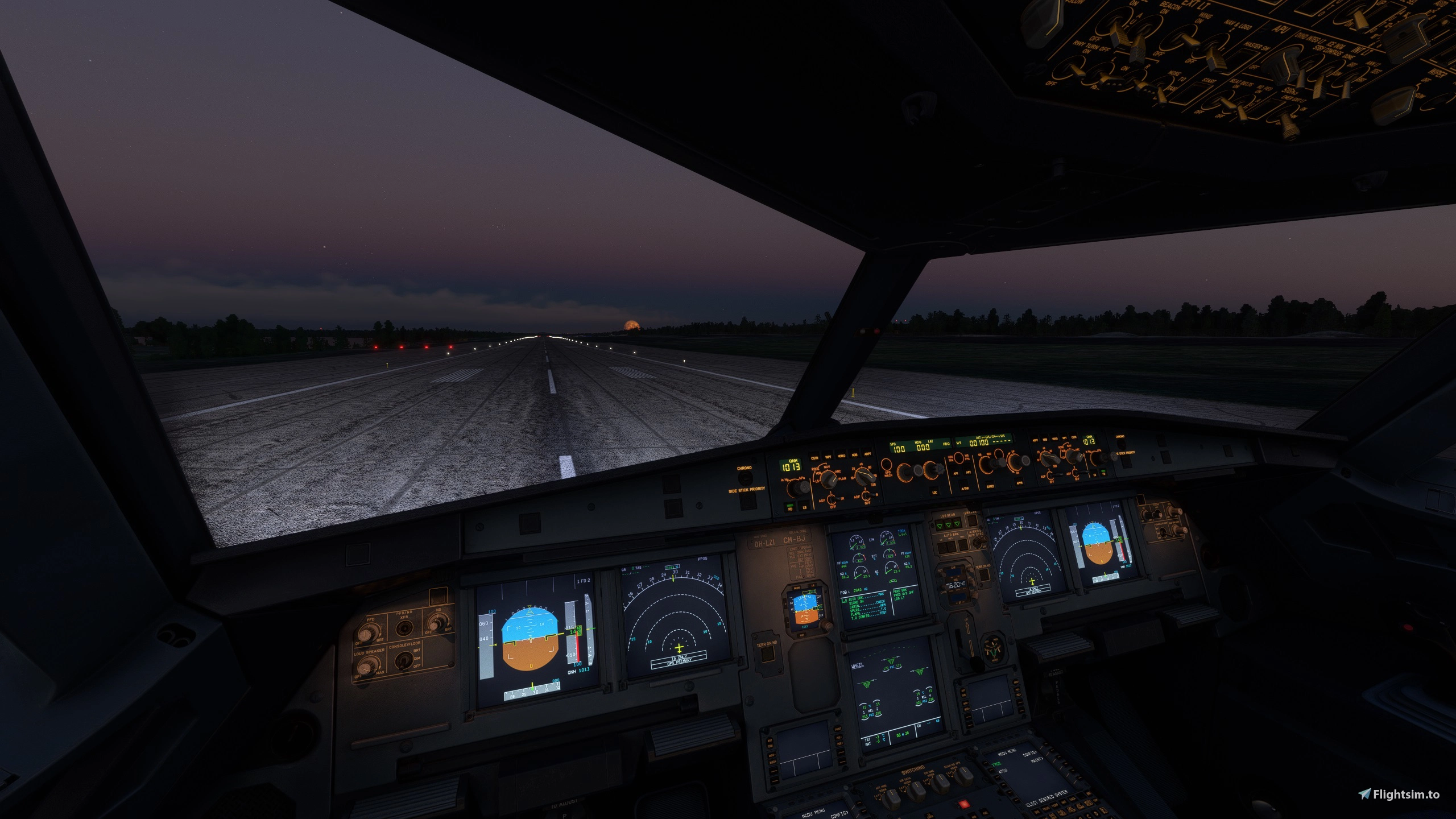
This is a Fenix 32X light mod for all aircraft versions. I have changed the light tones and intensity. The exterior and cockpit lights are modded.
Installation is Drag /Drop into the community folder fenix320
(\Community\fnx-aircraft-320). Effects folder change.
2 options.
1 - if you are using default colors msfs. Then the folder LED.
2 - if you have modified the colors with the graphics card (less colorful) then the folder LEDHALO.
The real difference is in the LED landing lights. To make them realistic. The color should be daylight, NOT cool white or warm white.
Daylight= white/white Cool white= blue/white Warm white= yellow/white
Overhead panel also tips on how to use the cockpit lights.
(All potentiometers the same)
Since this is a so-called MASTER file replacement, you can install other mods in the community. They will not cause a conflict.
Only override this folder file if they contain the same files.
NOTE: Some cockpit lights have not been changed as they are not really used much. The original Effects are also included.
Light Mod FENIX 319,320,321 (SL) External and Cocpit
This add-on provides a light modification for the Fenix 32X aircraft, specifically the A319, A320, and A321 models, enhancing both exterior and cockpit lighting. It offers two versions of LED lights based on the users graphics settings, aiming for a more realistic daylight tone for landing lights. Installation is straightforward, requiring a drag-and-drop into the community folder, and the mod is designed to coexist with other community modifications. Some cockpit lights remain unchanged due to minimal usage.
Nutzerbewertungen
3 Bewertungen
Versionsgeschichte
Keine Versionsgeschichte verfügbar.
Ähnliche Addons
![Fenix A320 v2 FINNAIR OH-LXM FINNAIR 100 anniversary A320-214, CFM [4K+8K] + Cabin](https://cdn.flightsim.to/images/24/fenix-a320-finnair-oh-lxm-finnair-100-anniversary-versions-a320-214-cf56-eng-4k8k-148965-1675111889-kQ2Lv.jpg?width=500)
Fenix A320 v2 FINNAIR OH-LXM FINNAIR 100 anniversary A320-214, CFM [4K+8K] + Cabin
Experience the Fenix A320 v2 FINNAIR OH-LXM, a special edition celebrating FINNAIRs 100th anniversary. This add-on features high-resolution textures, including a detailed cabin interior. Explore Finnairs centennial livery on routes across Europe, Asia, and America with this unique aircraft mod.
von JukRu
![Fenix A320 FINNAIR A320-214. OH-LXK,-LXL,-LXM&MOOMIN100 [4K+8K] .+Cabin/+Announcements](https://cdn.flightsim.to/images/26/fenix-a320-finnair-oh-lxk-a320-214-cf56-eng-4k-8k-148965-1716025216-Rysld.jpg?width=500)
Fenix A320 FINNAIR A320-214. OH-LXK,-LXL,-LXM&MOOMIN100 [4K+8K] .+Cabin/+Announcements
Experience the detailed FINNAIR A320-214 with liveries OH-LXK, -LXL, -LXM, and MOOMIN100 in stunning 4K and 8K resolution. This addon includes a meticulously crafted cabin and custom announcements for a truly immersive flight experience. Simply unzip and drag the files into your Community Folder to enjoy. Oh, and dont forget to check out the included user manual for the custom announcements.
von JukRu
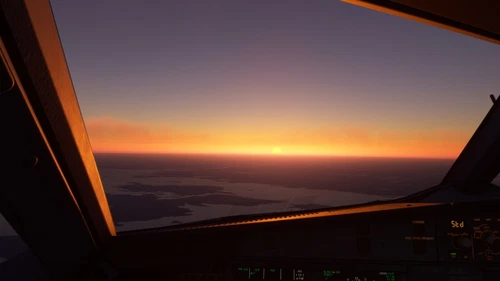
FENIX 319,320,321 Clean windshield+Rain+Sensors+Cabin windown
Enhance your flight experience with the FENIX 320 mod, featuring a clean windshield free of dirt streaks. This add-on also includes experimental rain effects and realistic changes to thermal sensors and cabin windows. Make sure to follow the installation instructions for a seamless upgrade.
von JukRu
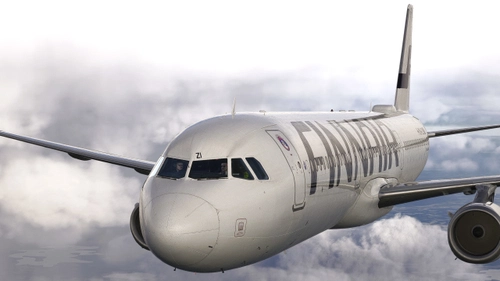
Finnair fleet A319,A320/320(Muumi),A321/A321ER(Santa) + Cocpit Light MOD + Announcements
This add-on features a collection of Finnair liveries for the Airbus A319, A320, and A321 aircraft in Microsoft Flight Simulator 2024. Users can install it by placing the folder "fnx-aircraft-319-320-321-FIN" into their Community folder. Please note that this version includes a simplified model with some details omitted compared to the default aircraft.
von JukRu
Melden Sie sich an, um an der Diskussion teilzunehmen
AnmeldenKommentare(11)
4 months ago
4 months ago
-"Finnair fleet A319,A320/320(Muumi),A321/A321ER(Santa) + Cocpit Light MOD + Announcements" is the FS2024 version which includes a partial light mod.
about 1 year ago
about 1 year ago
about 1 year ago
Do you perhaps know what's the difference between the nose wheel lights (effects) and the main landing lights (effects) and if there is a way to fix this?
about 1 year ago
about 1 year ago
At the moment I'm more than happy to just land without them and at night the taxi light on 'TAKE'-OFF is more than enough to see what's going on.
about 1 year ago
about 1 year ago
almost 2 years ago
almost 2 years ago