
Beschreibung
Here it is
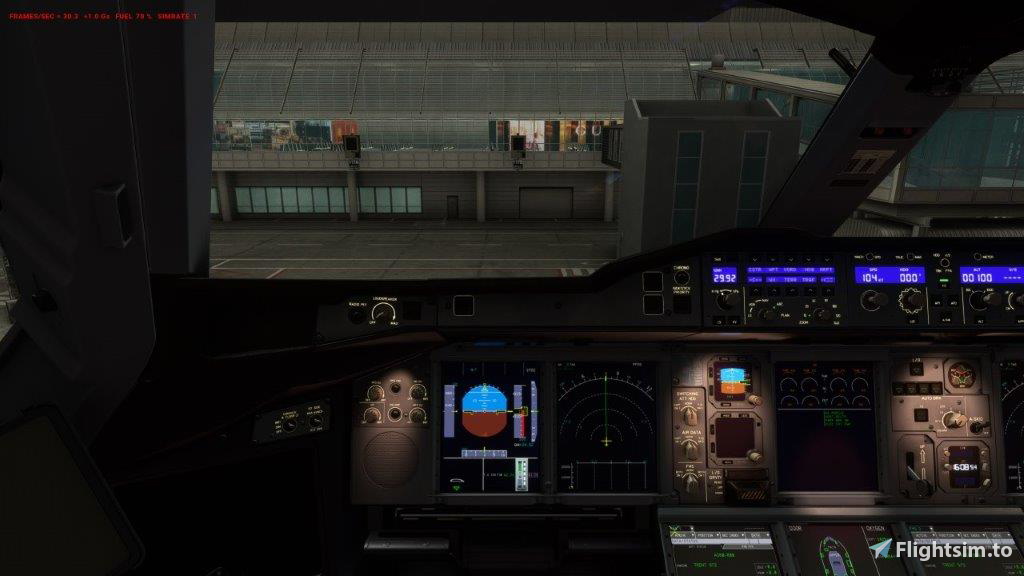
the Custom Views for the FBW A380 following the Numeric pad Logic
0 Pilot default View
1 Upper Deck left wing
2 Upper Deck Cabin View
3 Upper Deck right wing
4 Upper Deck left engine
5 Centre Pedestal
6 Upper Deck right engine
7 Pilot side view
8 overhead
9 Co Pilot side view
Unzip the FBW A380 file and place the camera,cfg file into the Airplane directory of the A380
C:\Users\user.....\AppData\Local\Packages\Microsoft.FlightSimulator_8wekyb3d8bbwe\LocalCache\SimObjects\Airplanes\FlyByWire_A380_842
Have fun
Instruction Video is for A320 but the methodology applies here as well
Be aware due to the complexity of this aircraft the change of view may take at little while. The A380 is still in Alpha testing
FBW A380 Custom Views
This add-on provides custom camera views for the FlyByWire A380, organized according to numeric keypad logic. Users can access various perspectives, including pilot and co-pilot views, cabin, and engine views. Installation involves placing a configuration file in the aircrafts directory. Note that due to the aircrafts complexity, view changes may take a moment to process.


Versionsgeschichte
Keine Versionsgeschichte verfügbar.
Ähnliche Addons
Fenix A320 Camera Views
The Fenix A320 Camera Views add-on provides users with a set of custom camera perspectives for the Fenix A320 aircraft. Each camera view is assigned to a numeric key from 0 to 9, allowing quick access to various viewpoints, including the pilots main view, cabin, and engine views. Installation involves placing a configuration file into specific directories within the Microsoft Flight Simulator file structure, accommodating both CFM and IAE engine variants.
von EJWA320
FBW A320X Custom Views
This add-on provides a set of custom camera views for the FlyByWire A320X in Microsoft Flight Simulator, allowing users to easily switch between different perspectives using the numeric keypad. Views include the pilots seat, left and right wing, jumpseat, engine and cockpit sections, among others. The installation requires placing a specific configuration file in the designated aircraft folder. Note that the default A320X does not include a cabin interior.
von EJWA320
Fenix A321 Better Camera Views
This add-on provides enhanced camera views for the Fenix A321, offering easy access to ten predefined camera positions using numeric keys 0 to 9. The camera views include options such as cockpit, cabin, left and right wing views, engine perspectives, and jumpseat angles. Installation involves placing a configuration file into the specified directory to enable these custom views for both IAE and CFM engine variants.
von EJWA320
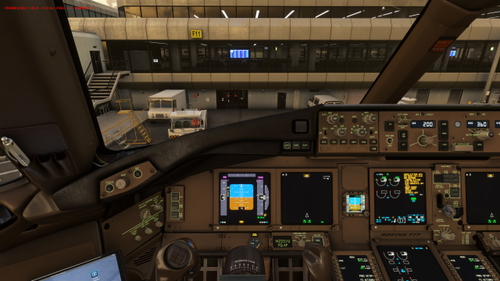
PMDG 777 Customs Views
Add custom cockpit and cabin views to your PMDG 777 with this mod. Assign different views to numeric keypads for a more immersive flight experience. Simply place the camera.cfg file in the specified directory and enjoy exploring various perspectives inside the aircraft.
von EJWA320
Melden Sie sich an, um an der Diskussion teilzunehmen
AnmeldenKommentare(7)
9 months ago
9 months ago
9 months ago
then get to airplanes, then the A380, and then i put the file into there. I have also tried using ther number pad on my keyboard and it does not work either. the file path is C:\users\XXXX\AppSata\Roaming\MSFS24\SimObjects\Airplanes\Flybywire_a380_842
I am in roaming because I can only find the plane model there as I only have the staeam version of MSFS 24.
over 1 year ago
over 1 year ago
almost 2 years ago
almost 2 years ago