
![PMDG 737-800 China Eastern B-1789 - Yunnan Peacock [w/ cabin] - Image 1](https://cdn.flightsim.to/images/27/pmdg-737-800-china-eastern-b-1789-yunnan-peacock-418113-1763875233-ygpsu.jpg)
Beschreibung
China Eastern - Yunnan Peacock
🛠️ PMDG 737 Quick Install Guide:
1. Using WinRar or 7-ZIP, open the .rar you downloaded from Flightsim.to.
⚠️ DO NOT USE WINDOWS DEFAULT EXTRACTOR! IT'S BREAKING THE LIVERY .ZIP FILE!
2. Extract the ".zip" to your Desktop.
⚠️ DO NOT UNZIP IT. Leave the .zip file exactly as it is.
3. Open the PMDG Operations Center v3.
4. On the main screen, find the PMDG 737-800 (MSFS2024 or MSFS2020 version).
5. Click the Green "Import" Button directly below the big picture of the plane.
6. Select the .zip file from your desktop.
7. Success! You’re ready to fly.
Livery painting takes time, hence why requests are paid :D
You can place your order via our Discord server! Join now: https://discord.gg/8teXcGhNYa
Kommentare(1)
Melden Sie sich an, um an der Diskussion teilzunehmen
AnmeldenPMDG 737-800 China Eastern B-1789 - Yunnan Peacock [w/ cabin]
Add a touch of China to your PMDG 737-800 with this China Eastern B-1789 livery inspired by the Yunnan Peacock. Install it easily using the PMDG Operations Center. Enjoy the new look on your flights!
More Information
Versionsgeschichte
- Reworked COMP map to match MSFS 2024
Ähnliche Addons
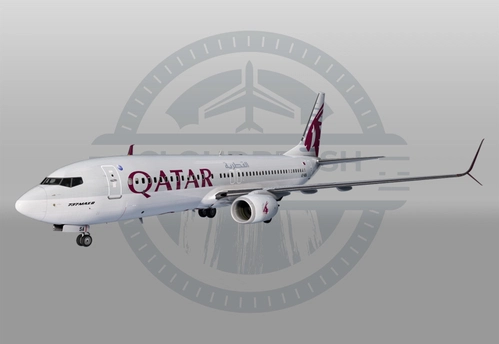
PMDG 737-800 "MAX" - Qatar Airways A7-BSA (w/ cabin)
Experience the Qatar Airways 737 "Max" 8 A7-BSA livery for the PMDG 737-800 addon. Simply install using the PMDG Operations Center and take to the skies in style.
von Kombi6420
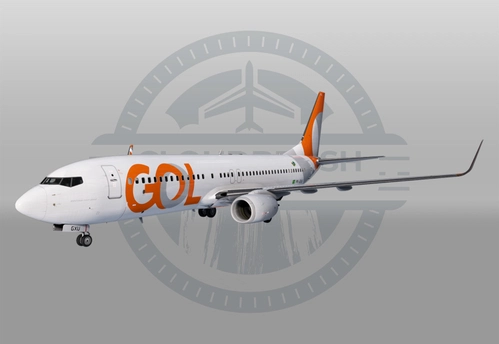
PMDG 737-800 - GOL Linhas Aereas PR-GXU (w/ cabin)
Fly the renowned PMDG 737-800 in the striking livery of GOL Linhas Aereas PR-GXU. Easily install this livery using the PMDG Operations Center for a seamless experience. Enjoy the realistic details and immersion this add-on brings to your Microsoft Flight Simulator.
von Kombi6420
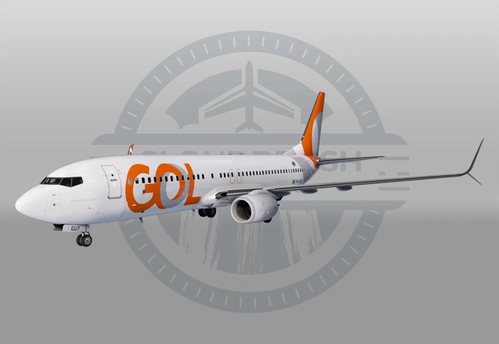
PMDG 737-800 SSW - GOL Linhas Aereas PR-GUT (w/ cabin)
Fly the skies with the detailed PMDG 737-800 SSW in the livery of GOL Linhas Aereas PR-GUT. This add-on can be easily installed using the PMDG Operations Center. Have a great flight experience! ✈️
von Kombi6420
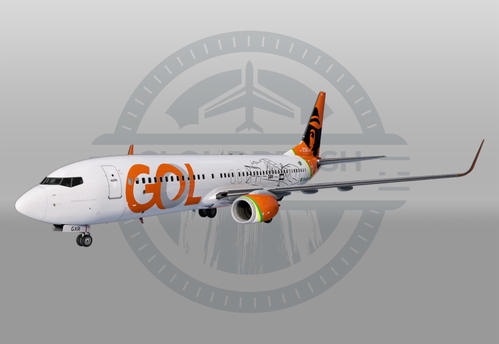
PMDG 737-800 - GOL Linhas Aereas PR-GXR - "Santos Dumont" (w/ cabin)
This add-on features a custom livery for the PMDG 737-800 representing GOL Linhas Aereas PR-GXR, commemorating the "150 Anos do Santos Dumont." It includes detailed custom interior elements such as in-flight entertainment, seating, cabin logos, and translated cabin stickers. Installation is facilitated through the PMDG Operations Center for easy access and setup.
von CloudBrush
about 2 years ago