PMDG 737-800 China Eastern Disney Duffy&Frozen B-1316 B-1317
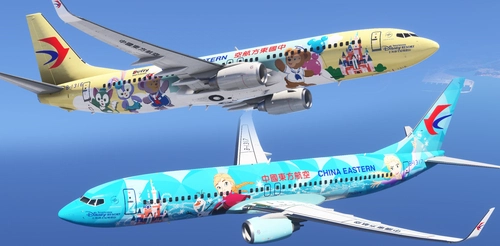
This add-on features high-resolution 8K liveries for the PMDG 737-800 in China Eastern Airlines' Disney Duffy and Friends and Frozen special schemes, representing aircraft B-1316 and B-1317. Cabin textures including headrest covers, IFE screens, and overhead bins have been updated or remade for greater accuracy. Door EXIT warning icons have been repositioned for realism. Compatible with both MSFS 2020 and 2024 versions.
FYCYC C919 China Eastern Airlines 中国东方航空 B-919E STD标涂 8K
This add-on features an 8K high-resolution livery for the COMAC C919 in the standard China Eastern Airlines B-919E paint scheme. China Eastern Airlines is one of China’s three major airlines, headquartered in Shanghai. The livery accurately represents the airline’s branding and visual style. The files are intended for community installation and use in Microsoft Flight Simulator.
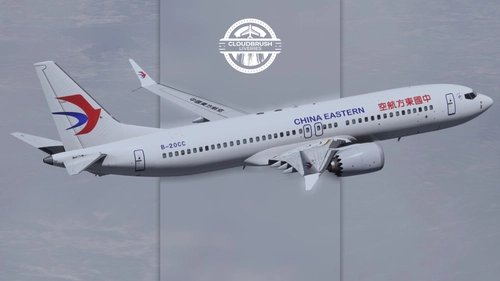
【Alex.Tex】iFly 737MAX China Eastern B-20CC 中国东方航空-Standard Painting-8K
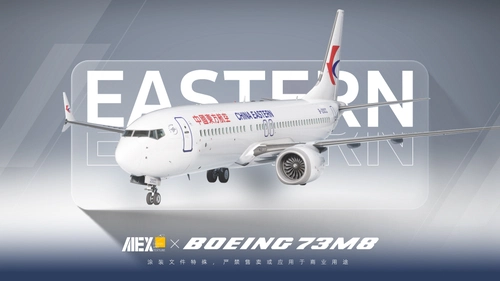
This add-on provides an 8K high-resolution China Eastern Airlines standard livery for the iFly 737MAX, featuring accurately redrawn aircraft details based on real references. Users need to manually configure the settings file after installation. The livery is intended for personal use only and should not be used for commercial purposes.
This add-on features a fictional China Eastern livery designed for the Synaptic A220 in Microsoft Flight Simulator 2024. The repaint provides a customized appearance reflecting the airline's branding. Users can install the livery by placing the extracted folder into their Community directory. Suitable for those seeking East Asian airline liveries for the A220.
This add-on provides a China Eastern Airlines livery for the iFly 737 Max, specifically replicating the B-1380 aircraft. It features the standard China Eastern fuselage paint and cabin color scheme. Installation involves extracting and placing the file into the community folder. Ideal for users seeking an authentic China Eastern livery for their iFly B38M in Microsoft Flight Simulator.
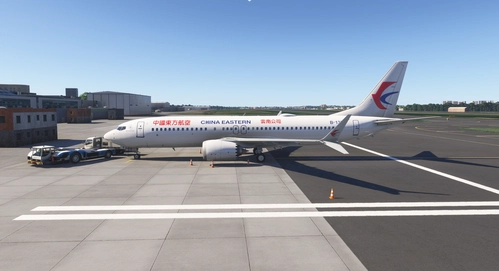
This add-on features a custom China Eastern Airlines livery for the iFly 737 MAX 8, accurately depicting the B-20CC registration. The package includes installation instructions compatible with the iFly Manager. Designed for use in Microsoft Flight Simulator, it allows users to operate the 737 MAX 8 in China Eastern colors. No additional enhancements or aircraft modifications are included beyond the livery.
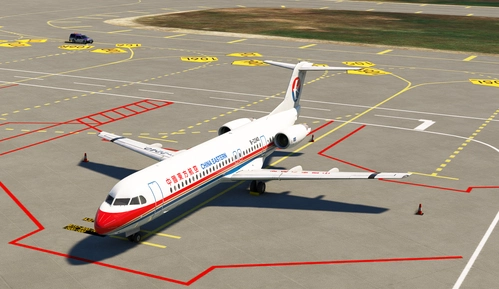
Wolf.Tex China Eastern Airlines FOKKER 100 Reg:B-2234 [With Cabin]
This add-on features the China Eastern Airlines Fokker 100 standard livery with registration B-2234, including a complete set of PBR reflection maps. The package provides a meticulously recreated cabin interior with detailed textures for carpets, seat covers, and in-flight printed materials. Unique wing textures and authentic interior and exterior Chinese labels are included. Body details have been redrawn for enhanced visual realism.
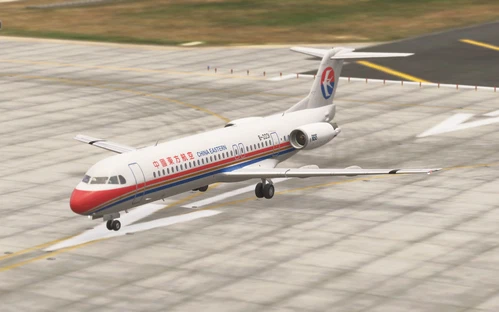
Just Flight F100 Professional China Eastern B-2240
This add-on features the China Eastern Airlines B-2240 livery for the Just Flight F100 Professional, representing the last Fokker 100 retired by the airline. The livery has been accurately recreated based on available references. Note that the actual aircraft did not display a China Eastern Airlines logo on the wings. Visuals provided are for reference and may differ from the in-sim appearance.
Just Flight F100 Professional China Eastern B-2231
This add-on provides a China Eastern Airlines B-2231 livery for the Just Flight F100 Professional aircraft in Microsoft Flight Simulator. The livery is compatible with both MSFS2020 and MSFS2024. Installation is done by dragging and dropping the files into the community folder. Designed for easy integration with the F100 Professional add-on.
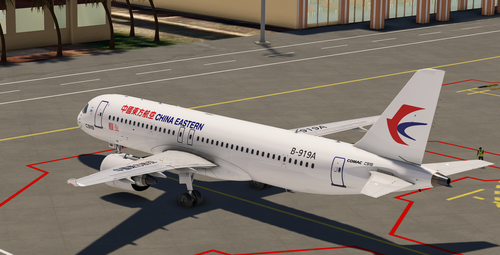
This add-on features the China Eastern Airlines B-919A livery for the Comac C919X. Representing the world's first delivered and operational C919 aircraft, this livery allows users to experience an accurate recreation of the historic airframe in Microsoft Flight Simulator. The add-on is designed for those seeking realistic airline liveries for the C919X model. Suitable for virtual pilots interested in modern Chinese aviation.
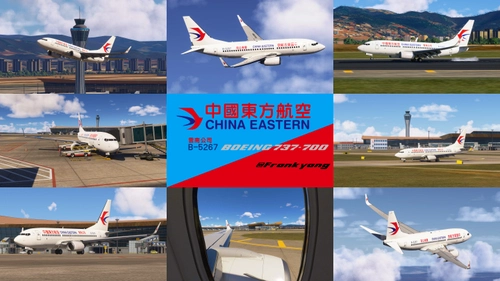
This add-on provides a custom China Eastern Airlines livery for the Boeing 737-700, specifically featuring registration B-5267. The livery is designed for use with Microsoft Flight Simulator 2024. Compatibility is limited to MSFS2024 and commercial use is not permitted. The repaint aims for visual accuracy based on the real-world airline design.


![[Fictional] China Eastern A220](https://cdn.flightsim.to/images/28/20260729_040854_48a09305ed6994c6_fictional-china-eastern-a220.png?width=500)
![Wolf.Tex China Eastern Airlines FOKKER 100 Reg:B-2234 [With Cabin]](https://cdn.flightsim.to/images/28/20260630_192009_e3874025dfcf1fd4_wolf-tex-china-eastern-airlines-fokker-100-reg-b-2234-with-cabin.png?width=500)