
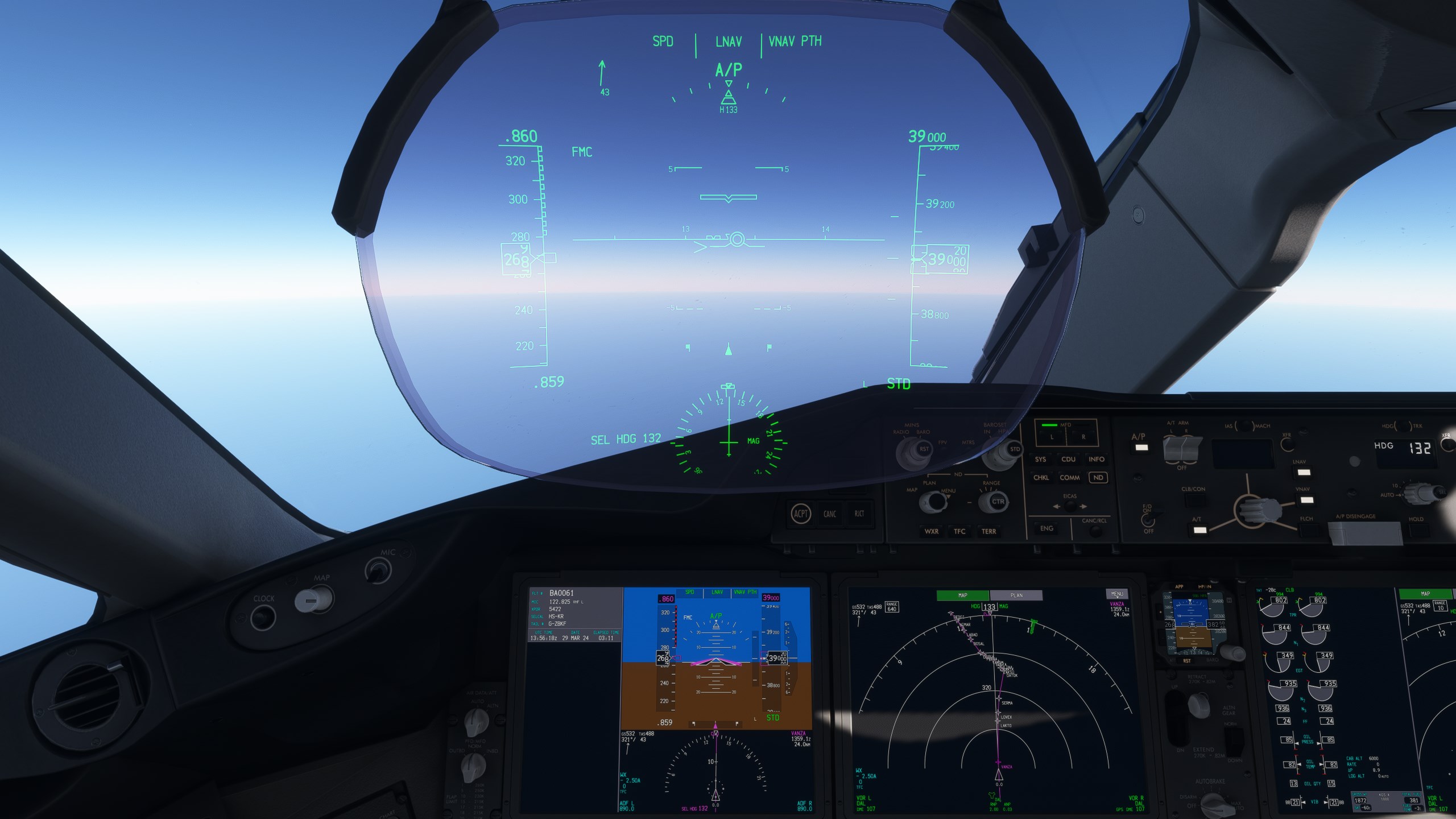
Beschreibung
Horizon Simulations Boeing 787-9 Camera Views for both Rolls Royce and GE's.
Installation Locations:
MS STORE
C:\Users\[YOURNAME]\AppData\Local\Packages\Microsoft.FlightSimulator_8wekyb3d8bbwe\LocalCache\SimObjects\Airplanes
STEAM
C:\Users\[USERNAME]\AppData\Roaming\Microsoft Flight Simulator\SimObjects\Airplanes\[AIRCRAFT FOLDER]
Plenty of Camera Views Available, Screenshots show every camera in use.
Camera's go through Numbers 1-9
- ALT + 1 Captain Sidestick
- ALT + 2 MCDU's
- ALT + 3 Pedestal
- ALT + 4 Engine 1 View (Left Engine)
- ALT + 5 GoPro Heads up
- ALT + 6 Engine 2 View (Right Engine)
- ALT + 7 AFT Wing 1 (Left Wing)
- ALT + 8 Overhead Panel
- ALT + 9 Wing View 2 (Right Wing)
Any issues please contact via the comments
Horizon Simulations Boeing 787-9 Custom Camera Views
A collection of custom camera views for the Horizon Simulations Boeing 787-9, including options for Rolls Royce and GE engines. Explore various perspectives with camera views ranging from the Captain Sidestick to Engine and Wing views. Easy installation instructions provided for MS Store and Steam versions of Microsoft Flight Simulator.


Versionsgeschichte
Keine Versionsgeschichte verfügbar.
Ähnliche Addons
Fenix A320 V2 B2 Camera Views IAE's & CFM's
Enhance your flight experience with Fenix A320 Version 2 Block 2 Camera Views add-on, featuring updated views for IAE and CFM engines. Explore a variety of camera options, from cockpit perspectives to external wing views, all easily accessible through different shortcuts. Compatible with both Microsoft Store and Steam versions of Microsoft Flight Simulator.
von JustJoeyHD
PMDG Boeing 777-300ER Camera Views
Enhance your Boeing 777-300ER experience with custom camera views including cockpit, overhead panel, and wing perspectives. Detailed installation instructions provided for seamless integration into Microsoft Flight Simulator. Alt key combinations allow for easy navigation through various viewpoints for an immersive flying adventure. Created by JustJoeyHD for aviation enthusiasts seeking a realistic flight simulation experience.
von JustJoeyHD
Melden Sie sich an, um an der Diskussion teilzunehmen
AnmeldenKommentare(1)
over 2 years ago
tips:file name [state] use to set default camera,[cameras] use 2 set personal views provided by the author, these two files can be used separately.If you're just annoyed by the default pilot camera(VFR view) like me, and want to set own custom view, only need replace the [state] one.