
Beschreibung
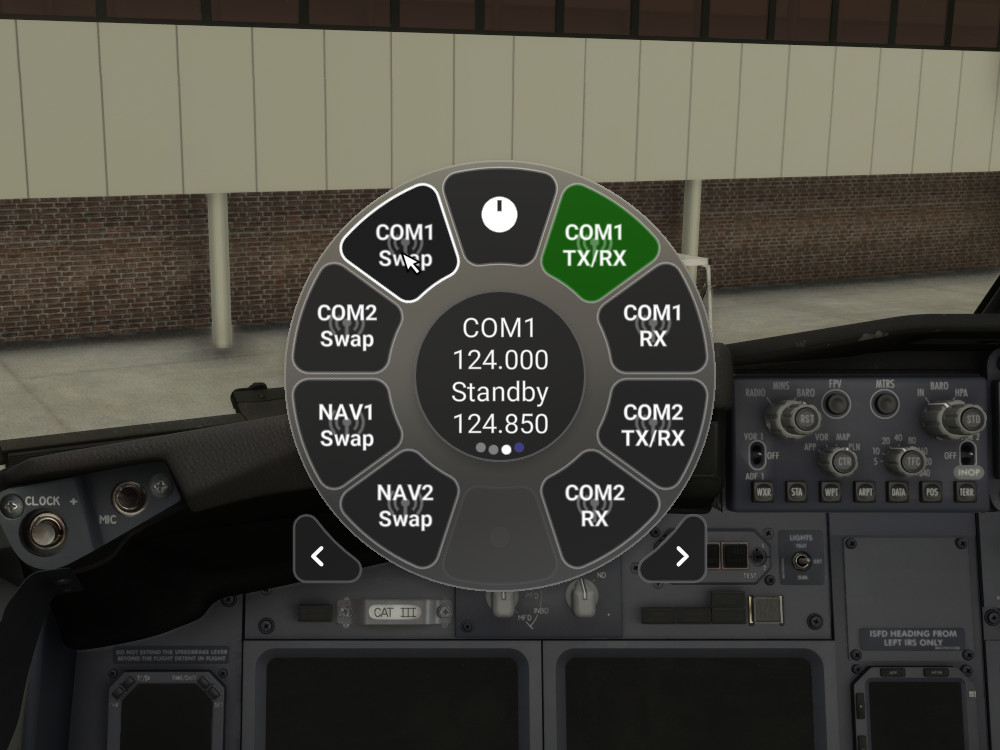
Flow widgets for easy tuning and swapping of COM and NAV radio frequencies, and switching between COM radios.
The COM1 TX/RX and COM2 TX/RX widgets will switch the active transmit and receive radio. The widget will be be active (green) when that radio is the active transmit and receive radio.
The COM1 RX and COM2 RX widgets will toggle receive only mode on a radio that is not the active transmit and receive radio. The widget will be be active (green) when receive only is enabled on that radio.
The COM1 Swap, COM2 Swap, NAV1 Swap and NAV2 Swap widgets will swap the active and standby frequencies when clicked, and display both frequencies in the center circle when hovering over the widget.
The COM1 Spacing and COM2 Spacing widgets will toggle between 8.33 kHz and 25 kHz frequency spacing. If the persistence option is enabled, the setting will be saved and restored at the start of the every flight
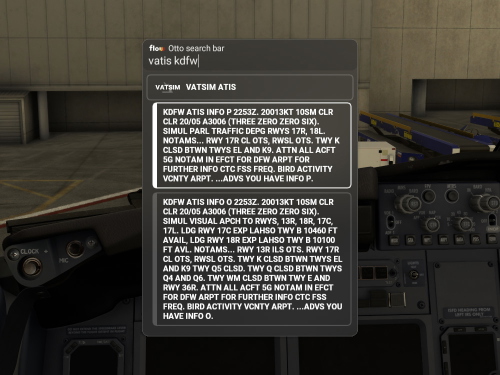
The Tune Radios widget will allow you to tune the radios and set the squawk code using Otto.
- Type COM1, COM2, NAV1 or NAV2, followed by the frequency, then click ACTIVE or STANDBY to set the frequency.
- Type X, XPDR, SQ or SQUAWK, followed by the squawk code, then click SET SQUAWK CODE to set the squawk code.
This works with vPilot for VATSIM, but it may not work properly with all airplanes, depending on how those planes handle the radios.
The previous active frequency will be copied to the standby frequency when setting the active frequency, if the Copy Active to Standby option is enabled (enabled by default).
Known Plane Compatibility:
- PMDG 737 - All widgets work properly
- Fenix A320 - COM widgets work properly / Squawk code does not work / NAV widgets do not work
- FlyByWire A32NX - COM widgets work properly / Squawk code works properly / NAV widgets do not work
- Leonardo MD-82 - COM widgets work properly / Squawk code works properly / NAV widgets do not work
- iniBuilds A310 - All widgets do not work
Note: Flow Pro is required to use this addon.
Flow Radio Scripts
Enhance your aviation experience with Flow Radio Scripts, offering convenient widgets for seamless tuning and swapping of COM and NAV radio frequencies in Microsoft Flight Simulator. This add-on includes features such as toggling receive only mode, swapping active and standby frequencies, and toggling between 8.33 kHz and 25 kHz frequency spacing. Compatible with select aircraft like PMDG 737 and FlyByWire A32NX, this tool is designed to work with vPilot for VATSIM, ensuring a smoother radio management experience in the virtual skies. Please note that Flow Pro is necessary for utilizing this add-on.


Nutzerbewertungen
1 Bewertungen
Versionsgeschichte
Removed test text
In Sammlungen enthalten(1)

Ähnliche Addons
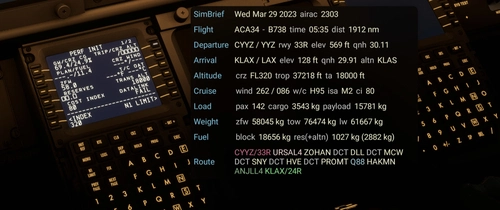
Flow SimBrief OFP
This widget will display data from your latest SimBrief OFP (Operational Flight Plan) in a window once you’ve configured it with your simbrief user name or user id. I welcome feedback regarding the info displayed as I will continue to evolve this with additional features and data.
von wasabidad
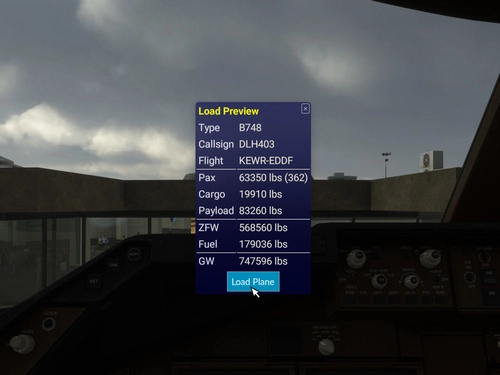
SimBrief Loader
Automatically load fuel and payload weights from SimBrief for select aircraft in Microsoft Flight Simulator. Verify and load the flight plan, ensuring correct weights are applied for an accurate simulation experience. Customized for specific aircraft models and prevents mismatches with in-game weight settings. Note: Flow Pro integration is necessary for addon functionality.
von timwells
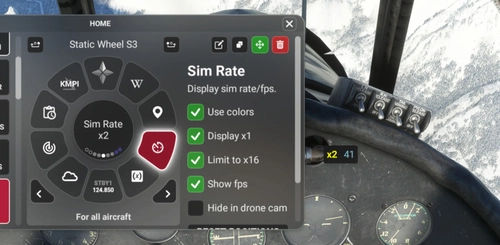
Flow Sim Rate Monitor
I've been wanting an onscreen display of the sim acceleration rate for a long time and this widget enables a small floating window that will display the sim rate and can be dragged anywhere on screen. You can see it in the 2nd photo in the lower right of the screen.
von wasabidad
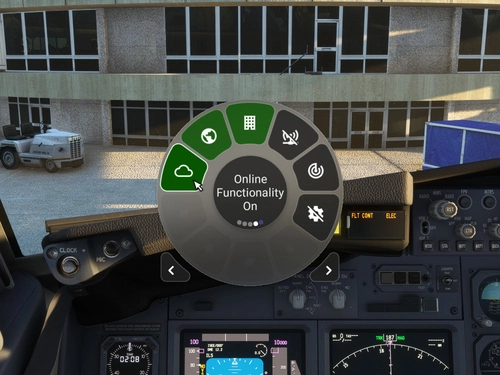
MSFS Settings Widgets
Easily toggle various MSFS settings with these widgets, including online functionality, graphics options, sound settings, and more. Adjust settings with simple clicks or scrolls, with a 2-second delay to prevent frequent changes. Stay updated with the Bing Data World Graphics widget and ensure a seamless simulation experience. Compatibility requires Flow Pro version 2023.29.3.12 or newer.
von timwells
Melden Sie sich an, um an der Diskussion teilzunehmen
AnmeldenKommentare(12)
over 2 years ago
over 2 years ago
In particular, most difficult ADF tunning is in JF F28. I would rather tune it with Flow Pro.
Thanks!
over 3 years ago
Thank you for creating this. Finding it very useful.
almost 4 years ago
Is it possible to create a widget for Vatsim,pilot edge or ivao ?
almost 4 years ago
also widget for Fsrealistic
almost 4 years ago
The best place for script requests is the "u2u-scripting" section in the Parallel 42 discord.
This widget works with vPilot for VATSIM for tuning and swapping of COM radio frequencies, and switching between COM radios.
What are you wanting it to do with VATSIM, PilotEdge and IVAO? I looked into getting the ATIS from VATSIM, but the VATSIM API is a huge data dump and it had trouble processing it. I just took a quick look, but it looks like PilotEdge and IVAO might have a better method of retrieving the ATIS.
I don't have FSRealistic.
almost 4 years ago
Thank you very much for doing these, They are Great! Really enjoy the GSX Launcher it is really awesome, Think you can add one for the restart Coutl, I'm sure many would like that, and possibly adding for reverse thrust or toggle reversers. Anyway, thanks again for such awesome contributions.
almost 4 years ago
Thanks, I'm glad you're enjoying them!
As far as I know, there is currently no way to restart couatl using a flow script.
I'm not sure about the reversers, as I setup the reversers on my throttles for each plane using SPAD.neXt.
There is a section for script requests titled "u2u-scripting" in the Parallel 42 discord. I recommend posting your requests there.
almost 4 years ago
Is it possible to add a script where you can change the frequency for the coms?
almost 4 years ago
It seems like it may be possible, but I haven't figured it out yet. There seems to be some conversion needed to set the frequency.
almost 4 years ago
I published an update today that includes new widgets to tune and swap frequencies
over 3 years ago
Tysm