

Beschreibung
- 1️⃣ Licensed Touch Portal app on your mobile device (Touch Portal Pro)
- 2️⃣ The Touch Portal software on your PC. Visit: https://www.touch-portal.com/
- 3️⃣ Install the latest version of the MSFS Touch Portal plug-in
- 4️⃣ Install the latest version of the WASM module also from the MSFS Touch Portal plug-in page)
- 5️⃣ (Recommended) latest version of Working Title GNS 530
- Launch Touch Portal Pro and ensure the MSFS Touch Portal plug-in is loaded.
- In the Pages tab, click the gear symbol at the top left, then Import Page...
- Browse to the .tpz file you downloaded from this flightsim.to page, click Open to import the page
- From your (main) Touch Portal page, add a button that will link you to the "Cessna 414 GNS530" page.
- For more information on how to check out the Touch Portal Guides page
- Recommended grid settings:
- Maximize button space: off
- Group buttons: on
- Fuel selectors and aux fuel pumps
- Engine magnetos, primer, starter
- Master battery and alternators
- Exterior lights
- Anti-ice elect. (only off/low currently implemented), Prop anti-ice, De-ice light, Surface di-ice
- Stall and vent heat, pitot heat
- Cabin fan, cabin heat, air conditioning and air supply
- Avionics bus, Autopilot modes, VOR/LOC annunciation, GA/GS annunciation, pitch up/down, altitude alert value and arm switch
- Instrument panel lights (dimmers to follow after v1.0)
- "Hidden" control for simulation rate on the right bezel of the Mode Selector
- EFB toggle control
This version has been designed to work with the C414AW variant that runs the Working Title GNS 530.
The layout has been tested on an iPad Pro 11 (2360x1640 resolution) but I haven't been able to test on other devices. I recommend setting Rendering mode to Safe Area in the Touch Portal app settings. There is an optional download called (Optional) background images for different devices containing other size background images - I'll add to this as and when I get requests for different resolutions.
✅ If the layout is OK on your device: I'd be grateful if you could leave a comment below to confirm that.
❌ If the layout is misaligned on your device: please DM me with details such as device name and a full-resolution screenshot of the problem, and I’ll try to resize the background image for your device - I can include device-specific backgrounds in future updates, although you'll have to manually swap out the page background in Touch Portal. This process is explained in the readme.txt file in the optional background image pack download.
Please note this is my first Touch Portal project - as such I'm still learning how things work. If you find bugs or problems then do let me know, and I'll try to get them fixed soon. I'm also keen to know if you have any feature requests for this project!
Häufig gestellte Fragen
[DISCONTINUED] Touch Portal page for the Flysimware C414AW Chancellor
Touch Portal page for a set of commonly used controls in the Flysimware C414AW Chancellor. This includes mapping for items such as fuel selectors, pumps, electrical switches, exterior / interior lights, cowl flaps, autopilot modes and cabin heating / cooling.

Nutzerbewertungen
3 Bewertungen
Versionsgeschichte
REMINDER: Remove the following from Touch Portal before adding the new version of this page: 1. PAGES > Cessna 414 GNS530 2. FLOWS > All flows with the C414 prefix Changes for v1.2: - Updated battery switch and avionics switch (again) for new bindings in v4.4.0 of the aircraft. Please DM if you encounter any issues with battery or avionics. Known issue: Night/Day toggle switch still not working.
Ähnliche Addons
EGYP - RAF Mount Pleasant
Explore the detailed RAF Mount Pleasant (EGYP) scenery in Microsoft Flight Simulator, featuring custom models, textures, and runway markings. Enhancements include static aircraft, improved apron and taxiway textures, and added clutter for realism. Stay tuned for ongoing refinements and additional details.
von Flak
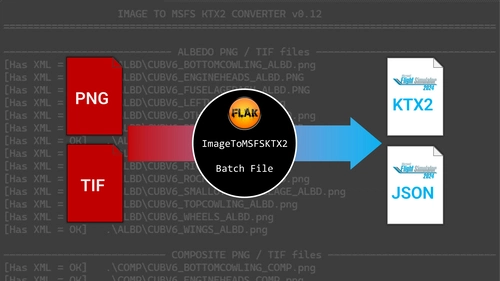
Image to KTX2 texture script for MSFS 2024 livery creation - ImageToMSFSKTX2
This batch script converts PNG and TIF images into KTX2 texture files and generates accompanying JSONs for Microsoft Flight Simulator 2024 livery creation. It allows direct integration of textures into existing liveries and can update the layout.json if MSFSLayoutGenerator is used. The script is compatible with both Microsoft and Steam versions of MSFS 2024 and includes options for compression quality and alpha channel handling. Users must have the MSFS 2024 SDK installed and organize artwork according to the included folder structure.
von Flak
MSFS Livery Toolkit
MSFS Livery Toolkit is a standalone Windows application for creating Microsoft Flight Simulator liveries without editing config files or using command lines. The tool guides users through selecting an aircraft, repainting textures, and compiling a sim-ready package for both MSFS 2020 and 2024. Features include automated livery setup, texture extraction to editable formats, UV map generation, and seamless packaging. The toolkit is currently in beta and supports monolithic and modular aircraft.
von Flak
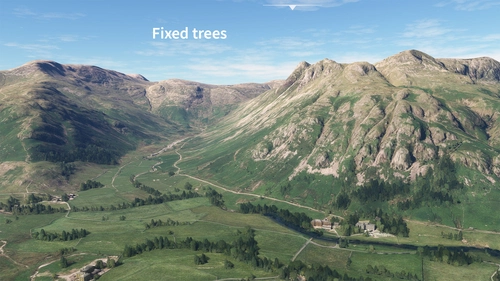
Lake District National Park scenery corrections (tree fix & more)
Enhance the realism of the Lake District National Park in Microsoft Flight Simulator with this add-on focusing on correcting autogen trees and other scenery inaccuracies. From removing excessive trees on high ground to fixing misplaced buildings and adding detailed elements like boats and piers around Windermere, this mod aims to provide a more accurate representation of the iconic park. Explore the beautiful British landscape with improved visuals and minor scenery fixes.
von Flak
Melden Sie sich an, um an der Diskussion teilzunehmen
AnmeldenKommentare21
I see another person had this issue previously, and it was fixed, but I'm having it on a new download today... thanks for any help.
EDIT: I've set this page to "Discontinued" along with all my other Touch Portal pages, since it looks like there isn't a simple fix. For those willing to do some manual tinkering it IS possible to manually extract and copy the .ini file from the .tpz package to the correct folder.
Turns out the 'tinker' is just to rename the file from *.tpz to *.zip, then open it with a zip program and get the files out.. No real magic there.
Just package it as a zip, then you don't have to deal with the headaches.
Good Luck!
Note that all those pages have "Discontinued" status but will remain available here on fs.to - I have no plans to remove them.
Is this can uesd by TDS750? Please~
Confirmed this is working in SU12
Pretty cool utility! If there are any other Pixel 6 users, the "Option B" 1280x689 background option is pretty close to being properly aligned. (It doesn't look like it in the app, but on the phone the labels line up well enough to be readable.)
Thanks for the review! I can create a new background for your device, I'll just need:
A) A native resolution screenshot taken from your device, showing the page as it currently is.
B) The "Last Device Bg width/height" values from Touch Portal PC application. You can see this under Setting > Info
So if you DM me those two thing I should be able to make the background image at the correct size for your device.
BTW I've asked the Touch Portal devs for a new option to lock the background to the button grid; that would ensure that one background image works on all devices.
I appreciate the offer, but I'm happy with it as is. I actually got it close to perfect just by turning off "group buttons" in the app.
essential page for the plane now, thank you
Looking forward to v1.0
Should be available soon - just trying to iron out a few kinks with the AP mode selector buttons.
OK, battery working, buttons Alternator working, but no electrical action in plane.
Fuel buttons ok (graphical problem on my tablet Lenovo 10
Thanks for checking this, and for the feedback. Those are all working for me. Do you have the WASM module in your msfs community add-one folder? Details on MSFS Touch Portal plugin GitHub page.
Also can you DM me a full-res screenshot from your tablet. I’ll see if I can make a resized background image to get it aligned.