

Beschreibung
Google Earth Decoder update
Description:
For those who create scenery addons based on MSFS Google Earth tiles, there is a fantastic tool called Google Earth Decoder Tool, created by Johanex111.
The problem here is that this tool has no Github repository, and is not maintained anymore by its author.
Google Earth tiles evolve, and it is now necessary to ensure that the data retrieved are the latest ones (even in some rare case, the latest data can remove some existing tiles).
When you use the Google Earth decoder tool, the tiles retrieved are not necessarily the last ones available on Google servers.
To fix it, i created a fork of the GoogleMapsTools.dll used by the Google Earth Decoder tool, that ensure you to retrieve the last version of the Google Earth tiles.
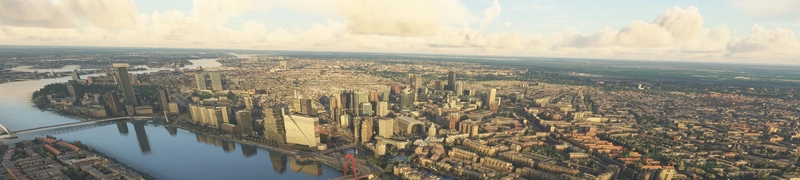
I used it, for instance, for my Antwerpen scenery, to retrieve the correct tiles for the center of the city (because the original Google Earth Decoder dll retrieved older tiles that did not contain photogrammetry data).
Installation:
Install Google Earth Decoder. Download the archive in the main file, then extract Common.dll and GoogleMapsTools.dll to the Google Earth Decoder folder (the folder containing Earth2MsfsWPF.exe). Make sure to backup first the oldest dll, in case the last version of the Google Earth data remove the tiles you want to download (it is a very rare case, but it is possible).
Credits:
Google Maps, hence all 3D credits for the 3d data goes to Google.
Google Earth Decoder tool (credits to /u/Jonahex111) https://www.reddit.com/r/FS2020Creation/comments/j3faaj/google_earth_decoder_now_userfriendly/
Google Earth Decoder update
Google Earth tiles evolve, and it is now necessary to ensure that the data retrieved are the latest ones (even in some rare case, the latest data can remove some existing tiles). When you use the Google Earth decoder tool, the tiles retrieved are not necessarily the last ones available on Google servers. To fix it, i created a fork of the GoogleMapsTools.dll used by the Google Earth Decoder tool, that ensure you to retrieve the last version of the Google Earth tiles.

Unterstützer


Nutzerbewertungen
14 Bewertungen
Versionsgeschichte
- Automatically converts jpeg textures to png textures - Fix color correction not applying to jpeg textures
Ähnliche Addons
Paris
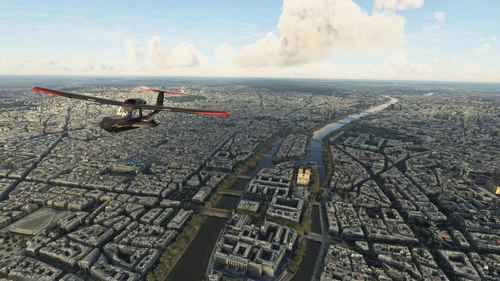
Explore the iconic cityscape of Paris in Microsoft Flight Simulator. This detailed add-on captures the essence of the French capital, featuring famous landmarks and architectural marvels. With accurate GPS coordinates, immerse yourself in the beauty of Paris, known for its historical significance and vibrant culture. Download now and experience the City of Light from a whole new perspective.
von Thalixte
Nice
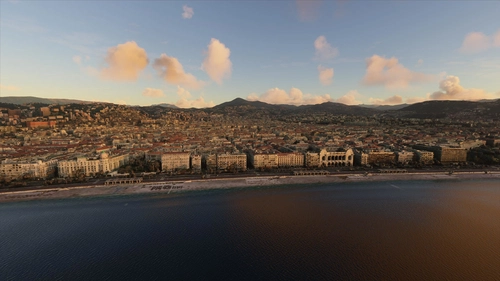
Explore the beautiful city of Nice, France in Microsoft Flight Simulator with this detailed add-on. Enjoy the stunning Mediterranean coast, historical landmarks, and famous promenades like Promenade des Anglais. Immerse yourself in the rich cultural history of Nice, a must-visit destination for millions of tourists every year.
von Thalixte
Stockholm
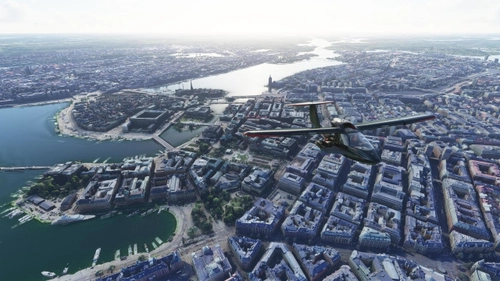
Explore the vibrant capital of Sweden with this detailed scenery add-on for Microsoft Flight Simulator, showcasing Stockholms iconic landmarks, including the stunning archipelago and historic palaces. Immerse yourself in the cultural, economic, and political hub of Sweden, home to top universities, the Nobel Prize ceremonies, and a rich history dating back to the Stone Age. Discover the citys intricate metro system, host to unique station designs, and enjoy a true-to-life flight experience over this bustling Scandinavian metropolis.
von Thalixte
Geneva City
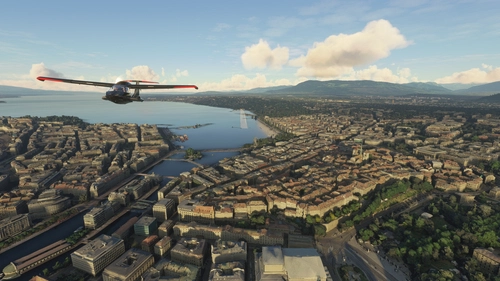
Explore Geneva, the second most populous city in Switzerland, with this detailed Microsoft Flight Simulator add-on. Discover the financial and diplomatic hub situated at the exit of Lake Geneva, boasting numerous international organizations. Download now for an enhanced virtual flying experience.
von Thalixte
Melden Sie sich an, um an der Diskussion teilzunehmen
AnmeldenKommentare(183)
2 months ago
Or is this a similar functionality?
2 months ago
2 months ago
https://flightsim.to/addon/111678/google-earth-decoder-2026-update
and please refer to the link in the article.
3 months ago
3 months ago
3 months ago
3 months ago
3 months ago
3 months ago
3 months ago
3 months ago
3 months ago
3 months ago
3 months ago
3 months ago
3 months ago
2 months ago
3 months ago
Dieser Kommentar wurde gelöscht
3 months ago
3 months ago
not the faster and easier way but It seems to work:
https://youtu.be/aVJBT05XjlY