
Beschreibung
VERSION 0.5.0 Update
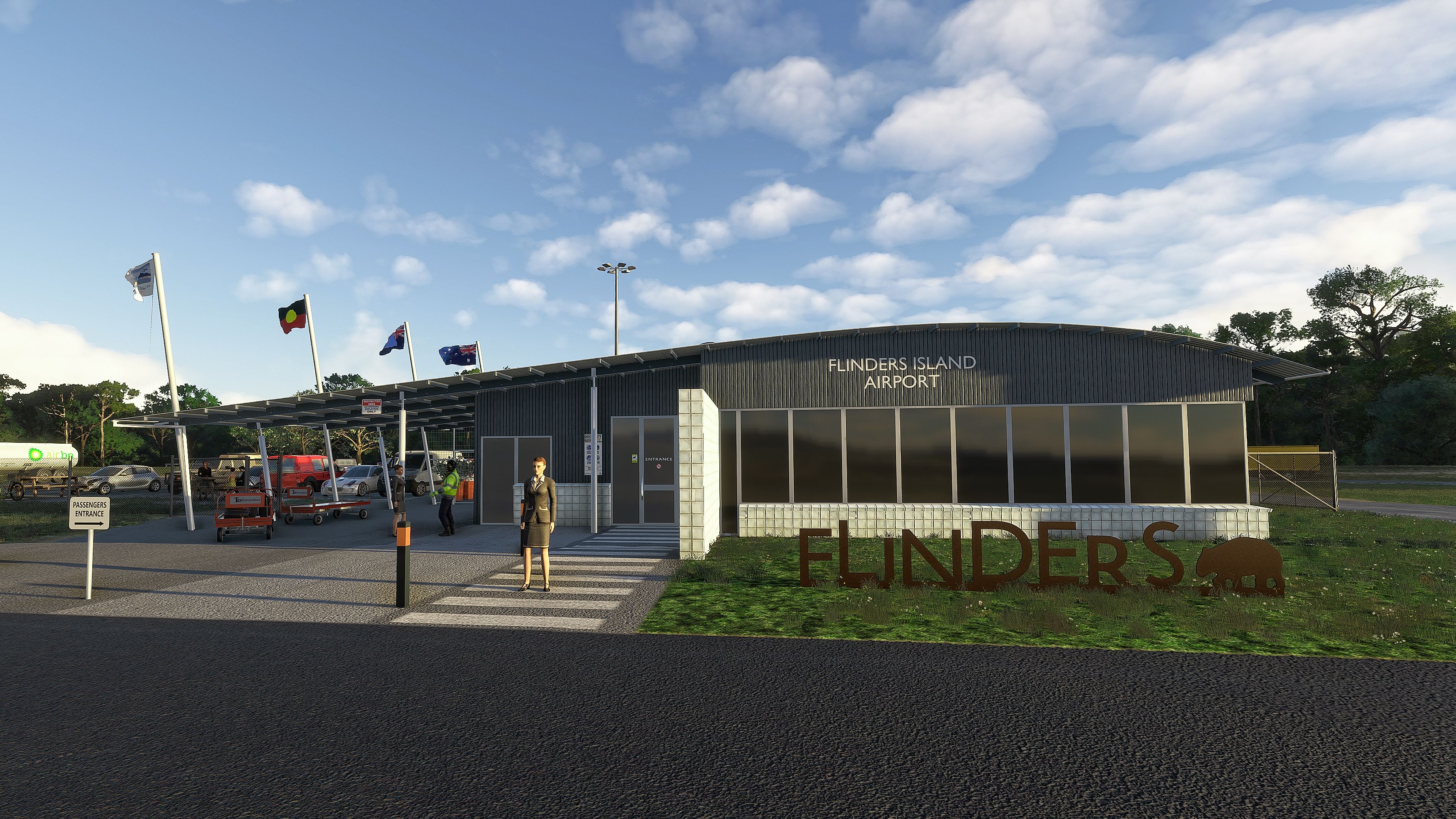
The Old Longreach terminal has served us well over the last 3 years, but with my newly found Blender skills, can now be retired. I’ve added half a dozen other custom structures and fixed some minor mistakes I made with the apron markings. Developed in 2020, but all screen captures are from 2024.
On that note, there are some 2024 phunnies. MSFS 2024 introduced what is technical termed “displacement mapping”, a process that is supposed to make the terrain look more “realistic” at ground level. Well … for starters, this creates terrain geometry out of thin air, using an ANI process (that stands for “Artificial Non-Intelligent”). Basically, some developer’s idea of what a given aerial texture ought to look like in 3D at ground level. This works most of the time, but causes terrain glitches in some places. 2020 is obviously not aware of this 2024 feature, so objects placed using the 2020 SDK may be offset from ground level in 2024. The 2024 SDK has tools to supress the displacement mapping, but I have yet to find a method of controlling this from within 2020. Short of me creating separate versions for both sims, this is a feature of “2020 add-ons will mostly be compatible with 2024”, emphasis on “mostly”. TL;DR don’t go poking around the back parking lot unless you want to see floating/sunken cars, etc.
SU16/2024 Compatibility Update
Some of you may not be aware that Sim Update 16 for MSFS 2020 introduced a far-reaching change that affects almost all airport add-ons created previously. It stems from the seemingly minor issue that the Bing aerial imagery originally released for 2020 was incorrectly aligned, 1 -2 metres in some areas. This was corrected for the 2024 release, and has now also been corrected in 2020 since SU16, for all practical purposes, synchronises world data between 2020 and 2024. So, here’s the crux: most airport add-ons created using the original 2020 aerial imagery will now be incorrectly placed, by 1-2 metres. In some cases that may not be an issue, in others it will be quite obvious, when the underlying runway and taxiways are shown up next to scenery objects (rather than hidden below).
To fix the above, all add-on airports at the very least need to be checked. Next, if the add-on is found to be defective, all scenery elements placed must be re-aligned with the new imagery. Unfortunately, this isn’t just a matter of “select all and move everything 1 metre to the left”. The imagery is slightly distorted in places, which means almost every scenery element has to be individually moved. A lot of work.
I’ve updated a couple of my smaller airport add-ons, and they weren’t too bad. This one, YFLI Flinders Island, was a lot more involved. So much so in fact that it’s been a 90% rejig of the whole thing. Since I had to redo a lot of the ground polygons/aprons/lines anyway, I decided to implement a more custom approach, giving you enhanced surface textures and ground markings. I’ve also gone a bit easier on static aircraft, plus you now have the ability to remove all statics if you desire by renaming the YFLI_Statics.bgl if you so desire.
Emjoy!
Welcome to Flinders Island, a somewhat forgotten gem in the jewel box that is Tasmania! Located in Bass Strait (the waterway that separates Tasmania from Mainland Australia), the island straddles the 40ºS parallel. Sitting at the northern end of the “Roaring 40s”, you can expect it to blow a half-gale and stronger out of the south-west for weeks at a time. The longer of the two runways is oriented 14/32, so you might want to brush up on your crosswind landing skills before visiting. Other challenges include high terrain to the north and east of the airport. The following is an extract from the current ERSA:
FLIGHT PROCEDURE
1. Right hand circuits RQ when OPR on RWY 05 and 14.
2. Night landings not permitted RWY 23. Night takeoffs not permitted RWY 05.
ADDITIONAL INFORMATION
Bird and wallaby hazard exists.
To the latter I might add: “wombat hazard exists” (applies to the entire island, not just the airfield)
Having been fortunate enough to spend a couple of weeks on the island recently, I felt the need to re-visit the place in the sim world. Of course, the default rendition of the airport is as basic as it gets. The Bing imagery for the region is also quite old, and Google Earth isn’t that much better, so my mod is based on the former. In real life the tarmac has been extended and an RFDS “terminal” was added. Windsocks were relocated and the airport operations facility was enlarged, but that’s for the future, if and when better imagery becomes available.
So anyway, here’s what you get:
- Runway placement and slopes as close to real life as I can ascertain
- Fully functional AI taxi network (but I won’t be held liable for the MSFS AI antics!)
- Perimeter fence (so we can all sleep better at night)
- Corrected vegetation and water masks in the vicinity
- Individually placed runway and taxiway lights and close to real life apron lighting
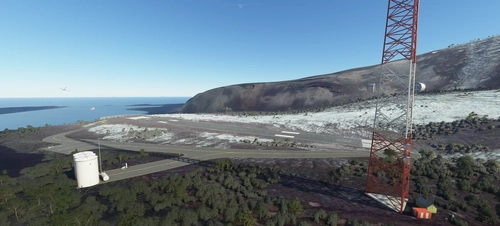
- Added the most obvious man-made obstructions (e.g. comms towers on Mt Tanner, Walker’s and the hills north of the field)
- Removed street lights (there are none in real life … nights are DARK on Flinders Island)
Bonus 1. Flinders Island never was, and never will be, a plane spotter’s haven, but included in the download you’ll find a separate “sltcreations_traffic_FLI” folder, that, if added to your community folder, will bring a bit of aerial life to the island. If you set your AI Traffic setting to 1% or above, there should be a dozen GA movements across the island each day.
Bonus 2. Having developed the AI traffic for YFLI, I was wondering why the programmed flight to YKCK kept circling that airport. I quickly realised that the default YKCK has not AI taxi paths. So, for no extra cost, I’ve also included a spiffed-up YKCK Killiecrankie, complete with proper runway slope and AI taxi network.
And by the way, there are several little bush strips on Flinders and nearby islands. If you're into that sort of things then you may want to consider my Tasmania Missing Airfields package.
InstallationThe download contains 4 separate folders. Copy them to your Community folder as desired:
sltcreations-airport-yfli-flinders-island YFLI Flinders Island airport
sltcreations-airport-ykck-killiecrankie YKCK Killiecrankie airport
sltcreations-traffic-FLI Flinders Island AI Traffic
sltcreations-AU-Flags Library of Australian Flags*
* Created using the Windy Things library with thanks to trfsto. This is my first scenery using this library. I may in future include it with other sceneries. Please ensure that you have only one copy in your Community folder.
Known issues- The threshold of RWY 05 is a little further out that in real life. Otherwise, the runway markings would interfere with the ones of the crossing runway (i.e., ugliness). Custom runway markings are for now outside my skill set. --> FIXED in 0.4.0
- My 3D modelling skills are also close to zero, so the terminal building is borrowed from YLRE. It has a similar feel though to the real one, and matches the footprint. --> FIXED in 0.5.0
- I’ve programmed the AI (Artificial Idiots) to the best of my ability, but that doesn’t stop MSFS from displaying some truly bizarre behaviour, like 172s skimming the ocean surface and buzzing the airfield before flying 10-mile-wide approach loops through mountains, only to then inexplicably go around and head-off into the blue yonder, never to return. And, of course, the mandatory push-backs for heavies, like 172s!
- Obstructions outside the airport vicinity are unlit. Unfortunately, a limitation of the sim at this stage. --> FIXED in 0.4.0
- The runway light “mesh” I used, even though omnidirectional, obstructs the light at certain angles, so as you head down a runway some lights occasionally blink off for short periods. --> KNOWN MSFS issue
- There’s no “fuel” parking spot. MSFS force-adds bowsers to these, and their location can’t be controlled. But the refuelling area is in an obvious place. You’ll just have to open the Fuel UI manually. --> FIXED in 0.4.0
As always, my gratitude goes to the scenery object library creators, without whom I wouldn’t be creating scenery add-ons. You will need to have the latest version of these installed in your Community folder to properly experience my sceneries. The list is below.
Also, with Version 0.4.0 I've introduced custom airports textures and ground markings. These alleviate the rather bland default textures, but comes at the cost of requiring the source textures. I have taken them from various hand-crafted Asobo and Microsoft airports that are included in the World Updates, so these must be active in the sim, otherwise you will see pink/missing textures. The airports needed are: LFPB, MUCL, SBFN, NZMF, EDDK, LPFR, CYDA, EGCB, SCVH. If I've missed any and you see missing textures, please PM me with a screen capture of the problem.
Abhängigkeiten
Location
YFLI Flinders Island
Explore the stunning yet challenging YFLI Flinders Island add-on, offering a realistic rendition of the Australian airfield. Experience accurate runway placement, AI taxi network, and enhanced lighting. Dive into the immersive world of Flinders Island with added vegetation corrections and man-made obstructions. Bonus features include AI traffic for added realism and a revamped YKCK Killiecrankie airport.
Nutzerbewertungen
8 Bewertungen
Versionsgeschichte
- Added custom 3D models for the terminal and several other structures - Minor fixes
In Sammlungen enthalten(1)

Ähnliche Addons
YMCO Mallacoota
Experience the beauty and precision of YMCO Mallacoota add-on, featuring accurate runway placement, AI taxi network, and corrected vegetation. This package also includes bonus AI traffic and a recreated airstrip near the iconic Gabo Island lighthouse. Immerse yourself in the detailed recreation of this important coastal town airport in Victoria.
von gunther
YCRG Corryong
Experience the charm of a small country town with the YCRG Corryong add-on for Microsoft Flight Simulator. Located in Victoria, Australia, this scenic destination offers a picturesque backdrop of rivers, mountains, and forests. Fly into the single-runway airfield, surrounded by stunning natural beauty and enjoy a realistic simulation with adjusted terrain and accurate runway slope. Unlock the unique RNAV24 approach and explore the unspoilt attractions of Corryong from above.
von gunther
HTMW Mwanza
Discover Mwanza, Tanzania, situated on Lake Victoria, known for its unique aviation history and environmental challenges. Explore this regional airport (ICAO: HTMW), frequented by regional flights and heavy cargo transports, with a scenic update for Microsoft Flight Simulator. Experience a bustling aviation hub with connections to nearby destinations, while navigating through updated runway and apron layouts for a more immersive flying experience.
von gunther
YMBD Murray Bridge
Explore YMBD Murray Bridge, a small privately owned airfield in South Australia. This add-on includes a simple rendition of the airport, featuring a GA flying school, an UL flying school, and a gliding club. Version 0.2.0 update now offers the sealed main runway and aprons in their current (2023) form. Add-on dependencies include object libraries for enhanced scenery details.
von gunther
Melden Sie sich an, um an der Diskussion teilzunehmen
AnmeldenKommentare(22)
28 minutes ago
about 2 months ago
about 2 months ago
2 months ago
2 months ago
Anyway, I'm using this airport as my "home base". Whenever I buy a new aircraft, the first trip is from wherever it was made to YFLI, which usually means halfway around the world. I find it a good way to learn a new aircraft. I'm in the middle of planning a new trip with the Commander 114. Should keep me occupied for a little while. Cheers!
12 months ago
about 1 year ago
about 1 year ago
about 1 year ago
almost 3 years ago
about 3 years ago
about 4 years ago
Excellent work, this is good payware quality. Pain in the ass to install all these libraries though. :)
about 4 years ago
YNER - my strip at North East River on Flinders Island and my first attempt at making scenery. Happy if you want to share it?
over 4 years ago
Always loved flying into YFLI and now even more so! Great content, thanks very much.
over 4 years ago
Longreach airport terminal on flinders island ?
over 4 years ago
Read my description (Kown Issues). If you're able to provide me with a 3D model of the Flinders Island terminal I will happily incorporate it.
over 4 years ago
Fantastic work! Very much appreciated. I have flown a cessna 172 there a few times in real life and you did an excellent job. Thanks so much!
over 4 years ago
Excellent scenery, only one drawback. One of the booths appears pink, maybe in the next version you can correct it? Thanks for your effort
over 4 years ago
Thank you for your feedback. By "booth" you mean parking positions? The underlying photo layer has some blemishes (parked aircraft etc.) that I had to cover with texture polygons. I tried my best to make them blend in, but if you know where they are, one can still see them. But there's nothing pink that I can see. Are you using any add-ons that modify the default ground textures? Something like REX or one of the season modifiers might cause blending issues. Also, can you please pinpoint the location. If you zoom in with the World Map, it will tell you the number of the parking positions.
over 4 years ago
Brilliant work, and thanks for keeping file size Small.