

Beschreibung
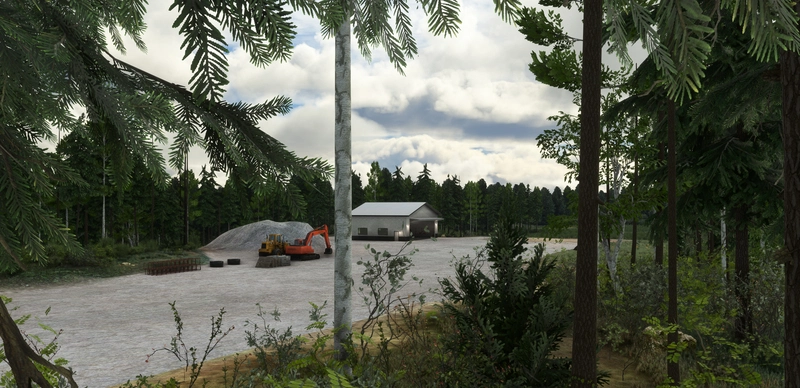
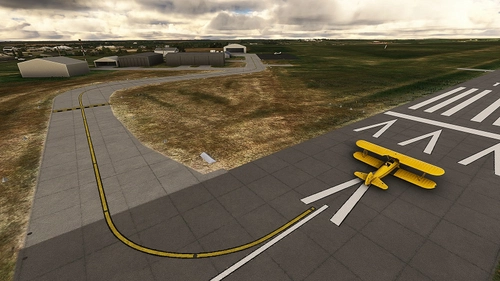
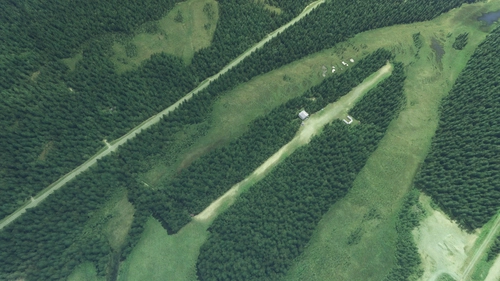
This scenery brings a much needed makeover to Kantishna Airport. In stock MSFS, the runway was unrealistically displayed on a ridge, an anomaly in the scenery. This scenery package fixes that by completely rebuilding the airport from the ground up. Airport elevations have been corrected along with a custom texture for the gravel runway and parking area. Some fixes were also made to the river near the airport, excluding the water that covered areas that it shouldn't, such as areas of forest and sandbars.
!! This scenery IS NOT compatible with earlier versions of the Alaska Water Height fix addon by Baddweapon! Please install the latest version of the package (v1.2 or higher), for compatibility with this scenery!
Requirements
Installation
The included "esd-airport-5z5-kantishna" folder should be placed into your MSFS "Packages\Community" folder. The scenery will load the next time you start Microsoft Flight Simulator.
Want more? Check out my other Alaska addons:
- Alaska Lakes: Matanuska-Susitna Valley
- Davidson Strip, Alaska (45AA)
- Snowflake Lake & Airstrip, Alaska
- Rangeview Airstrip, Alaska (0AA5)
- Montana Creek, Alaska (21AK)
- Talkeetna Airport, Alaska (PATK)
- Stampede Airport, Alaska (Z90)
- Chunilna Cabin Strip, Alaska [Payware]
Looking for the latest news on projects, updates, and releases? Consider joining the Emerald Scenery Design Discord:
Abhängigkeiten
Location
Kantishna Airport, Alaska (5Z5)
Experience a revamped Kantishna Airport in Alaska with this enhanced scenery add-on. Corrected airport elevations, custom gravel textures, and fixed river areas provide a more realistic flight environment. Ensure compatibility with the latest Alaska Water Height fix version for optimal performance. Explore more Alaskan destinations with other add-ons by Emerald Scenery Design.

Unterstützer

Nutzerbewertungen
5 Bewertungen
Versionsgeschichte
- Adjusted orientation of multiple models for new terrain. - Fixed exclude for road overlays causing missing autogen trees in 2024. - Fixed terraforming issues introduced in SU16. - Improved color-matching of texture overlays. - Removed some aprons which were no longer needed. - Reworked a large section of water along the river.
In Sammlungen enthalten(2)


Ähnliche Addons
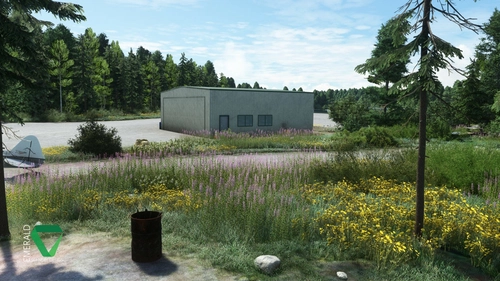
Davidson Strip, Alaska (45AA)
Explore the picturesque Davidson Strip in Alaska, revamped with custom 3D elements and revamped terrain. Featuring custom ground materials, dynamic environmental effects, and unique wildlife encounters. Immerse yourself in this detailed scenery with AI-enhanced aerial imagery and interactive features like bears, butterflies, and rain puddles. Experience the beauty of Alaska with this addon, requiring the Emerald Object Library for a complete experience.
von Emerald Scenery Design
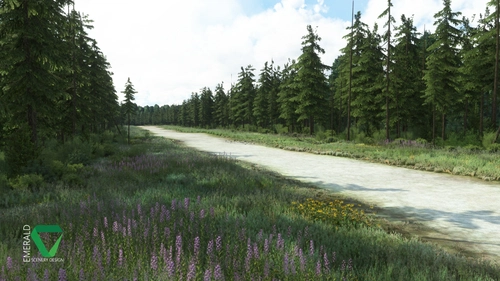
Snowflake Lake Airstrip, Alaska
Fly to the stunning Snowflake Lake Airstrip in Alaska, featuring a 1500 FT gravel runway and detailed scenery with custom environmental elements like butterflies and rain puddles. Experience an authentic backcountry feel with uneven terrain and hand-placed vegetation, ensuring a realistic flight experience. Dont miss out on this immersive addon that brings the beauty of Alaska to Microsoft Flight Simulator.
von Emerald Scenery Design
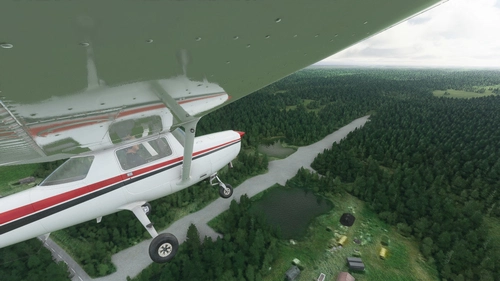
Rangeview Airstrip, Alaska (0AA5)
Experience the enhanced Rangeview Airstrip in Alaska with custom textures, tree placements, and roads, alongside overhauled lakes and an additional airstrip. This add-on requires the Emerald Object Library for full functionality. Explore more Alaska addons by Emerald Scenery Design for a complete flight sim adventure. Join the community on Discord for updates and discussions.
von Emerald Scenery Design
Montana Creek, Alaska (21AK)
Explore the reworked private airstrip of Montana Creek, Alaska (21AK) with corrected runway elevations and improved tree placement. This add-on also enhances water features in the surrounding area and includes clutter models for added realism. Make sure to have the Emerald Object Library installed before enjoying this scenery in Microsoft Flight Simulator.
von Emerald Scenery Design
Melden Sie sich an, um an der Diskussion teilzunehmen
AnmeldenKommentare(19)
almost 3 years ago
Captain Moonlight
about 5 years ago
Hi there, the runway for 5Z5 shows up as a grey and white checkerboard for me using the Orbx mesh. I have followed the installation instructions. Any ideas why this may be?
about 5 years ago
ORBX mesh, as far as I'm aware, should not affect the runway textures in any way. A checkerboard texture usually means that the texture could not be found. Do you have the latest version of Emerald Object Library installed? It contains the texture used for the runway.
If you do, have you also tried removing and reinstalling the ORBX mesh from your community folder a few times to confirm if it's a certain conflict or not? I do not have a copy of the mesh, so I am unable to verify personally.
about 5 years ago
Turns out there was another folder inside the parent Emerald Object Library folder that I needed to place into my Community folder that has now fixed the issue. Great addon, works well with Orbx now!
about 5 years ago
Glad to hear that it was simple! Enjoy!
almost 6 years ago
almost 6 years ago
almost 6 years ago
Making it compatible would require me maintaining two different branches, which I experimented with before releasing this version. However, I couldn't get it to look right because of the elevation difference between the river and airport.
almost 6 years ago
almost 6 years ago
almost 6 years ago
almost 6 years ago
almost 6 years ago
almost 6 years ago
over 5 years ago
over 5 years ago
over 5 years ago
My specs if they matter: Intel Core i7 10700KF (8-Core 5.1GHz Turbo Boost), RTX 3070 8GB, 32GB Dual Channel at 3200MHz, 512GB M.2 PCIe NVMe SSD.
over 5 years ago
almost 6 years ago