
![[A32NX] AXIS and OHs VRinsight MCP Combo II Templates and Scripts for FBW A320 - Image 1](https://cdn.flightsim.to/images/22/axis-and-ohs-vrinsight-mcp-combo-templates-and-scripts-fbw-a320-and-a330-ho4Us.jpg)
Beschreibung
AXIS and OHs Scripts to use for VRinsight MCP Combo II with templates
Here is a new template and script to make perfect use of your VRinsight MCP Combo II. You will need AAO and the AAO VRinsight MCP Combo II Bridge. Get it from here.
The following profiles are provided:
FBW A320
- A320 MCP II.tmpl (import in AAO for button assignements)
- A320-VRiBridge.txt (for your convinience codes for displays in txt format)
- AAO_VRI_Bridge_DisplayProfiles.xml (import in AAO Bridge via import function)
- A320NXScripts.xml (import in AAO ->scripting->import scripts)
Due to different Vars and for update reasons I had to make an extra Upload for the A330 headwind which you can find here. Scripts for AAO are provided also in this archive.
With this template you get full control with the MCP Combo and complete LCD readouts for your FCU. Now with complete SPD/MACH, V/S-FPA readouts and more...
All assignments could be changed also of course. For importing templates and change assignments, please consult the AAO manual!
ADDITIONAL MAIN DISPLAYS:
FBW A320 FLIGHTPLAN INFO:
Indication of PREVIOUS Waypoint
Indication of NEXT Waypoint with ETE, Distance and Bearing
Indication of ETE to DESTINATION
FBW A320 TEMPERATURE DISPLAYS:
Indication of TEMPERATURES of Cockpit, Cabin FWD, Cabin AFT
Indication of TEMPERATURES of Oil, EGT, OAT
FREQUENCY DISPLAYS:
COM: 1st Layer-WINDDIR/VELOCITY
2nd Layer-HEAD-/TAILWIND COMP (changes accordingly)
NAV: 1st Layer-TIME ZONES
2nd Layer-CHRONO und ET (FBW)
Start/Stop via TFR/AUX ("R" indicates RUN)
Reset with Rotary (left or right turn, choose with PUSH function (Cursor) )
ADF: 1st Layer-INDICATION GS/IAS und TAS
2nd Layer-INDICATION MACH/GND SPEED in km/h
DME: 1st Layer-VOR 1 with NAME CODE, DIRECTION, DISTANCE and TIME to VOR
2nd Layer-VOR 2 with NAME CODE, DIRECTION, DISTANCE and TIME to VOR
TRN: 1st Layer-TRANSPONDER CODE and MODE (change MODE via AUX, CODE via ROTARY)
2nd Layer-TCAS TRAFFIC and TCAS POS (change MODE via TFR and AUX)
You can assign a button on the MCP (or your Streamdeck, Joystick etc.) where you will be able to toggle through the different screens by assigning AAO_VRI_TOGGLE_PAGE (found under Simulator Event/AAO VRI Bridge). See also VRI Bridge Manual !
ATTENTION:
Due to your device might have a different hardware ID in AAO than that device it was created on, you have to change all assignments to your device. Therefore just doubleclick on each assigned button and change ONLY the input to your devices respective button/switch !!!!
For questions just join my discord server as there it is much easier to help and support you. Please send comments and suggestions and also consider a donation to keep up the work. Thank you and enjoy!
Discord server: https://discord.gg/9gZj5Ec6nj
YouTube: https://www.youtube.com/@ChrisPUA320
[A32NX] AXIS and OHs VRinsight MCP Combo II Templates and Scripts for FBW A320
Enhance your VRinsight MCP Combo II experience with this set of AXIS and OHs scripts and templates for the FBW A320. Gain full control of the MCP Combo along with complete LCD readouts for your FCU, including detailed flight plan info, temperature displays, and frequency displays. Easily toggle through different screens for a customized flying experience. Join the Discord server for support and updates.

Unterstützer

Nutzerbewertungen
2 Bewertungen
Versionsgeschichte
Changes in this update: - fixed EXT PWR not working after FBW update Import and overwrite scripts in AAO. Erase old SD XL profile and import new version. (IF YOU FIND SOME BUGS PLEASE LET ME KNOW!!!)
Ähnliche Addons
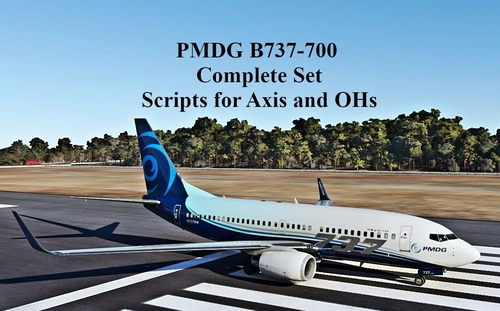
SCRIPTS FOR PMDG B737 to use with AXIS AND OHs
Complete set of scripts for PMDG B737-600/700/800 to be used with Axis and OHs, including all functions for the aircraft. Easily import the scripts into your AAO via "import script" function. Join the Discord server for any questions or assistance. Donations are appreciated to support ongoing development efforts.
von Chris_PU_A320
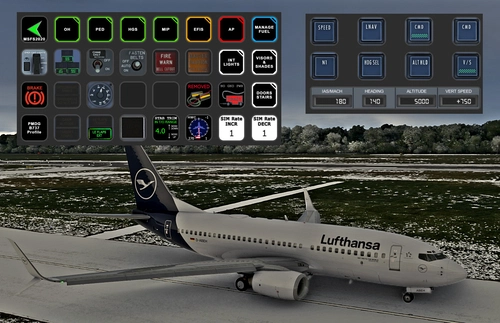
PMDG B737 (600/700/800/900) STREAMDECK XL AND SD PLUS PROFILES (need Lorby's AXIS and OHs)
Enhance your PMDG B737 experience with this meticulously crafted StreamDeck XL and SD+ profile. Enjoy a wide range of features like AIRCOND, AP, EFIS, and more. Customizable and compatible with all PMDG B737 variants (600-700-800), this profile is designed to elevate your cockpit setup. Simply follow the installation instructions and explore the possibilities for a more immersive flying experience.
von Chris_PU_A320
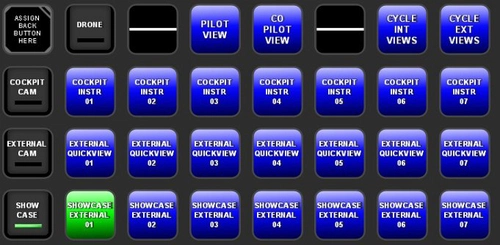
MSFS2020 CAMERA VIEWS STREAMDECK XL PROFILE (need Lorby's AXIS and OHs)
Customize your camera views in Microsoft Flight Simulator with the MSFS2020 Camera Views Streamdeck XL Profile. This pre-configured profile allows you to easily access a variety of internal cockpit, external, and showcase views directly from your Streamdeck. Simply import the profile, set up Lorbys Axis and OHs, and enhance your sim experience with personalized camera settings at the click of a button.
von Chris_PU_A320
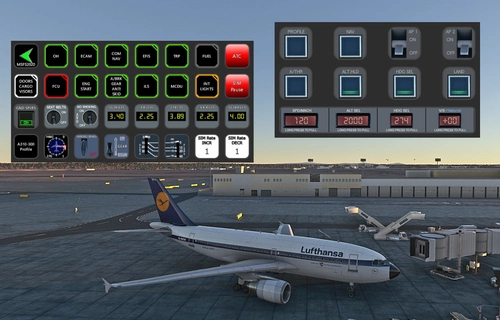
A310-300 STREAMDECK XL AND SD+ PROFILE (need Lorby's AXIS and OHs)
Enhance your A310-300 experience with the A310-300 STREAMDECK XL and SD+ Profiles, designed by iniBuilds. Offering various detailed pages and functionalities, this profile requires Lorbys Axis and OHs SD plugin. Installation instructions and ongoing updates are provided for optimal performance.
von Chris_PU_A320
Melden Sie sich an, um an der Diskussion teilzunehmen
AnmeldenKommentare(19)
about 3 years ago
over 3 years ago
is there have any update on fenix?
over 3 years ago
This profile is for the FBW ONLY! Since of programming restrictions with the FENIX 320 there will be NO profile.
about 4 years ago
Hello. Does anyone know if any update was released that allows you to see the screens working correctly with the Fenix A320 in Vrinsight MCP Combo II?
Thanks
about 4 years ago
There are no Vars to show ALT, SPD, VS and HDG from the Fenix on the MCP unfortunately.
about 4 years ago
Thank you, I hope that in the future, this problem will be solved.
about 4 years ago
A lot of users already complained about that on Fenix and other forums. Hopefully there will be LVars for that in the next updates…right now it looks like that it is WASM compiled.
over 4 years ago
Would there be a way to use this with Fenix A320?
over 4 years ago
It might be possible, but since I don’t own the Fenix I can’t check for now…
over 4 years ago
For the FENIX A320, this same FBWA320 profile works, all the buttons work and the one that doesn't work is configured with AOA without problems, loading the FBWA320 Stream Deck SCRIPT. The only thing that doesn't work on the VRINSIGHT COMBO II is that the LCD displays the SPD, HDG, ALT, V/S values all come out as "000". If you solve the problem of the values of the LCD screens of the VRINSIGHT COMBO II, so that it shows the values, issue fixed.
over 4 years ago
Hi, that is odd, that the same VARs are working with the FENIX. But anyway, as long as it works :-) Regarding the MCP I don't own the FENIX so I can't check on that. You have to find the VARs which are responsible to show the respective values (HDG, ALT etc.)
over 4 years ago
Hello,
Are you going to release a StreamDeck profile for the PMDG 737 and Fenix A320?
over 4 years ago
Hi, the profile for the PMDG 737 is in the works right now. I am planning to release it by the end of the week...no plans for FENIX yet, but maybe in the future
over 4 years ago
One more question... Is it possible to create a single SD profile? Your A320/330 has multiple SD profiles, and I think a single profile is better (just my own opinion). I was using Guenseli`s profile, it is good because it is a single profile. However, his profile it is not well organized. I prefer your profile, it is a lot better. Hahaha
About the Fenix Profile, I wish we could a similar profile to the FBW a320. It works perfectly fine for me.
over 4 years ago
I recently split the two profiles for the VRi already. Just download the updates
over 4 years ago
I didn’t buy the FENIX yet. Have a couple of projects running already. Need more donations for that ;-)
over 4 years ago
I have version 2.11b17 of Axis and Oh
over 4 years ago
You need to update your software to the latest versions anyways (yours is out of date). AAO is 2.30b17 I think and the latest bridge version to 1.00b55. I can’t tell if it works with your version of hardware as I have the combo II. You have to try…
over 4 years ago
I own the MCP Combo I can I use it's files with? If so how do I install and use them to operate my Combo?