
Beschreibung
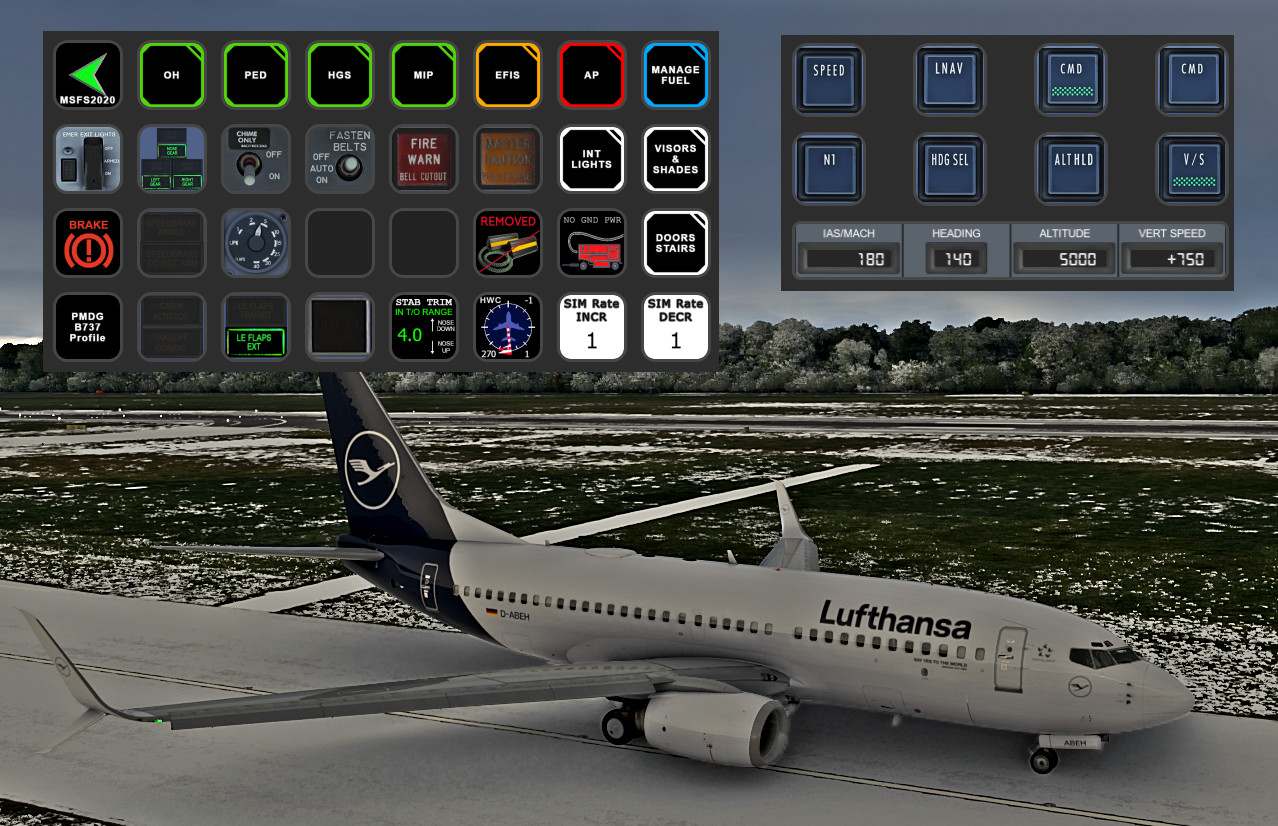
PMDG B737-600/700/800 STREAMDECK XL AND SD+ PROFILE (need LORBYs Axis And OHs SD plugin)
To run this you need to have AAOs plugin installed on your StreamDeck. Get it from here.
PLEASE ALSO READ THE AAO MANUAL/INSTALLATION INSTRUCTIONS ABOUT SETTING AUTOSCRIPTS AND EDITING THE PMDG ini FILE !!!
It is for the XL Version ONLY!
Features in this profile:
- AIRCOND Page
- AP Page
- EFIS Page
- ELEC Page
- ENGINE START page
- FLT CTRLS Page
- FUEL Page
- HEAT and ANTI-ICE Page
- HGS Page
- HYDRAULICS Page
- LIGHTS Page
- MAIN Page
- OVERHEAD PANEL Page
- PEDESTAL Page
- TEST PANEL Page
and much more...
Tested and works with all the PMDG B737s (600-700-800). It might be possible that you have to adjust certain functions to your specific setup (especially views). If help is needed just drop a line in the comments.
TESTED WITH MSFS2024 ONLY MIGHT WORK WITH MSFS2020 TOO.
Installation:
First make sure that you have the latest AAO SD plugin installed properly.
Then just double click on the profile provided in this download to import into your SD software.
- B737.streamDeckProfile
- import B737 Scripts (B737scripts.xml) into your AAO software (make sure you DON'T have connection to FS when importing scripts - just click the green button). To have the external FMS (to use on external iPAD etc.) and some gauges working properly in AAO, assign PMDG-PMDG_737MSFS_CDU and PMDG-PMDG_737MSFS_DATA as an automated aircraft script (repeating with 100 ms) in AAO under Scripting (see also AAO manual PMDG section).
- also import Cameras.xml as there are new scripts used for Views.
For the SD+ profile just double click on the "+" profile to get imported into your StreamDeck Plus. Just swipe on the display to reach the different pages and functions.
For further details regarding AAO refer to the manual.
Then you should be good to go.
This profile is still under construction and new functions will be added.
If you find some bugs, need some help or have some suggestions just let me know and drop a comment. Please also consider a donation as this is a very time consuming work and it will keep up the work for future updates! Thank you!
PMDG B737 (600/700/800/900) STREAMDECK XL AND SD PLUS PROFILES (need Lorby's AXIS and OHs)
Enhance your PMDG B737 experience with this meticulously crafted StreamDeck XL and SD+ profile. Enjoy a wide range of features like AIRCOND, AP, EFIS, and more. Customizable and compatible with all PMDG B737 variants (600-700-800), this profile is designed to elevate your cockpit setup. Simply follow the installation instructions and explore the possibilities for a more immersive flying experience.

Nutzerbewertungen
12 Bewertungen
Versionsgeschichte
Changes in this update: - fixed various indications (AP, CAB ALT, LDG ALT) not working correctly - fixed all LIGHT CONTROLS on SD+ and SD XL - completely removed FLIGHTTRACKER - rework of the PED page (added new switch) - some script corrections Erase and then import new versions. Import and overwrite scripts in AAO. YOU NOW CAN REMOVE FLIGHTTRACKER PLUGIN
Ähnliche Addons
SCRIPTS FOR PMDG B737 to use with AXIS AND OHs
Complete set of scripts for PMDG B737-600/700/800 to be used with Axis and OHs, including all functions for the aircraft. Easily import the scripts into your AAO via "import script" function. Join the Discord server for any questions or assistance. Donations are appreciated to support ongoing development efforts.
von Chris_PU_A320
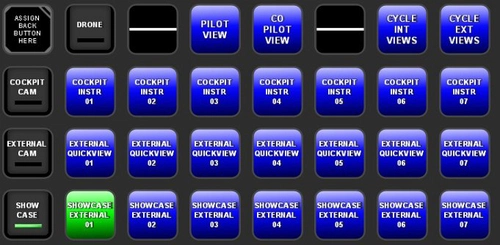
MSFS2020 CAMERA VIEWS STREAMDECK XL PROFILE (need Lorby's AXIS and OHs)
Customize your camera views in Microsoft Flight Simulator with the MSFS2020 Camera Views Streamdeck XL Profile. This pre-configured profile allows you to easily access a variety of internal cockpit, external, and showcase views directly from your Streamdeck. Simply import the profile, set up Lorbys Axis and OHs, and enhance your sim experience with personalized camera settings at the click of a button.
von Chris_PU_A320
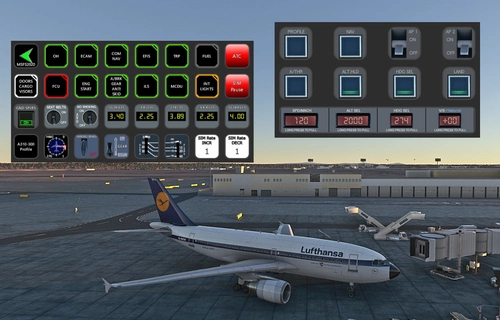
A310-300 STREAMDECK XL AND SD+ PROFILE (need Lorby's AXIS and OHs)
Enhance your A310-300 experience with the A310-300 STREAMDECK XL and SD+ Profiles, designed by iniBuilds. Offering various detailed pages and functionalities, this profile requires Lorbys Axis and OHs SD plugin. Installation instructions and ongoing updates are provided for optimal performance.
von Chris_PU_A320
MCDU for FBW A320/HEADWIND A339 to use with AAO W/O SimBridge
Enhance your FBW A320neo and Headwind A330Neo experience with this MCDU addon, no SIMBRIDGE required. Compatible with AAO Version 3.02+, it can be accessed on local browsers or remote devices. Simply install in your Community folder and AAO WebPages Folder, then start AAO, connect to the sim, and load your aircraft.
von Chris_PU_A320
Melden Sie sich an, um an der Diskussion teilzunehmen
AnmeldenKommentare(52)
7 months ago
7 months ago
over 1 year ago
over 1 year ago
Rgds
Chris
over 1 year ago
The Heading and Altitude dials, however, update both in-game and on the Stream Deck display as expected.
over 1 year ago
Rgds
Chris
almost 2 years ago
almost 2 years ago
Rgds
Chris
almost 2 years ago
almost 2 years ago
almost 2 years ago
They should work though. What happens when you do a light test? Do they come on? I have to check it as soon as I get a chance. For further support pls join my discord server.
Rgds
Chris
almost 2 years ago
almost 2 years ago
almost 2 years ago
So you can do this without worries.
Rgds
Chris
over 2 years ago
over 2 years ago
However, I miss in the SD+ profile a switch for "VNAV", which is incomprehensible to me, since "LNAV" is there.
Rotary switches for "Baro" would also be greatly missed and would be very useful.
Two further views from inside the cabin through the windows directly onto the wings would also be good (Streamdeck standard)
over 2 years ago
Rgds
Chris
over 2 years ago
You write that there is not enough space on the SD+, but there are a lot of fields empty on the 7 pages. Would that still be enough space?
I have now moved the "HDG SEL" button to another page by copying it. I also found the “VNAV” key in the “B737Scripts.xml”.
I'm familiar with Elegato's stream decks, just not yet with scripts via Lorbx's AAO. I would like to learn that.
In A&O there is documentation, a manual. I'll take a look at that.
Michael
over 2 years ago
Roland
over 2 years ago
cheers
Chris