
Beschreibung
WANT MORE TEXTURE MODS LIKE THIS?
💚 Fund FlightFlow & get additional benefits! 💚
Projects of this scale cost money and take time. More support will result in more work done.
Support FlightFlow by becoming a Patreon and receive additional benefits for yourself!
www.flightflow.org
FlightFlow | A32NX & A320neo
IMPROVED TEXTURES MOD
Make sure to follow us on Flightsim.to for more information on future updates.
🅵🅸🆅🅴🆁🆁
WANT A CUSTOM LIVERY?
CLICK HERE TO ORDER YOUR OWN!
Donations: ☕Buy FlightFlow a coffee
Donations on Buy Me a Coffee help us continue to make new high quality content for you.
What's new?
NEW TEXTURES
+ ADDED
MSFS2024 SUPPORT
+ ADDED
Instructions (FlyByWire A32NX) | MSFS 2020 & MSFS 2024:
Simply drag the file and drop it into your Community folder.
Instructions (Asobo A320neo) | MSFS 2020:
Locate your official folder, based on your main installation path.
Asobo | A320neo
Located in: Official > Steam folder
The folder you're looking for should be named: asobo-aircraft-a320-neo
After you enter your asobo-aircraft-a320-neo folder, simply click on SimObjects, go to AirPlanes, enter Asobo_A320_NEO, and paste the textures inside the folder with improved textures that you just downloaded into the TEXTURE folder.
Discord
Our Discord server is where we provide most of our support, and where we announce new projects.
Join us to chat with other members of the community, or to simply ask us a question.
Join the community 🡢
Abhängigkeiten
Häufig gestellte Fragen
Improved Textures Mod - A32NX & A320neo Realistic Cockpit | by FlightFlow
With this Improvement Textures Mod, you can make your true-to-life flying experience even better! Our Discord server is where we provide most of our support, it is also a place where we announce new projects. Join us to chat with other members of the community, or to simply ask us a question.FlightFlow is a team devoted to developing the best content for modern day flight simulation.


Unterstützer

Nutzerbewertungen
37 Bewertungen
Versionsgeschichte
|| MAJOR UPDATE || (MSFS2024 SUPPORT + TEXTURE REDESIGN) - Textures have been refreshed. - New textures have been added. - MSFS 2024 support added. IMPORTANT | Please Note: • FlightFlow "Improved Textures Mod" is not an actual mod, it does not replace your game files, it simply changes the file path of textures for your A320neo or A32NX (A320neo) temporarily, for as long as you use this file in your community folder. • Textures aren't truly replaced, the simulator just locates the textures from a different file path, which goes back to normal as soon as you remove this file. • Don't mind the notification on your FBW Installer, it is simply there to let you know that this file changes file paths temporarily. • This "mod" is fully compatible with the A32NX (A320neo) by FlyByWire, as it only changes pixels, no other changes are made to it. • Again, as soon as you remove the folder, the textures will return to normal. The supposed "issue" with the FlyByWire's Installer has been addressed. The installer has been updated to deliberately display a negative message that deems the mod incompatible, even though it is fully compatible, and working as intended, and as was built from day one, as it only changes the pixels on your monitor screen, and nothing else. With that said, the installer is simply informing you about the change it detected in the file paths. As soon as the file is removed, everything goes back to normal, because it doesn't affect your airplanes in any way.
In Sammlungen enthalten(1)

Ähnliche Addons
Improved Textures Mod - B787 Dreamliner | by FlightFlow
Improvement Textures Mod for the Asobo's Boeing 787 Dreamliner. This textures mod changes the overall appearance of the B787 cockpit. Simply drag and drop the file into your community folder to start using the textures. Our Discord Server link is in the description.
von FlightFlow
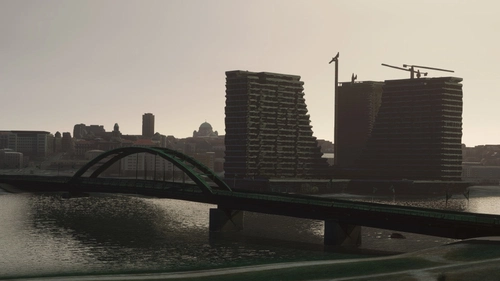
Belgrade, Serbia - SCENERY | by FlightFlow
Request a custom livery here: https://www.fiverr.com/flightflow/make-custom-liveries-and-textures We will be updating this project with more buildings, monuments and features in the future. You can find more sceneries and airports for Serbia on Flightsim.to.
von FlightFlow
![AIRSERBIA - Airbus A320neo | Air Serbia Cockpit & Fuselage Textures [A32NX] ━ (8K)](https://cdn.flightsim.to/images/22/airserbia-airbus-a320neo-cockpit-exterior-8k-textures-a32nx-supported-UMH0T.jpg?width=500)
AIRSERBIA - Airbus A320neo | Air Serbia Cockpit & Fuselage Textures [A32NX] ━ (8K)
This is a fictional A320neo livery of the actual A320 & A319 liveries made by Air Serbia. This livery includes cockpit interior and fuselage exterior texture improvements, as well as PACX sound files. To replace the cockpit textures, follow the instructions bellow.
von FlightFlow
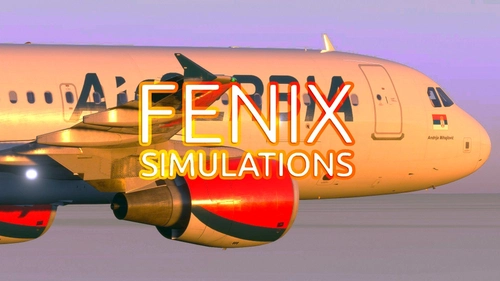
AIRSERBIA - Fenix Simulations A320 | AIRFRAME + CABIN INTERIOR | By FlightFlow
Designed for the Fenix Simulations Airbus A320. This livery looks identical to the real YU-APH operated by Air Serbia. The name under the Serbian flag had to be different for copyright reasons. Simply drag and drop the file into your community folder to install it.
von FlightFlow
Melden Sie sich an, um an der Diskussion teilzunehmen
AnmeldenKommentare(200)
about 1 month ago
about 1 month ago
3 months ago
4 months ago
5 months ago
6 months ago
6 months ago
6 months ago
7 months ago
7 months ago
7 months ago
7 months ago
may I ask you on how do I install this on FBW 32X?
I am getting confused by the folder structure comparing them with your installguide in your description,
Hope someone can help me.
I just have these Folders:
\Microsoft Flight Simulator 2024\Official2024\OneStore\asobo-passiveaircraft-a320family
\Microsoft Flight Simulator 2024\ Community\ flybywire-aircraft-a320-neo\ SimObjects\ AirPlanes\ FlyByWire_A320_NEO\ Texture
Best regards
7 months ago
8 months ago
It worked before the update but doesn't seem to work anymore.
11 months ago
11 months ago
about 1 year ago
about 1 year ago