
Beschreibung
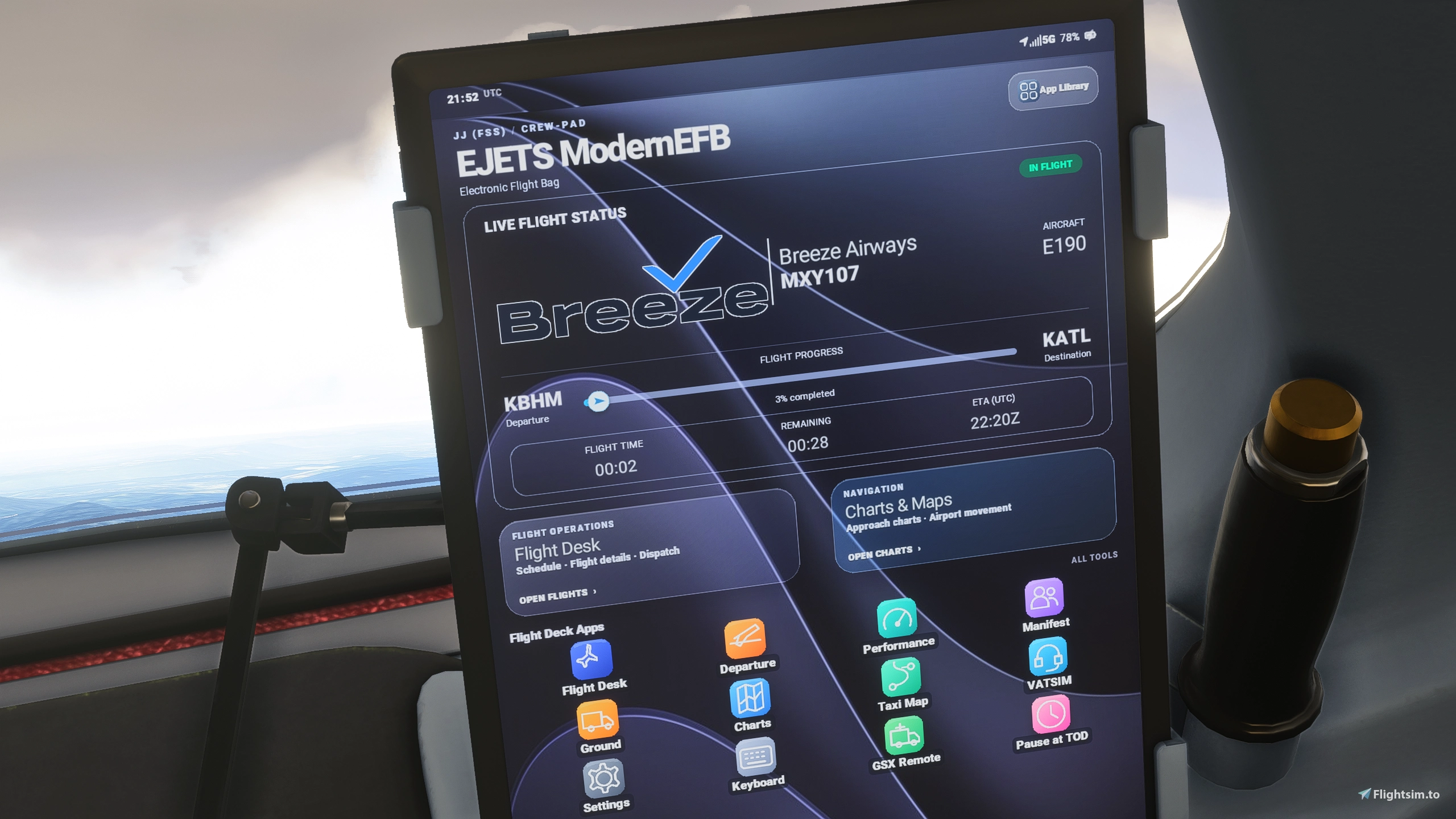
A completely revamped Electronic Flight Bag for the Flightsim Studio E-Jets in Microsoft Flight Simulator 2024.
Welcome to JJ EJETS ModernEFB 2.0!
ModernEFB has undergone its biggest transformation yet. Version 2.0 introduces an entirely redesigned, iPad-inspired interface that brings a modern, polished look to the FSS E-Jets Electronic Flight Bag.
From the beautiful new Home screen to the redesigned flight management, performance, navigation, and settings pages, ModernEFB now offers a more streamlined and enjoyable experience in the cockpit.
This isn't just a new Home screen. The entire EFB experience has been revamped!
What's New in Version 2.0
ALL NEW iPad-Inspired Interface
- Completely redesigned Home screen with colorful application icons.
- Modern dark iPad theme with elegant backgrounds and rounded panels.
- Updated layouts across the EFB's pages.
- New app-style navigation and quick access to your flight tools.
- Improved organization of flight information, settings, and controls.
- New JJ (FSS) / CREW-PAD branding.
- A cleaner, more consistent interface throughout.
Flight Planning & Management
- Flight schedule and flight details.
- SimBrief flight plan integration.
- Departure planning and aircraft loading.
- Flight manifest and weight information.
- Takeoff and landing performance calculations using the FSS performance system.
Charts & Navigation
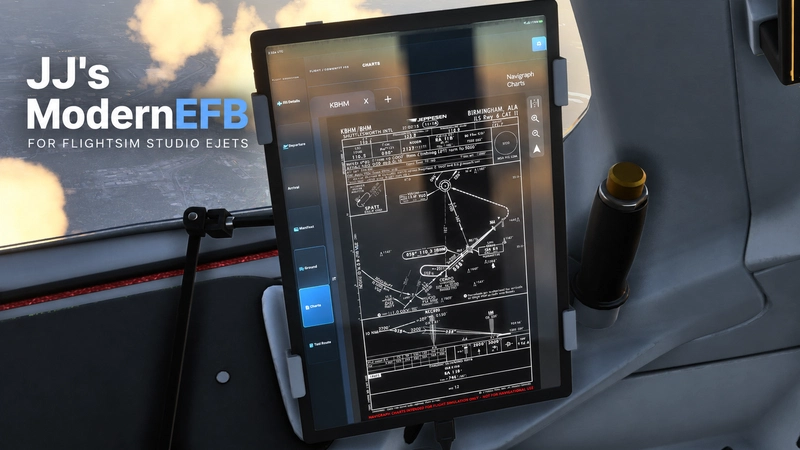
- Navigraph charts integration.
- Airport moving maps and taxi routing.
- Aircraft position tracking.
- Traffic overlays and ground navigation tools.
VATSIM / vPilot Integration
ModernEFB includes our custom VATSIM/vPilot bridge, allowing supported vPilot functions to be accessed through the EFB.
Features include:
- VATSIM connection information.
- Online ATC controller information.
- ATC frequency interaction.
- Private messages and text communications.
- ATIS and information panels.
The full installation package includes the JJ vPilot bridge installer. The official vPilot application must be installed separately.
Ground Services & GSX Integration
Manage supported aircraft ground operations directly from the EFB, including aircraft services and equipment controls.
GSX Remote functionality is also included for users with GSX Pro.
Additional JJ Features
- Integrated on-screen keyboard.
- Pause at Top of Descent (TOD).
- Improved Quick Settings and brightness controls.
- Custom warm cockpit lighting.
- Additional EFB usability improvements.
Supported Aircraft
Designed for the Flightsim Studio E-Jets family in Microsoft Flight Simulator 2024:
- Embraer E170
- Embraer E175
- Embraer E190
- Embraer E190F
- Embraer E195
- Embraer E195F
Requirements
- Microsoft Flight Simulator 2024.
- Flightsim Studio E-Jets.
- vPilot for the VATSIM/vPilot integration.
- Navigraph and GSX Pro for their respective optional integrations.
ModernEFB is a community modification and is not an official Flightsim Studio product.
Installation — Fresh Install or Update
- Close Microsoft Flight Simulator 2024 and vPilot.
- Download the ModernEFB 2.0 ZIP file.
- Extract the ZIP to a folder outside your MSFS Community folder.
- Open the extracted
JJ-EJETS-ModernEFB-2.0folder. - Double-click INSTALL.cmd.
- Follow the prompts and select or confirm your MSFS 2024
CommunityorCommunity2024folder. - The installer will install ModernEFB and attempt to install the JJ VATSIM/vPilot bridge if vPilot is installed.
- Once installation is complete, start Microsoft Flight Simulator 2024 and enjoy the new ModernEFB.
Updating an existing installation: Close the simulator and vPilot, then run REPAIR.cmd from the extracted installer folder. Follow the prompts to update your installation.
The installer backs up an existing zzz.jjefb folder when performing a new managed installation. The included warm cockpit lighting files are installed as Community overrides; original FSS aircraft files are not directly modified.
Uninstallation
- Close Microsoft Flight Simulator 2024 and vPilot.
- Open the extracted
JJ-EJETS-ModernEFB-2.0installer folder. - Double-click UNINSTALL.cmd.
- The uninstaller will remove the managed ModernEFB installation and its included lighting overrides.
- If the installer created a backup of a previous
zzz.jjefbinstallation, it will restore that backup. - The JJ vPilot bridge will also be removed if it was installed by this installer and wasn't present before installation.
Important: Keep the extracted installer folder if you intend to repair, update, or uninstall ModernEFB later.
JJ EJETS ModernEFB 2.0 - A whole new look. The EFB you know, completely reimagined.
Thank you for supporting JJ's ModernEFB and the MSFS flight simulation community. Enjoy the new iPad Edition and happy flying!
This is not an official or supported mod of FSS
JJ's EJETS ModernEFB 2.0 ALL NEW iPad Edition
JJ's EJETS ModernEFB 2.0 ALL NEW iPad Edition is a community modification for the FSS E-Jets Electronic Flight Bag in Microsoft Flight Simulator 2024. This add-on introduces an Arrival page and a Taxi Route page, incorporating a Navigraph-integrated airport moving map. It retains existing EFB features while expanding utility for E-Jets users. Navigraph subscription is required for full map functionality.

Unterstützer

Nutzerbewertungen
9 Bewertungen
Versionsgeschichte
RELEASE HIGHLIGHTS lots of QOL fixes and improvments ADDED - Charts Provider setting (Settings > General): Navigraph or LIDO. The Charts icon now opens your saved choice directly. - Larger Floating on-screen keyboard that follows text fields across EFB pages. FIXED - Overlapping/stacked fields on the Depart page. - Missing backspace symbol on the keyboard. - Duplicate Remaining FDP entry and redundant chart-list labels. IMPROVED - Bigger Home screen icons and labels; clearer navigation dock. - Larger text and better spacing on Flight Details, Depart, Settings, Navdata, VATSIM, and Charts pages. - Cleaner panels and more visible status information.
Ähnliche Addons
Map Atlas 2.0 Major Update
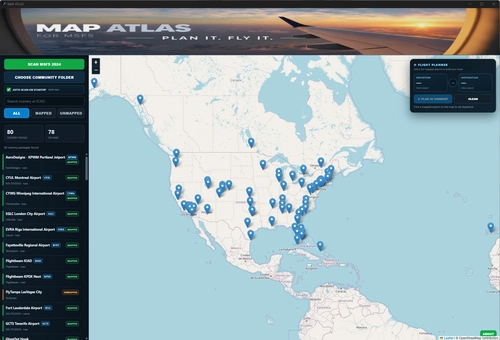
MAP ATLAS for Microsoft Flight Simulator 2024 Your Scenery. Your World. Plan It. Fly It. MAP ATLAS is a standalone companion application for Microsoft Flight Simulator 2024 that brings your installed scenery, flight planning, weather, and live flight tracking together on one interactive map. MAP ATLAS scans your locally installed handcrafted airport scenery and places those airports directly onto an interactive world map. See exactly what airports you have installed, choose where you want to fly, build a route, open it in SimBrief, and then watch your actual flight unfold in real time.
von jjstevens
FSS E-Jets Warm Cockpit Light Mod
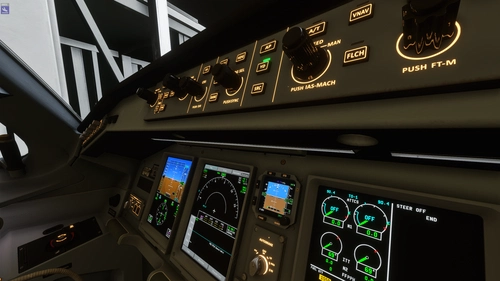
This mod replaces the default cool cockpit lighting in the FSS E-Jets with soft, warm-toned illumination for a more authentic and comfortable nighttime atmosphere. It enhances visual realism, especially during night and low-light operations, while maintaining clear instrument visibility. The modification is designed to have minimal impact on performance and does not alter any aircraft systems or flight models. Installation is straightforward, requiring only placement in the Community folder.
von jjstevens
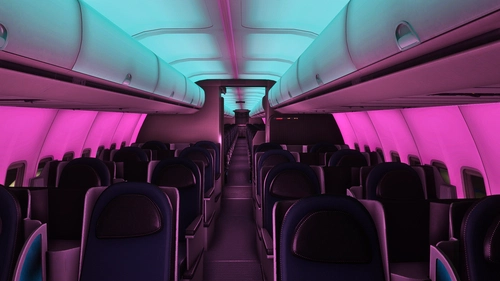
JJs BlueBird 757 Mood Lighting
This add-on customizes the interior lighting of the Bluebird Simulations Boeing 757 in Microsoft Flight Simulator 2024. It features an aqua ceiling, pink cabin walls, and warm amber passenger reading lights for a unique cabin atmosphere. Installation and removal is handled entirely through the Community folder without altering the original aircraft files. The modification only requires Microsoft Flight Simulator 2024 and the Bluebird Simulations Boeing 757-200.
von jjstevens
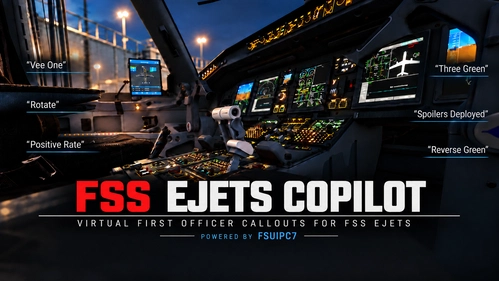
FSS EJETS CoPilot FO Call Outs
FSS EJETS Copilot v1.1.0 is an FSUIPC7-only Pilot Monitoring / First Officer enhancement for the FlightSim Studio E170/75, E190/95 and E190F in MSFS 2024. It adds Stable, TOGA, Thrust Set, Airspeed Alive, gear/flap, altitude, approach, go-around, landing, rollout and RTO callouts while keeping FSS native 80 Knots, V1, Rotate and Positive Rate. Based on PMCO by Nils Unger used with permission. Adapted, tested and packaged by JJ Stevens.
von jjstevens
Melden Sie sich an, um an der Diskussion teilzunehmen
AnmeldenKommentare91
You can orientate at the font size of teh original EFB. Thats the minimum!
Dieser Kommentar wurde gelöscht