
Beschreibung
The original EasyCPDLC client stopped working properly for me, so I forked the project and started modernizing it.
What started as a small compatibility and UI cleanup turned into a more complete refresh of the client, with a redesigned DCDU-style interface, Airbus and Boeing inspired layouts, smarter flight plan handling, quick weather actions, and several quality-of-life improvements for day-to-day VATSIM flying.
EasyCPDLC Modernized is still the same idea at its core: a lightweight standalone CPDLC client for pilots flying on VATSIM using the Hoppie ACARS network.
It is especially useful for aircraft that do not have native CPDLC support.
Main features
- Modernized EasyCPDLC fork for Windows and .NET 10
- Standalone CPDLC client for VATSIM via Hoppie ACARS
- Airbus-style and Boeing-style DCDU display modes
- Redesigned main page with status, callsign, route and flight phase
- Compact CLR, PDC/DCL, ATIS and CPDLC status indicators
- Click-only PDC / REQ CLR action
- Click-only CPDLC LOGON candidate popup
- PDC/DCL logon detection from controller info lines
- CPDLC LOGON discovery using Hoppie online status, FIR geolocation, nearby FIR buffer and DEP/ARR APP station matching
- CLR auto-confirm fallback if no final CLRC confirmation is sent
- Quick Actions for departure/arrival METAR and ATIS requests
- Smart ATIS/METAR message summaries
- Flight plan reload workflow for multi-leg flying
- VATSIM prefile support for new routes and callsign changes
- Callsign mismatch protection when your new flight plan is filed but VATSIM still shows the old callsign
- Manual callsign refresh icon during mismatch situations
- Automatic VATSIM pilot refresh while connected
- Route display with a short blink when a new route is loaded
- Message filtering by ALL, NEW, ATIS, METAR, CPDLC, TELEX and SYSTEM
- Unread message highlighting and reminder sound
- TELEX-style messaging support
- Free text cooldown protection
- System tray support with Show / Hide / Exit
- Optional Flow Pro URI integration for opening EasyCPDLC from inside MSFS
What is EasyCPDLC?
EasyCPDLC is a lightweight standalone CPDLC client for flight simulation.
It allows pilots to communicate with compatible online ATC stations using CPDLC-style datalink messages without needing an aircraft with built-in CPDLC functionality.
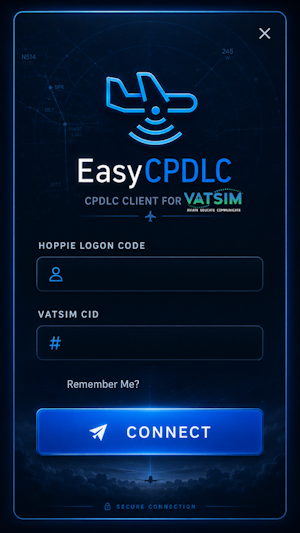
You connect with your Hoppie logon code and VATSIM CID. EasyCPDLC then uses VATSIM flight plan data and the Hoppie ACARS network to support common online flying workflows such as CPDLC logon, clearance requests, TELEX messages, METAR/ATIS requests and enroute datalink communication.
PDC / DCL and REQ CLR
EasyCPDLC can detect PDC/DCL availability from Hoppie and from VATSIM controller information lines.
Supported examples include:
DCL: XXXX
DCL LOGON XXXX
DCL LOGON CODE XXXX
PDC/DCL: XXXX
XXXX DCL
PREDEP CLEARANCE ... XXXX
DEPARTURE CLEARANCE ... XXXX
DATALINK CLEARANCE ... XXXX
If the detected logon code is online on Hoppie, the PDC indicator turns green.
REQ CLR is now click-only:
- Click the PDC badge.
- If PDC/DCL is available, REQ CLR appears.
- Click REQ CLR to send a pre-departure clearance request using the detected logon code.
Mouseover no longer opens the REQ CLR action, so it does not disappear while trying to click it.
CPDLC LOGON discovery
The CPDLC LOGON helper is shown via the 📡 icon next to the current ATS unit.
The LOGON popup is also click-only:
- Click the 📡 icon.
- EasyCPDLC shows available
LOGON TO XXXXcandidates. - Click a candidate to send the CPDLC logon request.
EasyCPDLC only shows candidates when the station is online on Hoppie.
Candidate discovery can use:
- current FIR geolocation
- nearby FIR buffer near FIR boundaries
- DEP/ARR-related APP stations
- controller information lines mentioning CPDLC, Hoppie, logon, PDC or DCL
This is meant as a helper. If a candidate is only shown as possible or nearby, pilots should still verify the correct logon with ATC.
Clearance workflow and CLR auto-confirm
The CLR indicator tracks the clearance workflow.
Some PDC/DCL stations do not send a final CLRC CONFIRMED message after the pilot sends WILCO.
To handle this, EasyCPDLC starts a 3-minute timer after:
WILCO
AFFIRMATIVE
ROGER
ACCEPT
If no final confirmation and no rejection arrives within 3 minutes, EasyCPDLC sets:
CLR ACC AUTO
This turns the CLR state green.
The original clearance text remains visible, and the CLR popup adds:
AUTO CONFIRMED AFTER 3 MIN WITHOUT CLRC CONFIRMED
If a real confirmation, rejection, unable or denied message arrives before the timer expires, the real network/controller result is used instead.
Flight plan reload and callsign changes
One thing I wanted to improve was multi-leg flying.
The RLD FP button reloads your VATSIM flight plan data and can also pick up a new VATSIM prefile if you already filed the next leg.
This is useful when you land, file the next flight, and continue with a new route or callsign.
If the new flight plan uses a different callsign but VATSIM still shows your old online callsign, EasyCPDLC does not immediately switch the active Hoppie callsign. Instead, it keeps the old one active until VATSIM actually confirms the new callsign.
During that state:
- the callsign turns red
- a callsign mismatch warning is shown
- a dedicated warning sound can play
- a small refresh icon appears next to the callsign
- EasyCPDLC keeps checking VATSIM automatically
- once VATSIM shows the new callsign, EasyCPDLC switches over and asks you to log on again
This avoids sending Hoppie messages from a callsign that is not actually live on VATSIM yet.
Flight phase and next flight detection
EasyCPDLC tracks a simple flight phase:
DEP
AIRBORN
ARR
LND
NEXT FP
ARR now starts below FL200 after enroute detection.
After landing, EasyCPDLC can detect a newly filed flight plan and offer a NEW FP prompt. The prompt can be dismissed with IGNORE or used with RLD FP. The prompt also plays the same alert sound as the callsign mismatch warning.
Quick weather actions
The Quick Actions menu provides fast access to common weather requests:
- departure METAR
- arrival METAR
- departure ATIS
- arrival ATIS
The target airport follows your loaded flight plan and current phase of flight.
Before departure, EasyCPDLC prefers the departure airport. After becoming airborne, it switches the weather target logic to the arrival airport.
VATSIM ATIS has priority over stale or negative Hoppie/VATATIS replies, so the ATIS status should no longer incorrectly turn red when a VATSIM ATIS is actually online.
MSFS / Flow Pro integration
EasyCPDLC can be opened from inside Microsoft Flight Simulator using Parallel 42 Flow Pro.
EasyCPDLC registers a small Windows URI protocol:
easycpdlc://showThis brings the running EasyCPDLC window back on screen without needing to search for it on the desktop.
Flow Pro is completely optional. EasyCPDLC also works as a normal standalone Windows application.
Flow Pro setup
To create a Flow Pro button for EasyCPDLC:
- Start EasyCPDLC once normally.
- Make sure EasyCPDLC is running in the background or system tray.
- Open Microsoft Flight Simulator.
- Open the Flow Pro wheel editor.
- Add a new Custom Script Widget.
- Open the widget script editor.
- Paste the following code:
run(() => {
    this.$api.command.open_browser("easycpdlc://toggle");
    return 250;
});

info(() => {
    return "Toggle EasyCPDLC";
});
After saving the widget, pressing it in Flow Pro will open or bring back the EasyCPDLC window.
If nothing happens, start EasyCPDLC once manually first. The URI protocol is registered when EasyCPDLC starts.
NOTE: This is not an in-game panel or in-game app. I built this because I got annoyed by switching windows all the time and wanted to open the CPDLC window with one click from Flow Pro.
Requirements
- Windows
- .NET 10 Desktop Runtime
- VATSIM account and CID
- Hoppie ACARS logon code
- Active internet connection
- Optional: SimBrief Pilot ID
- Optional: Parallel 42 Flow Pro for MSFS shortcut integration
Installation
- Download the release ZIP.
- Extract it to a folder of your choice.
- Start
EasyCPDLC.exe. - Enter your Hoppie logon code and VATSIM CID.
- Connect.
- Choose your preferred Airbus or Boeing style in the setup page.
Notes
This is a community fork and still a hobby project. I mainly built it because I wanted EasyCPDLC to work nicely again in my own simulator setup, especially for aircraft where native CPDLC support is missing.
There may still be rough edges, but the goal is to make CPDLC usage on VATSIM more comfortable, especially for aircraft without native CPDLC.
Important disclaimer
This is a third-party community tool for flight simulation only.
It is not affiliated with, endorsed by, or officially connected to VATSIM, Hoppie, Parallel 42, Microsoft Flight Simulator, Airbus, Boeing, or any real-world aviation authority.
Do not use this software for real-world aviation, real-world communication, real-world navigation, operational flight planning, or any safety-critical purpose.
EasyCPDLC is a third-party community tool for flight simulation. It is not affiliated with, endorsed by, or officially connected to VATSIM, Hoppie, aircraft manufacturers, or real-world aviation authorities.
This software is provided as is, without warranty of any kind, express or implied.
The authors and contributors are not responsible or liable for any damages, data loss, connection issues, network disruptions, incorrect messages, missed ATC instructions, software crashes, simulator issues, or any other problems resulting from the use or inability to use this software.
This project is intended for flight simulation use only.
It must not be used for real-world aviation, real-world communication, real-world navigation, operational flight planning, or any safety-critical purpose.
Use this software at your own risk.
This project is an unofficial community modification/fork and is not affiliated with, endorsed by, or officially supported by VATSIM, the Hoppie ACARS network, or the original EasyCPDLC author.
Credits and license
This project is based on the original EasyCPDLC project by Joshua Seagrave / quassbutreally.
Original project:
https://github.com/quassbutreally/EasyCPDLC
Modernized fork:
https://github.com/fresH229a/EasyCPDLC-Modernized
Licensed under the GNU General Public License v3.0 or later.
Source code is available on GitHub.
EasyCPDLC Modernized Version VATSIM
EasyCPDLC Modernized Version is a standalone CPDLC client for VATSIM pilots using the Hoppie ACARS network. This updated fork features a redesigned interface with Airbus and Boeing layouts, improved flight plan handling, and enhanced weather request options. It supports aircraft lacking native CPDLC functionality and offers integration with MSFS and Flow Pro. The tool runs on Windows with .NET 10 and requires VATSIM and Hoppie credentials.


Nutzerbewertungen
4 Bewertungen
Versionsgeschichte
- Improved message alignment with the physical LSK buttons in Airbus and Boeing modes. Added a new "MSG LSK MODE" option. When enabled, messages are automatically aligned with the corresponding LSK buttons. - Improved scrollbar behavior to prevent unnecessary scrolling and empty pages. - Added message page indicators and improved navigation. - Redesigned the settings menu for easier access. - Various UI stability, scaling, and layout improvements.
Ähnliche Addons

Gaya Simulations LOWW v2 - Vienna / Wien GSX Profile
Enhance your Vienna experience with the Gaya Simulations LOWW v2 add-on, featuring VDGS support and custom pushbacks for a realistic airport environment. This profile includes missing stands not recognized by GSX, with remote de-icing stands added in the latest update for enhanced immersion. Make sure to reposition after loading to avoid any issues, and provide feedback for continuous improvements.
von AUA9085

iniBuilds Innsbruck LOWI GSX Profile
This GSX profile tailors ground services at iniBuilds Innsbruck LOWI, adding custom pushback procedures at all stands. Gates close to terminal doors feature walk-in capabilities, creating a more realistic passenger experience. The profile removes unnecessary parking stands, ensuring only airline-appropriate positions are listed for selection. Suitable for those seeking improved ground operations at Innsbruck Airport.
von AUA9085
Melden Sie sich an, um an der Diskussion teilzunehmen
AnmeldenKommentare(34)
13 days ago
about 14 hours ago
Regarding the scaling, do you mean the messages don't align with the LSK buttons? That's something I'm already working on now since some time :)
Feedback is always welcome, but I need more details to actually improve things. :)
about 1 month ago
about 1 month ago
about 2 months ago
about 2 months ago
about 2 months ago
about 2 months ago
The settings file is store here: %LocalAppData%\EasyCPDLCModernized
2 months ago
about 2 months ago
I've add some "multipage" Support - please let me know if this helps :)
about 2 months ago
2 months ago
2 months ago
2 months ago
3 months ago
3 months ago
Would be nice to be able to reduce the window scale cause it's quite big, and also to reduce it and not have to go get it in the hidden apps.
3 months ago
I'll try to find a solution for this
3 months ago
3 months ago
3 months ago