
Beschreibung
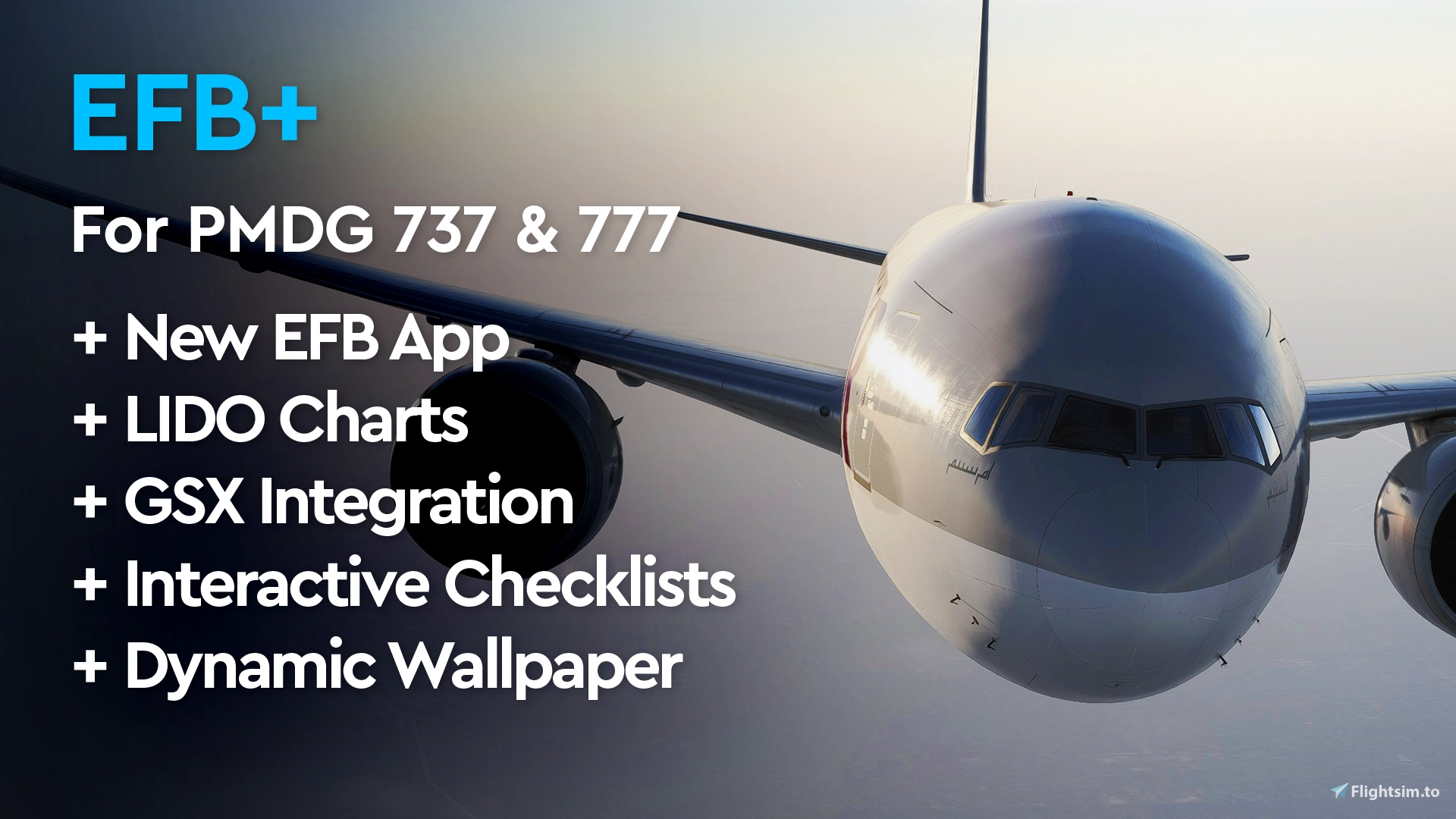
EFB+ enhances the EFB (tablet) of the PMDG 737 & 777 in Microsoft Flight Simulator 2024 — and manages itself through a small, friendly app.
Compatible with the EFBs of these PMDG products: 737-600/-700/-800/-900 and 777-200ER/-200LR/-200F/-300ER.
Please note
- MSFS Marketplace aircraft are now supported from v2.2.0, alongside PMDG-store ones and in the same installation. The only requirement is that the aircraft is downloaded rather than streamed, so that its files are on your disk.
- PMDG updates can no longer remove EFB+ — from v2.2.0 it installs as a package of its own and your PMDG aircraft are never modified. An update can still change PMDG's tablet loader, of which EFB+ keeps a copy; the app's dashboard tells you when that copy is out of date, and Install / Update all brings it back in step. After any install, restart MSFS2024 and then restart the tablet in-sim (its control centre > Restart Tablet) — that last step is easy to miss and is usually what is wrong when the mod looks like it did not install.
- Last verified with PMDG 737 (all variants) 4.00.063 and 777 (all variants) 2.04.146.
Features
- The EFB+ app — a lightweight manager that installs, updates, verifies and removes the mod, and manages your checklists and wallpapers with drag & drop. You never touch the PMDG aircraft folders yourself.
- A rebuilt tablet — a new home screen with a drag-to-rearrange app grid, dock, control centre and weather widgets, and a day/night theme across the whole EFB.
- Flight page — the tablet's new landing page: a full-page moving map with your SimBrief flight over it. Fuel, load & limits against the aircraft maxima, route summary and airport weather, with the route drawn colour-coded by SID, enroute and STAR.
- Briefing page — your OFP with a chapter navigator, plus an interactive Flight Log: every fix with position, frequency, level and MORA, the airway or procedure joining them, and calculated points (top of climb and descent, ETOPS entry/exit, equal-time points, step climbs) in place. Tapping a fix centres it on the map beside the list. Also NOTAMs grouped by airport and airspace, and the OFP's weather charts as a paged viewer.
- Airports page — any airport by ICAO or IATA, or your departure, arrival and alternate in one tap: runways with ILS frequencies, communications, live METAR, TAF and ATIS (VATSIM / IVAO / SayIntentions), and a VFR/MVFR/IFR/LIFR indicator.
- Charts page — a chart browser for Navigraph or the LIDO charts built into MSFS2024: filter by category or runway, pin the charts you need, and open any chart full-screen.
- Dynamic EFB wallpaper — the tablet wallpaper follows your airline automatically from your SimBrief callsign, or pick one from a preview picker. Images you provide.
- GSX app — control the full GSX Pro menu from the tablet and watch live service status (refueling, catering, boarding with passenger/cargo progress, deboarding, pushback). Requires GSX Pro.
- Checklists app — your own aircraft checklists on the tablet, formatted from simple text files and filtered to the aircraft you're flying. Interactive or read-only. Ready-made Boeing 737-800 and 777-300ER normal checklists included.
Getting started
- Unzip the download anywhere you like — that folder is EFB+ (the app and your own files live in it). Keep it.
- Double-click
EFB+.batto open the EFB+ app. (Want a shortcut with the app icon on your Desktop or Start Menu? The app's Create app shortcut does that on request.) - In the app, click Install / Update all. When every aircraft on the dashboard is green, restart MSFS2024. Done.
If Windows shows a blue "Windows protected your PC" box, click More info → Run anyway. Everything EFB+ runs is plain, readable PowerShell — open any file in the
appfolder in Notepad to see exactly what it does. No compiled programs.
Always restart MSFS2024 after applying anything. Installing, updating, or applying checklist/wallpaper changes only takes effect when the simulator starts up — loading another flight or reopening the tablet is not enough.
Updating: download the new version and unzip it right over your EFB+ folder — your checklists and wallpapers are never overwritten — then open EFB+ and click Install / Update all.
Uninstalling: open EFB+ and click Uninstall. The EFB is restored to stock on every aircraft; your files stay in your folder.
The download includes a readme and an illustrated user guide (PDF) covering installation, every page of the tablet, checklists and wallpapers.
Updating from v1.2.0 or earlier
v2.0.0 replaces the old Install.bat / Uninstall.bat with the EFB+ app, so this one upgrade needs a little care. Afterwards, updating is just "extract and click Install".
- In your OLD EFB+ folder, run
Uninstall.bat. This restores every aircraft's EFB to stock. Do this before deleting or overwriting anything — it is what knows how to undo the old install. - Extract v2.0.0 wherever you like. A fresh folder is fine.
- Copy your own checklists from the old folder's
Checklistsinto the new folder'sChecklists. - Double-click
EFB+.bat, click Install / Update all, and restart MSFS2024. - Delete the old folder whenever you like.
Prefer to extract straight over your old folder? That works too, and your checklists are already in the right place — but afterwards delete the leftover Install.bat, Install.ps1 and Uninstall.bat from the folder root. They belong to the old version, are no longer used, and only invite a mis-click.
If you added airline wallpapers by hand into the PMDG aircraft folders under v1.x, they keep working — AUTO mode still finds them. They will not appear in the new wallpaper picker until you copy them into the new Wallpapers folder and click Apply to sim.
Support the mod
I love developing this mod and hope to create more EFB mods in the future. If you like the mod and would like to support me, you can buy me a coffee. Thank you!
Disclaimer
This mod is not made by, affiliated with, endorsed by, or supported by PMDG, Microsoft, Navigraph, Lido, FSDreamTeam, or Boeing. Use at your own risk. It only edits files already on your PC and can be fully removed at any time.
Built with ♥ by tomwhoca for the flightsim community.
Häufig gestellte Fragen
EFB+ for PMDG 737 & 777
EFB+ transforms the EFB (tablet) of supported PMDG aircraft, including the 737 and 777 series. It adds four new pages: a moving-map Flight page built from your SimBrief plan, a Briefing page with an interactive flight log, live airport weather, and a Navigraph/LIDO chart browser - plus a redesigned home screen and a day/night theme. MSFS2024's built-in LIDO charts sit alongside the existing Navigraph option, and a dynamic wallpaper follows your airline from your SimBrief callsign. A GSX app and an interactive checklist app round it out. Installation is automated and fully reversible.


Nutzerbewertungen
102 Bewertungen
Versionsgeschichte
MSFS Marketplace aircraft are now supported, in the same installation as PMDG-store ones – and EFB+ no longer modifies your PMDG aircraft at all, so a PMDG update can no longer remove it. New: a lock screen with a passcode pad, and an AIRAC crosscheck that warns when your flight plan and the aircraft are on different cycles and can update the aircraft's navdata for you. Also: charts reopen where you left them, the Flight Log takes fuel in thousands, the Flight page shows flight number and callsign, and rearranging icons is a hold rather than a drag. Fixes: settings toggles are saved again, the weather widget no longer flickers, and pop-ups are centered.


Melden Sie sich an, um an der Diskussion teilzunehmen
AnmeldenKommentare(482)
about 2 months ago
35 minutes ago
3 days ago
Can we have back version 2.1 ?
Edit : I made it work. The installer is broken, it doesn't copy all the .js files into the pmdg folders. So resort to manual installation. Also the Night/Day theme preference doesn't register. Maybe try and run each.js into claude to find issues.
3 days ago
https://i.postimg.cc/hjqgkPYF/2537590-20261018001047-1.jpg
Edit: Finally found how to restart the tablet in the sim, and that fixed it! This was after already verifying files in OC3, deleting work folders etc etc. You NEED to restart the tablet in the sim.
5 days ago
3 days ago
5 days ago
5 days ago
7 days ago
10 days ago
7 days ago
12 days ago
7 days ago
12 days ago
7 days ago
6 days ago
6 days ago
5 days ago
5 days ago
5 days ago
And then I looked into the MSFS addons linker 2024 and saw efb-plus-for-pmdg has been automatically activated there.
I deselected this entry and created instead a manual symbolic link for it.
And that did the trick !!! EFB+ is working and it's absolutely gorgeous !!!
Thanks for your help I am happily going to buy you a couple of coffees.
Best regards ...
13 days ago
Dieser Kommentar wurde gelöscht