
Beschreibung
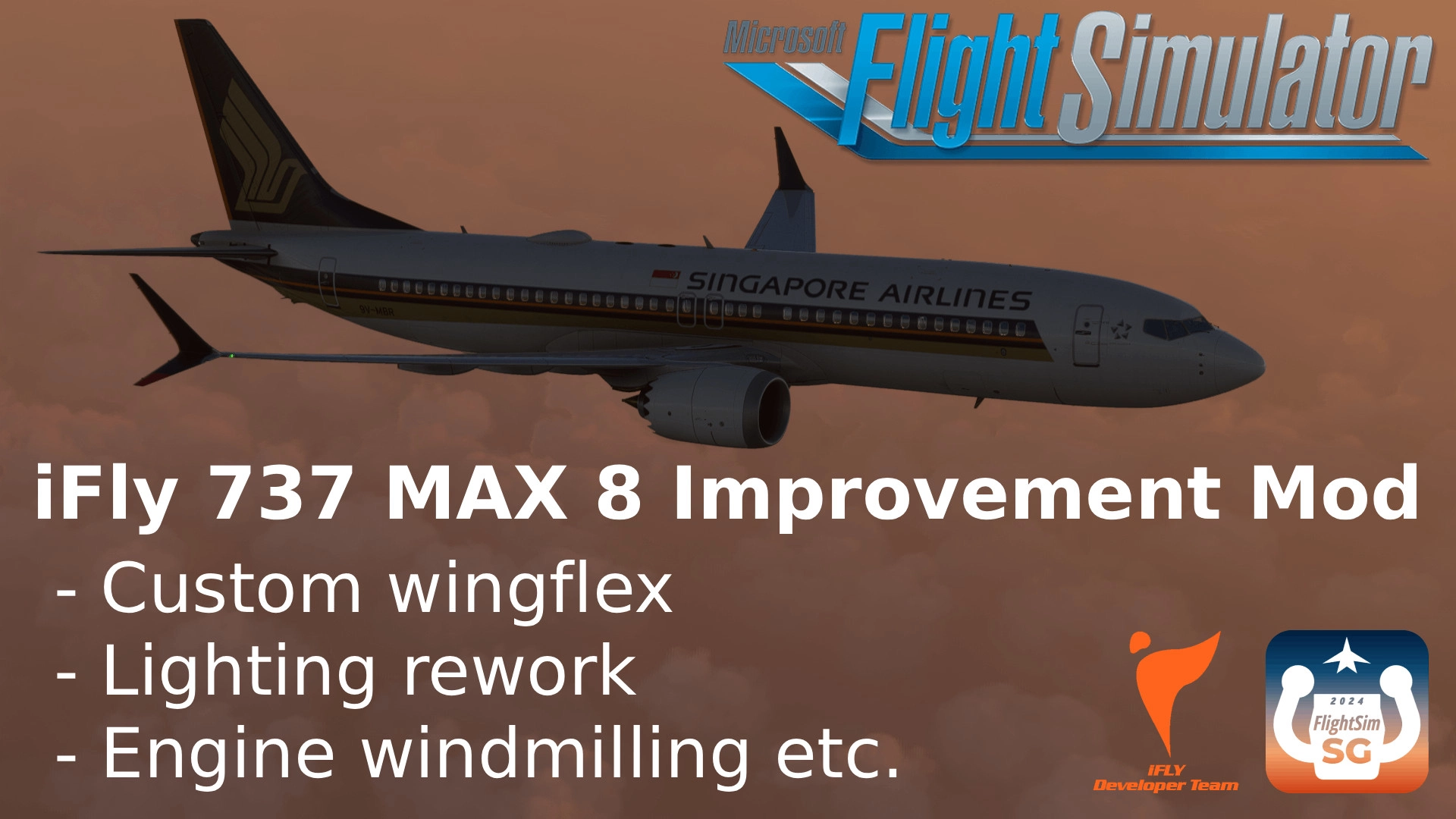
An improvement modification for the iFly 737 MAX 8 for MSFS 2024 (though it should work fine with 2020).
Changes (summarised):
- Wingflex has been tweaked and an oscillating term has been added, with an impulse-dependent amplitude and damping (see video below)
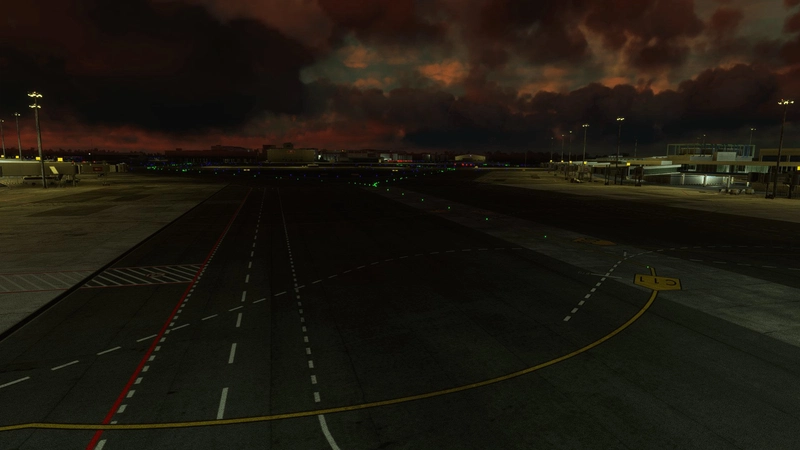
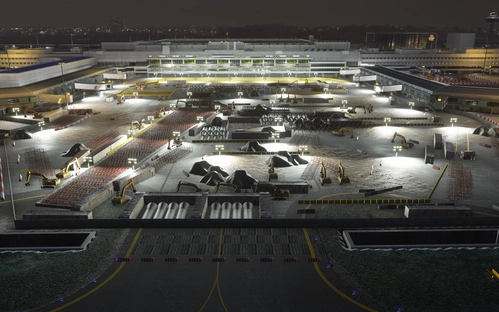
- External lighting has been overhauled to be more realistic and representative of the real aircraft (see pictures)
- Anti-collision light with "fast flash rate" has had its active duration shortened to be more realistic (see video below)
- Low-wind speed engine fanblade windmilling has been added (see video below)
- External reflectivity of cockpit windows decreased to be more realistic (see pictures)
- Refined jetway connection with aircraft — jetway should generally dock quite nicely at most airports now (see pictures)
Video link: https://www.youtube.com/watch?v=VSBtmBFSOvU
Installation Instructions:
Simply Drag and Drop the Main File into your Community Folder
More details if you're interested:
This package consists of 3 main areas of improvement, the external lighting, the wingflex and low-speed fanblade windmilling.
External lighting:
- The anti-collision light active time for the "fast-flashing" beacon (really, a misnomer, because the periods are the same, what is changed with the option in the EFB is the active duty time for each light) has been decreased to match real-world flash durations more closely. This value has been chosen because it's fast enough to look like the one on real aircraft, but slow enough to minimise artefacting.
You can tune the durations by going to SimObjects\Airplanes\iFly 737-MAX8\model and opening up both iFly737Max.xml and iFly737Max8200.xml, then navigating to the sections on the beacon (just search for 'FSG' and choose the correct block of code). The timings for the "fast-flashing" mode and "slow-flashing" mode are currently set to 0.04s and 0.3s respectively. To change the beacon flash in the interior model, go to SimObjects\Airplanes\iFly 737-MAX8\model, open iFly737Max_INTERIOR.xml and repeat the same process for the 166, 189 seat and the 8200 models.
- I always thought the lighting effects of the forward-facing lights looked a little strange, but I was never quite able to put my finger on it till comparing real-world photos and realising what was blatantly missing was the light spillage close to the wing root where the light housings are. This was added. The spillage onto the fuselage has been tweaked.
Currently iFly uses a single beam to create the spillage on the fuselage and also the beams themselves, which is sub-optimal because the lights actually pass through the 3D model of the fuselage, so they aren't blocked realistically by the fuselage as they would be in real life. Thus in the mod one set of lights creates the fuselage spillage and another set creates the beams, which just miss the fuselage and so create the blockage effect. An additional set of lights was added to mimic the reflections off the inboard engine nacelle onto the fuselage.
Careful placement and tweaking were done to minimise spillage into the cabin for every single light while also creating a realistic lighting effect with references to real-world photos. In particular, the taxi, landing and runway turnoff lights have all been tweaked to give a realistic intensity, colour and positioning, both of their glow and beams, which required different .fx files for the interior and exterior to give a realistic appearance.
- The navigation, strobe, anti-collision and wing lights have been tweaked for colour correctness, intensity and placement too. The anti-collision light now realistically casts more light on the right wing as compared to the left, due to its offset position on top of the fuselage due to a spar running down the length of the aircraft. The shadow of the wing due to the upper beacon cast on the outermost flap track fairing has also been accurately re-created, with the help of a quirk(?) in the rendering engine which turns lights with softness values much greater than 1 into what can pass of as a shadow.
You can tune the beams (cone angle, colour, intensity) using the .fx files found in SimObjects\Airplanes\iFly 737-MAX8\effects and the systems.cfg files in SimObjects\Airplanes\iFly 737-MAX8 (and iFly 737-MAX8-166Seats, iFly 737-MAX8-189Seats and iFly 737-MAX8200 too — you can just reuse the same file). The colours are controlled by the 2 .PNG.DDS files in SimObjects\Airplanes\iFly 737-MAX8\texture. You can infer which light is which by looking at the colours — the nav and strobe lights are in the IFLY737MAX_FX_LIGHTS.PNG.DDS file, while the IFLY737MAX_LIGHTS_L.PNG.DDS file controls the others. The brightness of the emissive blobs are controlled by the relevant entries in the iFly737Max.xml and iFly737Max8200.xml files located in SimObjects\Airplanes\iFly 737-MAX8\model.
Wingflex:
- An oscillatory term was added to the base wing flex to simulate the vibration of the wing at the first mode. A natural frequency of 3 Hz was chosen, which seemed to give reasonable behaviour when combined with a lag value of 25. The base wing flex was tweaked too, but is slightly more muted than it would look like in real life because it would look strange at large deflections with the low node counts of the wing model.
The core mechanism was to compute the change in the WING FLEX PCT SimVar over a fixed short time interval, and make the amplitude of oscillations a function of that, with a damping term added. So if you see the wings vibrating slightly when the aircraft appears stationary, it's likely something triggered a change in WING FLEX PCT — could be gusts of wind etc.
Please go ahead and experiment with tweaking the values if you so wish to. It is advisable to use a quantitative metric to tweak the wingflex to your preference, and I have provided 2 desmos graphs you can access here to aid you in doing so. There is a basic explanation of what each graph does in the graph pages themselves. To tweak the wingflex effectively you should also enable the simulator's Developer Mode which can be enabled by going to Settings > General Options > Developers then turning the mode ON (you should turn this off after you're done because it apparently consumes more resources). Then on the top bar go to Tools > Behaviours > Local Variables and filter by keying in 'FSG'. You should now see all the relevant LVars and their values in a window on screen which you can use in conjunction with the graphs.
Graph for tweaking wingflex oscillation amplitude: https://www.desmos.com/calculator/3zskoxebd6
Graph for tweaking base wingflex: https://www.desmos.com/calculator/tgft0tom6b
- The maximum wing deflection was increased and wing bending profile changed (it should be more realistically curved now). This was done by editing the .glTF and .bin files found in SimObjects\Airplanes\iFly 737-MAX8\model. If you wish to do so yourself, I have provided python scripts to help you do so, because it is quite an involved process involving quaternions and the .glTF files are just rather human-unfriendly to read, much less edit, and the data must then be parsed to the .bin files. Nigh impossible to do in a clean and reproducible manner without a script.
Low-speed fanblade windmilling:
- The aircraft currently does have fanblade windmilling but this only kicks in at very high relative wind speeds. The mod thus adds low-speed windmilling — low speed because it asymptotically drops off, reaching half the max rotation speed at about 16.5 knots of direct longitudinal wind. Correct behaviour involving rotation directions depending on the relative wind and inertia have been implemented. If you wish to tweak the fanblade windmilling behaviour, you can do so with the help of this graph (and following the same steps above to enable dev mode so you can see the LVar values).
Graph for tweaking fanblade windmilling: https://www.desmos.com/calculator/hdceidzqdj
Other small changes:
- The external reflectivity of the cockpit windows has been decreased, which lowers the currently unrealistically "milky" reflections especially near sunrise and sunset. If you wish not to have this, search for 'iFlyMax_WindShield_VC' in the iFly737Max.glTF file found in SimObjects\Airplanes\iFly 737-MAX8\model and change the last entry of its associated "baseColorFactor":[1.0,1.0,1.0,0.0] from 0.0 to 0.01.
If you wish to get rid of the reflections of the external environment found in the cabin windows (not done in this mod) and don't mind not having nighttime reflections of the cabin, search for 'iFlyMax_WindShieldx' in the iFly737Max_INTERIOR_178.glTF file found in SimObjects\Airplanes\iFly 737-MAX8\model and change the associated "baseColorFactor":[1.0,1.0,1.0,0.01] from 0.01 to 0.0. Any value below 0.01 seems to be treated as 0.0 for some reason. You can also try increasing the 'roughnessFactor' from 0.0 to 0.2, which smoothens out the reflections. Note that values past 0.2 start to make your camera lose focus on the outside view as you get close to the windows.
- The parameters of the interactive point for Door 1L were tweaked in the flight_model.cfg file so the jetways should dock more nicely with the aircraft now with better hood and overall alignment.
Tweaking the Mod with the Optional File:
- The Optional File contains the 4 python scripts which you can run to plot and patch the maximum wing flex deflection, for both the external and internal 3D model (these are separate in MSFS2020). The 2 .glTF and 2 .bin files are example files — copy your current files from the aircraft folder into the tweaking folder the 4 scripts are in. To run the scripts you must first install python and ensure that the 4 scripts are in the same folder as the 2 .glTF and 2 .bin files. Then open Command Prompt and change directories to the folder in which the files now are. For example if they are in a folder named X on the desktop you'd type
cd desktop\Xand hit ENTER. Then run the scripts with python by typing
python [script name].pyand hitting ENTER. Or use whatever method you prefer if you know what you're doing.
- The patcher scripts will not override the .glTF and .bin files but will rather create new ones with _MOD at the end of the file name. To put them back into the Improvement Mod addon folder for testing simply copy and paste into the addon folder and make sure to delete the original files (they should already be backed up in the tweaking folder) and delete the _MOD at the end of the file names. Then, drag and drop the layout.json over the MSFSLayoutGenerator .exe file, which you can find and download from here: https://github.com/HughesMDflyer4/MSFSLayoutGenerator
Miscellaneous:
- 17 extra lightdefs were added (the last entry in systems.cfg is now 361 instead of 338, which is an increase of 23, but I also commented out 6 lightdefs). This should have a negligible impact on performance. Similarly, the additional parsing of Lvars is minimal compared to the number already parsed by the sim, which means the mod should have no noticeable impact on performance.
- If you are planning to change the .xml files mathematically, it is recommended to read the MSFS SDK documentation on Reverse polish Notation here: https://docs.flightsimulator.com/html/Additional_Information/Reverse_Polish_Notation.htm
A special thanks to ashtonsweetFS and hvxnuvx for the initial inspiration to tweak the lighting, which kickstarted this whole project. You can find their work here:
https://flightsim.to/file/99361/ashton-sweet-ifly737max8-lights-mod
https://flightsim.to/file/100374/ifly-737-max8-lighting-overhaul
Another, perhaps bigger, special thanks to ChatGPT for making the process of writing the scripts much faster, catching bugs and providing ideas on how to implement certain things. Work would certainly have taken much longer and been significantly more tedious if not for its help.
This initially started with the desire to shorten the active duration for the "fast-flashing" beacon, but upon examination of the files I thought it was impossible since it seemed to be WASM-driven. So I worked on the other lights, then decided to tweak the wingflex, then decided to add windmilling, and only after doing so realised I could use the .xml to create some conditional gates to read the beacon LVar and make it now flash for the correct duration.
Feedback
Please feel free to leave feedback below in the comments, or ideas, suggestions etc. While I may not be able to actually implement them due to increased real-life workload at the moment, we can at the very least have a fruitful discussion. Certainly, I learnt a lot from working on this project!
iFly 737 MAX 8 Improvement Mod (Wingflex + Lighting etc.)
An improvement modification for the iFly 737 MAX 8 for MSFS 2024 (though it should work fine with 2020) - Impulse-dependent wingflex oscillations with damping (see video below) - External lighting overhauled (see pictures) - Anti-collision light with "fast flash rate" has had its active duration shortened (see video below) - Low-wind speed engine fanblade windmilling added (see video below) - External reflectivity of cockpit windows decreased (see pictures) - Refined jetway connection with aircraft (see pictures)
Nutzerbewertungen
21 Bewertungen
Versionsgeschichte
- Compatibility with latest iFly update - Fixes to remove floating light orbs - Added option for iFly mouse interaction
Melden Sie sich an, um an der Diskussion teilzunehmen
AnmeldenKommentare(173)
about 13 hours ago
2 days ago
about 21 hours ago
about 9 hours ago
3 days ago
Can you do something about the heat blur at high(er) speeds? I think that's a bit overdone, especially in flight. You'd never see it as much as you see it in the iFly now. Maybe remove it above let's say 50 knots? :)
about 21 hours ago
6 days ago
Dieser Kommentar wurde gelöscht
13 days ago
11 days ago
3 days ago
But thanks!
15 days ago
14 days ago
The anti-collision light now realistically casts more light on the right wing as compared to the left, due to its offset position on top of the fuselage due to a spar running down the length of the aircraft. The shadow of the wing due to the upper beacon cast on the outermost flap track fairing has also been accurately re-created, with the help of a quirk(?) in the rendering engine which turns lights with softness values much greater than 1 into what can pass of as a shadow.
14 days ago
16 days ago
14 days ago
19 days ago
18 days ago