
https://flightsim.to/addon/107015/sqwk-flight-review
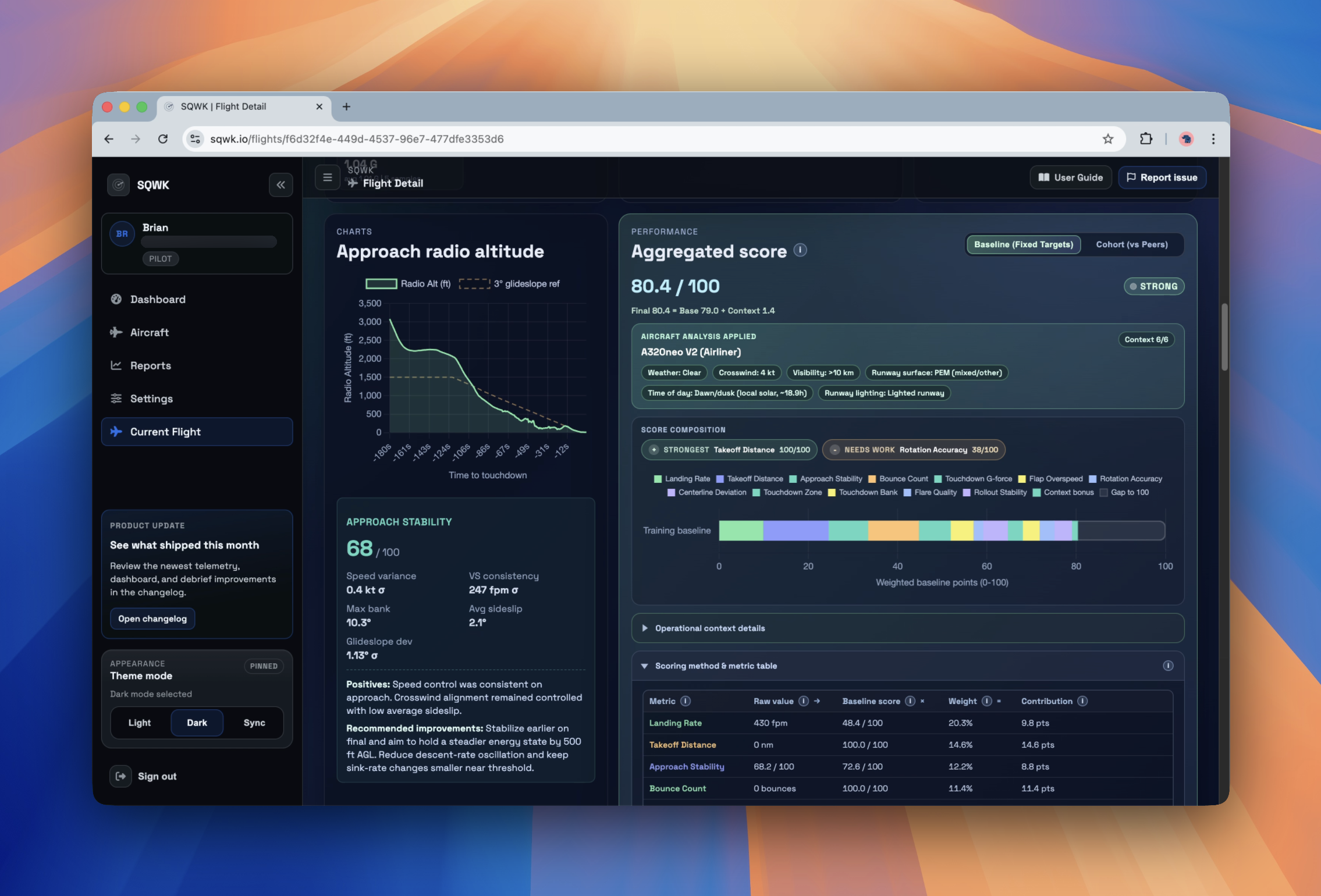
Real airlines debrief every flight. SQWK brings that same airline-grade post-flight review to Microsoft Flight Simulator. Fly normally. SQWK quietly captures your flight at 30 Hz, then turns it into a clear debrief with a 12-metric landing score, an approach reconstruction, exceedance callouts, a 3D replay of your approach and rollout, and trend tracking that watches your progress week over week and month over month.
It is built for pilots who want to review the whole arrival, not just chase a single landing number, and it tells you what to fix on your next flight, in plain language, tuned to the aircraft you actually flew.
This Windows package includes the SQWK Telemetry Exporter plus the optional in-sim Flight Review toolbar panel for MSFS. Install it once, sign in with your free SQWK account, and your flights upload automatically after rollout for browser-based review on any device. The in-game panel shows your landing score the moment you touch down, with a runway-aware breakdown by the time you reach the taxiway.
Free SQWK accounts get the full debrief: 30 Hz telemetry capture, 20 flights per month, exports (JSON, CSV, KML, PLN), public share links, shareable landing PNG cards, and the same charts, 3D approach view, replay, and Flying Reports used everywhere else. SQWK Pro is an optional upgrade that adds 115+ aircraft-specific profiles with POH-based scoring, per-airframe cheatsheets, procedural coaching tied to your airframe, and 1-year telemetry retention.
Highlights
- 12-metric landing score across approach, touchdown, and rollout, including flare quality, touchdown-zone placement, sink rate, and rollout discipline
- Approach reconstruction from the 5-mile fix to runway exit, with deviation against the ideal 3-degree glidepath, exceedance callouts, and operational context (wind, crosswind, visibility, runway surface, time of day, lighting)
- 3D approach view and full flight replayer with a cinematic external-camera mode for sharing your best landings
- In-sim toolbar panel that shows your landing score on touchdown and a runway-aware breakdown after rollout
- Browser dashboard with full telemetry charts, flight photos, weekly and monthly Flying Reports, and trend tracking against a baseline cohort
- Backed by a 10,000+ runway database: displaced thresholds, surface, lighting, and length all factor into your score
- Local flight history cached on-device per signed-in account, so the exporter debrief view loads instantly and works offline
- Shareable landing cards and public flight links, so you can send your approach to an instructor or post a great one to your sim community
- Free includes 30 Hz capture, 20 flights per month, exports, public share links, and the full debrief
- SQWK Pro adds 115+ aircraft profiles with POH-tuned scoring, cheatsheets, procedural coaching, and 1-year retention
Download
- Windows Installer: Available on flightsim.to. Run the setup wizard and you are done. The in-sim panel installs alongside the exporter.
Compatibility
- Operating system: Windows 10 or Windows 11 (64-bit)
- Simulator: Microsoft Flight Simulator 2024 or Microsoft Flight Simulator 2020
- Account, dashboard, and release notes: https://sqwk.io and https://sqwk.io/changelog