
Flightsim.to
    Sim Update 14 für Microsoft Flight Simulator veröffentlicht

    Sim Update 14 für Microsoft Flight Simulator veröffentlicht

    F

    Flightsim.to

    Author

    December 6, 2023
    Updates

    Sim Update 14 für Microsoft Flight Simulator ist jetzt verfügbar. Dieses Update bringt eine Reihe von neuen Funktionen, Verbesserungen und Korrekturen. Das Team ist sich der Berichte über langsame und stockende Downloadgeschwindigkeiten für Sim Update 14 bewusst. In der Zwischenzeit hat das Team jedoch weitere Entschärfungsmaßnahmen implementiert, die die langsamen oder stockenden Downloads lindern sollten.

    Eine der neuen Funktionen ist Flight Plan Assistance for ATC: Mit einer neuen Einstellung in den Assistenzeinstellungen für die Benutzererfahrung können Benutzer die Flugsicherung bitten, ihren Flugplan oder ihre Weltkarten-Flugeinstellungen gegenüber den aktuellen Bedingungen zu priorisieren. ATC wird nun auch einen Schritt zur nächsten Höhe freigeben, bevor die zuvor freigegebene Höhe erreicht wird. Außerdem werden Fehler bei der Vektorisierung behoben, um korrekte Freigaben und Antworten auf neue Vektoranfragen zu gewährleisten. Das Update führt außerdem ein brandneues Cirrus SR22T G6 Modell mit angepasster Triebwerkssimulation, präziser Leistung und umfangreichen Perspective Plus NXi Features ein.

    Key Bug Fixes and Optimizations:

    1. General Stability: Das Update behebt mehrere Abstürze, Lokalisierungsfehler und Leistungsoptimierungen für lange Flüge.
    2. Marketplace and Menu Improvements: Behoben wurden ein Problem mit der Sortierung von Wunschlisten im Marktplatz und ein Einfrierproblem beim Öffnen des Logbuchs.
    3. Navigations- und Verkehrsverbesserungen: Verbesserte ATC-Phraseologie und die Beseitigung redundanter Kommunikationsanforderungen bei Höhenänderungsanfragen.
    4. Wettersystem-Upgrades: Verbesserungen bei der Genauigkeit der Schnee- und Eisbedeckung, Windmessungen aus METAR und Wolkenbedeckungsübergängen.
    5. Glass Cockpits Updates: Für Garmin G3000/G5000 und G1000 Nxi, zahlreiche Korrekturen und zusätzliche Unterstützung für Hardware-Tastatur und neue Autopilot-Modi.

    Flugzeugspezifische Updates:

    1. Allgemeine Flugzeug-Updates: Zu den Korrekturen gehören eine verbesserte Anzeige des Nutzlaststationsgewichts, Korrekturen bei der Flugzeugregistrierung und verbesserte Simulationsstabilität
    2. Spezifische Flugzeugmodelle: Zahlreiche Flugzeuge, darunter der Airbus 310-300, der Airbus A320neo (V2), die Bell 407 und die Boeing 787-10/747-8i, erhielten gezielte Updates und Korrekturen.

    Andere bemerkenswerte Updates:

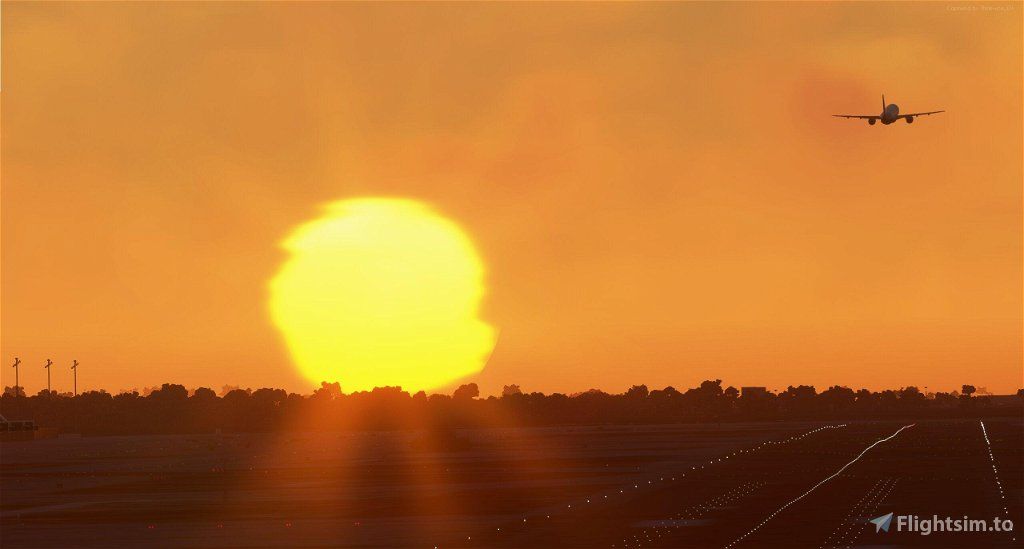
    1. Erweiterungen der Weltumgebung: Das Update führt realistischere Himmels- und Beleuchtungsfarben durch verbesserte Zuordnung von Wellenlängen zu RGB-Werten für Ozonschichtstreuung und Sonnenfarbe ein.
    2. Verbesserungen an Peripheriegeräten und SDK: Verschiedene Fehlerbehebungen bei Peripheriegeräten und neue SDK-Funktionen verbessern die allgemeine Entwicklungserfahrung und die Kompatibilität mit Peripheriegeräten.
    3. Aktualisierung des Editors für visuelle Effekte und des WASM: Korrekturen in den visuellen Effektinstanzen und neue Funktionen im WASM-Modul verbessern die visuellen Aspekte und die Funktionalität des Moduls.

    Die vollständigen Release Notes sind hier verfügbar. Wenn Sie auf PC spielen, können veraltete Pakete in Ihrem Community-Ordner unerwartete Auswirkungen auf die Leistung und das Verhalten des Titels haben. Wenn Sie unter Stabilitätsproblemen oder langen Ladezeiten leiden, verschieben Sie Ihr(e) Community-Paket(e) in einen anderen Ordner, bevor Sie den Titel neu starten.

    Comments

    W

    over 2 years ago

    Is it just me ,but since installing the sim 14 update the hourglass (bottom right) is constantly on!
    w

    over 2 years ago

    same with me ;(
    F

    over 2 years ago

    I thought that was just me
    W

    over 2 years ago

    It seems to have disappeared after relaunching the SIM - fingers crossed!

    over 2 years ago

    From https://forums.flightsimulator.com/ :
    In the real world federal aviation authorities sometimes ground aircraft because of technical issues. Today Asobo was kind of like this authority because the release of SU14 messed up the communications API causing issues transfering data from wasm to javascript and back. It was working well before and we have no idea why and how they changed it but we will deal with it.
    A workaround has been proven to work already but we need to check every single system to make sure it is running correctly because otherwise you guys won’t be able to enjoy it and we will be flooded with bug reports. We do our best to ship that update asap and will let you know once it’s available.
    We are glad to hear that you would like to fly the Traveller 24/7 and soon you will be able to do so again. Until then it would be a good opportunity to fly the E-Jets or the P2006T, both are already working again in SU14.

    over 2 years ago

    Me too!

    over 2 years ago

    Weather System Upgrades <- False
    S

    over 2 years ago

    Mine isn't doing it, and doesn't really do it much at all. Try resetting your casche, and try it with traffic turned off, if it isn't already.
    A

    over 2 years ago

    This update was the longest, it stalled on and off at about 85% but I left it for a while and it completed itself. the hourglass at the bottom right is a pain though.

    over 2 years ago

    And they didn't even add the ini a320 that we were waiting for. Hopefully it will be included in the next updates.
    N

    over 2 years ago

    Sadly they still have not fixed the stupid AI generated runway assignment for takeoff that is sometimes NOT favored to the METAR winds of the reporting airport! Sometimes it gets it right, others it does not. This morning after the update for example, I was assigned runway 10 for departure even though the winds were from 210 at 12 knots, yielding an effective 10 knot tailwind! Based on runway length and density altitude, I knew the aircraft would be real pushed to make it.
    So I did what I always do when this happens, and skew the aircraft down to the cleared runway to get the takeoff clearance, then skew back to the opposite end (in this case runway 19) to set up the takeoff. Come on man, I had to do this way back during the FSX days on occasion! And yes, I know this is on the fix wish list. Seems kinda important though, don't you think? It certainly is in the real world.
    F

    over 2 years ago

    In the flight menu, before lauching your flight, you can trigger the simulator concerning the METAR. Before making or loading your flight plan, you have to set as departure the airport you want to depart of, then reset your flight plan. Do that until the METAR loads and the sim gives you the right runway. For me ut works every time.

    over 2 years ago

    FPS Drop with SU14, from 30, 35 to 12 , 15.Absolute rubbish, unflyable.
    r

    over 2 years ago

    Hilarious that the loading spin just keeps going and going and that Asobo didn't even notice before shipping this update out!

    over 2 years ago

    Now the autopilot doesn't work on 737-max...

    over 2 years ago

    [Solved] Anyone else experiences that since the update, the HUD is gone, except for the compass, in both the outside and cockpit view?
    Sim restart done, the problem persists.
    Edit: needed to update "UI mods and tweaks (full pack)" mod (https://flightsim.to/file/3530/ui-mods-and-tweaks-full-pack) with https://github.com/mixMugz/msfs2020-uimod/releases/tag/v1.35.21.9 - after that it's working again.
    N

    over 2 years ago

    I get a "Please insert the MSFS Game Disc" almost every time I try to start the sim since SU14. This thing sucks, but when it loads seems working fine.

    over 2 years ago

    I got that too, it is either because your computer is not connected to wifi, or you do not have the xbox app installed (I don't know why it makes a difference)
    N

    over 2 years ago

    Thank you for your tips. I have an 1 Gb Ethernet direct cable connection to the router and the Xbox app is installed. Will try to update that app, just in case. But I don't know what T.F. has to do the Xbox app with the store purchased MSFS.
    J

    over 2 years ago

    You don't need to skew down it will give departure clearance no matter what runway you're at 😕

    over 2 years ago

    Same thing here: considerable/extreme FPS drop. Also, it takes considerably longer from the world map to the flight start-up cinematic, > 1 min now. Also, two application freezes since the update which I hadn't had for quite sometime before.
    Another update that I wish Asobo would revert immediately.

    over 2 years ago

    Solved for me.I have change the antialiasing from TAA to DLSS (I dont like it).Restart the sim, put the TAA again and now it goes better than SU13, more FPS.Don´t know why, but y read this in a forum and it works.Make any change in your graphycs settings, restart the sim, and then put those setting again like you want.

    over 2 years ago

    Thank you for sharing!
    At first glance, this seems to have helped. Not quite a major improvement but at least not a significant downgrade from before the update.
    P

    over 2 years ago

    I hate to say this to everyone, but if you do not have a plain jane vanilla MSFS 2020 without any 3rd Party Addons then you will have problems. I believe that Microsoft / Asobo ONLY tests their product completely clean and totally free of addons. This is why so many users have problems, WE HAVE TOO MANY ADDONS! Take if from a guy who's been programming for over 34 years...plain vanilla is the only way to get no errors. Too many addons to contend with or to try to navigate around for testing.
    g

    over 2 years ago

    How do I remove the bad file and install the good one? Is it okay to just download and run the good file?
    g

    over 2 years ago

    Update: : DoNwnloaded the filel, unzioped, and installed it into the COMMUNITY folder. Restarted MSFS and the HUD information was restoreed. Thanks for a fast and easy fix....
    m

    over 2 years ago

    Geforce Experience Game Optimization changes a lot of display settings, I have made thousands of tests, because of thousands of BSOD's, lately discovered that "Nvidia Reflex Low Latency" option kills my PC. Nvidia RTX 3070 Ti, Intel i9 processor, was not able to fly for months. BSOD's were mainly "SYSTEM_SERVICE_EXCEPTION". Oh one thing more, unless I limit the framecount at Nvidia Control Panel as 30-35 fps, again freezes, then BSOD. This thing has begun to happen extremely complex to me. .. Fresh Win11 reinstall, Fresh MSFS reinstall, GPU tests, RAM tests, trying old drivers, NOTHING HELPED. NOTHING. Go away.