

Flightsim.to
    REX AccuSeason Advanced Edition jetzt verfügbar

    REX AccuSeason Advanced Edition jetzt verfügbar

    F

    Flightsim.to

    Author

    September 25, 2023
    Updates

    REX Simulations hat ein spannendes Update für sein beliebtes Produkt REX AccuSeason veröffentlicht. Mit der Einführung der AccuSeason Advanced Edition können die Benutzer nun eine Vielzahl neuer Funktionen und Verbesserungen genießen, die den Realismus und die visuelle Attraktivität ihrer virtuellen Umgebungen weiter erhöhen. Die AccuSeason Advanced Edition bietet eine Reihe neuer Funktionen, die nicht nur die Vegetation, sondern auch die gesamte Gelände- und Wetterdarstellung innerhalb des Simulators verbessern.

    Terrain Coloring

    Eine der herausragenden Funktionen der AccuSeason Advanced Edition ist das Hinzufügen von Terrain Coloring. Mit dieser Funktion können Sie nicht nur die Farbe der Bäume anpassen, sondern auch das Gelände so verändern, dass es besser mit der Umgebung übereinstimmt. Durch die nahtlose Integration der Geländeeinfärbung hat REX eine kohärentere und realistischere visuelle Darstellung der Welt innerhalb des Flugsimulators geschaffen. Derzeit ist die Geländeeinfärbung für Regionen wie die Vereinigten Staaten, Kanada, Europa, das Vereinigte Königreich, Irland und Island verfügbar, wobei eine Ausweitung auf weitere Gebiete in der Zukunft geplant ist.
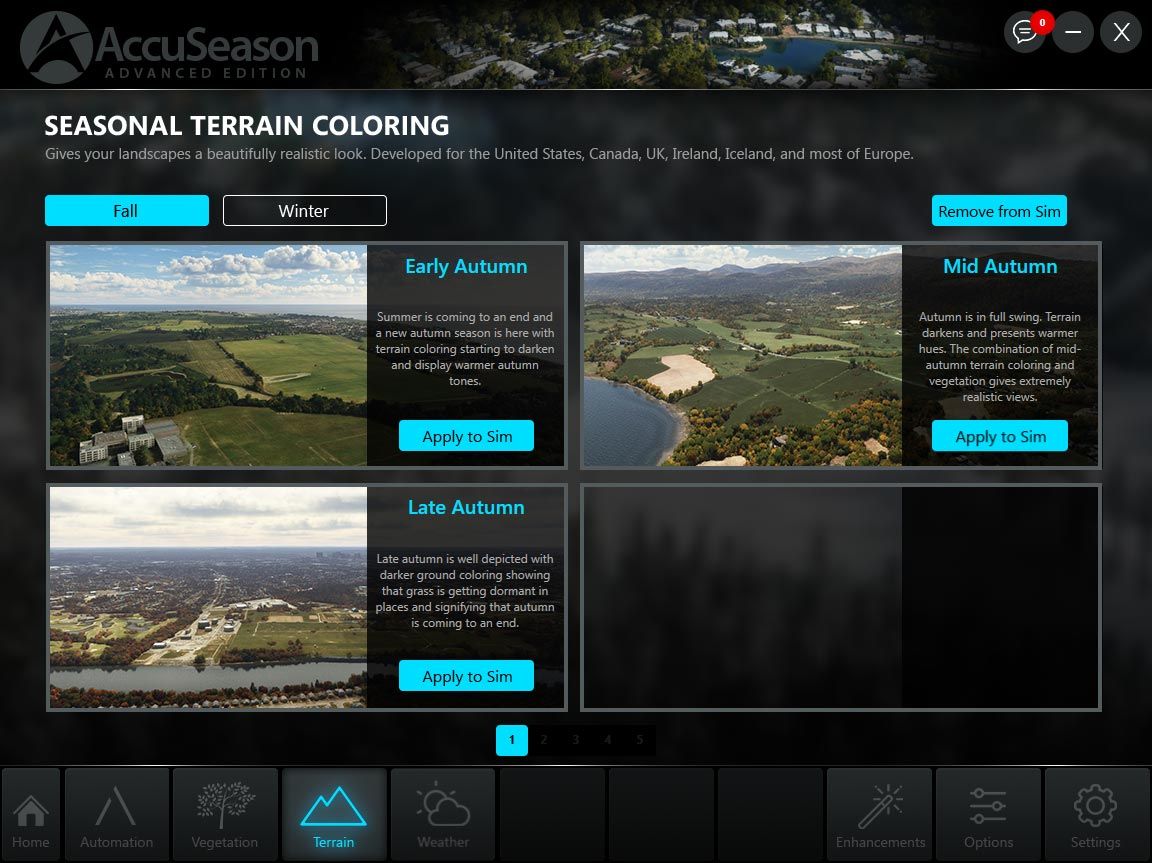
    Wetterszenarien

    AccuSeason Advanced Edition hebt die Wetterdarstellung auf die nächste Stufe, indem es eine breite Palette von jahreszeitlich orientierten Wettervoreinstellungen einführt. Mit mehr als 38 Optionen können die Benutzer Wetterszenarien auswählen, die den einzigartigen Charme und die Herausforderungen bestimmter Klimazonen zu verschiedenen Zeiten des Jahres genau widerspiegeln.

    Enhanced Vegetation and Tree Types

    AccuSeason Advanced Edition geht über die bloße Anpassung von Höhe und Farbe der Bäume hinaus. REX hat neue Biome, Baumarten und andere Geländeeigenschaften hinzugefügt, um die Vielfalt der Vegetation in verschiedenen Regionen der Welt besser widerzuspiegeln. Aspen-Bäume, die für ihre leuchtend gelbe Herbstfärbung bekannt sind, zieren jetzt die Landschaften von Colorado, einschließlich beliebter Reiseziele wie Aspen, Telluride und Breckenridge. Lärchen, die im Herbst in atemberaubenden Gelb- und Orangetönen leuchten, findet man in den Cascade Mountains in Washington und anderen nördlichen Gebieten der Vereinigten Staaten und Kanadas.

    Niedrigere Vegetationsdichte für Städte und Gemeinden

    AccuSeason Advanced Edition führt eine neue Funktion ein, mit der die Benutzer die Vegetationsdichte in diesen Gebieten anpassen können. Durch die Reduzierung der Vegetationsdichte werden die virtuellen städtischen Umgebungen realistischer und harmonischer und ähneln ihren realen Gegenstücken.

    Resilient Coloring: Konsistenz in der visuellen Darstellung

    AccuSeason Advanced Edition behebt ein häufiges Problem in Flugsimulationen, bei dem die Vegetation aufgrund heller Bodentexturen oder unnatürlicher Färbung des zugrunde liegenden Bodenbildes verblasst oder verfärbt erscheinen kann. Um dem entgegenzuwirken, hat REX die elastische Einfärbung eingeführt, eine benutzergesteuerte Funktion, die eine konsistente Einfärbung der Vegetation auch unter schwierigen visuellen Bedingungen gewährleistet. Mit der elastischen Färbung können Simmer eine optisch ansprechendere und genauere Darstellung der Vegetation genießen.


    Automation and Customization Modes: Maßgeschneidertes Erlebnis

    AccuSeason Advanced Edition bietet zwei verschiedene Betriebsmodi: Automatisierung und Anpassung. Im Automatisierungsmodus ändert die Anwendung automatisch wöchentlich das saisonale Blattwerk und bietet so das ganze Jahr über ein global synchronisiertes Erlebnis. Darüber hinaus kann der Benutzer mit der Advanced Edition jetzt auch die Färbung des Geländes an die Jahreszeiten anpassen. Im Anpassungsmodus hingegen können die Benutzer saisonale Elemente wie Laub, Geländeeinfärbung und Wetterszenarien manuell konfigurieren und dabei eine breite Palette von Voreinstellungen verwenden.

    Upgrade auf AccuSeason Advanced Edition

    Bestehende Kunden von AccuSeason können auf die AccuSeason Advanced Edition kostenlos upgraden. Um ein Upgrade durchzuführen, können Anwender das neue Update entweder über die AccuSeason-Anwendung oder über ihr Konto auf der REX-Website herunterladen. Weitere Anweisungen zum Update finden Sie hier. Wenn Sie REX AccuSeason noch nicht erworben haben, können Sie eine Kopie im the Flightsim.to Store erwerben.


    Comments

    D

    over 2 years ago

    Yeah,if only it worked.The installation always leads to a failed licence error and forces you to install the old oneEDIT Now it works fine
    J

    over 2 years ago

    Odd. Mine installed perfectly fine and I've been using it for a couple of days.
    A

    over 2 years ago

    Make sure you're adding the code into the REX AXIS and seeing it appear on there as the "Advanced Edition" under Products. I ran into a similar issue and it seemed to resolve once I logged in using my Axis account info after updating it in AXIS.
    D

    over 2 years ago

    It seems that now worked ok.One question,do i uninstall the standard one or not ?
    r

    over 2 years ago

    I bought the original AccuSeason from Orbx. There's no option to update the original installation. There is a new product listing for this Advanced Edition but it says I need to purchase it. How do I go about this with Orbx? It should realize I purchased the original and let me install the new version free of charge. Thank you.
    A

    over 2 years ago

    I had attempted to uninstall my current install of Accuseason, but the process froze and I had to reboot my system. When I was satisfied that my Accuseason had been uninstalled, I attempted to install the latest version, but that caused errors. Somehow I managed to get the previous version installed and working, but when I check for updates, it says I have the latest one installed?? How can I check my Accuseason install to see what version it is, and what is the number for the newest? Pete
    T

    over 2 years ago

    I thougt that there's an new update available for AccuSeason Advanced Edition.... :(
    T

    over 2 years ago

    Unistall product. Then open your file explorer, go on drive C:/ and search with word "Accuseason". Delete every file and folder it founds. There is some files left after unsistalling product in your "users/appdata/roaming" etc. folders. After doing this install new version.
    A

    over 2 years ago

    Well, I had done all of that, except I had forgotten about the app data/roaming folders. As a result, I am sure that messed things up. Now, if I try to uninstall Accuseason, I get a popup error, and am not able to uninstall it via the Control Panel.

    over 2 years ago

    over 2 years ago

    If you uninstalled it first and then removed rest of files there shoudln't be anything left on your computer so you can perform clean install of "Advanced edition" and it should work just fine. You got error because there's nothing to uninstall.

    over 2 years ago

    The update doesn't work for me and I won't buy it again either.

    over 2 years ago

    I managed to uninstall everything and then install the newest version, but even though I entered the serial number from my REX account to register the new one, it is not being accepted. I submitted a help request, but no reply yet.
    S

    over 2 years ago

    The installer should do that for you. The average user would have no idea to do this if you hadn't mentioned it. No offense.

    over 2 years ago

    Delete "profile.json" file located in the Documents/REX 7/REX AccuSeason Advanced Edition folder. Then try registering the product again using the right side of the application.
    C

    over 2 years ago

    Hate to inform all, but AccuSeason Advanced was the culprit that caused my MSFS to CTD every time I flew after Sim Update 13. It does not like the new Sim 13 update, worked fine on the previous MSFS version. Take it as you may, but if you have this and you have the Sim 13 Update and you are having CTD issues, uninstall the AccuSeason Advanced App and its fold on your C Drive, do a Registry cleaner (CCleaner is fine for this), and lastly go into your MSFS Community folder and remove all files that start with "rexaccuseason". REX is going to have to fix this before I install it again.

    over 2 years ago

    CCleaner is fine for thisNo no no. CCleaner is not fine for anything.Also, "cleaning" the registry is not recommended, as it doesnt need "cleaning", and may cause issues.

    over 2 years ago

    Check if you have Documents/REX 6/REX AccuSeason/profile.xml - the serial is in there. For the order number search in your old e-mails. Amazing how little some software devs care about their existing customers, we are supposed to remember where and how we bought every piece of software. This should have been a seamless upgrade through OrbX Central.

    over 2 years ago

    Whats your opinion guys, are the REX one or the Bijan one better? Please tell me your experience :)
    S

    over 2 years ago

    Works like a charm after following the installation manual.

    over 2 years ago

    CCleaner is spyware/malware, that's part of your CTD problem. Good luck getting that crap off of your system.

    over 2 years ago

    I can't see the one question that should be #1 in this thread. Graphics-wise is it better than Bijan's abandonware mod or not?
    E

    over 2 years ago

    Like what others has said, CCleaner does more harm to your computer than good. You don't need to "clean" your registry. Especially for Win10