
Flightsim.to
    Weather Engine xEnviro 2020 jetzt auf Flightsim.to verfügbar

    Weather Engine xEnviro 2020 jetzt auf Flightsim.to verfügbar

    F

    Flightsim.to

    Author

    May 21, 2023
    Releases

    xEnviro 2020 von DarkSpace ist eine hochmoderne Wetter-Engine zur Verbesserung der Wetterdarstellung im Microsoft Flight Simulator. Aufbauend auf einem Jahrzehnt Erfahrung in der Entwicklung von xEnviro für X-Plane, verfügt xEnviro 2020 über einen gemeinsamen Kerncode, der aus zwei Jahrzehnten atmosphärischer Studien und einem komplizierten mathematischen Modell abgeleitet wurde. Das Ziel von xEnviro ist es, professionelle Wettersimulationen für alle Luftfahrtenthusiasten zugänglich zu machen. Mit über zehn Jahren Erfahrung in der Reproduktion von echtem Wetter in X-Plane, wobei realistische Trainingsszenarien im Vordergrund standen, haben DarkSpace und Threshold den Kern von xEnviro auf den Microsoft Flight Simulator portiert, um das präziseste Wettererlebnis im Spiel zu bieten - jetzt verfügbar auf Flightsim.to.
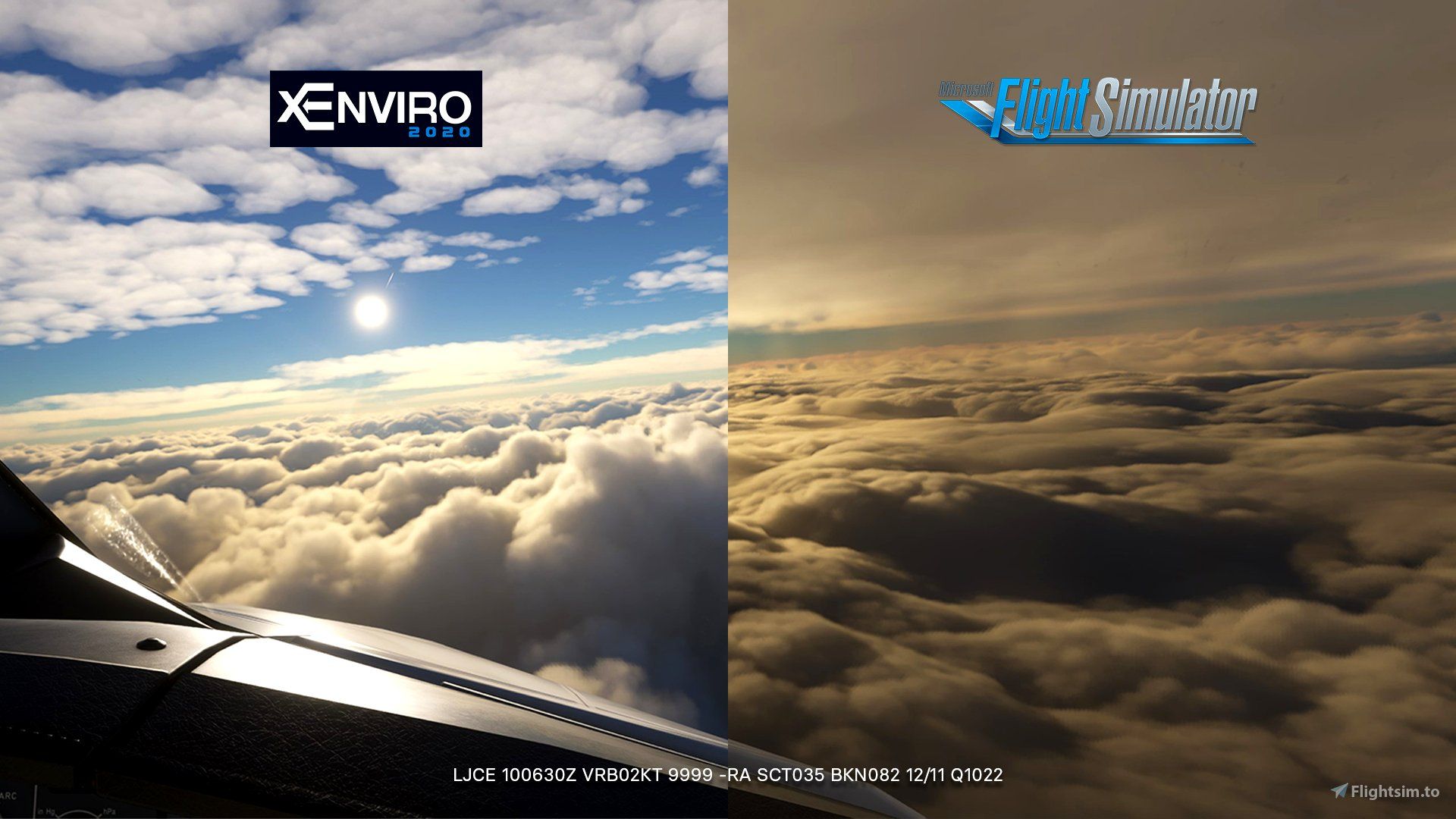
    Eine der herausragenden Eigenschaften von xEnviro sind die meteorologischen Daten in Echtzeit, mit Aktualisierungsintervallen von 5 bis 60 Minuten. Zusätzlich können die Nutzer auf historische Wetterdaten in 30-Minuten-Intervallen zugreifen, beginnend mit dem 16. Oktober 2022. Die Wetterbedingungen in xEnviro basieren auf einem dynamischen Modell zur Vorhersage von Luftpaketen, das in der realen Luftfahrtforschung und -ausbildung eingesetzt wird und eine genaue Darstellung gewährleistet. Hochentwickelte Methoden zur Atmosphärentopologie ermöglichen eine präzise Vorhersage der Wolkendicke und -dichte. Die Qualität der Atmosphäre berücksichtigt Faktoren wie Luftfeuchtigkeit, Luftverschmutzung und Feinstaubmenge, was die Realitätsnähe der Wetterumgebung erhöht.

    xEnviro liefert aktuelle Windrichtung und -geschwindigkeit für alle Ebenen sowie Temperatur-, Turbulenz- und Windscherungsinformationen. Es simuliert sogar Turbulenzen in der Wolke und verleiht Ihren Flügen eine weitere Ebene der Immersion. Für Benutzer ohne Seitenruderpedale bietet xEnviro die Möglichkeit, die Seitenwindkomponenten während des Rollens am Boden zu reduzieren. Darüber hinaus verarbeitet xEnviro das ganze Jahr über saisonale Daten, was zu einer Schneebedeckung in Echtzeit führt. Diese dynamische Funktion ermöglicht es Ihnen, je nach Jahreszeit unterschiedliche Wetterbedingungen zu erleben.
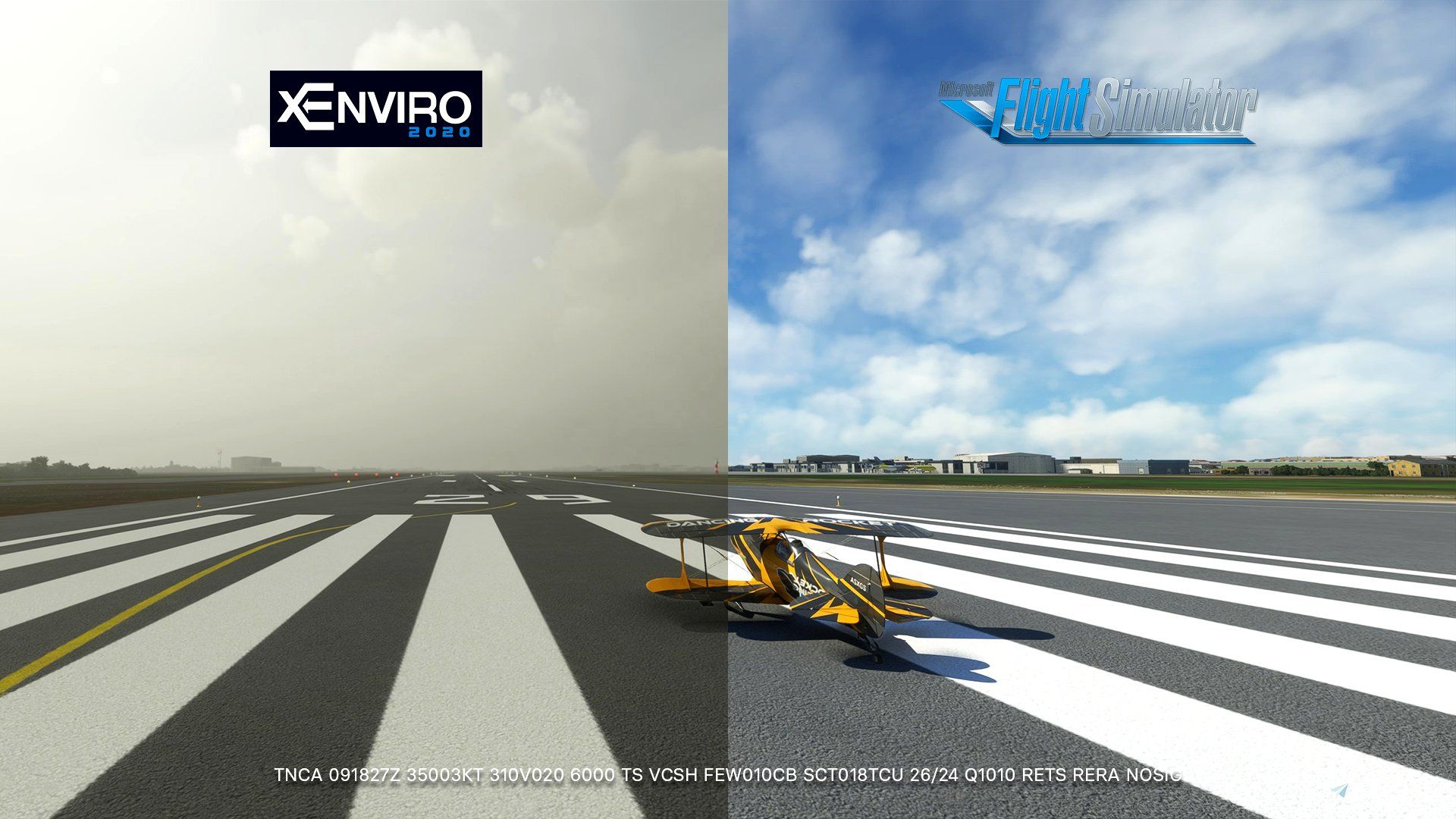
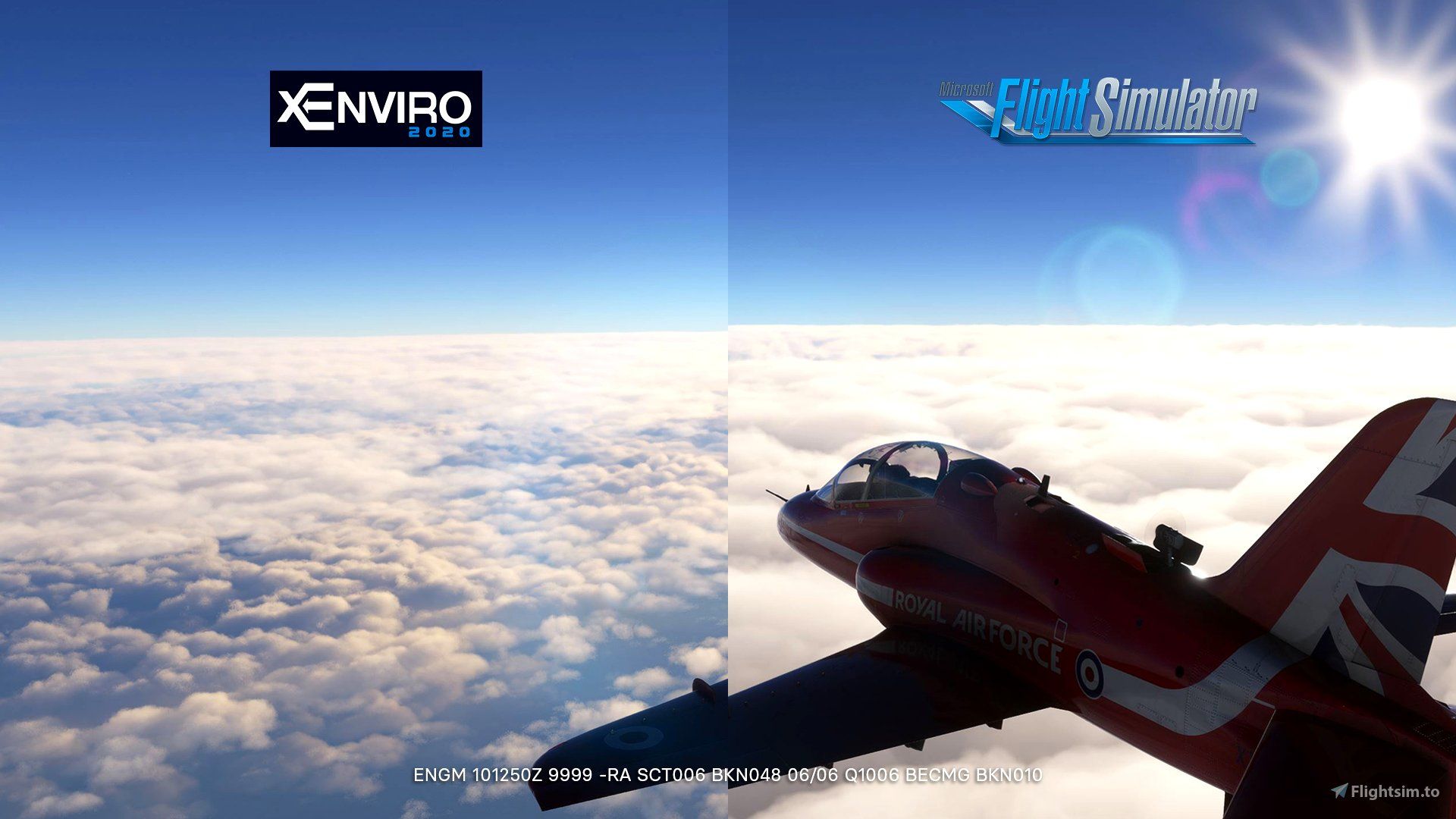
    xEnviro enthält praktische Funktionen wie die Möglichkeit, die aktuellen METAR- und TAF-Berichte im Wetter-Briefing-Fenster nachzuschlagen, um Echtzeit-Wetterinformationen für Ihre Flugplanung zu erhalten. Darüber hinaus bietet es die Möglichkeit, METAR-Berichte für die Stationen in der Umgebung Ihres Flugzeugs anzuzeigen, so dass Sie einen umfassenden Überblick über die Wetterbedingungen in Ihrer unmittelbaren Umgebung erhalten. xEnviro setzt einen neuen Standard in der Wettersimulation und ist jetzt in unserem Shop erhältlich. Achtung! Flightsim.to Premium-Mitglieder können 15% auf den Preis sparen, indem sie ihren Rabattcode in unserem Loyalty Store einlösen.


    Comments

    s

    about 3 years ago

    he program is one disappointment the weather draws poorly
    L

    about 3 years ago

    Is this good tool ?
    C

    about 3 years ago

    xE for MSFS does not draw the weather. It is a weather engine with historical weather and other features. If you have trouble with the weather accuracy, please contact support and we'll sort that out. We need reports so we can check if weather stations are down for instance, so we can adjust our engine and get the best accuracy.
    B

    about 3 years ago

    $42 f'ing dollars?!

    about 3 years ago

    Interesting, but price too high.

    about 3 years ago

    $42...hmm, let's see....nope

    about 3 years ago

    In the comments are fuсkіng broke people hahahaha 😂😂
    B

    about 3 years ago

    For that price? forget it.

    about 3 years ago

    $71AUD, no thanks!

    about 3 years ago

    US$ 42???? kkkk joke of the day KKKK 😅 😅

    about 3 years ago

    I don't see any demand for this as the weather in MSFS is already amazing.

    about 3 years ago

    I hate using such addons, they are useless. MSFS default weather graphics are already great and XP 12 has also become quite good. I won't spend 1 $ for such an fps killer. Cash grab!

    about 3 years ago

    Even assuming the product is good, it's price is too high!

    about 3 years ago

    Comments from yesterday are mostly gone? 🤐
    D

    about 3 years ago

    Suck your $$ away was my experience when I purchased it with xplane. Not sure how this guy gets away with it. It’s certainly the “dark side” of our hobby!

    about 3 years ago

    For me the winning of whorst add-on i have haver had . XEnviro never more , 60 € for X-Plane to gargabe , not to mencion the banned clients from facebook who speaks bad from add-on. NEVER MORE X-Enviro.

    about 3 years ago

    User of xplane version, I purchased it for 20 buckets, even at that price, i'm disapointed. Don't loose your money and time.

    about 3 years ago

    This is not something that alters the in-game graphics other than scaling down the clouds from approx 2.5 size closer to 1:1. There is no fps impact what so ever =). It's a weather engine with some additional features that will be expanded over time and all updates will be for free.
    I

    about 3 years ago

    Hmm, I think it is called "censorship".

    about 3 years ago

    I can understand that impression. However we have continuous expenses that need to be covered and all future updates will be free. But It will always be your choice in the end what you spend money on. =)

    about 3 years ago

    xp 12, income fall, they crawled to MSFS2020 with their unfinished..... 🤣
    C

    about 3 years ago

    I got X-Enviro when it just started for XP11 as it was a ground breaking sky tech back then. Now I see interesting screenshots but I totally understand that the price tag is not convincing especially in 2023 where such skies should be the default of modern world/game engines.
    D

    about 3 years ago

    I believe that here in this area of ​​simulation things are getting out of hand. I understand the work done by the developers, which sometimes isn't just your only job, I understand the commitment but €46 for a weather injector? it seems to me to be ABSURD

    about 3 years ago

    If it is the same as in X-Plane, don't touch it.

    about 3 years ago

    Fair critique. We believe we bring the worth to the table by, among other features, reduce MSFS 2.5x sized closer to 1:1 enabling more realistic gaps between cloud layers. If what we bring in more accurate weather and lifetime updates is worth it to you or not, is completely your choice. =)

    about 3 years ago

    Coming over to MSFS has been the plan since MSFS launched 😉

    about 3 years ago

    Well I understand all the expenses you have etc, but if you have such confidence in your product, why not a trial period? That takes away the guessing game from both sides and it certainly would show you can put your "money where your mouth is" when it comes to the quality of it. For $42, for a weather engine, I certainly think a trial period, as little as it may be, makes perfect sense.

    about 3 years ago

    I agree. A demo would have been great. Sadly our addon will be cracked the minute we release any kind of demo or trial period and we want to avoid that.

    about 3 years ago

    Again, I also understand that, but I guess that's the draw back with any business. Personally I'm curious about your software, specifically certain features, but for the price, I definitely would want to try it, even for a flight or a region/airport

    about 3 years ago

    I don't disagree in general but our opinion is that it's worth what we charge when it is a one time expense. Operating the weather engine involves significant running costs, which partly explains the pricing. This engine also necessitates constant maintenance and frequent updates both in front and back end to keep up with the evolving real-world weather systems. In the end it is down to you if you feel the same. If not, then that is fine too 🙂 I whish we could offer a demo of sorts so you could better make up your mind, but if we do, the addon would be cracked in no time and we want to avoid that... 😔

    about 3 years ago

    Yeah. I completely get it. We have tried to think of any way we could do this without risking it all. We'll always keep an eye out for possible solutions though. Maybe we'll be able to one day. I do hope so.
    e

    about 3 years ago

    Not for me

    about 3 years ago

    Уважаемый, что Вы имеете ввиду про количество частиц в воздухе? Например, при локальном пожаре, или извержении вулкана, возможно увидеть задымлённую область?

    about 3 years ago

    I absolutely understand your expenses and the expenses you will have to face for maintenance, my opinion is based on how things are going (not well) in the simulator sector, I am of the opinion of doing like Fenix, Fenix ​​has "gifted us " an aircraft that is practically a copy of reality for a price that I don't complain about, because if you give me the "good and we expect" product, I'll give you the money but let's not exaggerate, I'll give you the example of Leonardo Maddog who makes us pay 85 euros and we still have the textures of 20 years ago...so I'm referring to this. I can also take it but you have to guarantee me a more than reliable product and not only from the images ... because from the images everything is perfect

    about 3 years ago

    I don't speak Russian but google translate gave me this:"what do you mean about the number of particles in the air? For example, during a local fire, or a volcanic eruption, is it possible to see a smoky area?"
    xE compiles a database of pollution index and a database of air quality. They basically define what the general average pollution and air quality in that particular region is. Air quality can be low but pollution low for instance. Like it often is in Dubai. This means that visibility in this region hardly reach high numbers and scattering get some specific values causing haze to have a specific look. Then take Kairo, where air quality is good and pollution extreme at times. Here visibility is usually low as well but it will look different from Dubai.
    If you join our discord or Facebook group it will be easier to follow up on questions like this. I won't be monitoring this comment section a lot. 🙂

    about 3 years ago

    I agree that many aspects of our hobby has flaws, and that some are here to exploit. I am aware that when we price ourselves as we do, we position ourselves in a spot where we will be compared to them.
    But we're here to stay. On X-Plane and MSFS. (X-Plane xE owners get a 18 USD discount on xE2020 over at Threshold) We do have a very good support team and we are also very open for feature ideas - or critique on how the addon behaves and/or looks. I won't try to convince you that our model will be something that appeals to you. But I can guarantee that we will listen to any reasonable voice concerning our product. Preferably on our discord or FB page - or support. 🙂

    about 3 years ago

    I'm happy to hear from a developer that comes in against and has taken over a situation not only for his future, but also for the future of the community. link Server discord?

    about 3 years ago

    OMG!!! £41.92 for some clouds, I'm just going to pop into the garden and plant another money tree, very expensive for something with already end up flying above

    about 3 years ago

    xEnviro discord is here: https://discord.gg/mVQDbfjI also run Threshold, which is here: https://discord.gg/eHQv8Nk ( www.thresholdx.net if you don't know us )You re more than welcome to approach me. Just be aware of pings. I get pinged a LOT 😀 I will notice your message if you post one.

    about 3 years ago

    My comment on the product page linking to 737NGDriver's video got deleted. What's up with that, fs.to? I didn't even say anything about the product, just linked it suggesting folks watch it before buying. Shady as hell
    R

    about 3 years ago

    why do you pirate are you that poor or selfish ? i mean if you pirate their product you must like it so why not buy and support?

    about 3 years ago

    Is a Flight simulator that don't have cloud that need 3rd developer to make cloud to cash in is ridiculous. Is like Microsoft can't manage to update all these in the future and these dump add on will be come useless like a lot of other add on.

    about 3 years ago

    your shit will be cracked for sure dont worry. They crack Fenix and other engine already is just a matter of time. will keep you update. CPT pussy

    about 3 years ago

    Then you don't have to create this stupid engine. You not doing it for charity, you just want to make money on a shit product. so don't talk like is a pain to create this money grab bs

    about 3 years ago

    lol the screenshots dont look better than default MSFS 🤣
    M

    about 3 years ago

    Don't know what all the crap is about, but I have had this app for 2 days now and other then the Canadian Metar list issue, this app is great compared to the default generator. In the Southern Ontario area, it generates almost spot on and the thunderstorm generation is the best I have seen so far. The turbulence is just about right for this region. The clouds are more realistic then the MSFS generator and better then that other REX generator.
    So nice to see normal weather development and wind for the Lake Ontario region. Yeah, the price may have been a bit steep, but if they keep going in the right direction on their development plan and fix the couple of glitches I found, it may be worth it in the end.

    about 3 years ago

    While I do agree the initial price for this addon is high, I also purchased it for XP11 and as expensive as it was it made a huge difference to an otherwise bland XP weather system. It added realtime weather systems and winter snow where there was none in XP11. That alone made it worthwhile for me. My only gripe was that it didn't work in VR and I don't know if they ever fixed that.

    about 3 years ago

    I might be wrong this product is so sh*t that simplaza probably don't even bother crack it

    about 3 years ago

    Msfs is still update every month. I'm sure they will fix weather cloud etc... since is a "flight sim" so weather is as importance as the plane so these add on is just for temporary thing which it will become useless in the future, plus too much third party add on will cause performance issue, I would rather have everything in game instead of add on and I have spend almost 1k just on add on not to mention the $119.99 for the "deluxe" edition that most of plane is not update and over 7k for my pc plus VR for this game so I hate these bs developer, You cant be poor and play this game some idiot just think we poor because we don't a like a cash grab product. That's the point.

    about 3 years ago

    1.18 works in VR. It will again on xp12 but we had to strip it back to introduce a stable platform on XP12.
    l

    about 3 years ago

    @CptKitten - How do you all represent weather data over oceanic regions where there stations are few and far apart?

    about 3 years ago

    MSFS have had since SU7 to fix or update the weather and they have done no major fixes to correct the cloud size and proper levels, not to mention the lack of properly formed thunderstorms. Don't get me going on the ATC. This app takes care of the weather issues the MSFS team seems to drag their feet on. One day they will fix it, but until then, xEnvio will fill in the gap.

    about 3 years ago

    Usually we receive some form of data that we use. But if NOAA or other providers return empty we either interpolate from other stations surrounding the area, grab nearest station and use that or the weather will be created by our engine. In that order.
    EDIT: I got this wrong. I explain below in my next comment.

    about 3 years ago

    Created by our own engine? You mean guessing, right? The interpolation method is a substitute when using METAR stations. Pulls the data from whichever closest station and then "randomizes" it so that you'll get a somewhat ballpark figure from it. Oceanic coverage has always been unrealistic. Seeing as how the MSFS engine is the first to use predictive data modeling (although adding METARS ruined a lot of it), oceanic coverage using MSFS is a lot more accurate from what I've seen so far from what it has been before. Since your product uses METARS as its foundation, unless you're using predictive modeling or actual cloud maps, I I don't see it being any different than ActiveSky, REX, or any other previous program.

    about 3 years ago

    Just throwing this out there, but does anyone actually know why the cloud generations look more realistic? I'll break it down for you.
    So since the MSFS engine/API is locked the only way to inject weather is essentially through "hacking/forcing". The way this is done is through using the presets side of MSFS. You can see this simply by looking at your weather panel and seeing presets are active and Live Weather is turned off. So because it's injecting data/weather using the preset side of MSFS, you're going to have better depictions since presets seem to be using the older more realistic textures unlike what the current live weather uses.
    This creates a problem though. The problem is that although you're sending in data, the data is non-native to the MSFS engine. So this is why you see performance drops, stutters, or disappearing or poofing weather. It's a constant background fight going on between the MSFS engine and the external weather injector.
    One thing too, with REX they can only use one METAR station at a time. So even though the weather is better displayed, you only see your current location and not a mix/blend of other stations around you. No idea if this has been fixed with Xenviro but I am guessing not. Otherwise, Xenviro would completely replace the need for using Live Weather in MSFS. But so far, aside from ActiveSky, no other weather product has been able to use multiple stations at once. Not seen in MSFS yet. And again, although you get multiple stations, there's the need for interpolation. With MSFS there's no need to interpolate as the weather is one singular changing system driven in a general direction based on the data model provided (6-8 hours).
    It's nice to see a new competitor in the weather game............but you're still stuck, as evident using the same methods that have been done for more than a decade. In that regard, it will always be "less" than what MSFS can do. Asobo just needs to get its act together and work on the darn thing.
    For those considering buying, don't be surprised if you start seeing funky things. According to their website, they supposedly query twice a year for updated station lists. If that's the case and it's been out for over 6 months, why are there so many lacking or missing stations? Again, another issue with relying on METARS as a foundation versus a predictive model that doesn't need those.
    Enjoy everyone - from a weather/AI freak.

    about 3 years ago

    bro you need to chill. I'm not a shill, I was the first commenter on the store page pointing out the criticism of this addon by 737NGDriver before shady fs.to deleted my comment, but it's literally just an addon for a flight simulator and you're here saying some real nasty things personally to the dev

    about 3 years ago

    I had to check this with our main developer and I got this wrong. xE does not interpolate. xE uses 5 sources for weather calculations. METAR is only used for the surface. If there's no data for the surface from NOAA, then xE pulls either local source or creates its own data based of observation in addition to our source of forecast modelling. xE engine creates a weather report for any arbitrary point on the earth surface and it is way more accurate compared to interpolation and it is a last resort for where we can't get live reports. All of the above is in regards of surface modelling only.
    Aloft it gets much more complicated and is a weighted calculation based on surface data, satellite observations and aloft forecast data. It's a matter of what is given more wight in the calculations. Lets say if an observation for a cirrus cloud layer is dated 2100Z, and forecast is dated 2300Z and our time is 2255Z then cirrus cloud will be displayed from the forecast data.
    It is this last part that I assumed was the interpolation part. As in creating an average from several parameters. But there is a huge difference and I might even have gotten the term interpolation wrong. I hope this clears it up a bit.

    about 3 years ago

    Thanks for the explanation. Have to be careful with how the term NOAA is used. NOAA uses forecasted data for it's upper atmosphere model for winds aloft like GRIB data. However, for surface reports, in aviation those comes directly from METARS/weather reporting stations. NOAA CAN provide station reports but those are pretty much read from the stations themselves, so there's no NOAA station stuff. Within FS there's no way around that. It's been that way from the very beginning of outside external weather within Flight Simulator.
    I'm still not really understanding the whole "creates its own data", the data is either there or it isn't. If it isn't then it's guessing, which is a different term for "interpolate'. If you could explain further??
    The forecast modelling is an interesting point because that's what the current MSFS weather is (or supposed to be), with forecasted data provided by MB. IF the weather was truly forecasted, then there wouldn't be a need for any kind of reporting station to be referenced for data. You'd simply inject the forecast data and let it run, just like what MB was doing. Basically, you can't have forecast and METAR/weather station/observation in the same sentence, not with how the weather engine functions, in my opinion. Not 100% infallible at least. If you were running just forecasted weather and METARS were only there for "reference" you'd wind the game because that's what MSFS should have done but didn't. So with METARS still there and being used for reference, I feel like there will always be issues with that.
    I'm not going to ask or pry about the 5 different weather sources but from my perspective, as far as how weather can be used within Flight Simulator, there's METAR, predictive modeled weather (MSFS), and simply filling in the blanks.
    I'm not knocking the product, I am actually quite curious. I just don't want to get bit in the butt so to speak like with REX by finding out it's a different engine same story. You can obviously tell I have a pretty good understanding of things. So I'm a bit skeptical. Thanks!

    about 3 years ago

    I'm not sure where to even start to answer this. And it's too late for me now to give a proper answer. But We don't inject through the presets system. Your assumptions are wrong and thus your reasoning.
    There is no fighting with native depictions and no performance drop. No artifacts or stutters. Have you tried it?
    We do replace the live weather with our own. And the differences in how the clouds look is mainly because we scale them down closer to 1:1 in stead of 2.5 the size the native clouds are depicted.
    I also do not know where you have read that we query twice a year... Our database is constantly updated and in sync with our sources. Again, you won't see "funky things" and again, have you tried it? I'll copy in my master from a comment below on how we calculate our live weather:
    xE uses 5 sources for weather calculations. METAR is only used for the surface. If there's no data for the surface from NOAA, then xE pulls either local source or creates its own data based of observation in addition to our source of forecast modelling. xE engine creates a weather report for any arbitrary point on the earth surface and it is way more accurate compared to interpolation and it is a last resort for where we can't get live reports. All of the above is in regards of surface modelling only.
    Aloft it gets much more complicated and is a weighted calculation based on surface data, satellite observations and aloft forecast data. It's a matter of what is given more wight in the calculations. Lets say if an observation for a cirrus cloud layer is dated 2100Z, and forecast is dated 2300Z and our time is 2255Z then cirrus cloud will be displayed from the forecast data.

    about 3 years ago

    Funny, talking about having no shame, with a garbage comment like yours.

    about 3 years ago

    Anyway, we're commenting on several places here. It would be better to move to our discord and I might be able to answer your questions better. I can't be monitoring this area constantly.


    Discord - A New Way to Chat with Friends & Communities
    Discord is the easiest way to communicate over voice, video, and text. Chat, hang out, and stay close with your friends and communities.
    Discord


    about 3 years ago

    A big NOPE for me. Totally happy with MSFS' stock weather. Learned my lesson from using it on XP11

    about 3 years ago

    So did a quick buy and tested out at my local airport. Looking out my window there were some clouds to the southeast of me with some building into the northeast. I live close to the Sierra Nevada's so there are always clouds that direction because of the convective winds/temps. Loaded up with MSFS weather and could see clouds to the southeast. Correct. Clouds to the northeast. Nope. Switched to Xenviro, zero clouds. Also there were quite a few missing METAR stations from the nearest weather report. Closest report from me was showing 142 miles away. The next closest station to me is around 35 miles away with another being even closer at around 20.
    I also tested at STL. Clouds reported at 25,000ft. MSFS nope. Xenviro yes. Also noticed the same issue as before with missing airport stations that are around STL.
    So with that my first impression is that between both MSFS and Xenviro, it's going to be a +/- no matter what. Sometimes MSFS will be more correct and sometimes Xenviro. The one negative thing is that the station lists are incomplete with Xenviro. From my initial perspective it seems only the major airports within a given area are displayed and the smaller airports who also have stations/METARS are either omitted or don't exist. Will do some more looking around later.

    about 3 years ago

    We clearly have a difference mind set. You complaining about MSFS are still constancy update thier product that we already paid for that include everything in there that we don't need a third party cloud developer. I meant I fly in VR all the time and I like the original cloud compare to any other add on. It crazy to even spend all your time just to look at a certain cloud. I'm more into scenery than just cloud is just fking cloud anyways. lmao I mean I don't know how pretty it suppose to be or I guess I just can't tell the difference which just save me bs 60 buck. By the time MSFS fix all these issue these add on will become useless.

    about 3 years ago

    I'm going to guess, a poor education and/or just a child acting internet tough...

    about 3 years ago

    Xenviro Flight from ZGGG-KLAX Intro: This is a flight that I am very familiar with. Having flown it 10+ times IRL I have a good idea/feeling of how things typically look. All of this will be in chronological order as I observe it throughout the flight. (-) means something that breaks immersion, (+) is something that adds to it, and (0) means I have no opinion and am neutral. Departure- On departure some flight jerkiness of stopping and going of the weather, like small stutters. Guessing this is during the weather update period (5 min). With transition speed of low (-)- No FPS loss (++- Mounded rolling looking clouds (+)Cruise- 18 minutes in and seeing more transition stutters. Changing clouds/stop/changing clouds/stop etc.. Transition change of low. (-)- 22 mins still transitioning/changing. Changed the speed to normal. Now the stopping and going just happens quicker. (-)- Changing stopped at around 23 minutes. Lower-level clouds don’t seem affected. Only upper. (0)- Winds aloft don’t really match from SimBrief. Expected of 253/34 and am getting 269/30- Second waypoint should be 258/45 am getting 265/32. (-)- Third waypoint 261/52 and am getting 266/40
    Summary- The clouds are definitely varied. - I know there’s nothing you can do about the texturing so there’s no opinion on that. - No loss of FPS is a good thing. - The transitions though, need some serious improvement. Watching clouds shrink away almost “frame by frame” is a big immersion killer. - Inconsistent or non-matching winds aloft.
    Final Thoughts- Got to fix the transitions. - With transitions happening every few minutes even with changing the update interval the cloud scape is changing too quickly. Look out the window 1 minute and then back out and it’s entirely different. - The winds aloft being so off from what the flight plan shows (flight plan and flight were generated at the same time) is an issue. Occasionally there will be a drop or increase in speed as the wind tries to realign itself. - It’s good for what it does. But it shows its bruises as well because it’s not THE MSFS engine and is pushing its way in. This type of behavior is also the same with REX. - Should you buy? I think it needs more time to mature and get things working right. It’s clearly restricted in what it does and how it operates because it’s outside of MSFS. Having used it for 40 minutes. I would say MSFS would be the better choice until the above issues get ironed out.

    about 3 years ago

    The winds aloft are as they should. Your flight will never be 1:1 with your planning as any pilot would tell you. This is how it is in real life and one of the reasons you have to plan in a fuel reserve. We have several airline pilots in our test team and our lead developer is a 737 pilot. If the winds are off by a significant margin, and it's consistent, then we need this to be reported to support. But your observations would reflect a real life scenario. Which is what we aim to deliver.
    The transitions is something we have to look in to. It seems to be more severe for some than others. Or it is more noticeable in some types of weather than others. I'll take note and have a look. This was refined in one of the updates since launch. But your claim that it is more restricted because it is outside of MSFS is plainly false.

    about 3 years ago

    Next Scam Studio?

    about 3 years ago

    i know right 😂

    about 3 years ago

    If it were half the price, I would probably buy this. As it is, it's a lost sale.

    about 3 years ago

    We've been around for quite some time. If you're referring to the price and find it to be too high, then that's a fair opinion. But we do provide a service that has pretty high running costs and all future updates are free. In any case, as with any other addon, you don't have to buy. 🙃

    about 3 years ago

    Completely understandable that our price point is seen as high. We do find it to reflect what we deliver and it does cover a high maintenance cost with lifetime free updates.
    M

    about 3 years ago

    Look up 737NG Driver´s video about it. ;)

    about 3 years ago

    Which doesn't in any way talk about the addon itself since he doesn't even own it at the time. Too bad that this video is constantly being referred to as it is misleading at best.
    M

    about 3 years ago

    Oh, no misleading my dear... The default weather in msfs matches the metar given more than your product. So why he would pay money for a addon which creates a more false weather based on metars than the default sim engine?

    about 3 years ago

    Offset winds I can live with. Just depends on who's more accurate yours or SimBrief as to how they compare since they were generated at the same time. Between all of the different options I've used in weather engines over the years between MSFS, REX, OPUSFSI, and ActiveSky yours is the first that has been off from what the planning software has given me based on PFPX and SimBrief, both of which use live data options for winds aloft. I'm willing to keep an open mind to that in the assumption your data is more "live" than theirs, but it's a hard reach with just this one flight compared to 1,000's with the others.
    Winds aside - REX's atmosphere changes made me get used to/ignore speed changes in cruise (although still annoying), the transition changes whether slowly, normal, or fast and with how often they were happening is the big elephant in the room. Changing the speed all the way to slow and the time to 10+ minutes didn't stop them happening every couple of minutes. MSFS currently still "pops" weather (they claim they fixed it nope), REX has weather shift in and out with updates (their transition function of over X ms of time does nothing), and your transitions are happening way too frequent regardless of what the interval change is set to. Is this just because of how "poorly" Asobo has designed the weather engine within MSFS? Is everyone actually doing the right thing but just can't get the right results because of the API lock? I'm thinking it's because of the API lock. Again, of the three options, MSFS is the least problematic. The only difference at the core of it all is that the engine is MSFS and isn't locked. To the others, it's locked so there's always going to be some issues just from that singular fact alone.
    Hopefully we can work together in troubleshooting and finding a way to get things fixed and done right. I DO think with everything compared, that you're product can become the top option. But to get there it needs some direct changes, top being the transitions/drawing/redrawing. At the rate it's taking Asobo to do anything weather related in the sim you have plenty of time to do that. Hope this honest and constructive feedback can help you set the path.

    about 3 years ago

    That was referred to one published store image that was not quality checked. I mages were switched but later corrected. I can assure you that the weather in xE in general is more precise than default. Just read some of the comments from people that have actually used the product. 🙂
    I can also assure you that if someone reports wrong weather to our support we will have the area checked and adjust the engine accordingly.

    about 3 years ago

    I have 4 weather engines in XP11 and got the xEnviro the first day released it, my only concern is the update is very slow and when you're very close to the cloud it is grainy, I might try it this time again 😉

    about 3 years ago

    The update cycles have been long for various reasons. I agree. Sadly necessary though. But we're past that. And since launch on MSFS we're at 1.04 and since our, granted long, transition to XP12 at 1.20 (end of April) we're now at 1.23. 1.24 should be out shortly. 🙂

    about 3 years ago

    One flight in and I think it does a better job than MSFS default. I liked REX but it kept crashing my sim. One thing I notice when I press the "B" key it should set altimeter to current reading but it set it to 29.92. Not sure if this is on purpose or I need to change the default key press. Most things have been discussed so I won't give a dissertation but I prefer this over default. Sadly like most things default is almost always inferior for some reason. Three things that stood out to me as a positive turbulence in clouds which is standard but missing in default, brighter outside when it should be, and ground effect is modeled accurately. For example the PMDG 737-800 drops like a rock around 10 feet after idle thrust. That didn't happen when testing this product in fact it acted correctly.
    So all this talk about cost $42 may be a lot for some I get that but when you spread that cost over months of use it is relatively cheap. You will spend more on Starbucks and vape pens I assure you over that same period of time.

    about 3 years ago

    LMAO at the price! But But but we have maintenance costs!....Pull the other one, this is a weather injector, you are trying to make a quick cash in from exploiting the hobby.

    about 3 years ago

    Well said. There are some other issues but the great thing is that the only direction is up and it can only get better. Unlike Asobo who keeps managing to only make things worse. $42 bucks is not THAT expensive for this hobby. People splash out similar for airports they may only fly to a few times a year. You also get free lifetime updates and you need weather more than you need fancy looking airports as most/all are already provided as stock with MSFS up to 2020 layouts. Right now IMO there's a pretty close 50/50 split between the +/- between this product and MSFS weather. MSFS having a few more negatives from my perspective. But those negatives or positives are dependent upon what you consider more important to you weather wise such as accuracy, depiction, dangerous weather, etc..
    z

    about 3 years ago

    What a garbage
    c

    about 3 years ago

    For those wondering , you can get it for 20e if you bought it on xplane org store :) read it on their website
    K

    about 3 years ago

    We're posting the Xenviro product? Oh geeze. Didn't think he was still around. This guy has such a bad rep in the flight sim community,.
    K

    about 3 years ago

    Having used the product back when the developer behaved himself, it was decent for Xplane. But given the community-wide disdain for the developer - most well deserved, it's a no-go for me.
    K

    about 3 years ago

    I would reconsider if Magnus overhauled the lightning. I haven't seen any videos of thunderstorm depiction though.
    t

    about 3 years ago

    I owned it on x plane and yes it was a nice alternative for the boring weather on xp 11. Now we have msfs2020 I hoped to get a really powerful extension for 20 bugs I paid as xp user. I’m disappointed and have to say , the existing msfs weather is better and I get the right weather conditions on my airport with msfs weather. Asobo : Good work !!

    about 3 years ago

    It sadens me that my mistake of talking a bout a topic at the launch of xE20 is something that affects the xE team in this way. It was a topic I can not go in to detail about and it was doomed to be misunderstood. When I tried to defend it I worded myself badly. Years of communicating and meeting critique and discussions erased in one day. I'm not saying I have always been the best or that I am still flawless, but the situation back then is something I regret badly. Especially since it affects more than just myself months later. The team doesn't deserve this. And my only hope now is that people come to our discord or FB group and ask questions if there are any. My firm belief is that the addon speaks for itself over time.

    about 3 years ago

    In fact, if you bought the X-Plane version anywhere. To get that discount (Ends July1st) go to the Threshold store

    about 3 years ago

    This guy thinks he’s in X-Plane, where abusive prices are charged and nobody complains

    about 3 years ago

    $72 Australian dollars!!! Sorry but thats just outrageous pricing for a weather engine.

    about 3 years ago

    Its just ridiculously expensive. For me in Australia - thats $72 are you kidding??!!?? If you price was more reasonable I think you have more buyers in and covered your costs but you are going to miss a number of buyers here

    about 3 years ago

    48 euros on marche sur les nuages la!

    about 3 years ago

    high price really
    d

    about 3 years ago

    Not even for free, this company never care about their costumers, the XP version was full of bugs and they didnt care, always making new versions and never fixing the bugs. Is going to be different now? I dont think so! And the price is just ridiculous! Sorry but we dont need this kind ok money grabber companies in the flight sim world.

    about 3 years ago

    I'm honestly worried about how xEnviro will operate and manage.I've been using XPlane for a long time.Multiple tickets were sent to xEnviro Support due to an error.First, they take great pride in their skills. Therefore, they don't listen to the user's opinion.For example, I detected a server error and reported it several times, but they only answered that there was nothing wrong with the test, and when I kept raising the issue, they asked me to take a video and send it, so I sent it several times, but I immediately discarded my ticket because I didn't follow the simple procedure.Eventually I reported the problem to Facebook Magnus again, but he blocked me.Interestingly, the error I reported was confirmed to be true, and they corrected it late.I took videos several times and reinstalled XP to prove this. No one apologized to me or thanked me for my efforts.
    I don't trust them because of their arrogance ever since.

    about 3 years ago

    What's different than Rex Weather and that is worth 20€ more ? 🙄

    about 3 years ago

    What is the point of xEnviro in MSFS ?

    about 3 years ago

    QUICK...Make all the people under 18 years old ask for their parents credit card

    about 3 years ago

    The problem is that your item can still be used normally. I have not successfully used it once since I bought it, and the icons are all red. I will send you an official email, but you don't pay attention. I will give you 100 points for your service! I really regret buying XE~

    about 3 years ago

    Ah CptKitten ah!
    Milking us for money, AGAIN!
    V

    about 3 years ago

    Any Dev in any market, a niche market or otherwise who steps up to the plate to have a discussion with the community as the voice of his/her or their team build; has my backing, and respect.
    Entering the conversation is not required but I for one, deeply appreciate it because it it is rarely practiced. Not only that, it is a real time endorsement. There are two weather injectors that stand out in the market and have been involved in the industry for as long as some of us older sim pilots can remember. Active Sky, and X-nviro. Active Sky has been around since the early 2000's, and is and will always be a staple in the same way PMDG is. Your product is a damn good product, though. Heavy on the FPS in XP, that's why I never purchased it and went with ASXP, but your pricing matches theirs so I don't think it is outrageous.
    Maybe, I'll grab it for MSFS and who knows, maybe I'll grab it for XP12 when XP12 lands on the final approach release. Either way. Seeing you engage the community as you have is the reason I'll invest the cash to buy your product. Thank you for enhancing our experience. This isn't easy work but the good devs always stand out and above the rest because of moments like this. A reminder of why I love this hobby.

    about 3 years ago

    If you have problems with your xEnviro you need to contact xEnviro support at www.xenviro.net.

    about 3 years ago

    You have no idea how much your words hit home. Thank you!

    about 3 years ago

    The official said that the serial number you provided is incorrect!

    about 3 years ago

    You collected the money and didn't help solve it. You asked me to contact XE, but I contacted and said your serial number was incorrect. I am really angry! Very disappointed!

    about 3 years ago

    First of all I can't be doing support here. You have to go through support at xenviro.net. And If they said your serial number is incorrect, then you most likely provided the wrong number. Please try again and provide the right number. Other than this I will not comment on a support case in public. You can send me a message - with your serial number on PM -and I'll look in to it.

    about 3 years ago

    I think your google translate is not helping you to get understood well here. If you are looking for support for xenviro you HAVE to go to xenviro.net to get help. It is the only place where we can help you and we have a list of all the serial numbers regardless of where they are bought. We do not do support here at fs.to - and especially not in a comment section, so please contact support.

    about 3 years ago

    I do not speak this language. Contact support please. I can't be answering you in the comment section of an article about the product release.

    about 3 years ago

    Used it for a week and will be sticking with MSFS weather. Did not ask for a refund because I think it has potential. But if you're a fast flier, expect weather to change every 2 minutes or so. If you're a low and slow fliers it's more of every 6-10 minutes or so. Also there are missing stations (also in XP too apparently) and while they say it's being worked on I've never encountered a weather engine that was missing as many as they were which hampers the accuracy and depiction coverage. Stick with MSFS weather for now even with its pitfalls.

    about 3 years ago

    way too expensive

    about 3 years ago

    Well, it appears after being called smooth brained, a homosexual, and leaving their discord for disagreeing with them I no longer have program functionality in MSFS which means that my license has been revoked or deactivated.

    about 3 years ago

    This is really realistic and powerfull. It is expensive but I think its the money worth.
    m

    about 3 years ago

    Doesn't work right at all. Dont bother.

    about 3 years ago

    Moving to a new succesfull market is 'crawling' to it?

    about 3 years ago

    You are not paying for just clouds, which you would have known if you had read some of the replies. It is a weather injector, which includes clouds. Servers, data etc all need to be paid for.
    If you consider the product too expensive, then don't buy it. For what the product supplies, and the explanation from the developers, I don't find it too expensive. If I did, I would hope to post in a more respectful way than you managed.

    about 3 years ago

    Their decade of experience with the x-plane version from my experience delivered bad support and bad performance. Yeah, pass...

    about 3 years ago

    We have not deactivated or revoked your licence. If you have trouble, you need to contact support. And you were never called a homosexual. The "smoothbrain comment" was from one member and it derived from one of several monologues you held with reasonings you base on false assumptions. Which seems to be a theme with you. The commenter was warned and the chat was fine again. Then you left after being warned for continuing the insults. Sorry, but when you outright lie in public I have to address it.

    about 3 years ago

    very bad wx as customer service , 0 stars

    almost 3 years ago

    42?????? kkkk joke is crazy kkkkk