

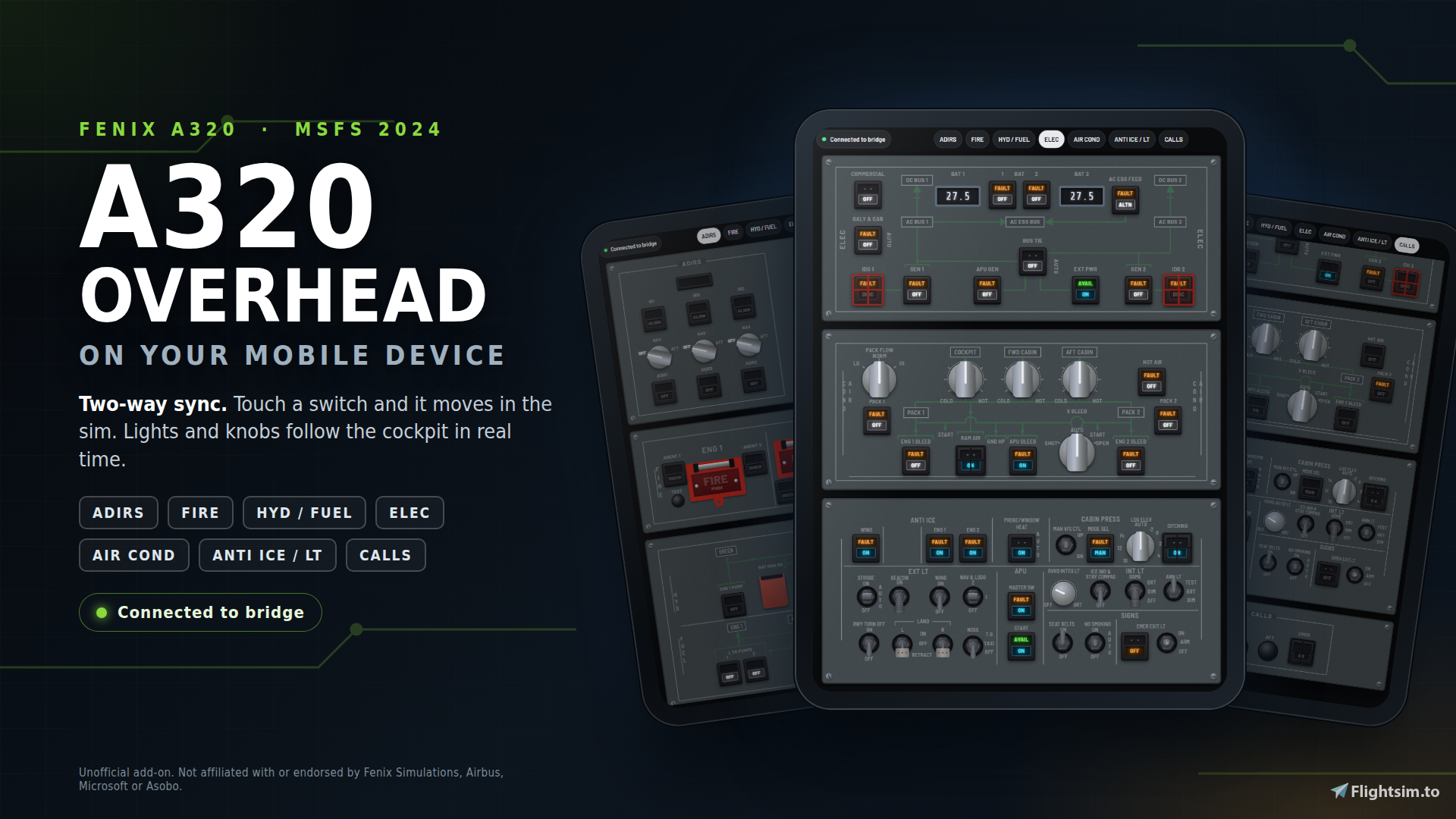
THE FENIX A320 OVERHEAD, IN YOUR HANDS
https://flightsim.to/addon/118101/a320-oh-control-fenix-a320-overhead-panel-for-ipad-tablet-msfs-2024
Reach for the switch. Flip it. Watch the light come on in your cockpit.
A320 OH Control is a free touch overhead panel for the Fenix A320 v3 in MSFS 2024. It runs in the browser on any tablet or phone, with no app to install, and it stays in sync with your aircraft in both directions: every touch goes to the sim, and every light, knob and switch on your screen follows the cockpit in real time.
Beta 0.1.0 is out now, and it's free.
WHY YOU'LL LIKE IT:
- Almost whole overhead on one screen you scroll with your finger: ADIRS, FIRE, HYD/FUEL, ELEC, AIR COND, ANTI ICE/LT, OXYGEN and CALLS, laid out like the real panels.
- It looks and feels like the cockpit: guarded buttons you lift before you press, toggle switches with up, middle and down positions, knobs you turn with your finger, hold-to-test buttons.
- Real panel state: lights come straight from the aircraft annunciators, so what you see is what the aircraft is doing.
- Hands on the switches, not the mouse: operate the overhead without panning the camera or clicking around the cockpit.
- Private and simple: it runs on your home network only. No account, no cloud, no app store.
- Quick to start: unzip, run, open the address on your device.
HOW IT WORKS:
A small Windows program on your simulator PC connects to MSFS through the MobiFlight WASM module and serves the panel to your device over Wi-Fi. No Python install and no MSFS SDK needed.
WHAT YOU NEED:
- Microsoft Flight Simulator 2024
- Fenix A320 v3 (payware, not included)
- MobiFlight WASM module in your Community folder (free, installed with MobiFlight)
- Windows PC running the sim
- Any phone or tablet with a modern browser on the same Wi-Fi (a tablet in landscape gives the largest controls)
GET STARTED IN MINUTES:
- Download and unzip the package.
- Start <A320 OH Control>. You can start it before MSFS; it connects by itself.
- Open the address the console prints (like http://192.168.x.x:8080/?ws=192.168.x.x:8765) in the browser on your device.
- Optional: add the page to your home screen for full screen.
IT'S A BETA: HELP MAKE IT BETTER:
If something doesn't behave, tell me: your device and browser, your Fenix version, what you pressed and what you expected. That feedback shapes the next release.