
Beschreibung
Description:
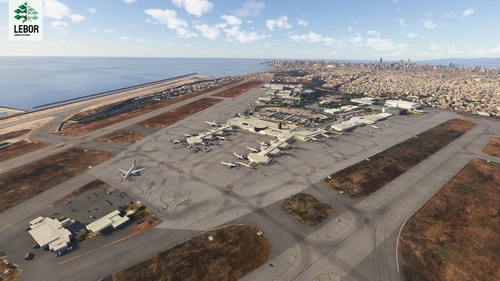
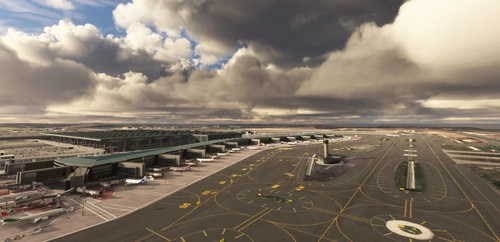
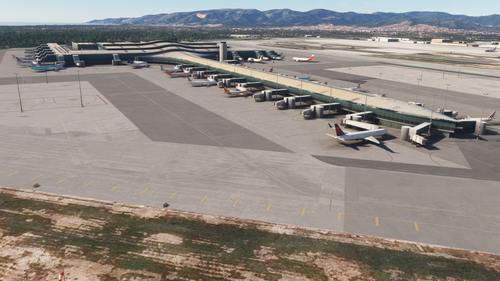
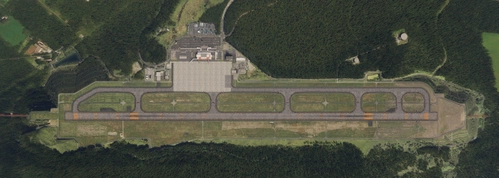
Genoa - Sestri Airport (IATA: GOA, ICAO: LIMJ), also known as "Cristoforo Colombo" International Airport, is an Italian airport located in the city of Genoa, on an artificial peninsula opposite the Sestri Ponente district. The facility is equipped with a 2916 m long paved airstrip, with RWY 10-28 orientation.
Given its proximity to the city (it is located about 9 km west of the center of Genoa), the airport is considered a city airport.
The airport is the largest in Liguria, with about 1.5 million passengers per year, and connects Genoa with the numerous national airports and the main European intercontinental interchange airports.
Features:
Fully Native version for MSFS 2024 is now Available as main download.
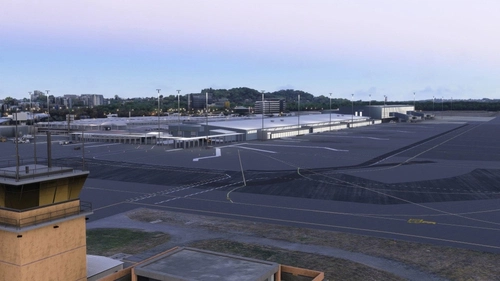
The scenary includes: Various custom buildings for Terminal, Control Tower, Piaggio Hangars, Poste Italiane Offices, a Rotating Radar Antenna (animated), Two buildings on the cargo area, Fire Brigade, Aeroclub Genova, The Hotel located north of the airport and other buildings. It also include the boundary fence and the Cranes of the nearby Harbor.
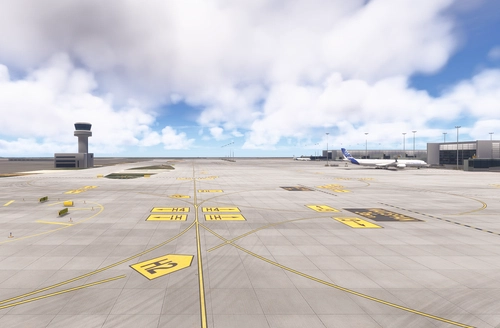
- All horizontal signs have been redesigned using an updated satellite image as a reference.
- Repositioned all parking spot to reflect their real position and correct numbering, as indicated on the airport charts
- Fully Functional Custom Jetway
- No Pushback Service in Self-Maneuvering Parking Spots.
- Boundary objects on Harbor on final of RWY 28 and on Voltri Harbor on Final course of RWY10 and on Marina near airport (Warning: You need GAIST v5 installed to see some of these objects)
PS. Beware of the harbor cranes in short final :-)
Installation:
Simply, extract the content of the zip file inside Community folder.
the scenario consists of two folders. The first named "simog-limj-airport" is the main scenario and contains the airport.
The second, named "Simog-GenovaHarbor" contains the harbor cranes. This folder need to be removed in case you already use another scenery with these elements in order to guarantee compatibility. See next pararagraph fot more detail
GSX Profile:
A GSX profile, by DMP79, is avalable and you can download it Here
Compatibility:
This scenery is Fully compatible with Project Coastline Italy.
If you using some photogrammetry scenery of the city, you can to delete Simog-GenovaHarbor from your community folder This is to prevent cranes and other objects from overlapping those already present in the photogrammetry.
Location
LIMJ - Genova - Cristoforo Colombo International Airport (Italy) Native 2024 and 2020
Explore the detailed rendition of Genoa - Cristoforo Colombo International Airport (LIMJ) with this add-on, featuring custom buildings, functional jetways, and realistic parking spot layouts. Enhance your flight simulation experience with this city airport, serving around 1.5 million passengers annually and connecting Genoa to various national and European destinations. Ensure compatibility by following simple installation instructions and enjoy the added realism of boundary objects like harbor cranes during your landings.
Unterstützer

Nutzerbewertungen
60 Bewertungen
Versionsgeschichte
Patch Notes v2.0.1 Changes for Both sim: - Changed Dimension on some parking for better AI aircraft model matching and better compatibility with new GSX profile by DMP79 - Added Parking Spot 108 (Heavy Cargo) and Parking 403 - Partial removed Collision Box from Terminal and East Wing Buildings for better compatibility with GSX profile by DMP79. - Fixes here and there of Horizontal signage: Added a missing Stop Bar on Parking 101, Fixed some yellow line overlap numbers in some parking, Fixed wrong number for Parking 202. * GSX Profile by DMP79 is Available Here: https://it.flightsim.to/file/97195/gsx-pro-profile-limj-by-simog?fbclid=IwY2xjawMi-a9leHRuA2FlbQIxMAABHl397EcyHFKN-QLjsG4FK-f7ikNwNQkQpLxIMUtEllq0t2LxMueE6sWT07oa_aem_GcqOQ_4gaoZJUoicQIoL2A
In Sammlungen enthalten(3)



Ähnliche Addons
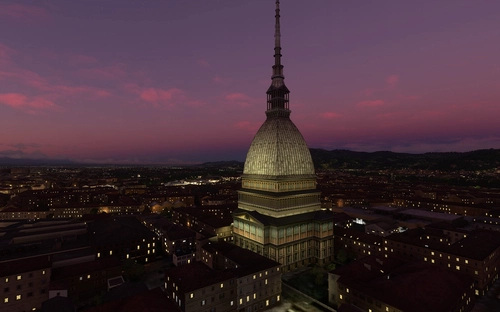
Mole Antonelliana - Torino, Italy
Explore the iconic Mole Antonelliana in Turin, Italy, a monumental building and symbol of the city. Built between 1863 and 1889, this architectural masterpiece once held the title of tallest masonry construction in Europe. Today, standing at 167.5 meters tall, it is home to the National Museum of Cinema, attracting visitors from around the world.
von simog
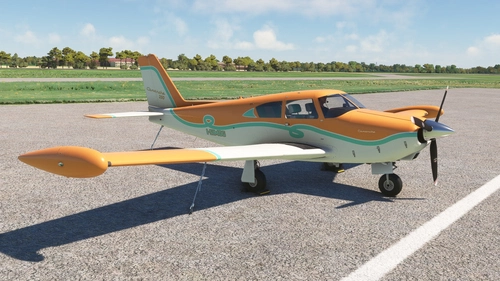
A2A Comanche 250 - Green Line Livery - MSFS 2020
This add-on features a fictional Green Line livery for the A2A Piper Comanche 250, distinguished by a green line dividing the white and orange sections on the fuselage, wings, and stabilizers. The interior is designed to match the exterior, showcasing white leather seats with green Alcantara inserts and orange piping. The green line motif is also applied to the side panels and the instrument panel.
von Simog
A2A Comanche 250 - Tricolore Livery - Dynamic Registration
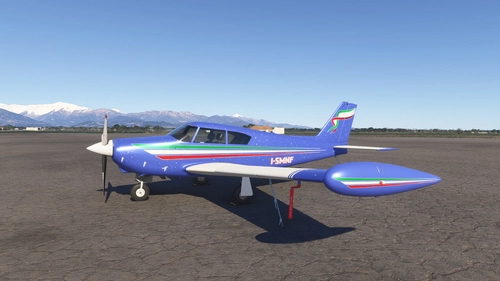
A2A Comanche 250 - Tricolore Livery is a detailed add-on for MSFS 2024 featuring a unique metallic paint scheme on a Savoy Blue background. It incorporates three stripes in in Green, White and Red along with a woven ribbon pattern on the tail. The interior is reupholstered in dark bluish grey with red stitching, and includes two livery variants: I-SMNF with a star constellation design and I-SMNS without.
von Simog
A2A Comanche 250 - Green Line Livery - MSFS2024 (Dynamic Registration)
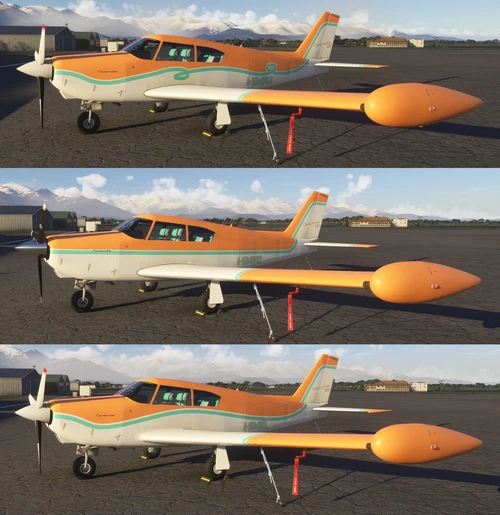
The A2A Comanche 250 - Green Line Livery for MSFS2024 offers a vibrant design featuring three distinct variants: I-SMNA, ISMNE, and I-SMNL. This livery includes an orange and white color scheme bisected by a green line, complemented by bright interiors that coordinate with the fuselage. Inside, passengers will find elegant white leather seats with Alcantara inserts and orange piping, while dynamic registration details enhance the overall realism.
von Simog
Kommentar-Zusammenfassung
Die Rückmeldungen der Community zu diesem Genova-Flughafen-Addon sind überwiegend sehr positiv. Häufig wird die hohe Detailtreue, das ansprechende Design sowie die flüssige Integration in MSFS 2020 und 2024 gelobt. Viele Nutzer empfinden das Add-on als eines der besten Freeware-Flughäfen und heben insbesondere die realistische Umsetzung und die Gestaltung der Umgebung hervor. Es werden jedoch auch einige Probleme genannt: Dazu gehören Einschränkungen bei ATIS sowie ILS-Anflügen (zum Beispiel inkorrekte Frequenzen, Offsets oder Probleme mit bestimmten Flugzeugen) sowie gelegentliche Schwierigkeiten mit den Jetways oder GSX-Kompatibilität. Weitere kleinere Fehler, wie Texturprobleme, schwebende Objekte oder Unebenheiten im Boden, traten insbesondere nach Simulator-Updates auf, sind dem Entwickler aber meist bekannt und teils schon behoben worden. In den Kommentaren finden sich Hinweise zu Fehlerbehebungen (z.B. content.xml löschen) und der Entwickler ist aktiv im Austausch und arbeitet an weiteren Verbesserungen. Teilweise gibt es Bemühungen, einzelne Features in Zusammenarbeit mit einem anderen LIMJ-Addon zu bündeln. Insgesamt bleibt die Stimmung äußerst positiv und von Dankbarkeit gegenüber dem Entwickler und der Community geprägt.
Zusammengefasst am 13. Nov. 2026
Melden Sie sich an, um an der Diskussion teilzunehmen
AnmeldenKommentare192
In any case, if it bothers you, you can remove the 'simog-genovaharbor' folder from community to delete these items.
Known bugs: the one mentioned in the comment below, though it’s not related to the City Update.
LIDO chart states that LIMJ ATIS is 122.830.
However, FS24 EFB info states that LIMJ ATIS is 122.825 and the sim actually broadcasts on this frequency which does not work after (this) add on installation.
Instead the airport does not need any changes.
This for 2024. I don't see why it would be different for 2020 but I can't verify this because I uninstalled it a while ago.
Which buildings did you notice as problematic? Perhaps you mean the large factory at the end of the RWY28 line?
There are some small issues there. The photogrammetry is 99% hidden by the building, except for the water tower and the windows I didn't draw in my building.
As for the factory, I don't know. Let's just say that photogrammetry added interesting details that would have been impossible for me to include (mainly due to time constraints) Maybe I'll try to exclude only those points where the overlap is very evident.
I tried the AIRBUS A320Neo, A321LR, and A330-200, and none of them intercepted the ILS descent. Unfortunately, on the same route, and by deactivating the airport scenery and leaving only the cranes, the ILS approach started working again. There must be a bug with the Airbus.
It doesn't matter about the ILS, I've decided to keep your airport, it's very well-maintained.
My scenery doesn't contain ILS or instructions for removing the default one. Have you tried other type of aircraft if the problem persists?
Have you also tried an empty community folder with only my scenery installed? At least let's check there isn't some weird conflict with something you have.
I use AddonsLinker 2024. I don't understand why, on the same route, if I disable the airport, the ILS works.
Something's obviously broken.
I live in Liguria and Genoa airport is my home, so it's my favorite destination and I'm getting used to landing without ILS.