
Beschreibung
Ramp Status Monitor - GSX Ground Ops Dashboard
Stop guessing and start monitoring!
Note: This project was formerly known as GSX Reader. We have rebranded to Ramp Status Monitor (RSM) to better reflect the tool's evolution from a simple data utility into a comprehensive, EFB-style ground operations dashboard.
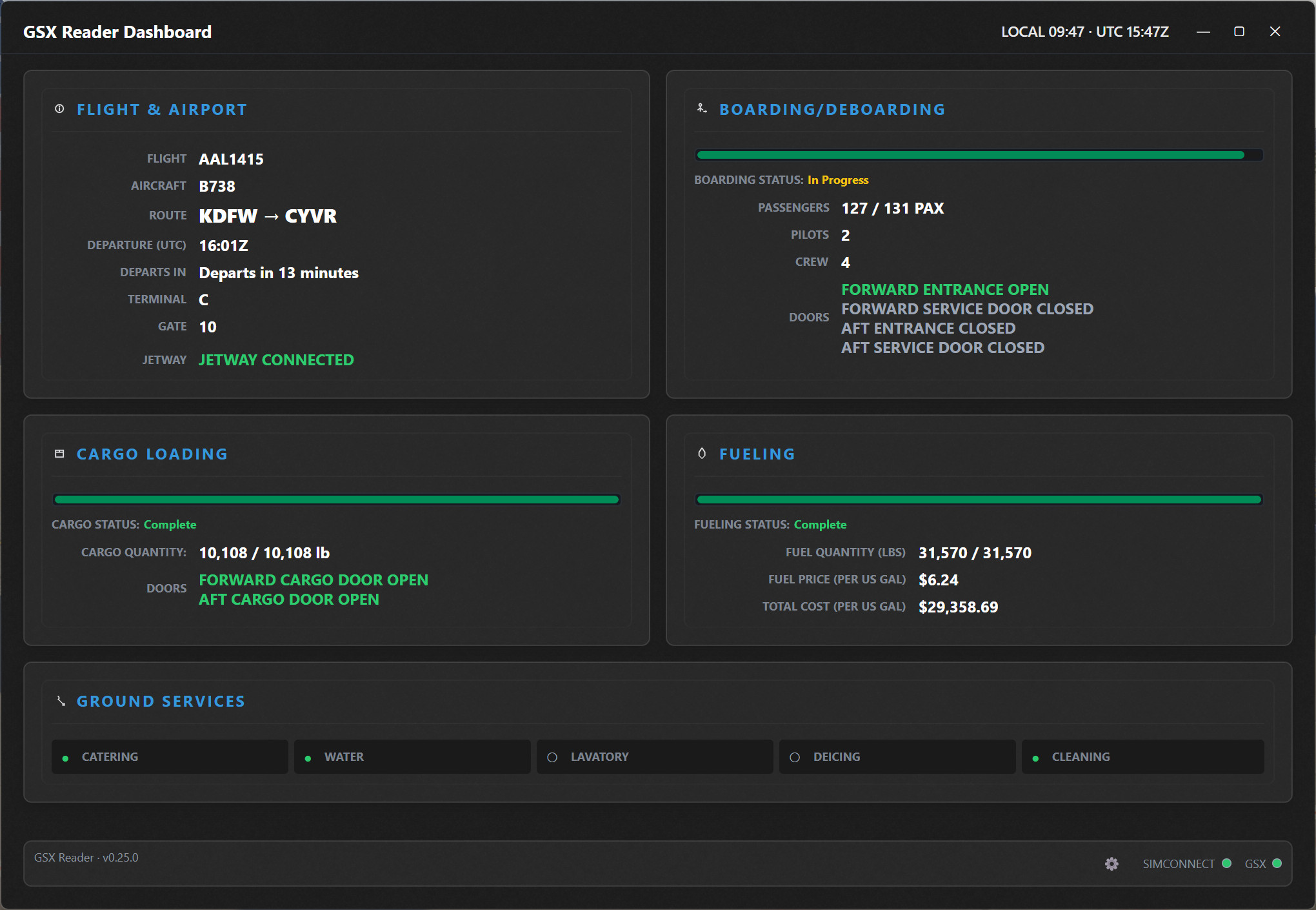
Ramp Status Monitor is a lightweight companion for MSFS that extracts real-time data from FSDT GSX Pro and transforms it into a clean, professional "Glass Cockpit" display. Designed to enhance immersion, RSM allows you to move the ground handling interface out of your simulator and onto a secondary monitor or tablet—just like a real-world turnaround display.
⚠️ WORK IN PROGRESS (WIP)
This application is in active development. Features are being refined regularly. Because RSM relies on GSX Lvars, performance and data accuracy are dependent on GSX stability and the specific aircraft profile being used.
🔥 TOP FEATURES:
Live Boarding Progress: Real-time counts for Pilots, Crew, and Passengers.
Cargo & Fuel Tracking: Monitor loaded weight and get a live ETA for fueling completion.
Tablet Mirroring: Turn any iPad, Android tablet, or Phone into a dedicated "Ground Ops" screen via your web browser—no extra app needed!
SimBrief Integration: Syncs with your OFP for accurate passenger and fuel targets.
Smart Indicators: Visual status for Doors, Catering, Lavatory, Deicing, and Jetway connectivity.
Connection Health: Real-time SimConnect and GSX status lights to ensure your data is live.
💻 REQUIREMENTS:
MSFS 2020 / 2024 & FSDT GSX Pro.
FSUIPC7 (Required for data communication).
.NET 8 Desktop Runtime: Download Here
🛠️ QUICK START GUIDE:
Ensure FSUIPC7 is running.
Launch RampStatusMonitor.exe.
Open the Settings menu and enter your SimBrief Username to sync your flight data.
Ensure GSX is active in your simulator to begin receiving data.
📱 HOW TO CONNECT A TABLET OR SECONDARY SCREEN:
RSM hosts a local web server (Default Port: 5050) to display the dashboard on other devices.
On the same PC: Open your browser and go to http://localhost:5050
On a Tablet or Phone:
Ensure your device is on the same Wi-Fi network as your PC.
Find your PC’s local IP address (Open Command Prompt, type ipconfig, and look for "IPv4 Address"—e.g., 192.168.1.50).
On your tablet's browser, enter: http://[YOUR-IP]:5050
Note: You can change the port in the settings menu if 5050 is already in use.
🔍 WHY USE THIS?
While GSX provides data in its own menu, that overlay can clutter your cockpit view. Ramp Status Monitor is designed for pilots who want a more immersive "EFB-style" experience. By moving the ground handling data to a dedicated screen, you can monitor your boarding and fueling while focusing on your pre-flight checklists and FMC programming.
🔍 TROUBLESHOOTING:
Connection Failed on Tablet: Ensure you have allowed the port (5050) through your Windows Firewall.
Data Not Updating: Verify that the SIMCONNECT and GSX indicators in the bottom right are green.
Missing SimBrief Data: Ensure your SimBrief OFP is generated for your current flight and your username is correctly entered in Settings.
Aircraft Compatibility: Some 3rd party aircraft use custom door logic; RSM works best when the aircraft is properly configured for GSX Pro.
☕ SUPPORT THE PROJECT:
Developing and maintaining this tool takes significant time. If you find it useful, please consider leaving a 5-star rating! It helps the project gain visibility in the community.
Special thanks to the community and fellow developers for the feedback that helped shape this rebranding!
Ramp Status Monitor - GSX Ground Ops Dashboard
Ramp Status Monitor (formerly GSX Reader) is a professional real-time dashboard for GSX Pro. Track boarding, fueling ETAs, and cargo progress in one immersive "Glass Cockpit" display. Mirror the dashboard to any tablet or phone via your web browser for a dedicated "Ground Ops" screen. Featuring SimBrief integration and live status indicators, it's the perfect companion for a realistic and organized turnaround experience in MSFS.


Nutzerbewertungen
3 Bewertungen
Versionsgeschichte
Version 1.0.2 (6 February 2026) Arrival / deboarding display — On arrival, the Boarding and Cargo cards now empty out as deboarding progresses. Progress bars and counts go from full (100%) down to empty (0%) as passengers and cargo are unloaded. You’ll see remaining passengers and remaining cargo weight instead of everything staying “full” after landing. Cargo card behavior — Fixed a bug where the Cargo card could show wrong completion or weight. The card now correctly uses the baggage service data so completion and total weight stay accurate. Version 1.0.1 (28 January 2026) Version display — The app and installer now show a single, consistent version number. Settings – diagnostics — You can turn diagnostics and verbose logging on or off in Settings. Choices are saved in your config. You can still override with environment variables if you use them. Settings – logs — Added “Open log folder” and “Clear logs” in Settings. Logs are stored in %LOCALAPPDATA%\GSXReader\Logs. Settings – tablet mirror — The mirror (tablet) server port can be set in Settings (default 5050). If you change it, you’ll be asked to restart the app for it to take effect. Version 1.0.0 (28 January 2026) Initial release. Card-based dashboard: Flight & Airport, Boarding, Cargo, Fuel, and ground services (Catering, Water, Lavatory, Deicing, Cleaning, Baggage, Jetway, Pushback). Optional tablet mirror (HTTP server, default port 5050). Optional SimBrief integration (username in config). Config file: %LOCALAPPDATA%\GSXReader\config.json.
Ähnliche Addons
Streamdeck Profile for ChasePlane
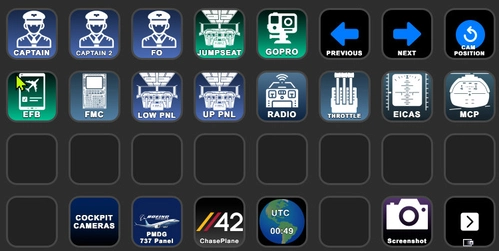
This add-on provides a 32-key Stream Deck profile specifically designed for ChasePlane, developed by parallel42. It includes a PSD file for users to customize the icons according to their preferences. Users are encouraged to personalize their experience and share their designs or enhancements
von Jason Webb - me
Airline Boarding Timeline Assistant
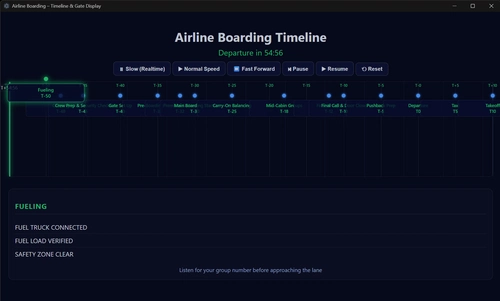
The Airline Boarding Timeline Assistant is a utility designed to enhance the realism of boarding sequences in Microsoft Flight Simulator. It provides guidance on the timing of key tasks such as fueling and catering during the boarding process. This add-on does not perform any loading of passengers or fuel but serves as an immersion tool to help ensure timely departures.
von SVAPilotJason

Route Cleaner — SimBrief Flight Plan & Weather File Cleanup
Route Cleaner is a utility for managing and removing old SimBrief flight plan and weather files generated by the SimBrief Downloader. It automatically detects your export folders and supports manual or automatic cleaning modes based on file age. The tool safely moves deleted files to the Recycle Bin and only targets files matching SimBrief’s exact naming patterns. It requires no installation or .NET runtime and is compatible with Windows 10 and 11.
von VAPilotJason
Melden Sie sich an, um an der Diskussion teilzunehmen
AnmeldenKommentare(45)
3 months ago
I recently watched a short showcasing this and want to clarify are cabin crew announcements included?
3 months ago
7 months ago
I have run the fsuipc 7.5.6 but i did not get a connection to gsx, the simconncontion works fine and the reading of the simbrief route works super!
But no gsx connection.
Can you have a look on this?
Best regards
peter
7 months ago
also when do you start FSUIPC?
is it set to automatic
It may be that the indicator itself is bugged, but ill have a look
7 months ago
But it does not understand open doors.
The entry 1 and the cargo doors are open but i did not see them in your app. There are all doors closed.
best regards
peter
7 months ago
7 months ago
best regards peter
7 months ago
GSX Has pushed a ton of updates recently which have resulted in some LVAR changes, I ran some tests and am still testing the next build and so far things are stable, Some new features i added were the ability to set an average ticket price and fuel priice, i know its useless information but thought it would be cool, also when you fly the fuel burn is shown as well
I need to add the pushback information but havent yet, i want to get this version out then i can work on that
Also make sure you have the Latest FSUIPC if you have issues as MAV has stated
7 months ago
7 months ago
7 months ago
Regardless, very nice bit of work and works a treat on a LAN.
7 months ago
7 months ago
7 months ago
7 months ago
7 months ago
7 months ago
7 months ago
Right now i can only partially guarantee the PMDG 737-800 once i make sure its reading GSX correctly ill post an update, then ill start working on the other aircraft
7 months ago
7 months ago