

Beschreibung
I am using reshade to disable green roads. Here is my settings in action: https://www.youtube.com/watch?v=6eebPKho-3Y&lc=Ugys-U9lN5a87AAeRvZ4AaABAg
And here is my settings with screenshot: https://i.postimg.cc/S4DJQkHG/MSFS-2020-reshade-settings.jpg
Instructions:
1) https://reshade.me/
2) Install
a. select msfs2020.exe
b. Select only these packages ”Legacy standard effects” and all effects from that package
c. Move file (in this zip) MSFS2020_HDR_SHARP_DISABLE_GREEN.ini to same folder where msfs2020.exe is
3) Open sim
a. HOME key is Reshade´s toggle -key, with that key you are able to edit you settings
b.put there some key bind to "activate reshade settings" i have it with CTRL+HOME. With that key combination, you can test you settings easily.
4) Pick that MSFS2020_HDR_SHARP_DISABLE_GREEN.in file
5) Choose effects (these should be ready bacause of that selected .ini)
a. AdaptiveSharpen (littlebit sharpening, value 0.15 is ok)
b. MagicHDR (this makes sim world alive, but not too much od HDR magic)
c. PD80_04_Selective_Color (with this you can make roads less green, but there is downside... also trees isnt so green anymore. This settings decreases green colors everywhere)
6) You can modify those setting values so much you want, and you can disable reshade by deleting these is that folder, where msfs2020.exe is: folder reshade-shaders and files dxgi.dll, dxgi.txt, ReShade.ini and MSFS2020_HDR_SHARP_DISABLE_GREEN.ini.
Update. This might not work with microsoft store version: https://reshade.me/forum/general-discussion/5640-is-it-possible-to-reshade-uwp-games but there is workaround:
Tool using Crosire's reshade injector (inject64.exe) that
1. Get's the UWP / Game Pass PC game's metadata
2. Generates a bat file to launch it
3. Downloads all Reshade FX files and generates a proper INI
Anyways, the program is here: github.com/MilkyDeveloper/ReshadeForUWP and it has a full GUI.
Corsten´s reshade settings
Customize your Microsoft Flight Simulator experience by using Corstens Reshade settings to disable green roads. Follow the simple steps to enhance your visuals with AdaptiveSharpen, MagicHDR, and Selective Color effects. Check out the provided screenshots and video for a glimpse of the transformation.


Nutzerbewertungen
1 Bewertungen
Versionsgeschichte
Keine Versionsgeschichte verfügbar.
Ähnliche Addons

GAmod - offline version (World overhaul edition)
GAmod - Offline edition brings 100,000 worldwide flight plans with custom models, now compatible with AIG models and FSLTL injector. This add-on offers performance-light aircraft models with interior details and custom-made lights, while allowing for offline flying anytime, anywhere. Experience enhanced traffic density settings, military traffic at various airbases, and a complete overhaul of Finland, all included in this detailed world overhaul edition. Discover new flight possibilities and features, with support available through dedicated channels for assistance.
von Corsten

Corsten´s cache & shader removal tool (2024)
A tool designed to clean MSFS and GPU shader cache, improving performance by removing outdated or incompatible cache files. Use with caution and follow instructions carefully to ensure proper functioning. Compatible with both Nvidia and AMD graphics cards.
von Corsten

GAmod 2024
GAmod 2024 is an add-on for Microsoft Flight Simulator that integrates MSFS2020 native models to enhance general aviation traffic at airports around the world. Currently featuring models for various aircraft, including general aviation and military traffic, the add-on aims to provide a realistic offline traffic experience using custom .bgl traffic schedule files. While it supports multiple traffic quality settings, this version does not include special traffic like helicopters or blimps and future updates will incorporate models for the 2024 version once Asobo lifts the encryption.
von Corsten
Helsinki Metropolitan Landmarks
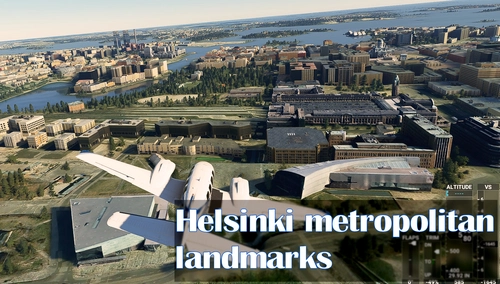
Explore the Helsinki Metropolitan area with moving trains and added lights around landmarks and key locations with the Helsinki Metropolitan Landmarks version 4.0 add-on. This update includes a static trains library and can be enjoyed from both air and ground perspectives.Discover iconic structures in Helsinki, Espoo, and Vantaa created by a team of dedicated developers, enhancing your flight simulation experience with detailed 3D models and realistic cityscapes.
von Corsten, Topi T., WildLynxPilot & bLindye
Melden Sie sich an, um an der Diskussion teilzunehmen
AnmeldenKommentare(43)
about 5 years ago
There's no MagicHDR.px and PD80...px so I wouldn't recommend this until the author gives some feedback.
about 5 years ago
Caution: Reshade changes data from MSFS!
about 5 years ago
it doesn't stop spreading false info
about 5 years ago
What "data"?
What are you talking about?
about 5 years ago
There seems to be no MagicHDR or PD80 effects when i open Reshade.
over 5 years ago
Hi,
I am planning to buy a monitor which has no HDR support. Is this addon a sort of MSFS colour modification so that we can have something similar to HDR?
over 5 years ago
If your monitor is high quality HDR monitor, dont use Reshade HDR settings. But cheap HDR monitors has a weak HDR feature, so this reshade thing could work pretty damn good.
over 5 years ago
There's no way to deactivate the standard Reshade settings and only choose legacy, standard is a must, so Reshade installs standard as well and it seems to interfere with your ini file, even with legacy installed. Reshade finds it but the settings are missing, all but adaptive sharpening.
over 5 years ago
Is there anyway you could do a visual representation of the installation process? Its a little to complicated. Also I kinda lost you on step 4.
over 5 years ago
over 5 years ago
over 5 years ago
over 5 years ago