SGAS - Silvio Pettirossi International Airport (ASU)
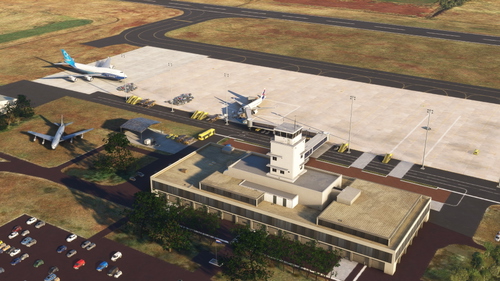
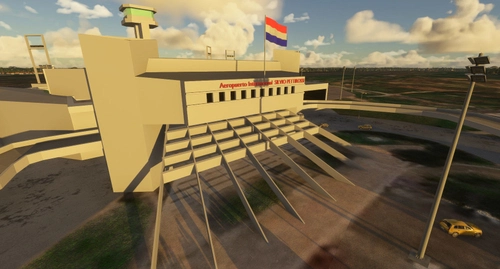
This add-on features a detailed rendition of Silvio Pettirossi International Airport (IATA: ASU, ICAO: SGAS) in Asuncion, Paraguay, designed for Microsoft Flight Simulator 2024.
6 Flughafen-Add-ons verfügbar

This add-on features a detailed rendition of Silvio Pettirossi International Airport (IATA: ASU, ICAO: SGAS) in Asuncion, Paraguay, designed for Microsoft Flight Simulator 2024.

Enhance your experience at Guarani Airport with this add-on, offering aesthetic improvements and changes to the default airport. Enjoy updated parking spots, ground textures, taxiway lines, lighting, static objects, and terminal enhancements. Simply extract the downloaded file into your Community folder for easy installation.

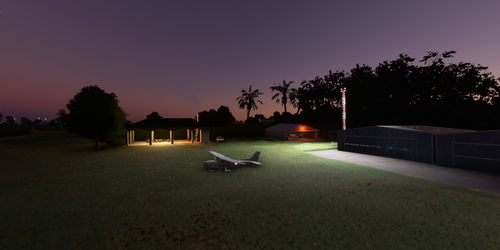
Discover Santa Teresa airfield and village (SGST), a small airfield nestled in the picturesque department of Amambay, Paraguay. Created with passion and imagination, this first scenery project offers a unique experience. Explore the area thanks to the creators dedication to detail and creativity.

Explore the quaint Aerodromo de Altona in Campo 9, Dr Juan Eulogio Estigarribia, Paraguay with this add-on. Although lacking an ICAO code, the aerodrome is now accessible as PY99. Created upon request, this mod allows flight enthusiasts to experience the charm of this beloved location.

Discover Aeropuerto de Encarnacion "Teniente Amin Ayub Gonzalez" (SGEN), the third most important airport in Paraguay, serving the charming city of Encarnacion. Featuring a 2,000 x 30-meter runway suitable for night operations, this airport offers a unique mix of aviation and relaxation. Explore various libraries and object packs to enhance your experience at this bustling Paraguayan airport.

Enhance your flight simulation experience with the SGME scenery add-on for Microsoft Flight Simulator 2020. This mod includes improvements to apron lights and additional objects and buildings around Aeroporto Internacional Dr. Luis María Argaña. Visit the link to contribute or provide suggestions for future regional scenarios. Make sure to place the SGME folder in the Community directory to install the add-on.