
Beschreibung
KTRI Tri-Cities Regional Airport
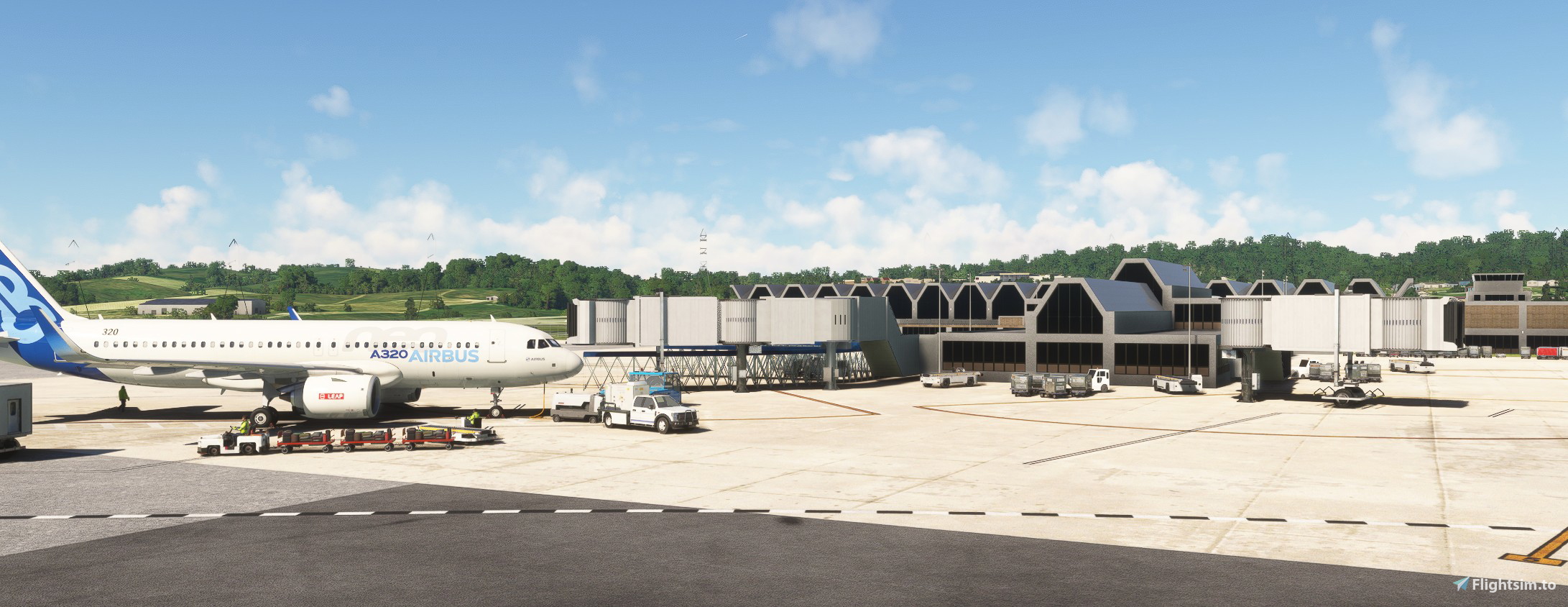
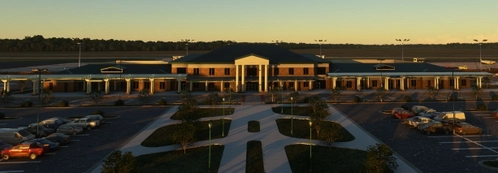
Tri-Cities Airport (IATA: TRI, ICAO: KTRI, FAA LID: TRI) (also known as Tri-Cities Airport, TN/VA), serves the Tri-Cities area (Johnson City, Tennessee; Kingsport, Tennessee; Bristol, Tennessee-Virginia) of Northeast Tennessee and Southwest Virginia. It has a street address in the census-designated place of Blountville, Tennessee, but is adjacent to the city limits of Kingsport. The airport is governed by the Tri-Cities Airport Authority (TCAA) whose members are appointed by the cities of Johnson City, Kingsport, Bristol (TN), Bristol (VA) and both Washington and Sullivan counties in Tennessee.
All models are handcrafted with one open hangar that includes animated front and rear doors that are open from 6am-9pm local time. The doors can be opened/closed by hiding/un-hiding the flight yoke during hours that the doors are closed. There is also an animated ASR on the east side of the airport. There is only one 3D model in Google Earth which is the terminal building, but not able to get measurements from it because Google never completed the airport. Building heights are estimated.
To install
Extract the archive and copy jd-airport-ktri-bristol-johnson-kingsport to your community folder. This will give you the glass jetway in FS24.
For the metal jetway in FS24 copy jd-airport-ktri-bristol-johnson-kingsport-fs24 to your FS24 community folder
Requirements
ESD Emerald Object Library (Market Place)
Windy Things (Flightsim.to)
Abhängigkeiten
Location
KTRI Tri-Cities Regional Airport
KTRI Tri-Cities Regional Airport (IATA: TRI) serves the Northeastern Tennessee and Southwestern Virginia regions, specifically the Tri-Cities area. This add-on features a handcrafted airport model with an open hangar that includes animated doors and a detailed terminal building. Additionally, it provides a realistic environment with an animated ASR on-site. Users may need to install specific object libraries to fully utilize the add-ons features in Microsoft Flight Simulator.


Nutzerbewertungen
7 Bewertungen
Versionsgeschichte
KTRI Tri-Cities Regional Airport_v1.1.2 changes Fence was accidentally deleted. Re-added To install Delete existing version from community folder of both sims Extract the archive and copy jd-airport-ktri-bristol-johnson-kingsport to your community folder. ---------------------------------------------------------------- THIS VERSION WORKS WITH BOTH SIMS. ---------------------------------------------------------------- Requirements - Scenery will work without these libraries ESD Emerald Object Library - vegetation (Market Place) Windy Things - Flags and windsock (Flightsim.to)
Ähnliche Addons
KSBA_Santa_Barbara
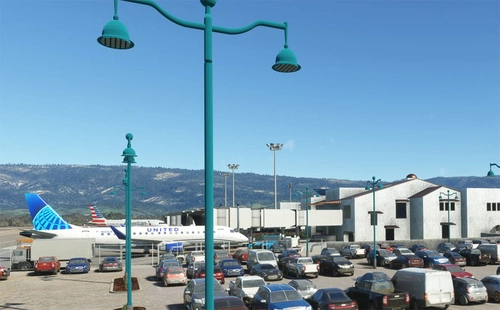
Explore KSBA Santa Barbara airport in this detailed add-on, offering a mix of buildings and scenery. Please note that due to outdated satellite imagery, the airport may not reflect its current real-life appearance. Experience some quirks with AI traffic control routing and parking, as well as stationary glass jetways in this scenery.
von danielsjam
KPDK Dekalb Peachtree Airport
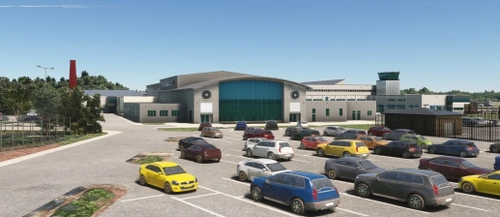
KPDK Dekalb Peachtree Airport is a detailed add-on for Microsoft Flight Simulator, featuring the second-busiest airport in Georgia, located just northeast of Atlanta. This airport, known for its historical military background and current civilian operations, includes handcrafted buildings, hangars, and a helipad used by local television stations. The add-on requires additional libraries for optimal performance and provides an authentic representation of the airports surroundings.
von danielsjam
KCAE Columbia Metropolitan Airport
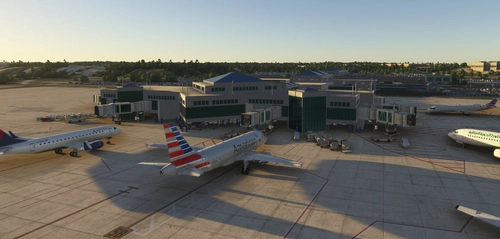
Explore KCAE Columbia Metropolitan Airport, a detailed hand-crafted scenery add-on for Microsoft Flight Simulator. The airport serves as the main commercial hub for Columbia, South Carolina, and features meticulously designed models, including a prominent UPS building. Key improvements include accurate taxiway layouts and historical context, enhancing your virtual experience of this regional cargo hub. This add-on requires specific scenery libraries to function properly.
von danielsjam
KAGS Augusta Regional Airport at Bush Field
Explore Augusta Regional Airport at Bush Field, serving Augusta, Georgia, with this detailed Microsoft Flight Simulator add-on. The airport features a new passenger terminal, two runways, and serves major airlines such as American Eagle and Delta Air Lines. Experience increased passenger usage and commercial flights during events like the Masters golf tournament.
von danielsjam
Melden Sie sich an, um an der Diskussion teilzunehmen
AnmeldenKommentare(24)
6 days ago
6 days ago
24 days ago
UPDATE - After testing and comparing I discovered that this is only happening on FS2024. Not sure if this is a bug or an issue on my side. I will continue to investigate this.
===========
This issues is resolved
============
I think I spoke too soon. The fix that seemed to correct the door issue for KTRI didn't work at KPDK. I think this is a bug in FS24. It seems to be fixed but I think the issue will be back.
about 1 month ago
about 1 month ago
about 1 month ago
about 2 months ago
about 2 months ago
2 months ago
2 months ago
2 months ago
8 months ago
8 months ago
8 months ago
9 months ago
Everything is virtually perfect exactly where things are supposed to be.
The only discrepancies I noticed was the Movement Area/Non-Movement Area over near the FBO at Alpha for RWY 23 the line is black and white dashes when instead it should be Yellow black dashes on the Movement Area side and a solid yellow line on the Non-Movement Area side. Additionally there should be a a TN State Flag flying at the FBO. That said.... To be honest this airport is already so well done these feel like knit picks.
Thanks again for all your hard work!
9 months ago
11 months ago
12 months ago
12 months ago