
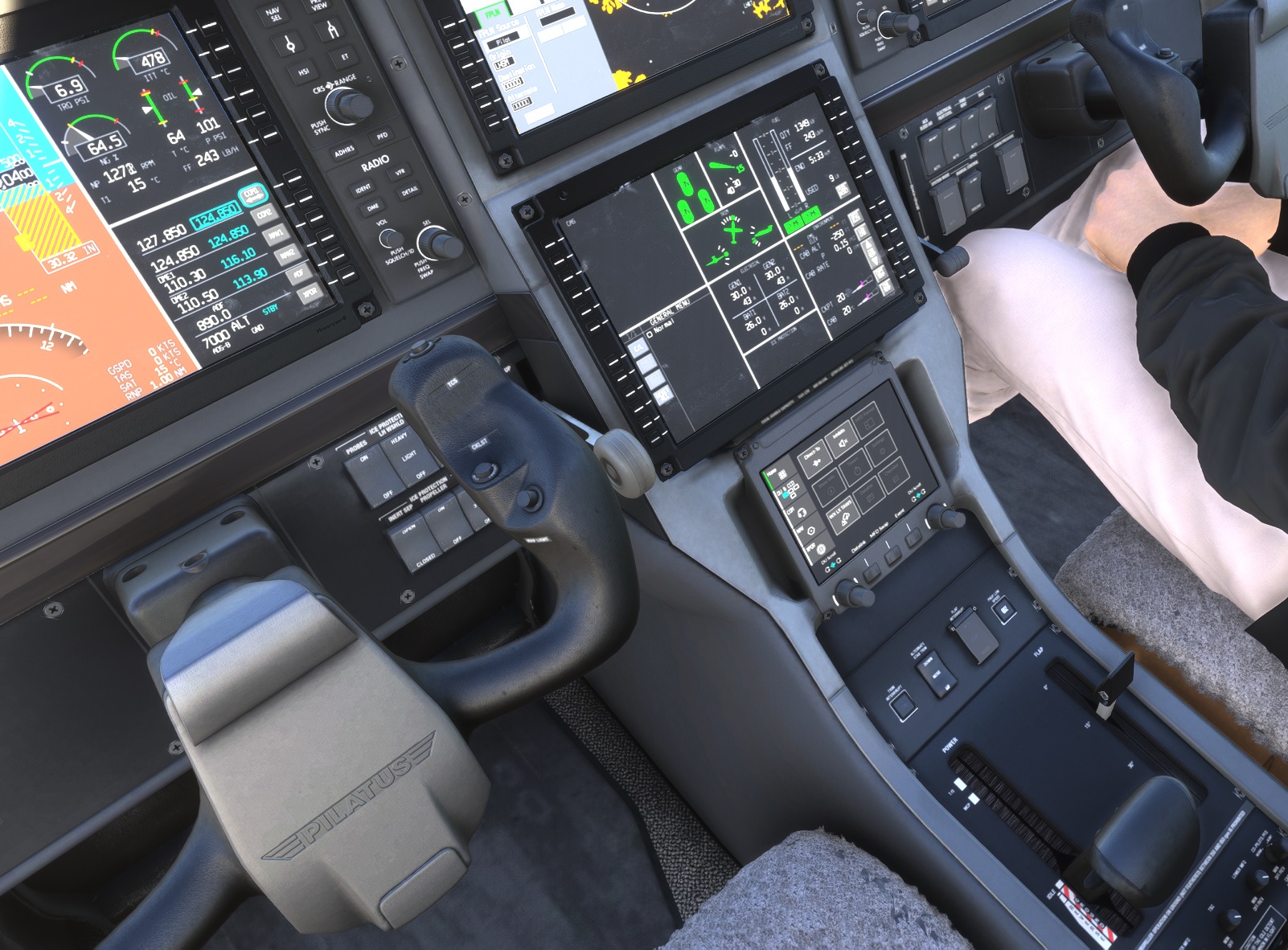
Beschreibung
SU4 Compatible now!
PC-12 NGX Throttle Beta Range Fix/Implementation
Anyone who tried the PC-12 NGX in MSFS 2024 almost immediately noticed that something is not right with the ground handling. The aircraft races forward even on idle throttle and you have to ride the brakes to keep it in check.
And if you ask “is this realistic?” The answer is yes, the real aircraft would do this too.
But then what to do?
Do it like in the real aircraft, move the throttle back below idle, into the beta range.
And this is where the real frustration starts. Even if you set up your controls properly and can move the throttle below idle either by using the reverse button or mapping an axis to throttle (0 to 100%) or any other way you quickly notice that the PC-12 NGX immediately goes into reverse thrust and starts to slow rapidly then starts to move backwards.
It is NOT your fault.
The default Carenado/Microsoft PC-12 NGX simply does not have a beta range implemented.
Bummer… pretty big oversight if you ask me.
So here I come. I did it.
With this mod you will have a beta between idle and reverse.
How to Install?
Just drop it into your community folder like any other mod.
Is it career compatible?
Yes
Does this change anything else on the aircraft?
No
Is it realistic?In practice and principle Yes , in numbers? No, not even close but that is on MSFS. If I get some numbers from real life operations I might try to bring the numbers closer to reality, torque, rpm, itt are all over the place , it needs some real love from experts.
How to use?
Just move your throttle behind idle (with your mouse , with the reverse button, with an axis , does not matter) As you move it more back the less thrust you will get and you will be able to taxi slowly. As you move it back even more you will notice a sudden jolt and sound change, this is the point where the reverser kicks in, but do not worry , it won’t start you racing backward, you are at minimum backwards thrust barely enough to start slowing you down from taxi speed. If you keep moving back with your throttle reverse thrust increases until you hit maximum reverse thrust when the throttle is full back.
Just like the real thing!
Cool isn’t it ?
Practical tip::
Listen to the sound change as I mentioned. The RPM is the highest in the Beta range just around the point before the thrust become negative, you can use this clue to maintain your taxi speed and slow down without touching the brakes, speed up slowly just by the sound or watching the RPM, you will notice the RPM will start to decrease again as you keep moving the throttle back, this means your propeller is producing more and more negative thrust if you leave it there you might come to a full stop or even start to go backwards, so keep that throttle moving ;)
About the implementation and the hows and whys and limitations:
What I did is programmed a custom beta range behaviour that tries to mimic how it works in real life.
In the beta range you control the propeller pitch directly moving it from minimum ground pitch angle all the way back into reverse.
But there is a catch. Our beloved simulator has something against mathematics and aerodynamics when the propeller pitch is between +6 to about -6 degrees.
In this range all kinds of wacky things happen, most noticeably without custom code the RPM would run away, and I mean RUN into infinity (I didn’t wait more than 4000 RPM, but I guess it would have gone until the sim crash) and with great RPM comes great resp.. I mean thrust , so after a while you would become a rocketship.
So I had to manually control the RPM and do a semi-simulation myself.
What happens in real life is that as the propeller approaches the 0 thrust propeller angle , when it is so flat that it effectively produces no thrust and the RPM increases a bit then as you keep moving towards revers the RPM goes back down a bit then it starts to increase again as the engine starts to produce more and more power.
This is what you will experience with mod as well.
If you are familiar with the PC-12 NGX, you might notice that the numbers are still all over the place, and yes this is ture. I did not mod anything else just added the beta range and tuned it to the current numbers.
Torque is too high in idle, it does not go down during beta, RPM is too high in dile, RPM is to high during beta, ITT is too low across the board, the transition from + to - thrust it very sudden and “jumpy” ect ect
These are all problems I can only acknowledge and not fix (yet) I’m not a pilot, nor a developper nor have I access to NGX POH or a pilot who knows the real numbers.
This mod is as is, just control part of the beta range and a sanity check on the RPM and thrust during it.
But I hope you appreciate the effort and enjoy your ability to finally taxi at proper speed without burning your career money on new brake pads 😀
PS.: If any PC-12 NGX pilot could tell me about the typical TRQ , RPM and ITT numbers during startup and taxi , I would very much like to try to fix all of those things (If I can) so contact me.
Who am I ?I'm just a frustrated sim pilot who asked the right question from Grok about JavaScript :D
Seriously I'm not a developper but have some aviation and development knowladge and I like the PC-12 and it frustrated me enought to do something about it.
Please enjoy your slow and controlled taxi speed.
PC-12 NGX Throttle Beta Range Implementation
This add-on addresses the lack of a beta range in the PC-12 NGX for Microsoft Flight Simulator 2024, which causes issues with ground handling and excessive forward momentum even at idle throttle. The mod allows users to engage the beta range by moving the throttle below idle, enabling controlled taxiing speeds without abruptly entering reverse thrust. While it offers a more realistic ground handling experience, some limitations related to RPM and thrust values remain.


Unterstützer

Nutzerbewertungen
9 Bewertungen
Versionsgeschichte
SU4 compatibility update
Ähnliche Addons
MSFS 2024 C208B EX Caravan Improvement Mod
The MSFS 2024 C208B EX Improvement Mod enhances the default Cessna C208B EX by fixing various bugs and adjusting systems for a more realistic flying experience. Key features include updates to flight models, engine performance re-tuning, and modifications to cockpit systems such as the G1000 PFD and fuel selectors. The mod is fully career-compatible, meaning it replaces the original aircraft configuration, and installation is straightforward by adding it to the community folder. Compatibility is currently limited to MSFS 2024 SU4, with an update for SU5 expected soon.
von balu0

Cessna C208B Caravan Autopilot Roll Fix
This add-on addresses the autopilot roll issue experienced in the Cessna C208B Caravan. It modifies the rollPID settings for improved stability during flight, enhancing the autopilot performance. Compatible with version 1.5.13 beta and other versions, installation is straightforward by placing the file in the community folder. The adjustments ensure a smoother flying experience without unintended roll movements.
von balu0
Melden Sie sich an, um an der Diskussion teilzunehmen
AnmeldenKommentare(39)
7 days ago
about 1 month ago
5 months ago
5 months ago
6 months ago
6 months ago
7 months ago
9 months ago
9 months ago
9 months ago
10 months ago
10 months ago
10 months ago
Have you tried using just the mouse or keyboard commands? Does it work with them?
Can you elaborate on "does not work?" What does the thrust and prop rpm do when you go into beta ? Does it go instantly into reverse ?
10 months ago
10 months ago
10 months ago
10 months ago
12 months ago
about 1 year ago
This allows you to have a second throttle lever for the beta and reverse modes, while still having a normal throttle 1 axis. Thanks!
8 months ago