
![Thai Airways [HS-TJT] w/Cabin PMDG B777-200ER - Image 1](https://cdn.flightsim.to/images/27/thai-airways-hs-tjt-wcabin-pmdg-b777-200er-176187-1746206530-2XIjZ.jpg)
Beschreibung
INTRODUCTION
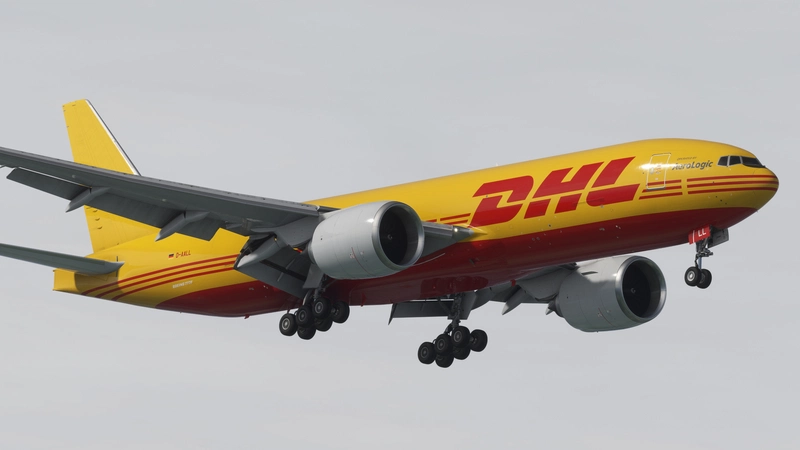
Thai Airways for the PMDG Boeing 777-200ER.
INCLUDED REGISTRATIONS
- HS-TJT
FEATURES
- Nearly all custom Interiour, Exteriour and PBR textures by Atarium Liveries and Jviation
- Custom handcrafted Airline/aircraft specific logos and designs
- Custom airline specific cabin
INSTALLATION: 🚨
- Download the 2020 or 2024 Livery Version
- Open the PMDG Operations Center OC3 Hover to your 777-200ER 2020 or 2024 Installation
- Hit Import on the right bar and select the Registration ZIP file you desire
- Correct configurations come pre-installed also Found in the liveries folder (If you find something missing or being wrong, please text the right one via DM)
- If the config didnt install properly: Download the configuration file e.g. "JA743A.ini" into following direction: X:\Users\XXXX\AppData\Local\Packages\Microsoft.FlightSimulator_8wekyb3d8bbwe\LocalState\packages
- It can be possible that this file is a bit different on your end. Please check if you got a Store or Steam edition
- 2024 ONLY: MAKE SURE TO SELECT THE CUSTOM REGISTRATION OF THE AIRCRAFT IN MSFS24 MAIN MENU LIVERY SELECTION
KNOWN ISSUES
- The PMDG 777-200ER has a fixed cabin model. It might not match the airline cabin model hence some imagination lead into the design.
- Some cabin textures are mirrored in the cabin. It might be you´ll find some Business class stuff in the economy or wise versa
- The 2024 Version has a different UV in the belly area. This has been adressed to PMDG already and let´s wait for a fix.
Website: https://www.atariumliveries.com/
If you like my work and you would like to support me you can donate to this link https://www.paypal.me/Atarium !
It´s of course not necessary and you are free to do so but it´s greatly appreciated!
Copies, Modifications or any reupload of all containing files is strictly forbidden. Those will be reported in the forum and could lead to legal consequences. Be fair. Respect peoples work!
Thai Airways [HS-TJT] w/Cabin PMDG B777-200ER
This add-on features the Thai Airways livery for the PMDG Boeing 777-200ER, specifically modeled after the registration HS-TJT. It includes nearly complete custom interior, exterior, and PBR textures, along with handcrafted airline-specific logos and a tailored cabin design. The installation instructions accommodate both MSFS 2020 and MSFS 2024, with details for manual setup to resolve known issues regarding cabin model discrepancies.

Versionsgeschichte
Fix: Broken PAX window textures due to the latest PMDG update. Pretty sorry for another update today but the latest PMDG 772 update changed the window texture architecture so my glass was not working anymore.
In Sammlungen enthalten(1)

Ähnliche Addons
![British Airways [Pack] w/Cabin PMDG B777-200ER](https://cdn.flightsim.to/images/27/british-airways-pack-wcabin-pmdg-b777-200er-176187-1746189952-FxzNR.jpg?width=500)
British Airways [Pack] w/Cabin PMDG B777-200ER
This add-on features a British Airways livery pack for the PMDG Boeing 777-200ER, including five specific aircraft registrations. It offers custom interior and exterior textures, along with airline-specific logos and cabin design. Manual installation is required due to current issues with PMDGs Operations Center, and the add-on may have some known limitations regarding cabin models and texture placements.
von Atarium
![ANA [JA741A] w/Cabin PMDG B777-200ER](https://cdn.flightsim.to/images/27/ana-ja741a-wcabin-pmdg-b777-200er-176187-1746187351-0ChMB.jpg?width=500)
ANA [JA741A] w/Cabin PMDG B777-200ER
This add-on features the All Nippon Airways (ANA) livery for the PMDG Boeing 777-200ER, specifically with registration JA741A. It includes custom interior, exterior, and PBR textures designed by Atarium Liveries and Jviation, along with specific airline logos and custom cabin designs. Please note that manual installation is required due to current issues with the PMDG Operations Center 3, and some cabin textures may not align perfectly with the original airline configuration.
von Atarium
![Emirates [A6-EML] w/Cabin PMDG B777-200ER](https://cdn.flightsim.to/images/27/emirates-a6-eml-wcabin-pmdg-b777-200er-176187-1746364568-FxApO.jpg?width=500)
Emirates [A6-EML] w/Cabin PMDG B777-200ER
This add-on features the Emirates livery (registration A6-EML) for the PMDG Boeing 777-200ER, complete with custom interior, exterior, and PBR textures. It includes handcrafted airline-specific logos and a tailored cabin design. Installation is provided for both MSFS 2020 and MSFS 2024, with specific guidance for manual setup due to current issues with PMDGs Operations Center. Note that there are known limitations regarding cabin model accuracy and texture placement.
von Atarium
![ANA [JA743A C3PO] w/Cabin PMDG B777-200ER](https://cdn.flightsim.to/images/27/ana-ja743a-wcabin-pmdg-b777-200er-176187-1746186768-83mho.jpg?width=500)
ANA [JA743A C3PO] w/Cabin PMDG B777-200ER
This add-on features the All Nippon Airways Star Wars C3PO livery for the PMDG Boeing 777-200ER, specifically registering as JA743A. It includes custom interior and exterior textures as well as airline-specific logos. Please note that a manual installation is required due to compatibility issues with PMDGs Operations Center 3, and some cabin textures may not accurately reflect the airlines actual design.
von Atarium
Melden Sie sich an, um an der Diskussion teilzunehmen
AnmeldenKommentare(9)
8 months ago
7 months ago
12 months ago
over 1 year ago
Please American Airlines PMDG B777-200 / B777-300
Thanks in Advance!
over 1 year ago
over 1 year ago
over 1 year ago
1. Unzip the livery e.g. „ANA_JA741A_AL“
2. Place this into your 2020 77er liveries folder path:
MSFS20Installation\Community Dev\pmdg-aircraft-77er-liveries\SimObjects\Airplanes
3. Make sure your got MSFSlayoutjson generator you can find here: https://github.com/HughesMDflyer4/MSFSLayoutGenerator
4. Navigate back to MSFS20Installation \Community Dev\pmdg-aircraft-77er-liveries
5. Here you´ll find the Layout.json file
6. Drag this file over the MSFSlayourgenerator.exe
7. The livery should work now
Little side note guys. If you installed the 772 via OC3 and installed a default livery all of these folder structures should be available. I don´t want to say someone has it from another website. But if the OC3 doesn´t work for the 2020 version. I´m the wrong person to ask for a fix here. If it doesn´t work on your end, please raise a ticket to PMDG so they can fix this in OC3 and don´t compare to other installation methods. They (PMDG) need also help from the community to fix their problems. The more insights they get from the community, the fix will be there faster.
over 1 year ago
1. Create the pmdg-aircraft-77er-liveries/SimObjects/Airplanes folder in the Community folder.
2. Create an empty layout.json file in the pmdg-aircraft-77er-liveries folder
3. Download MSFSLayoutGenerator.exe and take the manifest.json file from third-party liveries
and put it all in the pmdg-aircraft-77er-liveris folder.
4. Unpack the downloaded liveries in pmdg-aircraft-77er-liveries/SimObjects/Airplanes. (You can rename the folder with the livery or liveries as you like)
5. In the pmdg-aircraft-77er-liveries folder, drag the layout.json file into the MSFSLayoutGenerator file. Done! Now you can see your livery in the simulator!
over 1 year ago