Flightsim.to
    Nameplate custom color - Image 1

    Beschreibung

    Improved nameplate appearance finally available for MSFS 2024. 
    After a lot of research and some clever workarounds (mainly to avoid modifying simulator files directly), I'm excited to share the very first addon for customizing nameplates in MSFS 2024!

    Installation: Unzip in your community

    Key Features:
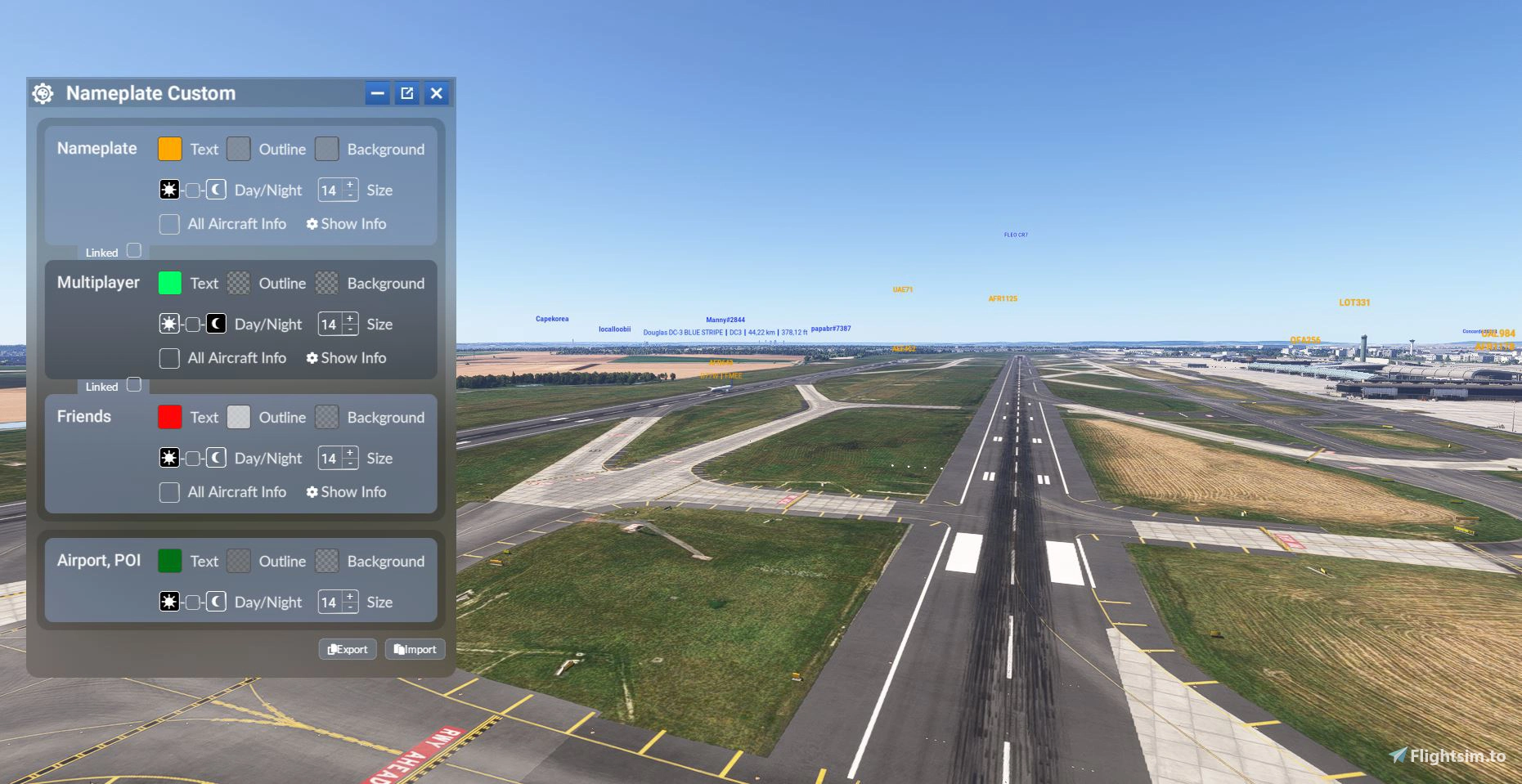
    . Change the text color and add a colored background to nameplates.
    . Customize nameplates differently for your friends or contacts.
    . No need to restart the sim — changes apply instantly in real time!
    . Nameplates now automatically shrink when you're close to another aircraft, improving visibility.

    What's next?
    This addon is designed to evolve over time, based on your feedback and what’s technically possible. There are tons of potential customization ideas (e.g. different colors at night, adjustable text size, etc.), but I wanted to start with something simple and effective.

    New 1.3.0 :

    This allows you to customize the display independently depending on the type of traffic - Multiplayer/AI.

    Saving and Reloading Settings

    You can now export and import your settings, making it easy to back them up or transfer them.

    Exporting a configuration:

    1. Click the Export button.
    2. A new window will open with your configuration.
    3. Click Copy to Clipboard.
    4. Paste the contents into a text file.
    5. Save the file with the .json extension, preferably.

    Importing a configuration:

    1. Click the Import button.
    2. Copy the contents of the previously saved .json file.
    3. Paste the text into the import window.
    4. Confirm to restore your configuration.

    These new features make it easy to back up your settings, restore them after a reinstall, and share your configurations with other users.

    Melden Sie sich an, um an der Diskussion teilzunehmen

    Anmelden

    Kommentare(110)

    t

    4 days ago

    depuis la mise a jour par moment les couleur ne sont plus visible est devient gris puis quand je choisis de cacher les joueur est de les remettre sa redevient au couleur que je leurs et attribuer
    G
    GizmoDeelAuthor

    1 day ago

    Je n'ai pas de problème de mon côté. As-tu rajouté un autre mod depuis ma mise à jour ?
    Sinon, essaye de supprimer complètement l'addon, ré-télécharge-le et réinstalle-le
    t

    about 12 hours ago

    non du tout j'ai supprimer l'ancienne version est mis celle ci
    s

    5 days ago

    Merciiii, c'est excellent
    J

    7 days ago

    Wouah ! Merci M'sieur Gizmo ! Si utile, si évident, si simple à exploiter au quotidien ! Vraiment 5* !
    J

    9 days ago

    HI Bro,
    Thx for your apps, is it support Beyond ATC AI traffic
    G
    GizmoDeelAuthor

    1 day ago

    If the labels are visible under normal circumstances, then yes; otherwise, unfortunately, no.
    s

    15 days ago

    An absolutely fantastic mod that drastically improves the simulator with essential features, Great work – thanks for sharing!
    N

    about 1 month ago

    Loving this mod, but I am having a bit of an issue with the color and background for traffic. When loading in it is correct but you can watch it quickly dissolve or fade away to just a black font with no background. The POI works great and when you make changes it shows up immediately for that portion. Please see attached screenshot of my setting also showing traffic. Thanks for the great mod!
    B

    3 months ago

    Hello. Your mod is great and works perfectly. Unfortunately, there is a conflict with the excellent program GlassOut:

    (https://glassout.flyingart.dev/)

    As soon as I have your mod in the Community folder, no panels (avionics, displays, EFB, etc.) are displayed under "Discover" anymore... I’ve tested this several times.

    It’s a real shame that I now have to permanently remove the nameplate custom color mod from my Community folder :-(
    G
    GizmoDeelAuthor

    3 months ago

    Hello,

    I’ll take a look on my side and try to contact GlassOut to see if there’s a way to find a solution with them.
    G
    GizmoDeelAuthor

    3 months ago

    I tested it myself using the demo version and didn't encounter any issues; the EFB and the panel are working properly. I tested it with the XCub—does it work with all aircraft?
    B

    3 months ago

    Hi. Thank you for testing...

    Have you only tried it with the XCub?

    Strangely enough, I don't have the issue of panels not showing up under "Discover" with every aircraft. With some planes, nothing appears at all, while with others only 1–3 show up, even though there should be quite a few more.

    Could you test a few aircraft that use the PMS GTN750 or the Asobo Airbus models...?

    It’s really odd, but I’ve tested it multiple times. With the nameplate add-on, no panels appear; without the nameplate add-on, all panels always show up under "Discover"... 🤔🤷🏽‍♂️😯
    G
    GizmoDeelAuthor

    3 months ago

    I've run tests with several aircraft, including Airbus models, and I haven't encountered any issues. I also checked their documentation, and there doesn't seem to be any reason why one would interfere with the other, as it only captures the panels.

    Have you tried using a different capture method in the settings, such as Compatibility instead of Present?
    B

    3 months ago

    That is very strange! I ran tests again today with 15 different aircraft and an empty Community folder... The only thing I left in the Community folder was your custom nameplate mod. With that installed, practically every aircraft in MSFS 2024 shows only empty, black panels under "Discover" in GlassOut. As soon as I remove the custom nameplate mod, all panels under "Discover" appear correctly for every aircraft.

    I also noticed something else: I assigned the "toggle nameplates on/off" function to a keyboard key in the MSFS settings. When your custom nameplate mod is in the Community folder and I hide or deactivate the nameplates using that key during a flight, all the panels under "Discover" immediately appear. I tested this 15 times in a row, and it is definitely your mod that is blocking the panels under "Discover." However, this only happens on my gaming PC.

    On my gaming laptop, I also have your custom nameplate mod in the Community folder, yet all the panels under "Discover" in GlassOut display without any issues. I can't explain why this problem occurs on the gaming PC 🤔🤷🏽‍♂️🫤
    F

    2 months ago

    Great finding! I'm GlassOut developer. I'll also check this on my side. Thank you for finding this, it may be important to improve GlassOut
    B

    2 months ago

    There is another Custom Nameplates Mod from CraigyBabyJ here on flightsim.to and it is exactly the same behaviour. I already wrote to him too and he explained to me, what the reason might possibly be...

    With both Custom Nameplate Mods, if I briefly deactivate the nameplates with my N key in my keyboard and then immediately reactivate them, all panels are displayed under Discover within 1-2 seconds in the fine GlassOut tool.
    B

    about 2 months ago

    Is there a solution for this specific problem? Thank you!
    MSFS 2020MSFS 2024

    Nameplate custom color

    This add-on introduces the ability to customize nameplates in Microsoft Flight Simulator 2024, allowing users to change text colors and backgrounds. It features real-time updates without the need to restart the simulation and can differentiate nameplates for friends or contacts. Additionally, nameplates automatically adjust size for improved visibility when close to other aircraft, with plans for future enhancements based on user feedback.
    Downloads4K
    Version1.3.0
    Dateigröße73.7 KB
    VeröffentlichtVor 1 Jahr
    AktualisiertVor 2 Wochen
    Klassifizierung
    Utilities5.0 (30)

    Nutzerbewertungen

    5.0

    30 Bewertungen

    5
    100%
    4
    0%
    3
    0%
    2
    0%
    1
    0%

    Versionsgeschichte

    It is now possible to set different colors for Multiplayer and AI. This allows you to customize the display independently depending on the type of traffic. Saving and Reloading Settings You can now export and import your settings, making it easy to back them up or transfer them. Exporting a configuration: Click the Export button. A new window will open with your configuration. Click Copy to Clipboard. Paste the contents into a text file. Save the file with the .json extension, preferably. Importing a configuration: Click the Import button. Copy the contents of the previously saved .json file. Paste the text into the import window. Confirm to restore your configuration. These new features make it easy to back up your settings, restore them after a reinstall, and share your configurations with other users.

    Ähnliche Addons
    Hide This Message

    Hide This Message

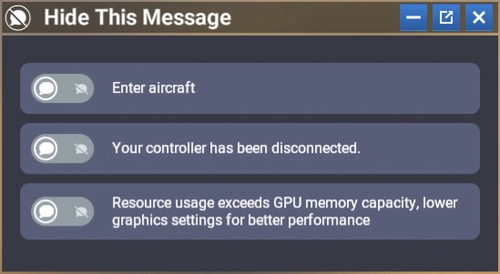
    Hide This Message is a custom module for Microsoft Flight Simulator 2024 that enables users to conceal specific notifications within the interface, enhancing the overall flying experience. It features a user-friendly design that allows for easy activation or deactivation of targeted messages, while keeping the original interface intact. Once configured, the module will automatically hide selected messages in all game modes without needing to reopen the settings. Additionally, it supports automatic translation of messages based on the users language settings.

    von GizmoDeel
    4.8
    Launch Any Executable File

    Launch Any Executable File

    Launch Any Executable File is a convenient widget allowing you to easily launch any executable application on your PC, such as little nav map, open track, or vlc. With the ability to customize the name, path, and icon of the application, this tool provides flexibility and ease of use. Automate the launch process and seamlessly open and close your preferred apps with just a click. Please note that Flow Pro is required for this addon.

    von GizmoDeel
    4.7
    Flow Spotify Control

    Flow Spotify Control

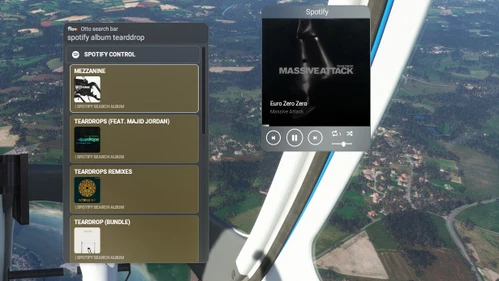
    Control your Spotify music seamlessly while flying with this widget. Premium Spotify account required. Play/pause, skip tracks, adjust volume, and more. Search for artists, albums, playlists, and enjoy your favorite tunes during your flight. Check documentation for setup instructions.

    von GizmoDeel
    3.4
    Uncovered Flow

    Uncovered Flow

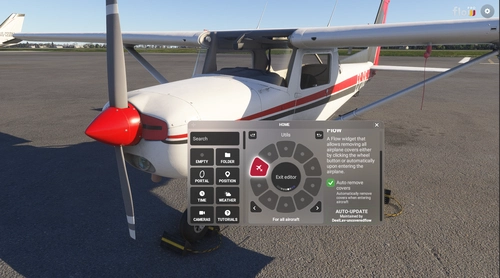
    Uncovered Flow is a Flow widget for Microsoft Flight Simulator 2024 that streamlines the management of aircraft protective covers, including pitot covers and engine inlets. It features one-click installation and removal of all covers, with an automatic removal option upon entering the aircraft. The add-on provides clear visual feedback regarding the status of the covers and ensures functionality is limited to compatible aircraft specifically designed for MSFS 2024.

    von GizmoDeel

    0.0