
Beschreibung
Hello there, thanks for checking out my Reshade Presets!
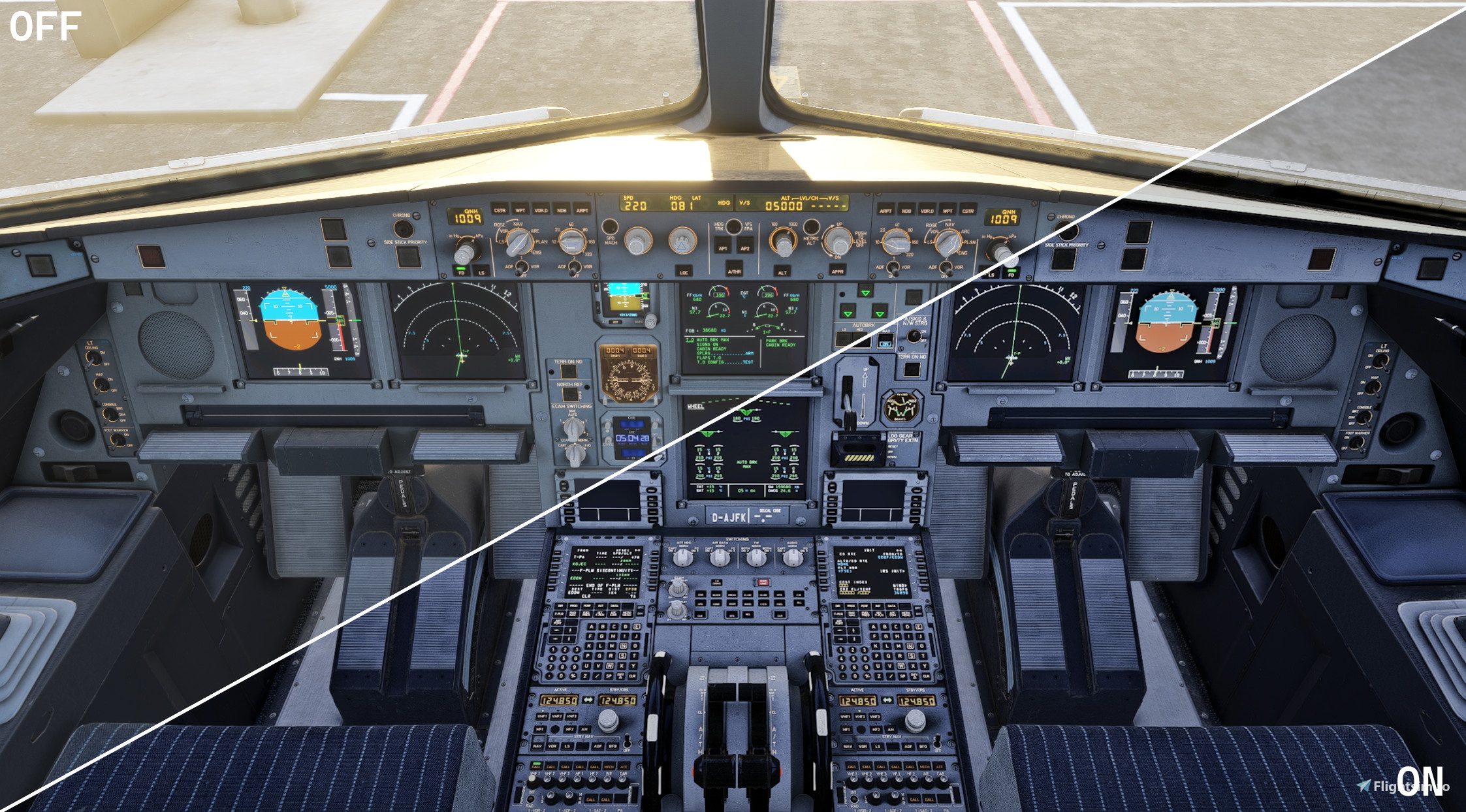
This Preset is a simplified Version of my previous upload, "Visual FLightsim Enhancement" and also aims to achieve more Visual Realism in various Flightsim sence, but with less colourfulness, etc...
Installation:
1. Download the newest Reshade with all Effects
2.Download my Pack and extract the downloaded .zip file
3.Drag and Drop the 2 Presets in your Reshade Installation Path for MSFS/MSFS24:
→ To find that Path, start your Simulator and Press your Reshade Key (for me pos1), after that you`ll see the name of your current
preset on the top, click the folder icon right next to it and drag and drop both files there
4.Activate one of the 2 Presets
Current "Issues"
I recommend using the DOF Preset only for making pictures or when flying planes with bigger Cockpits, because it could lead to
some visual Issues.
Features:
• customized DOF (only with DOF Preset)
• Better Color and Contrast
• Improved Look of Shadows
• etc.
Recommandations!:
On default the Blur Quality for the normal (not WIP) with DOF is set to 30 (max), if you experiance FPS Drops:
1. Open up the Reshade menu and Click "Active on Top"
2. Now you see, if it dont show up search for cinematic DOF, if off for whatever reason turn on (when you want DOF)
3. Mow double Click "CinematicDOF" now a small window will show up at the bottom of the reshade menu
4. Scroll down to Overall Blur Quality and turn it down to a Number Less than 15, this will decrease DOF Qulity but improve FPS massivly
Please Keep in Mind that this is a really new upload and I will be thankfull for every recommandation or Issue Report.
Happy Flying!
VFsE-simplified Reshade
VFsE-simplified is a Reshade preset designed to enhance visual realism in Microsoft Flight Simulator while reducing overall color vibrancy compared to its predecessor. It includes features such as customized depth of field, improved color and contrast, and enhanced shadow appearance. The installation process requires users to download and integrate the preset files into their Reshade setup. A note on functionality suggests careful use of the depth of field preset for optimal results.


Nutzerbewertungen
1 Bewertungen
Versionsgeschichte
𝗙𝗜𝗫𝗘𝗦: • Fixed a bug that caused DOF flickering in MSFS20 𝗔𝗗𝗗𝗜𝗧𝗧𝗜𝗢𝗡𝗦: • Two additional files added: ・Both files contain revised color schemes, as well as changes to clarity and level factor for greater realism. ・Colors now have more realistic brightness and a more realistic overall appearance. → These 2 Files are WIP and I love to hear Feedback from you, to improve performance and Quality Thanks for my Testers helping me optimize current files. Happy Flying!
Melden Sie sich an, um an der Diskussion teilzunehmen
AnmeldenKommentare(10)
7 months ago
12 months ago
about 1 year ago
about 1 year ago
about 1 year ago
over 1 year ago
over 1 year ago
Hope to hear from you and Happy flying!
over 1 year ago
over 1 year ago
Its great to hear thats you Like the preset, to reduce darkness you can true the color preset it should Provider brighter color aber Overall Look.
If its still to Dark you can trie Turn the clarity black Point down.
If you still have the Feeling thats its too dark please reply to this and i'll Look into it soon.
over 1 year ago