
Beschreibung
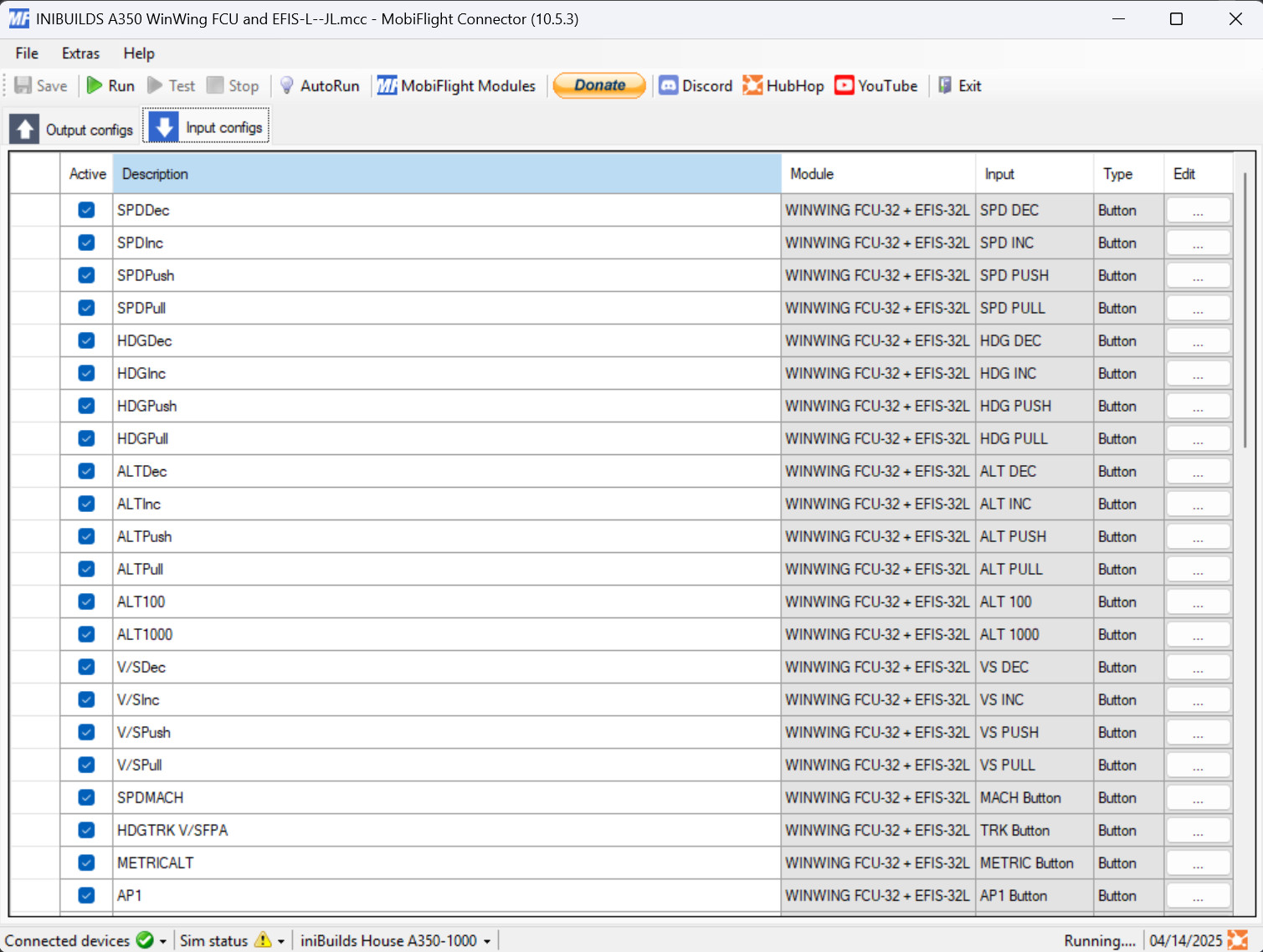
This addon is a profile for winwing's FCU, EFIS-L and MCDU for the A350 from inibuilds.
EFIS-R can be easely added by duplicating the EFIS-L part of the profile and changing from left to right inputs and outputs
This profile is could still have bugs, please report them in the comments.
if alt 100/1000 is inverted flicker it half way and reput it in the same position as before.
If lights stop working turn lights on in simapppro and rerun the profile.
WinWing FCU + EFIS-L Inibuilds A350 Profile
This add-on provides a profile for the WinWing FCU and EFIS-L designed for the A350 aircraft from Inibuilds. Users can easily add an EFIS-R by duplicating the EFIS-L elements and adjusting the inputs and outputs. Compatibility with MSFS2024 is not guaranteed at this time, and users are encouraged to report any bugs in the comments. Additional features such as the MCDU will be included upon its release.
Nutzerbewertungen
1 Bewertungen
Versionsgeschichte
Fixed display and backlight brightness always = 100 on MCDU
Melden Sie sich an, um an der Diskussion teilzunehmen
AnmeldenKommentare(20)
3 months ago
3 months ago
10 months ago
Could you also help me implement the right efis? I tried to do it my self but i didnt understand. I added you on discord.
Thanks!
10 months ago
10 months ago
12 months ago
12 months ago
about 1 year ago
Did you map a ENT mcdu button from the a350 to the winwing mcdu?
I can't find it.
Thanks
about 1 year ago
over 1 year ago
Yves
over 1 year ago
over 1 year ago
Thank's
yves
over 1 year ago
Can you please add the Right EFIS, I have it and it would be nice.
Thank's
for your job!
Yves
over 1 year ago
over 1 year ago
1. when cruising and desent the speed and heading will suddenly change to numbers, so it will not follow the Auto pilot path.
2. the lights on FD, LS, LOC, AP1 and other seems not bright enough (already turn it on simapppro) but when jump to simulator it look super dim cant see at all.
so far this two major bugs i am experiancing..hope it can be fix. if there is any more find out i will let you know
over 1 year ago
the dim lights seem to be an issue with simapp controiling them in the background, verify sim app pro isn't running if the issue persist please comment it back.
over 1 year ago
over 1 year ago
i will download the update and give it a try.
over 1 year ago
over 1 year ago
Hope this will help you !