
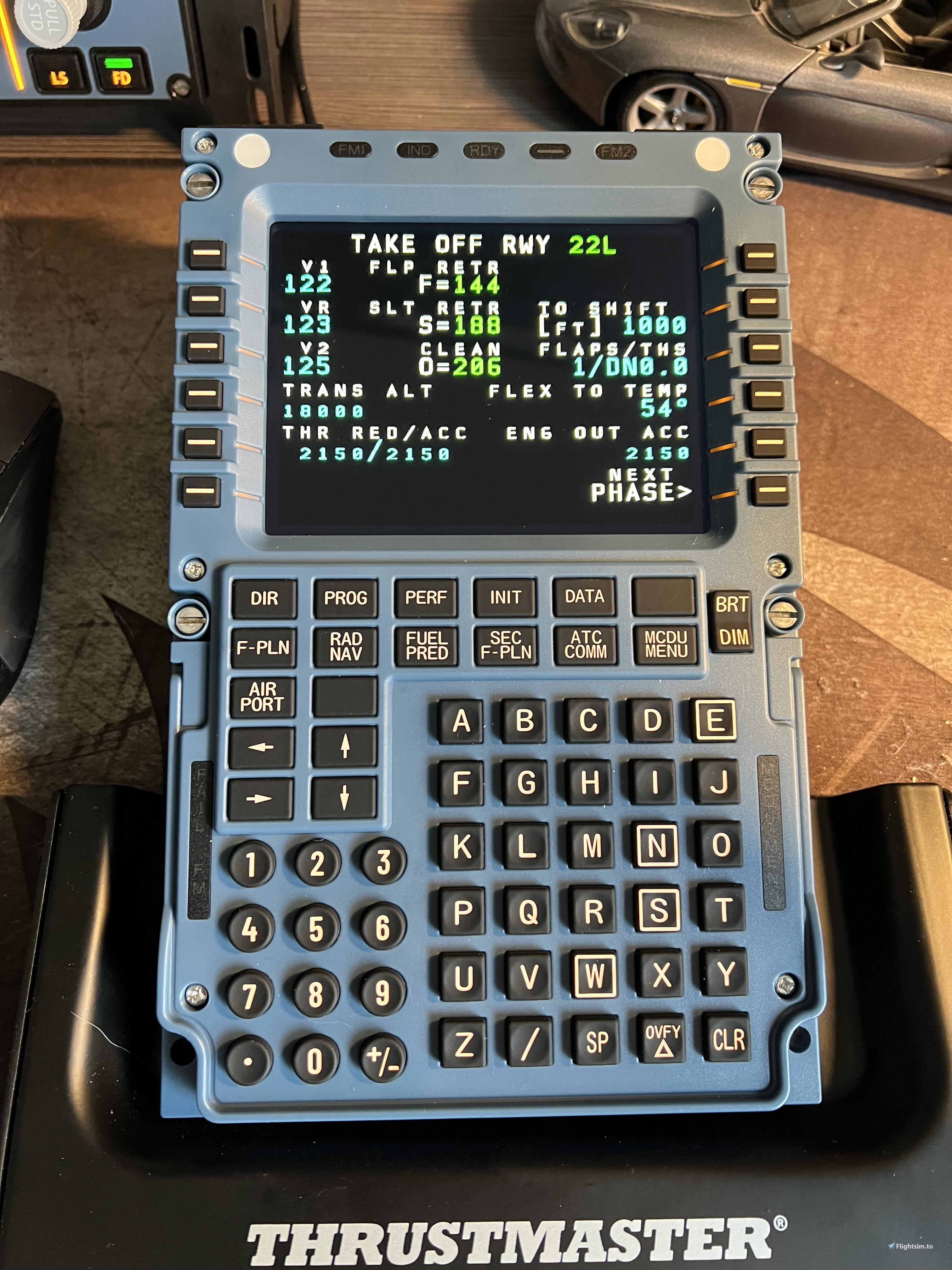
Beschreibung
Hi
Created a profile to create a mini cockpit for the Headwind A330-900 NEO
To use this profile fully, you need
- mini cockpit FCU
- mini cockpit EFIS L
- Winwing mcdu
If you just need the mcdu settings, disable the minicockpit with the sliders in the config menu.
to get the mcdu screen working you need to be on the mobiflight beta software version 10.5.3.2 or higher and have python installed!
Wesocket should be installed via pip. check mobiflight docs for install instructions.
also flybywire simbridge bridge should be installed and running!
install instructions are here: https://f6e87a51.mobiflight-docs.pages.dev/game-controllers/winwing/winwing-cdu/
The latest beta has no support out of the box yest for the A339x screen out of the box. pull request to merge with main branch of mobiflight has been send.
You can't run this config on the mainstream mobiflight software version: 10.5.3 , you need to be on the beta !!!!!
Mobiflight profile for headwind A339X (Minicockpit FCU + Efis and Winwing MCDU)
This add-on provides a Mobiflight profile specifically designed for a mini cockpit setup compatible with the Headwind A330-900 NEO. It requires the use of a mini cockpit FCU, EFIS L, and a Winwing MCDU for full functionality. Users must have the Mobiflight beta software version 10.5.3.2 along with Python installed to enable the MCDU screen. Detailed installation instructions are available through the provided link.


Nutzerbewertungen
2 Bewertungen
Versionsgeschichte
deleted scripts folder! no longer needed to install manualy As of mobiflight beta version 10.5.3.7 the config files for the winwing mcdu for the headwind come with the offlicial installer of mobiflight. I have merged my config for the websocket with the mainline repo. All chnages forward will be done via this repo. The profile is still included in the download to get every button and led working of course.
Ähnliche Addons
Mini FCU + Efis inibuilds A350 profile for mobiflight
This add-on provides a profile for Mobiflight that allows the integration of the Mini FCU and EFIS within the iniBuilds A350 in Microsoft Flight Simulator. It enhances functionality and offers smooth control for the cockpit interface. The included setup instructions guide users through the installation and configuration processes to ensure optimal performance. Additionally, it features a mapped zoom function for added convenience.
von belpilot128

Ultimate MobiFlight Profile: Winwing PAP3 & PFP 3N for PMDG 737 Series
This add-on features an all-in-one profile for the PMDG 738 optimized for use with the Winwing PFP3N and PAP3 hardware. It includes support for screen functionality, button inputs, and LED indications, enhancing the flight simulation experience. Installation requires Python and specific updates to PMDG configuration files. Designed for MSFS2020, this profile aims to streamline the operation of the PMDG 737 series.
von belpilot128

PMDG 738 fmc for winwing pfp3 N
This add-on provides a customized profile for the PMDG 738 aircraft on the Winwing PFP3N device, designed to optimize control settings and enhance usability. It supports functionality for the screen and all buttons, improving the overall flight simulation experience. Installation requires Python, along with specific setup procedures to enable data communication for the PMDG aircraft. The profile has been tested specifically on MSFS2020 and may require manual adjustments for other 737 variants.
von belpilot128

Mobiflight Profile for PMDG 737 to work with Winwing PAP3
This add-on provides a comprehensive profile for the PMDG 738 tailored specifically for the Winwing PAP3 hardware. It includes optimized settings for screen displays, button functionalities, and LED indicators, enhancing the simulation experience for users. The profile is designed for pilots of all skill levels, offering improved control and realism during virtual flights. Additionally, users are advised to ensure they have the latest events from HubHob to fully utilize all features.
von belpilot128
Melden Sie sich an, um an der Diskussion teilzunehmen
AnmeldenKommentare9
if you want you can make this little change that I made on my profile.
you can set the keyboard backlight with this parameter that you see in the image, so as not to keep it always on.
Pls correct the "0" button. when you press 0 it displays 9 on the scratchpad
Mobiflight latest BETA installed 10.5.3.5
Python latest version installed and configured (pip)
Profil added and running
FCU is working
MCDU (WinWings) not working, only "MoBiFlight" is displayed on it
Any idea ?
For flybywire simbridge should be installed and running.
But it only shows Mobiflight in the screens.
Different profiles (of Fenix e.g.) work and show content on the MCDU. IniBuilds A33x don't show anything, but thats an IniBuild restriction as far as I know.
Did you install the beta software of mobiflight?
flybywire bridge software and running
latest python software ans installed websocket via pip?