
Beschreibung
Thank you for considering downloading my ReShade!
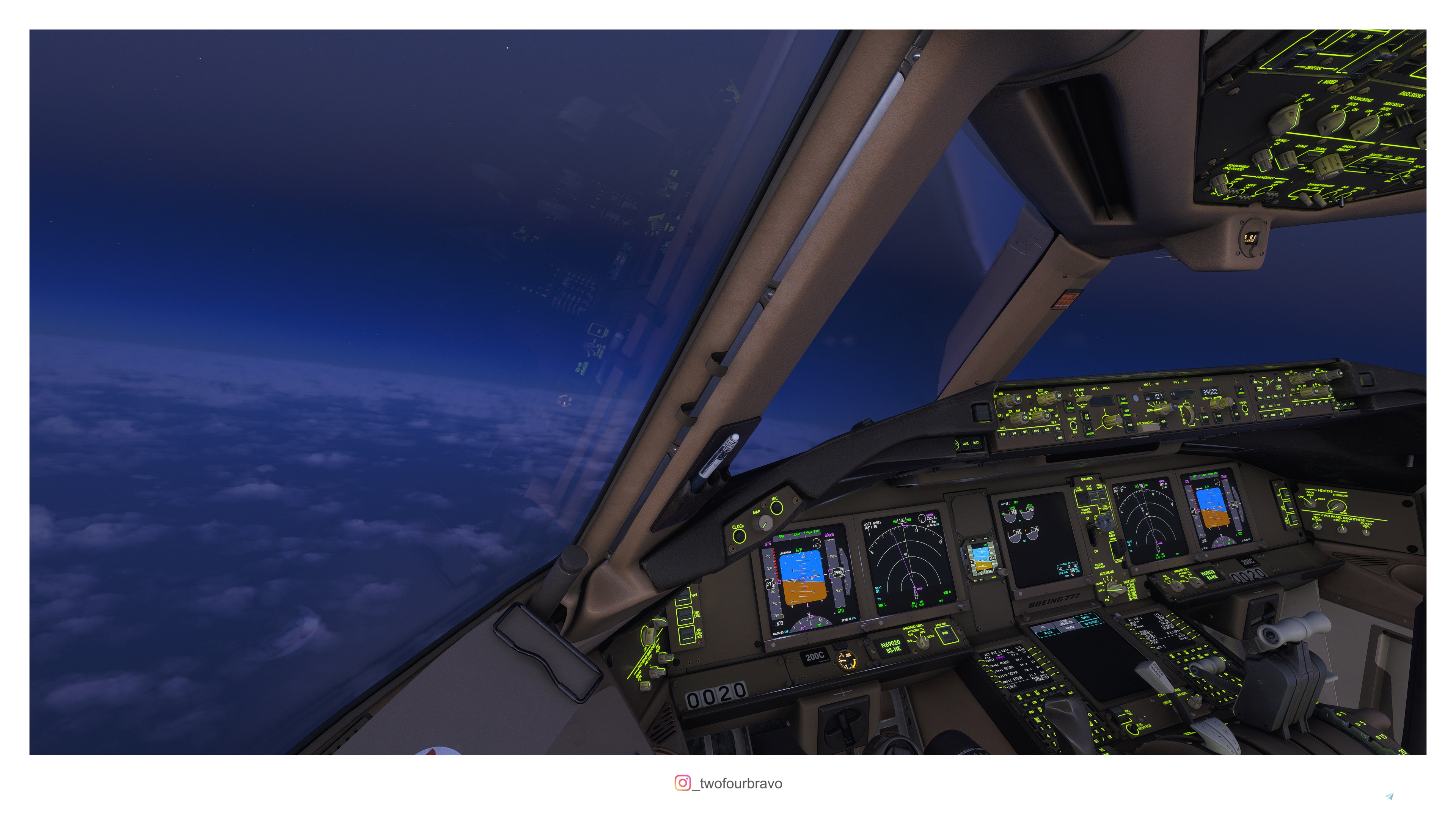
It's intended to lower the yellow tint in MSFS 2024 while adjusting brightness and contrast too. If you're using HDR and find that clouds are over exposed for your taste, this preset will adjust the contrast and brightness level in a way that they keep realistic exposure but at lower level.
My ReShade does not affect your sim performance.
For awesome aviation pictures taken in MSFS you can follow me on instagram "_twofourbravo"
ReShade Installation:
1. Download the latest version of ReShade from their website https://reshade.me/
2. Start the installer and it will ask you for which programm it will be installed. On the bottom select "browse" and select "gamelaunchehelper.exe" (default location C:\XboxGames\Microsoft Flight Simulator\Content) (applies for both MSFS 2020 and 2024)
3. Select DirectX 10 / 11 / 12 and let the installation finish
4. When you start MSFS there will be an info box displayed on the top left corner telling you the current installed ReShade version and which keys open the ReShade menu. When you're in the ReShade Menu you can change the assigned keys.
5. For installation unzip the downloaded folder. Inside are three files: "Read me", "twofourbravo_v2.png" (LUT) and "Realistic Colors for MSFS 2024.ini" file. Inside your MSFS 2024 Content folder is a folder named "reshade-shaders" holding both a "shaders" and "textures" folder. After this you should be able to select my preset "Realistic Colors for MSFS 2024" from the ReShade menu inside MSFS.
To use my preset you'll only have to active "Technicolor", "Technicolor2", "Levels", "Vignette", "AdaptiveSharpen" and "LUT"
Kommentare(15)
Melden Sie sich an, um an der Diskussion teilzunehmen
Anmelden5 months ago
I love this RESHADE!
Thank you.
over 1 year ago
But dxgi.dll is in system32 and also placed it in the main game folder but it says that said file doesn´t exist.
Tried with another game and the same again.
Perhaps I don´t know well about this software.
over 1 year ago
over 1 year ago
Thank you!
over 1 year ago
over 1 year ago
Am I going perhaps to have 5-6 less FPS.
over 1 year ago
over 1 year ago
very nice job and a beautiful preset by T4B!
Too bad reshade causes fs2024 to crash sometimes...
over 1 year ago
over 1 year ago
over 1 year ago
over 1 year ago
over 1 year ago
I updated the discription to include a step by step installation guide. Since I use ReShade for a while now, I of course know what I have to do, but others don't, so let me know if my guide is easy to follow or not :)
over 1 year ago
Realistic Colors for MSFS 2024
This add-on features a ReShade preset designed to enhance realism in Microsoft Flight Simulator 2024 by reducing the yellow tint while optimizing brightness and contrast. It specifically addresses HDR settings to prevent cloud overexposure, ensuring a more natural visual experience. The installation process involves a simple drag-and-drop technique to integrate the preset into your MSFS setup.

Nutzerbewertungen
1 Bewertungen
More Information
Versionsgeschichte
- switched compatibility to MSFS 2024 - completely reworked effects and colors - added a custom LUT - added Read me file to .zip
about 6 hours ago