

Beschreibung
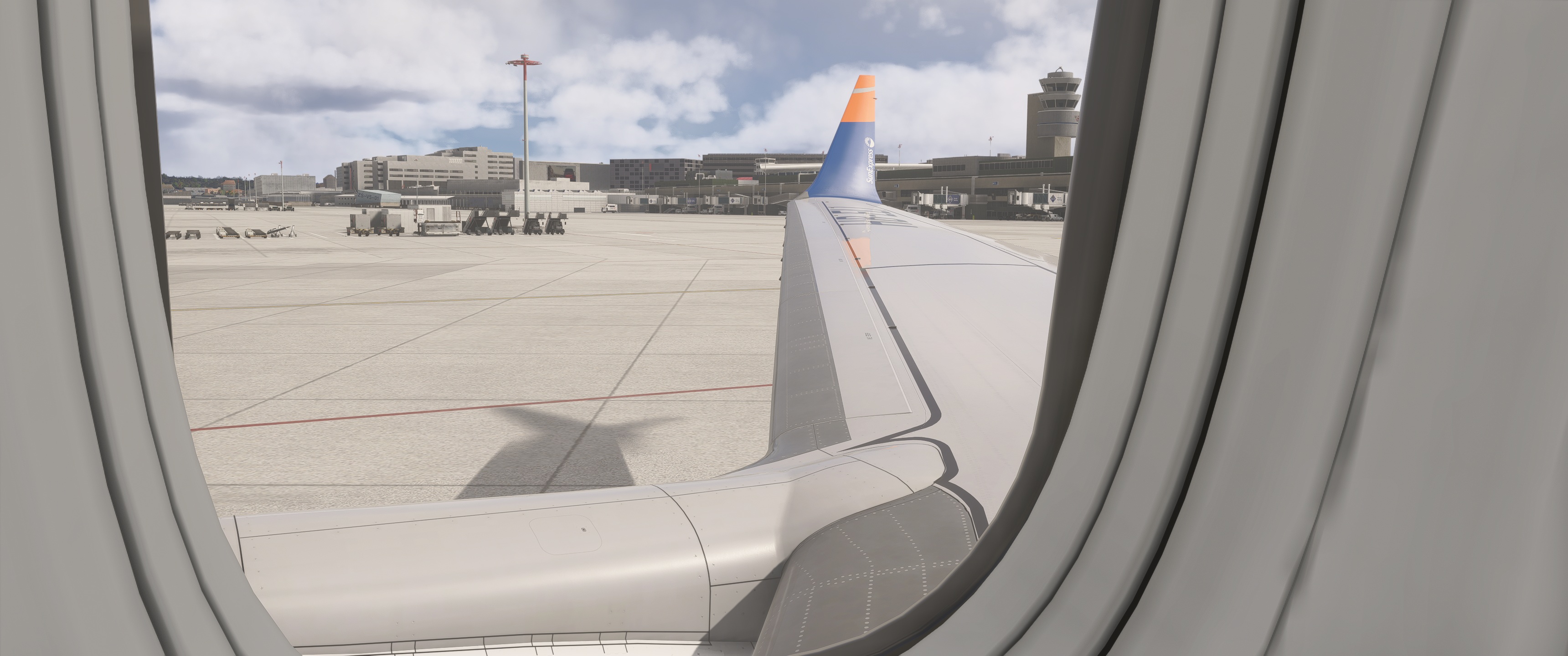
Wingvievs for Asobo B 737 Max 8
Keyboard commands:
Alt + 1
Alt + 2
Alt + 3
Alt + 4
Alt + 5
Alt + 6
Alt + 7
Alt + 8
If necessary, change or adjust the key command settings in MSFS 2024.
Installation path: C:\Users\XXXXX\AppData\Local\Packages\Microsoft.Limitless_8wekyb3d8bbwe\LocalCache\SimObjects\Airplanes\asobo_b737max\presets\asobo\b737max8_passengers\config
Exterior views (wing views) for Asobo B 737 Max 8
This add-on provides predefined exterior wing views for the Asobo B 737 Max 8 in Microsoft Flight Simulator. Users can access various viewpoints using designated keyboard commands, allowing for enhanced observation of the aircrafts exterior. Installation instructions and a default path for configuration are included. Adjustments may be required in the MSFS 2024 settings to fit individual preferences.


Nutzerbewertungen
2 Bewertungen
Versionsgeschichte
Here is a new version of Wing-View. The perspective has been improved because the zoom has been adjusted accordingly.
Melden Sie sich an, um an der Diskussion teilzunehmen
AnmeldenKommentare(37)
about 21 hours ago
about 3 hours ago
4 months ago
4 months ago
11 months ago
C:\Users\Toni\AppData\Local\Packages\Microsoft.Limitless_8wekyb3d8bbwe\LocalCache\SimObjects\Airplanes\asobo_b737max\presets\asobo\b737max8_passengers\config
7 months ago
The path is correct. Have you adjusted the keyboard shortcuts in the MSFS 2024 settings? It should work after that.
about 1 year ago
about 1 year ago
over 1 year ago
over 1 year ago
over 1 year ago
over 1 year ago
over 1 year ago
over 1 year ago
over 1 year ago