
![[GSX Pro] LIMC - Aerosoft Milano Malpensa [Official Rework IVAO & VATSIM] - Image 1](https://cdn.flightsim.to/images/28/20260430_122610_e73db5d418f6055d_limc-milano-malpensa-gsx-pro-profile-aerosoft.png)
Beschreibung
Detailed GSX Pro Profile - Aerosoft Milano Malpensa (ICAO: LIMC - IATA: MXP).
!! All other gates and parking are completed and ready to use. Enjoy ;)
MAKE SURE TO REPOSITION YOUR AIRCRAFT AS SOON AS YOU SPAWN IN THE SIM
INSTALLATION & VDGS USAGE IN READ ME FILE
Features:
- Complete rework of GSX profile allowing for latest Feature;
- Full GSX-VDGS integration at Parkings which requires them in real life (SEE ABOVE),
Aerosoft VDGS Profile also available to select;
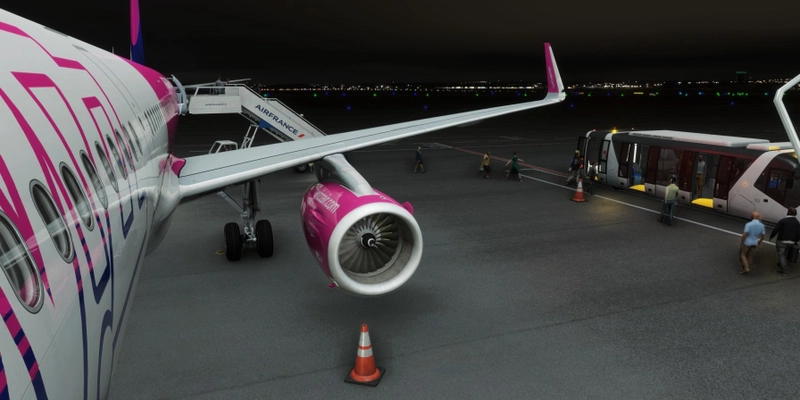
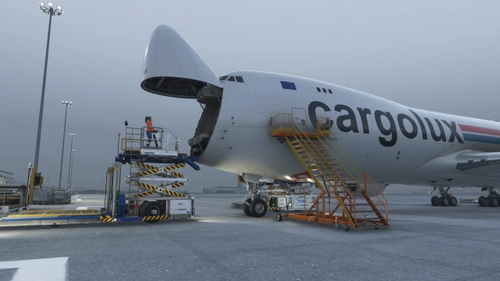
- Realistic Handlers and Caterer with dedicated description file (SEE SCREENSHOT),
- Accurate GSE placement based on IRL experience,
- Realistic Walk-In passenger path at Easyjet Terminal 2
- Realistic Walk-In passenger path in Gates used by Ryanair and Wizzair at Terminal 1
- Custom Gates Names (SEE SCREENSHOT),
- Custom Stop Position for each A/C,
- Accurate Airlines-Parking coding.
- Custom Pushback procedure:
Tug Release Point,
- Engine start clearance point;
- Custom De-Icing Areas.
!! This Profile accurately tries to represent real life operation at Milano Malpensa, It has been created mainly for usage in combination with Online Network such IVAO & Vatsim. To permit such operation, the following change has been made:
- Some Stop Positions have been misaligned on Purpose to prevent aircraft from clipping inside jetways, buildings and ground clutter;
- Some parking and gates have been renamed to represent ramp dynamics in Malpensa.
ENJOY AND PLEASE REPORT ANY ISSUE IN THE COMMENTS.
MSFS 2020MSFS 2024
[GSX Pro] LIMC - Aerosoft Milano Malpensa [Official Rework IVAO & VATSIM]
The LIMC Milano Malpensa GSX Pro Profile offers a comprehensive update for Aerosofts Milano Malpensa airport.
Downloads10K
VersionvFS 2020 - Aerosoft Malpensa 2020
Dateigröße112.5 KB
VeröffentlichtVor 1 Jahr
AktualisiertVor 5 Monaten
Nutzerbewertungen
4.8
6 Bewertungen
5
83%
4
17%
3
0%
2
0%
1
0%
Versionsgeschichte
Added Handler Script to take advatage of latest GSX features.


Melden Sie sich an, um an der Diskussion teilzunehmen
AnmeldenKommentare(59)
5 months ago
2 months ago
2 months ago
2 months ago
FSDT Latest
2 months ago
2 months ago
3 months ago
2 months ago
2 months ago
2 months ago
4 months ago
BUT: You're changing the Refuel Side on the Aircraft and that is not a good Design. It is something defined in the Aircraft Profile so it shouldn't be changed by the Airport Profile!
3 months ago
3 months ago
The Refuel Location is defined by the Aircraft Profile. It IS interfering with what GSX internally, the Aircraft Developer or the User sets for the Aircraft. Especially when other Apps try to interface with GSX and the Aircraft and build on the Defaults set by GSX' internal Aircraft Profiles (or the ones provided by the Developer) the Interference becomes even greater.
Changing that on the Fly in the Handler, makes it impossible for every native or external Integration that the Side was changed and adopt Service Calls accordingly.
I really appreciate your Effort and Work to make the Airport Profile as realistic as it can be. But we're still talking about an Addon in a Simulator that can only work in certain Ways and has Limitations.
3 months ago
If this is the case, I am more than willing to correct them and provide a more robust solution.
Should this not match your expectations, I apologise for the inconvenience, please feel free to modify the profile to your own taste
3 months ago
This Difference in A2G might be removed in future Builds, some early Tests with the new GSX Vehicle Paths & Checks seem to allow Stairs & Refuel to happen on the same Side. But for the Moment it still acts that Way. (Still have to wrap my Head around the new/first GSX WS API ^^)
But in any Case, I still believe that Airport Profiles shouldn't override Settings especially Positions in the Aircraft Profile. The Aircraft (and so its Profile) is basically the 'Avatar' of the Player so the 'Level' shouldn't change where Things are gonna be attached. Also when it is not a Custom/User Aircraft Profiles but a (Aircraft) Developer-provided Profile, it would also mean that such an Airport Profile would change Stuff the Aircraft Developer had envisioned differently.
A Fix/Workaround was easy for me, since I just quickly removed the respective Lines in the Python File. But the 'Average Joe' GSX User might be confused ^^
Thanks for your Understanding! I really like the Profile, keep up the great Work :)
4 months ago
4 months ago
3 months ago
5 months ago
5 months ago