
Beschreibung
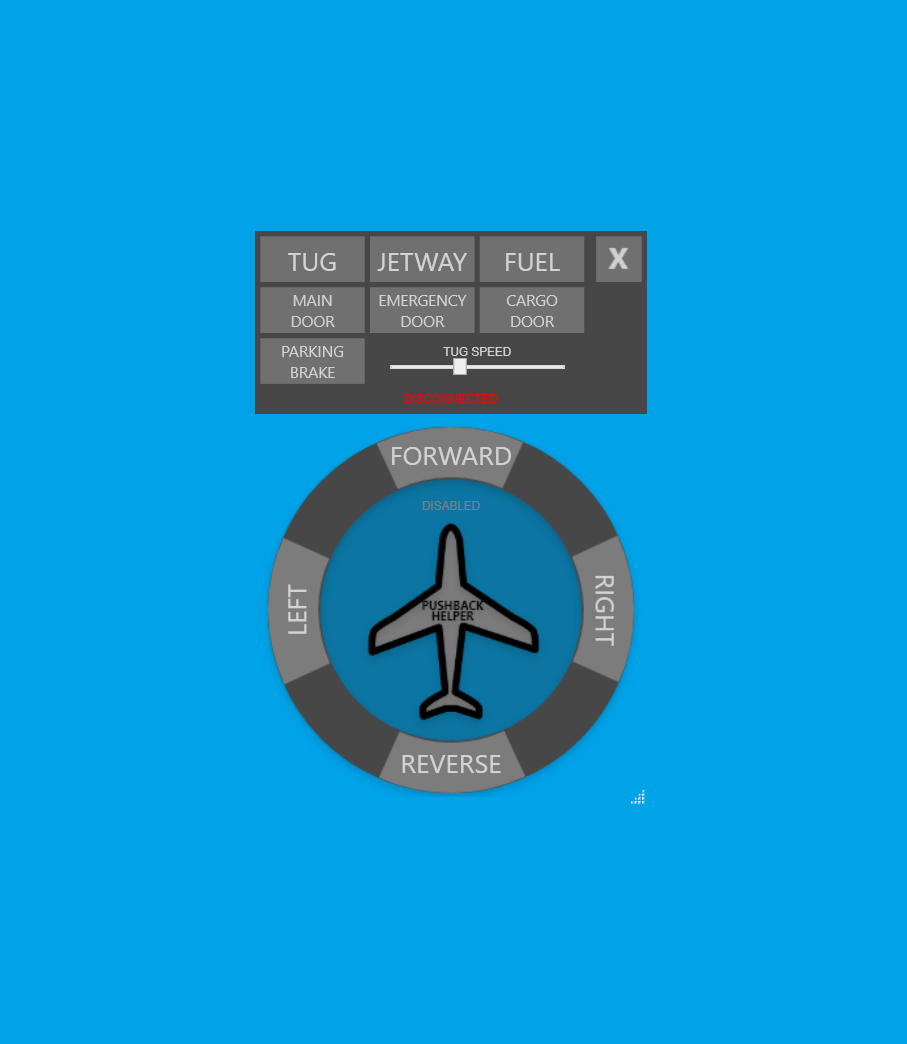
Pushback Helper is an application to make push back operations easier.
- No need to contact ATC for the jetway connection
- No need to contact ATC for using push back
- No need to contact ATC for calling fuel truck
- Open and close aircraft doors easily (A320, 787, 747 only)
Installation
Extract all files to any location and run PushbackHelper.exe. There is no need to put into the community folder location.
Auto-launch
If you wish to auto-launch the app upon the start of MSFS, follow these steps:
- Navigate to the MSFS installation folder and then subfolder LocalCache a) Typically C:\Users[YOUR USERNAME]\AppData\Local\Packages\Microsoft.FlightSimulator_\LocalCache b) This can vary depending on install drive or if you have the Steam version.
- In the LocalCache folder, find the exe.xml file and edit with your text editor of choice.
- Add the following snippet under the SimBase.Document tree, but substitute the path of where you installed MSFS Pushback Helper App.
    PushbackHelper
    False
    [PATH TO PUSHBACK HELPER EXE FILE]
- This is an example of an updated exe.xml file:
  Auto launch external applications on MSFS start
  exe.xml
  False

     PushbackHelper
     False
     C:\Users\alexj\AppData\Local\Packages\Microsoft.FlightSimulator_8wekyb3d8bbwe\LocalCache\Packages\community\msfs-pushback-helper-app\PushbackHelper.exe
Usage
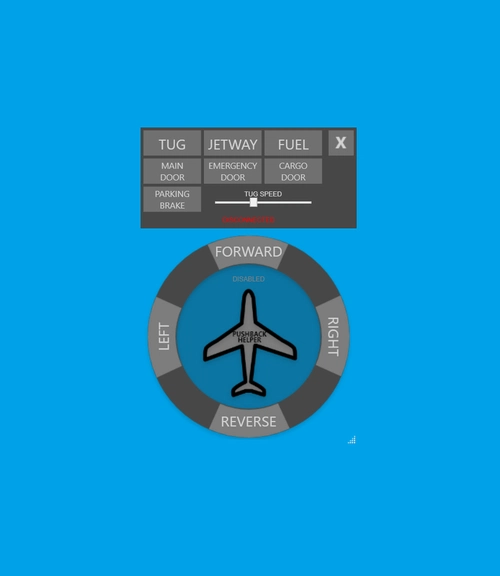
- To show/hide UI press the Page Up key
- To connect or disconnect jetway simply click the Jetway button.
- To call the fuel truck simply click the Fuel button.
- To start or stop push back simply click the Tug button.
- The tug will wait in place until either Forward or Reverse is selected (remove the parking brake first or it will move slowly).
- Once moving, select Left or Rightto steer the tug.
- There are indicators (3 dots) near the Left and Right buttons to show current rotation speed while turning.
- If you continue clicking the direction you are turning Left or Right, the rotation speed will increase.
- To decrease rotation speed, simply click the other direction button Left or Right
- When done, click Stop. Apply the parking brake. Click the Tug button again to remove the tug.
Special thanks to alex-johnson for his great work implementing v2.3 and v2.4 and v2.5 features.
Special thanks to aphalon for his great work implementing v2.6 features.
v2.7 Changes
- [FEATURE] Built with the MSFS 2024 SDK SimConnect client. It should also work with MSFS 2020; if you run into problems there, keep using v2.6.
- [FEATURE] Reworked tug steering: turn levels 1, 2 and 3 set the tug angle (20°, 40°, 60°). Higher levels turn tighter and slow the aircraft down instead of speeding it up.
- [FEATURE] Parking brake read from the aircraft's own systems on Fenix A319/A320/A321 (also set), FlyByWire A32NX, Headwind A330 and FSLabs A32x. The FSUIPC-WASM module is no longer
needed.
- [BUGFIX] The tug no longer detaches at the maximum turn level.
- [BUGFIX] Smoother turns: the tug follows the aircraft heading every frame instead of once per second.
- [BUGFIX] More reliable connection while the sim is loading.
- [BUGFIX] A lost connection or sim crash is detected and the app closes instead of staying connected.
- [BUGFIX] No more error pop-ups during pushback if the connection drops.
v2.6 Changes
- [FEATURE] Added multiple rotation speeds to left and right
- [FEATURE] Added indicators shows the current rotation speed to left and right
v2.5 Changes
- [FEATURE] Adds more ground services
- [FEATURE] App no longer steals focus from MSFS so audio remains
- [FEATURE] App will auto exit upon exit of MSFS
- [BUGFIX] Adds better exception handling
v2.4 Changes
- [FEATURE] Adds tug speed setting
- [FEATURE] Adds parking brake button
v2.3 Changes
- [FEATURE] Door buttons added to open/close doors
- [FEATURE] Changed pushback method to new method with forward tug ability
- [FEATURE] Added ability to scale app size
- [BUGFIX] Fix crash on sim disconnect
v2.2 Changes
- [FEATURE] Fuel button added to call fuel truck.
v2.1 Changes
- [FEATURE] Jetway button added to manage jetway connection.
- [FEATURE] Close button added to exit application.
- [FEATURE] Moving UI is possible now. Just hold left click on the gray area between jetway and close buttons to move it.
- [FEATURE] When you close the application last location is being saved and restored when you start application.
- [FEATURE] MSFS connection status text moved to top of aircraft image and it is more readable now.
- [BUGFIX] Crash to desktop when click buttons before app connects to the sim is fixed.
v2.0 Changes
- UI is recreated using WPF
- Shotcut key is defined. Press Page Up to show/hide UI. If you have multiple monitor you can move UI by pressing Shift + Windows + Left or Right arrow keys together.
Project link: https://github.com/metindikbas/msfs-pushback-helper-app
Pushback Helper
Simplify pushback operations with Pushback Helper. Connect jetway, use push back, and call the fuel truck without contacting ATC. Easily open/close doors on specific aircraft models.


Nutzerbewertungen
140 Bewertungen
Versionsgeschichte
v2.7 Microsoft Flight Simulator 2024 - Now built with the MSFS 2024 SDK SimConnect client. - It should also work with MSFS 2020. If you run into problems there, keep using v2.6. Pushback - Reworked tug steering. Turn levels 1, 2 and 3 now set the tug angle (20°, 40°, 60°). Higher levels give a tighter turn and slow the aircraft down, like a real tug, instead of speeding it up. - The tug no longer detaches at the maximum turn level. - Smoother turns: the tug follows the aircraft's heading every frame instead of once per second. Parking brake - Parking brake support for aircraft that use their own systems: - Fenix A319/A320/A321: read and set (the Fenix update of 22 October 2026 stopped using the standard sim variable) - FlyByWire A32NX, Headwind A330, FSLabs A32x: read - All other aircraft keep using the standard sim parking brake. - The FSUIPC-WASM module is no longer needed. Connection and stability - More reliable connection while the sim is loading. - A lost connection or sim crash is detected and the app closes, instead of staying "connected". - No more error pop-ups during pushback if the connection drops. Requirements - Microsoft Flight Simulator 2024 - .NET Framework 4.7.2 - Microsoft Visual C++ 2015-2022 Redistributable (x64), normally already installed with MSFS
In Sammlungen enthalten(1)

Ähnliche Addons
LTDA Hatay Airport, Turkey
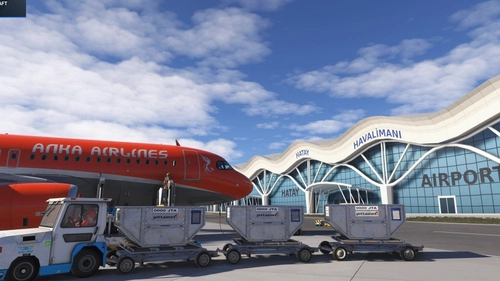
Hatay Airport LTDA for Microsoft Flight Simulator 2024 features a rebuilt ground layout based on OpenStreetMap and aerial imagery. The runway, taxiway, and terminal apron are accurately modeled, including lighting, approach systems, and stand markings. Custom models for key airport buildings are included, with detailed night lighting effects. No static aircraft or road traffic are present to help preserve simulator performance.
von metindikbas
LTCI Van Ferit Melen Airport, Turkey
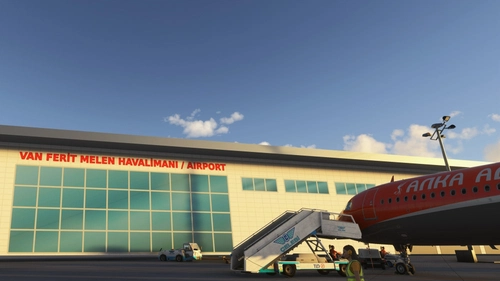
Van Ferit Melen Airport (LTCI) on the shore of Lake Van has been recreated for Microsoft Flight Simulator 2024 using real-world data sources. The scenery features a custom terminal model, accurate runway layout and lighting, detailed taxiways, and a fully equipped apron. Default MSFS assets are used for additional buildings, with no static aircraft to improve performance. Installation instructions and usage terms are included in the package.
von metindikbas
Kommentar-Zusammenfassung
Das allgemeine Feedback zur Pushback Helper ist überwiegend positiv. Viele Nutzer loben die einfache Bedienung, die übersichtliche Oberfläche und die Zuverlässigkeit, insbesondere im Vergleich zu anderen Pushback-Tools. Stammnutzer schätzen die Funktionsvielfalt und berichten von erfolgreichem Einsatz bei bekannten Flugzeugmodellen wie der FBW A320 und Fenix A320. Updates mit praktischen Neuerungen wie einstellbarer Drehgeschwindigkeit des Schleppers und Fenster-Resizing werden ebenfalls positiv erwähnt. Kritisiert werden Kompatibilitätsprobleme nach aktuellen MSFS- oder Windows-Updates, wobei das Programm zum Teil nicht mehr startet, abstürzt oder die Benutzeroberfläche nicht angezeigt wird. Besonders VR-Nutzer weisen darauf hin, dass das Tool in VR nicht nutzbar ist, da es kein eingebettetes UI gibt. Häufig werden Wünsche nach einer frei belegbaren Hotkey-Funktion (da 'Bild Auf' mit Avionikfunktionen kollidiert) und einer einfacheren Deinstallation geäußert. Tipps betreffen vor allem die Installation der Visual C++ Redistributable zur Fehlerbehebung, den Umgang mit versteckten Fenstern und den Hinweis auf Abhängigkeiten wie SimConnect. Es gibt zudem Vorschläge für zusätzliche Features wie bessere Jetway- und Treppenkontrolle oder eine Toolbar-Integration. Insgesamt bleibt das Tool beliebt, jedoch besteht Bedarf an Fehlerbehebungen, besserer VR-Unterstützung und erhöhter Benutzerfreundlichkeit.
Zusammengefasst am 13. Nov. 2026
Melden Sie sich an, um an der Diskussion teilzunehmen
AnmeldenKommentare425
v2.6 does not report a virus.
Correct?
Tug randomly disconnects, the app shows active, but the directional buttons are greyed and the tug is physically gone. You can fix it by reconnecting tug, but it's just a bit annoying.
Just gonna rate 3/5 until a dedicated 2024 update drops. Will report on the Github.