
Beschreibung
iFly 737-Max8 Airline/Livery Config Installer for iFly 737MAX8:
💡 FEATURES:
Drag-and-Drop Method for Airline/Livery-config file/files (*.ini) into "iFly 737-Max8 Livery-config installer.bat"
🚨 !! IMPORTANT !!
Just drag-and-drop the Airline/Livery config-file/files (*.ini) from your downloaded Livery (if the painter provided a config-file)
If they provide a config-file to theirs livery.
👉 INSTALLATION:
1: Unzip the rar-file and place the "iFly 737-Max8 Livery-config installer.bat" where you want.
2: Just drag-and-drop the Airline/Livery config-file/files (*.ini) into the "iFly 737-Max8 Livery-config installer.bat"
3: Done! Go and fly!
📢 NOTE:
iFly 737-Max8 Airline/Livery Config Installer should automatic recognize if you running MS Store or Steam version of MSFS.
Not tested for Steam version, but it should work! Feel free to contact me if not and I will try to solve it!
It will install the config-files into your MS Store or Steam version as path below:
MS Store:
C:\Users\[YourUserName]\AppData\Local\Packages\Microsoft.FlightSimulator_8wekyb3d8bbwe\LocalCache\Packages\ifly-aircraft-737max8\work
Steam version:
C:\Users[YourUsername]\AppData\Roaming\Microsoft Flight Simulator\Packages\ifly-aircraft-737max8\work
Tested and works with iFly 737-MAX8 version: v0.2.5
Please do not modify, redistribute, or re-upload this or the contents of this package without permission
Thanks CryREED
iFly 737-Max8 Airline/Livery Config Installer - iFly 737 MAX8
This add-on provides a simple drag-and-drop installer for airline and livery configuration files (*.ini) for the iFly 737 MAX8 in Microsoft Flight Simulator. It automatically detects whether youre using the MS Store or Steam version, streamlining the installation process. Users need to unzip the installer and then drop the appropriate config files into the provided batch file to complete the installation. Compatible with iFly 737-MAX8 version v0.2.5.

Versionsgeschichte
Keine Versionsgeschichte verfügbar.
Ähnliche Addons
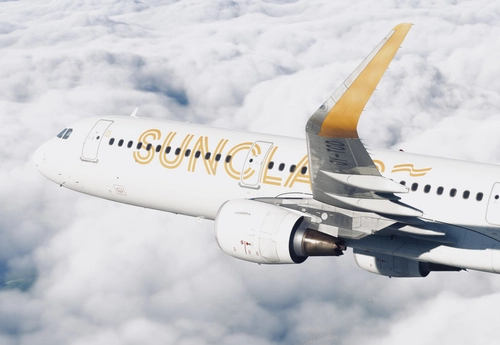
Fenix A321 - Sunclass Airlines Fleet Pack SL/WTF (w/Cabin+SimBrief profiles+AirframeConfigs)
The Fenix A321 - Sunclass Airlines Fleet Pack SL/WTF provides a comprehensive collection of enhancements for simulating Sunclass Airlines aircraft in Microsoft Flight Simulator. This add-on features custom cabins, cockpit configurations, and airframe data based on insights from real-world pilots. Included are unique SimBrief profiles for various aircraft in the Sunclass fleet, along with specific operational details and an EFB background.
von CryREED
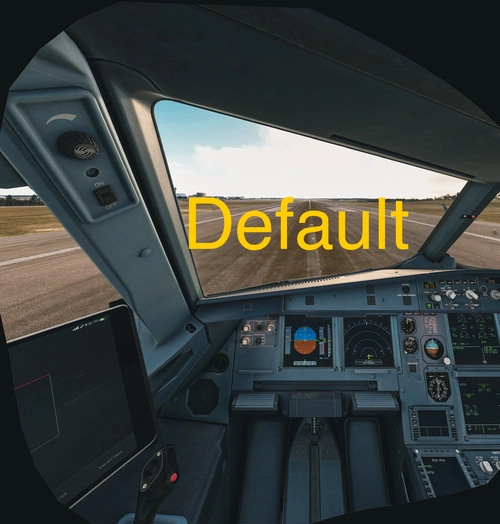
Fenix VR Realistic VR-eyepoint Camera Fix for Fenisim A319/A320/A321 (BFU MSFS2024 updated)
This add-on provides a realistic VR and 2D eyepoint camera fix for the Fenix A319, A320, and A321 aircraft in Microsoft Flight Simulator. It adjusts the camera views to closely match real-life perspectives, enhancing immersion for virtual pilots. Installation is straightforward, involving the addition of a file to the Community folder. Compatible with Fenix version v2.2.0.313.
von CryREED
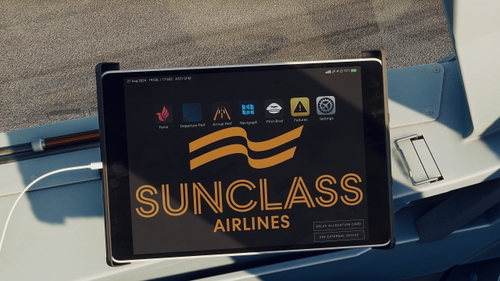
Fenix A320 EFB Background - Sunclass Airlines
This add-on provides a realistic EFB background image for the Fenix A320, specifically designed to match the Sunclass Airlines branding. Users can easily install the background by following the included instructions, with options for integration into existing configurations. The add-on has been tested for compatibility with Fenix version 2.2.0.313.
von CryREED
Melden Sie sich an, um an der Diskussion teilzunehmen
AnmeldenKommentare(6)
over 1 year ago
over 1 year ago
2: Just drag-and-drop the Airline/Livery config-file/files (*.ini) into the "iFly 737-Max8 Livery-config installer.bat"
almost 2 years ago
almost 2 years ago
almost 2 years ago
C:\Users[YourUsername]\AppData\Roaming\Microsoft Flight Simulator\Packages\ifly-aircraft-737max8\work
almost 2 years ago
C:\Users\[USERNAME]\AppData\Roaming\Microsoft Flight Simulator\Packages\ifly-aircraft-737max8\work