
![Custom Camera Views [iniBuilds A320 Neo] - Image 1](https://cdn.flightsim.to/images/27/custom-camera-views-inibuilds-a320-neo-465331-1750513255-YXQJj.jpg)
Beschreibung
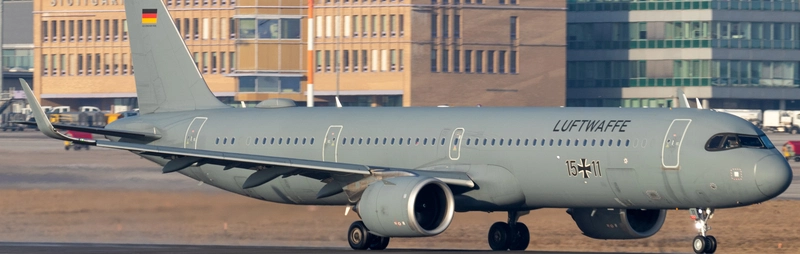
Custom camera views for iniBuilds A320 Neo
The custom cameras have been defined as follows:
Custom camera 0 - pilot view
Custom camera 1 - left wing view
Custom camera 2 - GOPRO cockpit view
Custom camera 3 - right wing view
Custom camera 4 - left engine view
Custom camera 5 - overhead panel
Custom camera 6 - right engine view
Custom camera 7 - central panel
Custom camera 8 - FMC
Custom camera 9 - co-pilot view
Installation Instructions
The folder must be copied into the main directory of MSFS, not into the Community folder.
Proceed only if you feel confident about the next steps.
Step-by-Step Guide:
Locate the MSFS main directory where the "Airplanes" folder is located. This folder contains subfolders for each airplane that has custom camera views.
Note: If you haven't set up any custom cameras yet, the "Airplanes" folder might be empty or might not exist at all.
Path to the folder based on your version:
MSFS 2020:
MS Store: C:\Users\*UserName*\AppData\Local\Packages\Microsoft.FlightSimulator_8wekyb3d8bbwe\LocalCache\SimObjects\Airplanes
Steam: C:\Users\*UserName*\AppData\Roaming\Microsoft Flight Simulator\SimObjects\Airplanes
MSFS 2024:
MS Store: C:\Users\*UserName*\AppData\Local\Packages\Microsoft.Limitless_8wekyb3d8bbwe\LocalCache\SimObjects\Airplanes
Steam: C:\Users\*UserName*\AppData\Roaming\Microsoft Flight Simulator 2024\SimObjects\Airplanes
>>IMPORTANT<<
Make a backup of any old files that might already exist in the subfolders. This way, if there are any issues, you can easily revert to your old camera views.
Installation: Drag and Drop
1. Extract the downloaded file.
2. Copy the folder into the "Airplanes" folder.
Ensure that your custom camera views are assigned to keys in your simulator settings.
You can do this by navigating here Settings > Controls > Camera > Cockpit Camera > LOAD CUSTOM CAMERA
You will find the slots 0 to 9 there. Assign a key to each slot you want to use.
By default, custom camera views are assigned to ALT + 0–9. Since pressing two keys can be inconvenient, I recommend remapping them to the Numpad for quicker and easier access.
Questions or Requests:
Feel free to send me a private message or leave a comment if you have any questions or requests.
I would appreciate your feedback and rating!
Cheers!
Custom Camera Views [iniBuilds A320 Neo]
Custom camera views made by me, adapted to fit this aircraft. All my camera packs follow the same scheme, so you always know which key gives you which view: pilot, co-pilot, wings, engines and panels. Manual installation into the MSFS main directory, then assign the keybinds to your keys for quick access. Cheers!

Nutzerbewertungen
4 Bewertungen
Versionsgeschichte
- Added MSFS 2024 Version (MAIN FILE)
Ähnliche Addons
![Custom Camera Views [FENIX A320 IAE & CFM | WTF + SL]](https://cdn.flightsim.to/images/27/custom-camera-views-fenix-a320-iae-cfm-465331-1737298543-BDXvy.jpg?width=500)
Custom Camera Views [FENIX A320 IAE & CFM | WTF + SL]
Custom camera views made by me, adapted to fit this aircraft. All my camera packs follow the same scheme, so you always know which key gives you which view: pilot, co-pilot, wings, engines and panels. Manual installation into the MSFS main directory, then assign the keybinds to your keys for quick access. Cheers!
von Jojodstep
![Custom Camera Views [iFly 737 Max 8]](https://cdn.flightsim.to/images/27/custom-camera-views-ifly-737-max-8-465331-1729522604-8AwV4.jpg?width=500)
Custom Camera Views [iFly 737 Max 8]
Custom camera views made by me, adapted to fit this aircraft. All my camera packs follow the same scheme, so you always know which key gives you which view: pilot, co-pilot, wings, engines and panels. Manual installation into the MSFS main directory, then assign the keybinds to your keys for quick access. Cheers!
von Jojodstep
![Custom Camera Views [FENIX A321 IAE & CFM | WTF + SL]](https://cdn.flightsim.to/images/27/custom-camera-views-fenix-a321-iae-cfm-465331-1730994999-Sl7UI.jpg?width=500)
Custom Camera Views [FENIX A321 IAE & CFM | WTF + SL]
Custom camera views made by me, adapted to fit this aircraft. All my camera packs follow the same scheme, so you always know which key gives you which view: pilot, co-pilot, wings, engines and panels. Manual installation into the MSFS main directory, then assign the keybinds to your keys for quick access. Cheers!
von Jojodstep
![Custom Camera Views [FENIX A319 IAE & CFM | WTF + SL]](https://cdn.flightsim.to/images/27/custom-camera-views-fenix-a319-iae-cfm-465331-1737331439-xNbPq.jpg?width=500)
Custom Camera Views [FENIX A319 IAE & CFM | WTF + SL]
Custom camera views made by me, adapted to fit this aircraft. All my camera packs follow the same scheme, so you always know which key gives you which view: pilot, co-pilot, wings, engines and panels. Manual installation into the MSFS main directory, then assign the keybinds to your keys for quick access. Cheers!
von Jojodstep
Melden Sie sich an, um an der Diskussion teilzunehmen
AnmeldenKommentare(11)
8 months ago
Personally i do not need 4 outside looking view - Changing was easy into those slots!
Thanks for the sharing!
8 months ago
almost 2 years ago
almost 2 years ago
almost 2 years ago
almost 2 years ago
almost 2 years ago
almost 2 years ago
almost 2 years ago
almost 2 years ago
almost 2 years ago