
Beschreibung
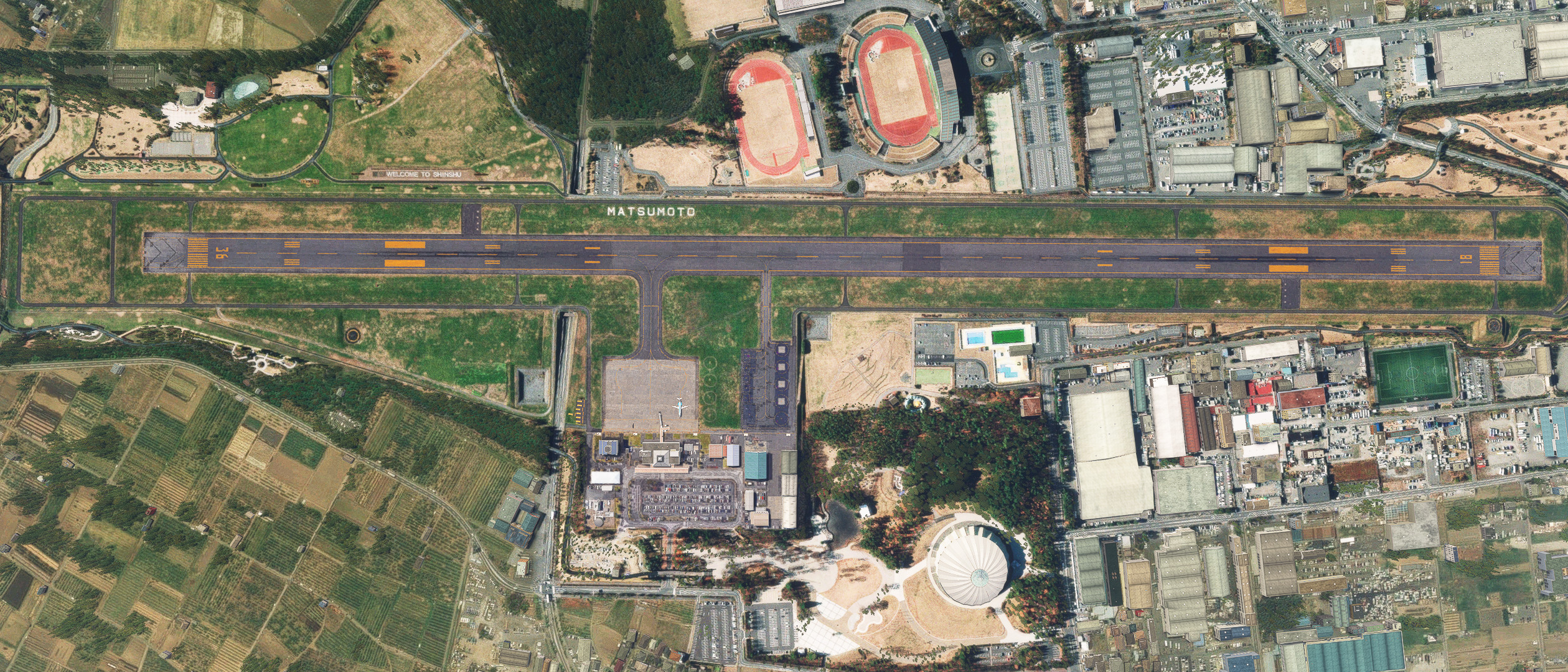
Enhancements to KAZE's RJAF MATSUMOTO Airport.
Ver0.1.0
Modified the airport and surrounding terrain to be more realistic by eliminating the runway falloff.
Changed runway and apron textures based on aerial imagery.
Changed runway and apron lighting.
Added approach lights.
Added fencing.
Added aerial image.
How to use
Change the file name or priority so that it is loaded after KAZE's RJAF MATSUMOTO Airport scenery.
Abhängigkeiten
Kommentare(9)
Melden Sie sich an, um an der Diskussion teilzunehmen
Anmeldenabout 1 year ago
For those who want to use this scenery with the terminal from KAZE's rendition of the airport, you can do the following for FS2020:
1 - Download both sceneries and MSFSLayoutGenerator.
2 - Extract and install KAZE's version into your community folder.
3 - Remove the MaterialLibs folder from KAZE's version.
4 - Extract Karuchie's version in a seperate location.
5 - From Karuchie's version, copy the maps called "Scenery" and "MaterialLibs" and paste them into the folder of KAZE's version of this airport.
6 - Place MSFSLayoutGenerator into KAZE's version of this scenery, click and drag the file Layout.json onto MSFSLayoutGenerator.exe and let it do it's thing.
The scenery should now show the models of KAZE's version of this airport, with the ground textures of Karuchie's version of this airport.
The only very minor issue is that you have a double set of distance number signs along the runway and some GSE equipment that are all in one single .BLG file, this is something I have not found a fix for unfortunately.
about 1 year ago
about 1 year ago
over 1 year ago
almost 2 years ago
almost 2 years ago
almost 2 years ago
Also, is it possible to Gifu AB?
Gambatte, kudasai!
almost 2 years ago
If you combine it with other scenery, adjust the file name so that this scenery is loaded later.
RJAF Matsumoto Airport Enhanced
This add-on enhances Matsumoto Airport (RJAF), located in Nagano Prefecture, Japan, by improving the runway and apron features. It includes modifications to the surrounding terrain for realism, updated runway and apron textures, new lighting, approach lights, and fencing. Aerial photos are also incorporated. Users are advised to adjust file naming if combining with other scenery for optimal performance.

Nutzerbewertungen
3 Bewertungen
Location
More Information
Versionsgeschichte
Changed the way terrain is processed. The center of the runway is slightly bulging, just like in reality. Added some scenery objects. Compatible with 2024.
Ähnliche Addons
RJTH Hachijojima Airport Enhanced
Enhance your flying experience with the RJTH Hachijojima Airport add-on, now with improved airport details and elevation accuracy. This update includes changes to runway location, lighting, markings, and parking, as well as additions like approach lights and custom models. Make sure to have World Update 1 Japan installed for full compatibility.
von karuchie
RORS Shimojishima Airport Enhanced
Enhanced version of RORS Shimojijima Airport with fixes and improvements, including updated 3D models and lighting adjustments. Ensure to download additional dependencies for an optimal experience.
von karuchie
RJOA Hiroshima Airport Enhanced
This add-on enhances KAZEs RJOA Hiroshima Airport by correcting misaligned runways, taxiways, and aprons, leading to improved ILS alignment. It replaces the glass jetway with a metal asset and incorporates a 1m DEM across the airport and a 3m DEM in the surrounding area. Additional features include updated taxiway signs, new lighting installations, and adjustments to objects for height and position accuracy. Users are advised to adjust the file priority for proper integration with the existing scenery.
von karuchie

RJCK Kushiro Airport Enhanced
Enhanced version of Kushiro Airport featuring runway and taxiway line changes, updated taxiway lights, and accurate runway slope. Requires additional Japanese airport model library for some objects. Experience fine-tuning of terminal building, apron lights, and more in this detailed add-on.
von karuchie
10 months ago